
1. Introducció
This manual provides essential instructions for the safe and efficient use of your DOOGEE Fire 5 Rugged Smartphone. Please read this guide thoroughly before operating your device to ensure optimal performance and longevity. The DOOGEE Fire 5 is designed for durability, featuring IP68/IP69K/MIL-STD-810H ratings, a large 13000mAh battery, and an Android 15 operating system.

Imatge: Anvers i revers view of the DOOGEE Fire 5 Rugged Smartphone, showcasing its robust design and camera module.
2. Contingut del paquet
En desembalar, comproveu que hi hagi tots els elements que s'enumeren a continuació:
- 1 x DOOGEE Fire 5 Rugged Smartphone
- 1 x cable USB tipus C
- 1 x Carregador
- 1 x Manual d'usuari
- 1 x Targeta de garantia
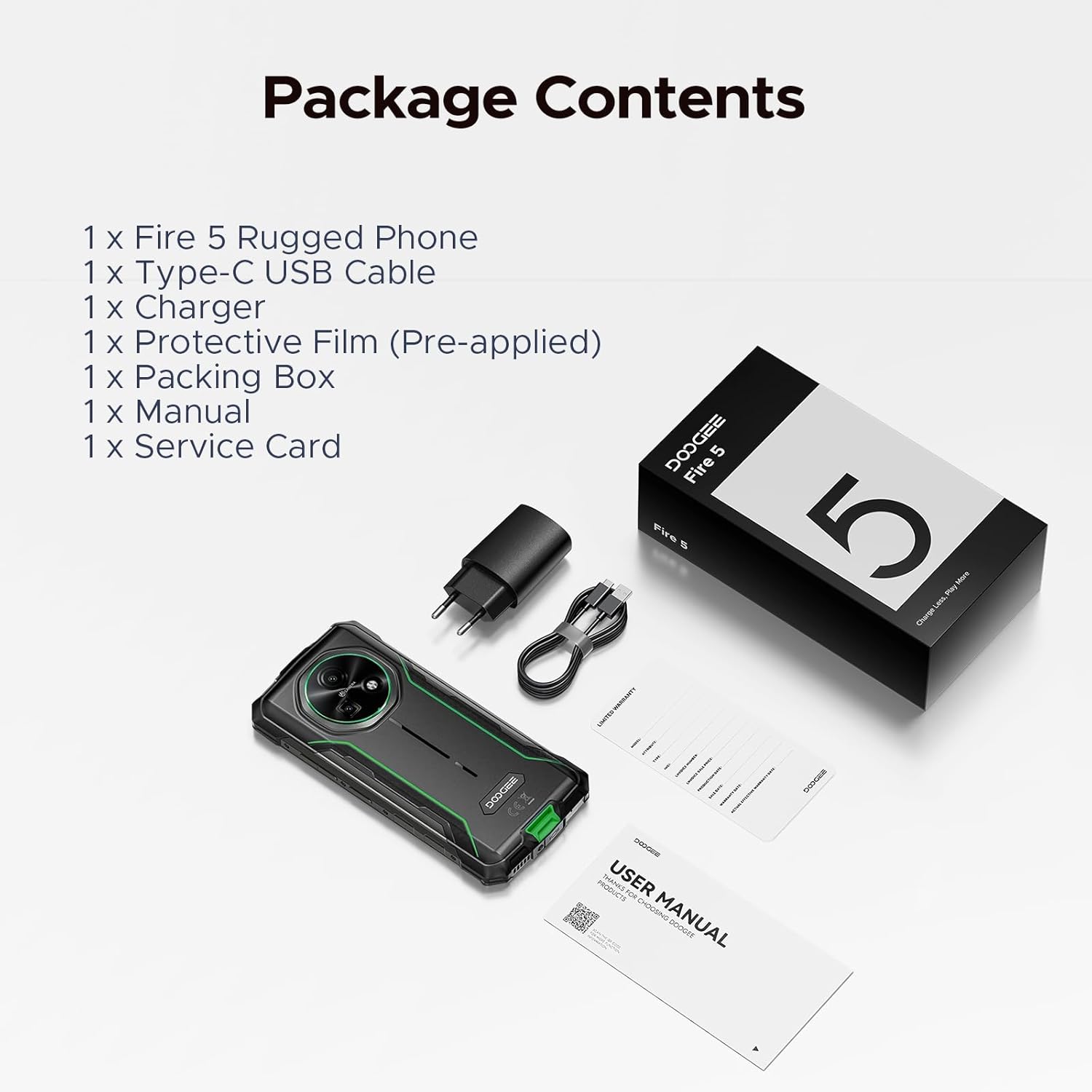
Image: The DOOGEE Fire 5 smartphone, charger, USB-C cable, and documentation laid out, representing the package contents.
3. Dispositiu acabatview
3.1 Característiques físiques
The DOOGEE Fire 5 is built to withstand challenging environments. It features a ruggedized body with reinforced corners and a durable exterior.
- Dimensions: 6.95 x 0.74 x 3.25 polzades
- Pes: 13.8 unces
- Durabilitat: IP68/IP69K/MIL-STD-810H certified for water, dust, and drop resistance.
3.2 Pantalla
The device is equipped with a 6.6-inch HD+ IPS display, offering clear visuals and a smooth user experience.
- Mida de la pantalla: 6.6 polzades
- Freqüència d'actualització: 90Hz for fluid scrolling and responsiveness.
- Resolució: 720*1612 píxels
- Relació pantalla-cos: 85%
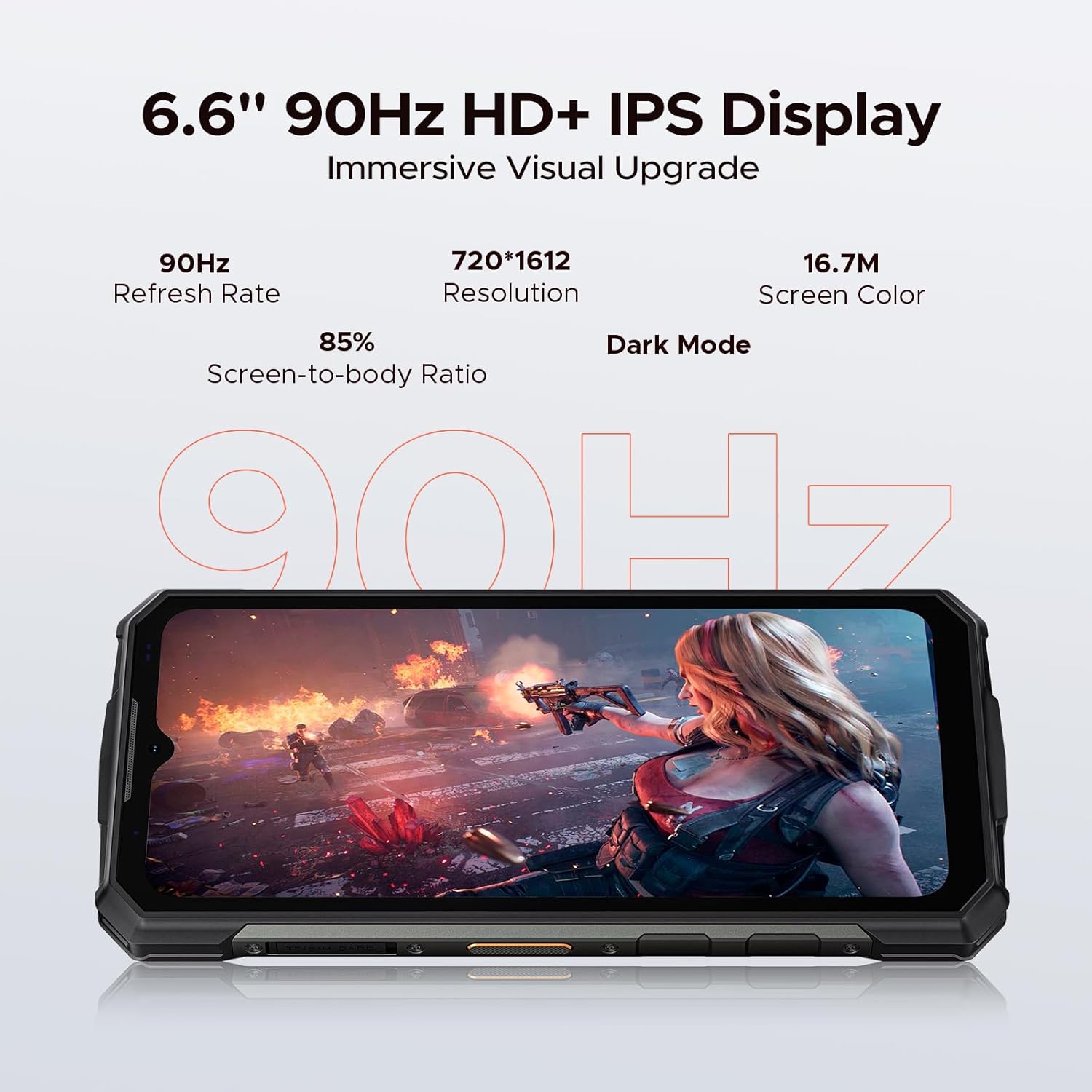
Image: The DOOGEE Fire 5 display showing a high-action scene, highlighting its 6.6-inch HD+ IPS screen with 90Hz refresh rate.
3.3 Rendiment
Powered by an octa-core processor and Android 15, the Fire 5 provides efficient performance for daily tasks.
- Sistema operatiu: Android 15
- Processador: UNISOC SC9863A Octa-Core CPU (1.6GHz)
- RAM: 12GB (3GB physical + 9GB extended virtual RAM)
- Emmagatzematge intern: 64 GB
- Emmagatzematge ampliable: Up to 2TB via TF card (sold separately)
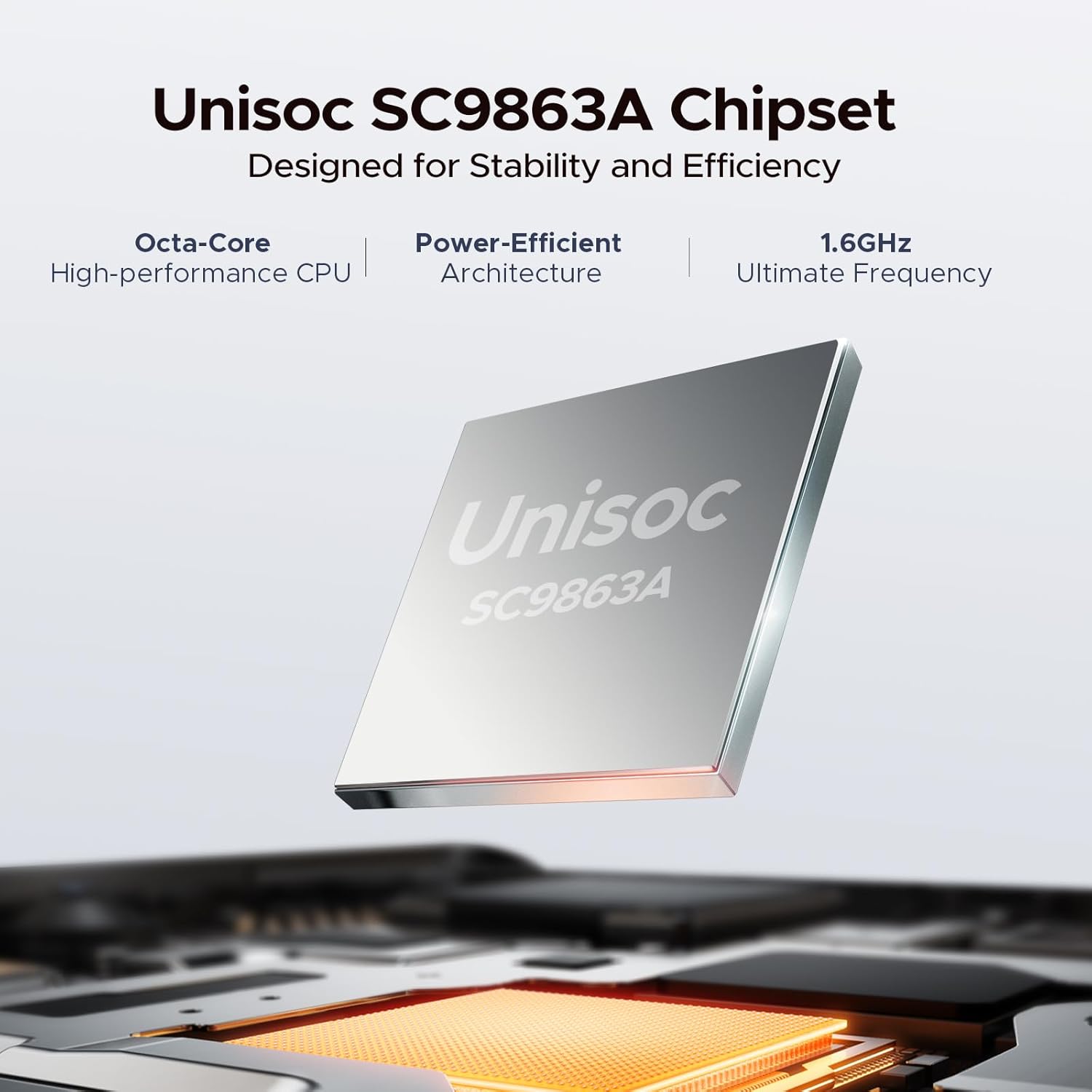
Image: A visual representation of the Unisoc SC9863A Chipset, emphasizing its octa-core and power-efficient architecture.
4. Configuració
4.1 Inserció de targetes SIM i TF
The DOOGEE Fire 5 supports dual SIM cards and one TF (microSD) card for expanded storage.
- Localitza la safata de la targeta SIM al lateral del dispositiu.
- Feu servir l'eina d'expulsió de la SIM proporcionada per obrir la safata.
- Carefully place your Nano-SIM cards and/or TF card into the designated slots. Ensure correct orientation.
- Empenyeu suaument la safata cap a dins del dispositiu fins que quedi al mateix nivell.
4.2 Engegada inicial i configuració bàsica
- Press and hold the Power button until the DOOGEE logo appears.
- Segueix les instruccions que apareixen a la pantalla per seleccionar l'idioma, connectar-te a una xarxa Wi-Fi i configurar el teu compte de Google.
- Configure security settings, including Face ID, for convenient and secure access.
5. Instruccions de funcionament
5.1 Característiques d'Android 15
Your Fire 5 runs on Android 15, offering a range of features for enhanced usability and privacy.
- Clonació d'aplicacions: Duplicate apps for managing multiple accounts.
- Smart Motion Sensing: Utilize gestures for quick actions.
- Superporta-retalls: Advanced clipboard functionality for managing copied content.
- Pantalla dividida: Use two applications simultaneously on the display.
- Protecció de la privadesa millorada: Advanced controls over app permissions and data access.
- Screen Awareness: Keeps the screen on while you are looking at it.
- Live Caption (English Only): Provides real-time captions for media playing on your device.
- Mode guant: Improves touch sensitivity for use with gloves.
- Millora del vídeo: Optimizes video playback quality.

Image: A grid displaying various Android 15 features available on the DOOGEE Fire 5, such as App Cloning, Split Screen, and Glove Mode.
5.2 Funcions de seguretat
- Identificació facial: Unlock your phone quickly and securely using facial recognition.
- Sensor d’empremta digital: (If applicable, check device for sensor location)
- PIN/Patró/Contrasenya: Opcions de seguretat estàndard d'Android.
6. Característiques de la càmera
The DOOGEE Fire 5 is equipped with a 13MP main camera and an 8MP front camera, enhanced with AI capabilities.
- Càmera principal: 13 megapíxels
- Càmera frontal: 8 megapíxels
- Reconeixement d'IA: Automatically optimizes settings for various scenes.
- Modes de fotografia: Includes Anti-Flicker, Pro Mode, Panoramic Mode, Beauty Mode, Night Mode, and Portrait Mode.

Image: Close-up of the DOOGEE Fire 5 camera module, with example photos taken by the 13MP main and 8MP front cameras.
7. Connectivitat
The Fire 5 offers comprehensive connectivity options for communication and data transfer.
- Cel·lular: Dual SIM support, compatible with major carriers (T-Mobile, MetroPCS, etc.). Supports GSM, WCDMA, TDD, and FDD bands.
- Wi-Fi: Connecteu-vos a xarxes sense fil per accedir a Internet.
- Bluetooth: Per connectar accessoris sense fil.
- NFC: Near Field Communication for contactless payments and data exchange.
- USB tipus C: Per a càrrega i transferència de dades.
- OTG (On-The-Go): Allows connection of USB peripherals like flash drives or keyboards.
- Navegació: Supports GPS, Glonass, and Galileo for accurate positioning.

Image: Visuals demonstrating NFC payment, the 3-card slot for dual SIM and TF card, and the navigation system of the DOOGEE Fire 5.
8. Gestió de la bateria
The Fire 5 features a high-capacity 13000mAh battery for extended usage.
- Capacitat: 13000 mAh
- Càrrega: Supports 10W charging via Type-C.
- Càrrega inversa: 5W reverse charging allows the phone to act as a power bank for other devices.
- Estimated Usage: Up to 94 hours music playing, 21 hours video watching, 69 hours calling, 44 days standby.
8.1 Càrrega del dispositiu
Connect the provided Type-C USB cable to the phone's charging port and the other end to the charger. Plug the charger into a power outlet. The battery indicator on the screen will show charging status.
8.2 Optimització de la durada de la bateria
- Ajusteu la brillantor de la pantalla.
- Desactiva el Wi-Fi, el Bluetooth i el GPS quan no els utilitzis.
- Tanca les aplicacions en segon pla.
- Activa el mode d'estalvi de bateria quan sigui necessari.

Image: An illustration of the DOOGEE Fire 5's internal battery, highlighting its 13000mAh capacity and estimated usage times for various activities.
9. Manteniment
To ensure the longevity and optimal performance of your DOOGEE Fire 5, follow these maintenance guidelines:
- Neteja: Utilitzeu un suau, damp drap per netejar el dispositiu. Eviteu productes químics agressius o materials abrasius.
- Resistència a l'aigua i a la pols: While the device is IP68/IP69K rated, ensure all port covers are securely closed before exposure to water or dust. Avoid prolonged submersion or high-pressure water jets.
- Temperatura: Feu servir el dispositiu dins dels rangs de temperatura recomanats. La calor o el fred extrems poden afectar la durada i el rendiment de la bateria.
- Protecció contra impactes: The MIL-STD-810H rating provides drop protection, but excessive force or repeated impacts can still cause damage.

Image: Visuals depicting the DOOGEE Fire 5 undergoing drop tests, water immersion, and dust resistance, illustrating its IP68/IP69K/MIL-STD-810H certifications.
10. Solució De Problemes
If you encounter issues with your DOOGEE Fire 5, refer to the following common solutions:
10.1 El dispositiu no s'encén
- Assegureu-vos que la bateria estigui carregada. Connecteu el carregador i espereu uns minuts abans d'intentar engegar-lo.
- Mantingueu premut el botó d'engegada durant almenys 10-15 segons per forçar un reinici.
10.2 Problemes de connectivitat de xarxa
- Check if your SIM card is correctly inserted and activated.
- Verifica que les dades mòbils estiguin activades a la configuració.
- Reinicieu el dispositiu.
- Reset network settings (Settings > System > Reset options > Reset Wi-Fi, mobile & Bluetooth).
10.3 Les aplicacions es bloquegen o es bloquegen
- Clear the cache and data for the problematic app (Settings > Apps > [App Name] > Storage > Clear cache/Clear data).
- Actualitza l'aplicació a la darrera versió des de Google Play Store.
- Si el problema persisteix, desinstal·la i torna a instal·lar l'aplicació.
10.4 La pantalla tàctil no respon
- Reinicieu el dispositiu.
- Assegureu-vos que la pantalla estigui neta i lliure d'humitat o brutícia.
- If using a screen protector, ensure it is properly applied and not interfering with touch.
11. Especificacions
| Característica | Detall |
|---|---|
| Nom del model | Fire5 |
| Sistema operatiu | Android 15 |
| Processador | UNISOC SC9863A Octa-Core (1.6GHz) |
| RAM | 12 GB (3 GB físic + 9 GB ampliat) |
| Emmagatzematge intern | 64 GB |
| Emmagatzematge ampliable | Up to 2 TB (TF card) |
| Mida de la pantalla | 6.6 polzades |
| Resolució | 720*1612 HD+ |
| Freqüència d'actualització | 90 Hz |
| Càmera principal | 13 MP |
| Càmera frontal | 8 MP |
| Capacitat de la bateria | 13000 mAh |
| Carregant | 10W Fast Charge, 5W Reverse Charging |
| Connectivitat | 4G, Wi-Fi, Bluetooth, NFC, USB Type-C, OTG |
| Navegació | GPS, Glonass, Galileo |
| Durabilitat | IP68, IP69K, MIL-STD-810H |
| Dimensions | 6.95 x 0.74 x 3.25 polzades |
| Pes | 13.8 unces |
12. Garantia i Suport
12.1 Informació de la garantia
Your DOOGEE Fire 5 Rugged Smartphone comes with a comprehensive 2-year warranty. This warranty covers manufacturing defects and ensures peace of mind with your purchase. Please refer to the included Warranty Card for detailed terms and conditions.
12.2 Atenció al client
For technical assistance, troubleshooting beyond this manual, or warranty claims, please contact DOOGEE customer support through their official channels. Refer to the Warranty Card or the DOOGEE official weblloc per obtenir informació de contacte.