
Pixio PX248PROV2
Pixio PX248 PRO V2 24-inch Gaming Monitor User Manual
Brand: Pixio | Model: PX248PROV2
Introducció
This manual provides essential information for the safe and efficient use of your Pixio PX248 PRO V2 24-inch Gaming Monitor. Please read it thoroughly before operating the device and retain it for future reference. The Pixio PX248 PRO V2 features a 24-inch FHD 1080p Fast IPS panel, a 200Hz refresh rate, and a 1ms GTG response time, designed for a responsive and immersive visual experience.
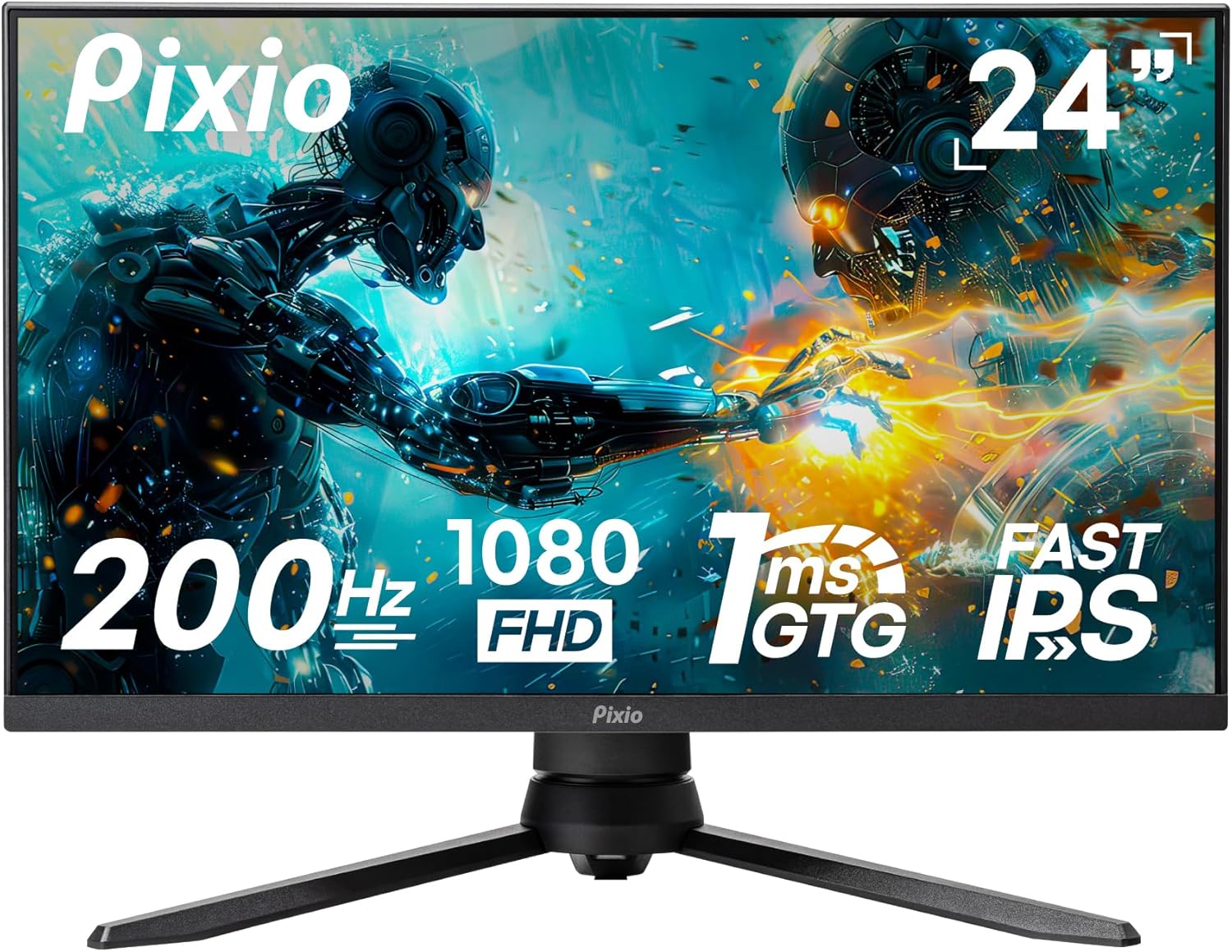
Imatge: Frontal view of the Pixio PX248 PRO V2 24-inch Gaming Monitor, highlighting its 200Hz refresh rate, 1080p FHD resolution, 1ms GTG response time, and Fast IPS panel technology.
Informació de seguretat
- Assegureu-vos que el monitor estigui col·locat sobre una superfície estable i plana per evitar caigudes accidentals.
- No bloquegeu les obertures de ventilació. Un flux d'aire adequat és essencial per evitar el sobreescalfament.
- Feu servir només l'adaptador de corrent que s'inclou amb el monitor.
- Keep the monitor away from water, moisture, and direct sunlight.
- Avoid placing heavy objects on the power cord or monitor cables.
- Desconnecteu el cable d'alimentació de la presa de corrent abans de netejar el monitor.
Contingut del paquet
Verifiqueu que tots els elements siguin presents al paquet:
- Pixio PX248 PRO V2 Monitor
- Suport de monitor (base i coll)
- Adaptador d'alimentació
- Cable DisplayPort
- Manual d'usuari (aquest document)
Configuració
Assemblea de monitors
Segueix aquests passos per muntar el suport del monitor o preparar-lo per al muntatge VESA:
- Traieu amb cura els components del monitor i del suport de l'embalatge.
- Fixeu el coll del suport al panell del monitor. Assegureu-vos que encaixi correctament al seu lloc o que estigui fixat amb cargols si n'hi ha.
- Attach the stand base to the stand neck. Tighten the thumb screw or screws from the bottom of the base.
- For VESA mounting (100x100mm), remove the stand from the monitor panel. Attach your VESA-compatible mount to the four screw holes on the back of the monitor.

Image: Diagram illustrating the adjustable features of the monitor stand, including tilt, height adjustment, swivel, and pivot capabilities for ergonomic positioning.

Image: Technical drawing showing the dimensions of the Pixio PX248 PRO V2 monitor and the location of the 100x100mm VESA mount points on the rear panel.
Connexió a dispositius
Connect your computer or other devices to the monitor using the appropriate cables:
- DisplayPort (DP 1.2): For optimal performance, including 200Hz refresh rate and Adaptive Sync, use the DisplayPort cable.
- HDMI (HDMI 2.0): Connect devices using HDMI cables. The monitor has two HDMI 2.0 ports.
- Presa per a auriculars: Connecteu auriculars o altaveus externs a aquest port per a la sortida d'àudio.

Imatge: Primer pla view of the Pixio PX248 PRO V2 monitor's rear input panel, showing two HDMI 2.0 ports, one DisplayPort 1.2, an earphone jack, and the DC power input.
Connexió d'alimentació
Connect the power adapter to the monitor's DC input port, then plug the adapter into a power outlet.
En funcionament
Menú de visualització en pantalla (OSD).
The monitor features an intuitive OSD menu for adjusting various settings. Use the joystick or buttons located on the monitor (typically on the back or bottom right) to navigate and select options.
- Premeu el joystick: Access OSD menu.
- Moure el joystick amunt/avall: Navegueu per les opcions del menú.
- Moure el joystick esquerra/dreta: Adjust values or enter sub-menus.
- Premeu el joystick (de nou): Confirmeu la selecció.
Funcions i configuracions principals
- Freqüència d'actualització (200 Hz): The monitor supports a 200Hz refresh rate for smoother motion. Ensure your graphics card and connection type (DisplayPort recommended) support this setting. Adjust in your operating system's display settings.

Image: Visual comparison demonstrating the difference in motion clarity between 200Hz, 75Hz, and 60Hz refresh rates, highlighting the smoother experience at 200Hz.
- Temps de resposta (1 ms GTG): The 1ms Gray-to-Gray (GTG) response time minimizes motion blur and ghosting. This setting is typically enabled by default or can be adjusted in the OSD menu under 'Overdrive' or 'Response Time' settings.
- Sincronització adaptativa: This technology synchronizes the monitor's refresh rate with your graphics card's frame rate, eliminating screen tearing and stuttering. Enable Adaptive Sync in the OSD menu and ensure it is also enabled in your graphics card's control panel.

Image: Side-by-side comparison showing the visual difference between Adaptive Sync ON and Adaptive Sync OFF, illustrating how Adaptive Sync eliminates screen tearing for smoother gameplay.
- HDR (alt rang dinàmic): HDR enhances contrast and color accuracy, providing a more vibrant and realistic image. Enable HDR in the OSD menu and in your operating system's display settings if your content supports it.

Image: A vibrant scene displayed on the Pixio PX248 PRO V2 monitor, demonstrating the enhanced contrast and color depth provided by HDR technology.
- Configuració de color: The Fast IPS panel offers wide viewing angles and accurate colors. Adjust brightness, contrast, color temperature, and gamma settings via the OSD menu to suit your preference. The monitor supports 133.9% sRGB and 100% DCI-P3 color spaces.

Image: A colorful abstract image displayed on the Pixio PX248 PRO V2 monitor, illustrating the vivid and lifelike color reproduction of the Fast IPS panel.
- Llum blava baixa: This feature reduces blue light emissions to minimize eye strain during extended use. Activate or adjust the Low Blue Light setting in the OSD menu.

Image: A user wearing headphones, looking at the monitor with the 'Low Blue Light' feature enabled, indicating reduced eye strain for prolonged viewing.
- On-Screen Crosshair: For competitive gaming, an on-screen crosshair can be enabled via the OSD menu to assist with aiming.

Image: A first-person shooter game displayed on the monitor, with an on-screen crosshair overlay visible, demonstrating the aiming assistance feature.
Manteniment
- Neteja de la pantalla: Netegeu suaument la pantalla amb un drap suau i sense borrissol. Per a marques difícils, dampHumitegeu lleugerament el drap amb aigua o un netejador de pantalles sense amoníac ni alcohol. No ruixeu el netejador directament sobre la pantalla.
- Neteja de la Casing: Feu servir un drap suau i sec per netejar el monitor casing. Eviteu els productes de neteja abrasius.
- Emmagatzematge: If storing the monitor for an extended period, place it in its original packaging or a protective cover in a cool, dry place.
Resolució de problemes
- Sense energia: Assegureu-vos que l'adaptador de corrent estigui connectat correctament tant al monitor com a una presa de corrent que funcioni. Comproveu si l'indicador lluminós d'engegada està encès.
- Sense senyal: Verify that the video cable (DisplayPort or HDMI) is correctly connected to both the monitor and your device. Ensure the correct input source is selected in the OSD menu.
- Pantalla parpellejant: Check the video cable connection. Try a different cable or port. Ensure your graphics card drivers are up to date. If Adaptive Sync is enabled, try disabling it temporarily.
- Image Distortion/Blurry: Adjust the resolution and refresh rate in your operating system's display settings to match the monitor's native resolution (1920x1080) and desired refresh rate (up to 200Hz).
- Sense àudio: Ensure speakers or headphones are properly connected to the earphone jack. Check the volume settings on both the monitor (OSD menu) and your connected device. Verify that the correct audio output device is selected in your operating system.
Especificacions
| Característica | Especificació |
|---|---|
| Marca | pixi |
| Número de model | PX248PROV2 |
| Mida de la pantalla | 24 polzades |
| Tipus de panell | IPS ràpid |
| Resolució | Full HD 1080p (1920 x 1080) |
| Freqüència d'actualització | 200 Hz |
| Temps de resposta | 1 ms GTG |
| Relació d'aspecte | 16:9 |
| Brillantor de la imatge | 380 Candela |
| Connectivitat | 2x HDMI 2.0, 1x DisplayPort 1.2, Earphone Jack |
| Ports USB | 2 (Total) |
| Voltage | 12 Volts |
| Dimensions del producte | 11 x 21 x 19 polzades |
| Pes de l'article | 13.42 lliures |
| Compatibilitat VESA | 100x100mm |
Garantia i Suport
Per obtenir informació sobre la garantia i assistència tècnica, consulteu la pàgina oficial de Pixio. website or contact their customer service. You can also find additional resources and the original PDF user manual aquí.
Ask a question about this manual
Ask about setup, troubleshooting, compatibility, parts, safety, or missing instructions. Manuals+ will review the question and use this page’s manual context to help answer it.