
Unifit PBV4PS2
Unifit Digital PID Vertical Control Board User Manual
Model: PBV4PS2 / Part No. 80147
Introducció
This manual provides comprehensive instructions for the installation, operation, and maintenance of your Unifit Digital PID Vertical Control Board. This advanced control board is designed to enhance your outdoor cooking experience by offering precise temperature control and smart features for your Pit Boss Pro Series II 4-Series Wood Pellet Vertical Smoker.
The Unifit PID control board allows for a temperature range of 150°F to 420°F, enabling various cooking methods including smoking, roasting, baking, BBQ, and braising. It is equipped with two meat probe ports for accurate food temperature monitoring (meat probes not included).

Figure 1: Unifit Digital PID Vertical Control Board with compatible Pit Boss smokers.
Compatibilitat
This Unifit Digital PID Control Board (PBV4PS2) is specifically designed as an upgrade and replacement for the following models:
- Pit Boss Pro Series 4 Vertical Smoker
- Pit Boss Pro Series II 4 Series Vertical Smoker
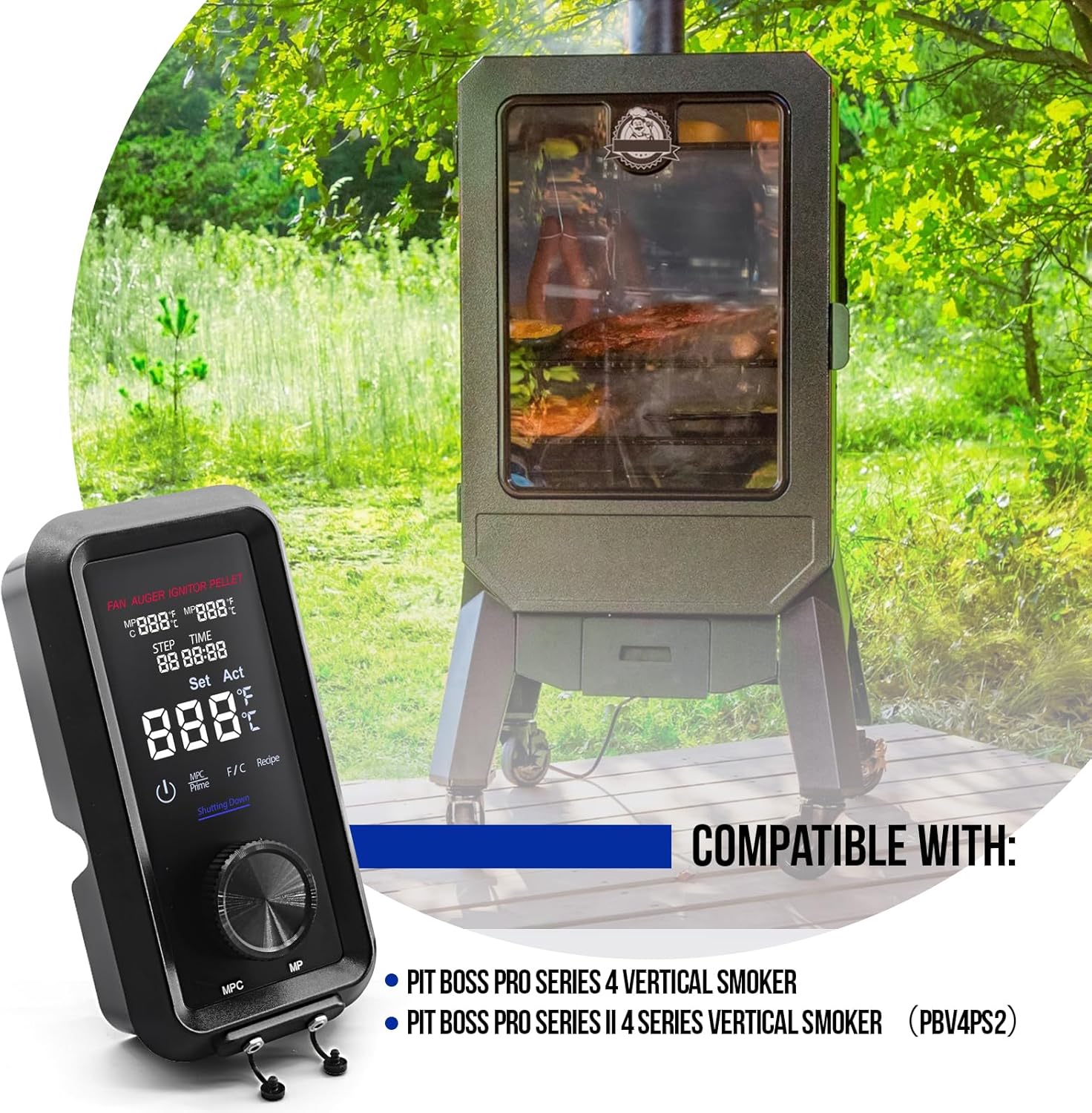
Figure 2: Visual representation of compatible smoker models.
Característiques clau i Advantages
The Unifit Digital PID Control Board offers several enhancements over standard temperature controllers:
- Control precís de la temperatura: The PID algorithm ensures the actual temperature closely matches your setpoint, providing consistent cooking results.
- Reduced Fluctuations: Maintains a stable internal temperature with minimal variations, crucial for long smoking sessions.
- Estalvi d'energia: Optimizes combustion by modulating the fan and auger, leading to more efficient pellet consumption.
- Vida útil ampliada: Minimizes wear on components by providing smoother, more controlled operation.
- Ampli rang de temperatures: Capable of reaching temperatures from 150°F to 420°F.
- Dual Meat Probe Ports: Allows for simultaneous monitoring of two food items (probes sold separately).
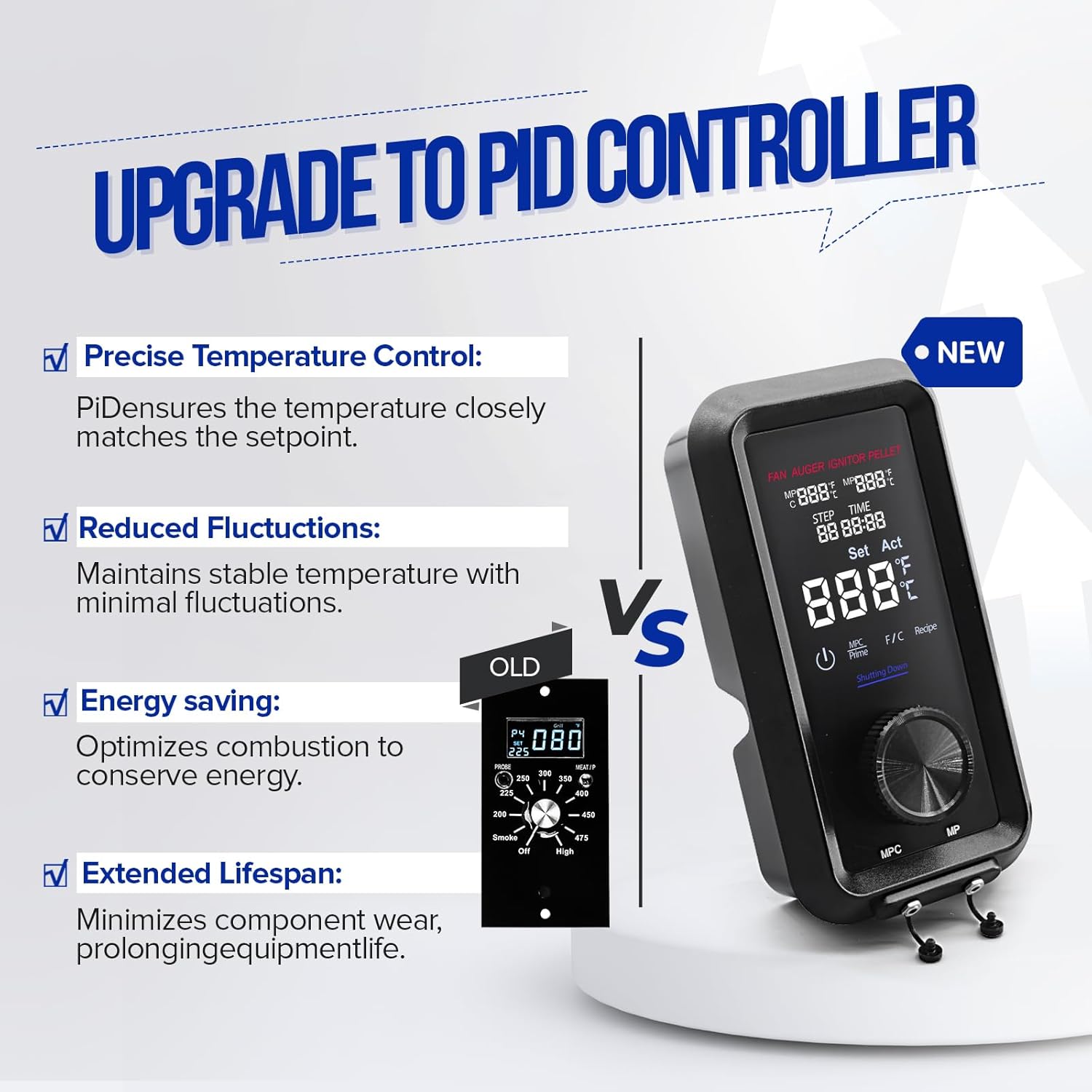
Figura 3: Comparació que destaca l'avantatgetages of upgrading to a PID controller.
Instal·lació
Precaucions de seguretat
- Always ensure the smoker is unplugged from the power source before beginning any installation or maintenance.
- Allow the smoker to cool completely before handling any components.
- Utilitzeu equips de protecció individual adequats, com ara guants, si cal.
Installation Steps (Easy Replacement: Plug and Play)
- Desconnecteu l'alimentació: Unplug your Pit Boss vertical smoker from the electrical outlet.
- Accés a l'antic tauler de control: Locate and carefully remove the existing control board from your smoker. This typically involves unscrewing a few fasteners and disconnecting wiring harnesses.
- Desconnecteu el cablejat: Carefully disconnect all wiring harnesses from the old control board. Note the position of each wire for correct re-connection.
- Connecteu la nova placa de control: Connect the wiring harnesses to the new Unifit Digital PID Control Board. Ensure all connections are secure and match the original configuration. The design is "plug and play" for ease of installation.
- Assegurar una nova placa de control: Mount the new control board into the smoker's housing, securing it with the appropriate fasteners.
- Torneu a connectar l'alimentació: Once the new control board is securely installed and all connections are verified, plug the smoker back into the electrical outlet.

Figura 4: Intern view of the control board, illustrating its compact design and wiring for easy replacement.
Funcionament
Tauler de control acabatview
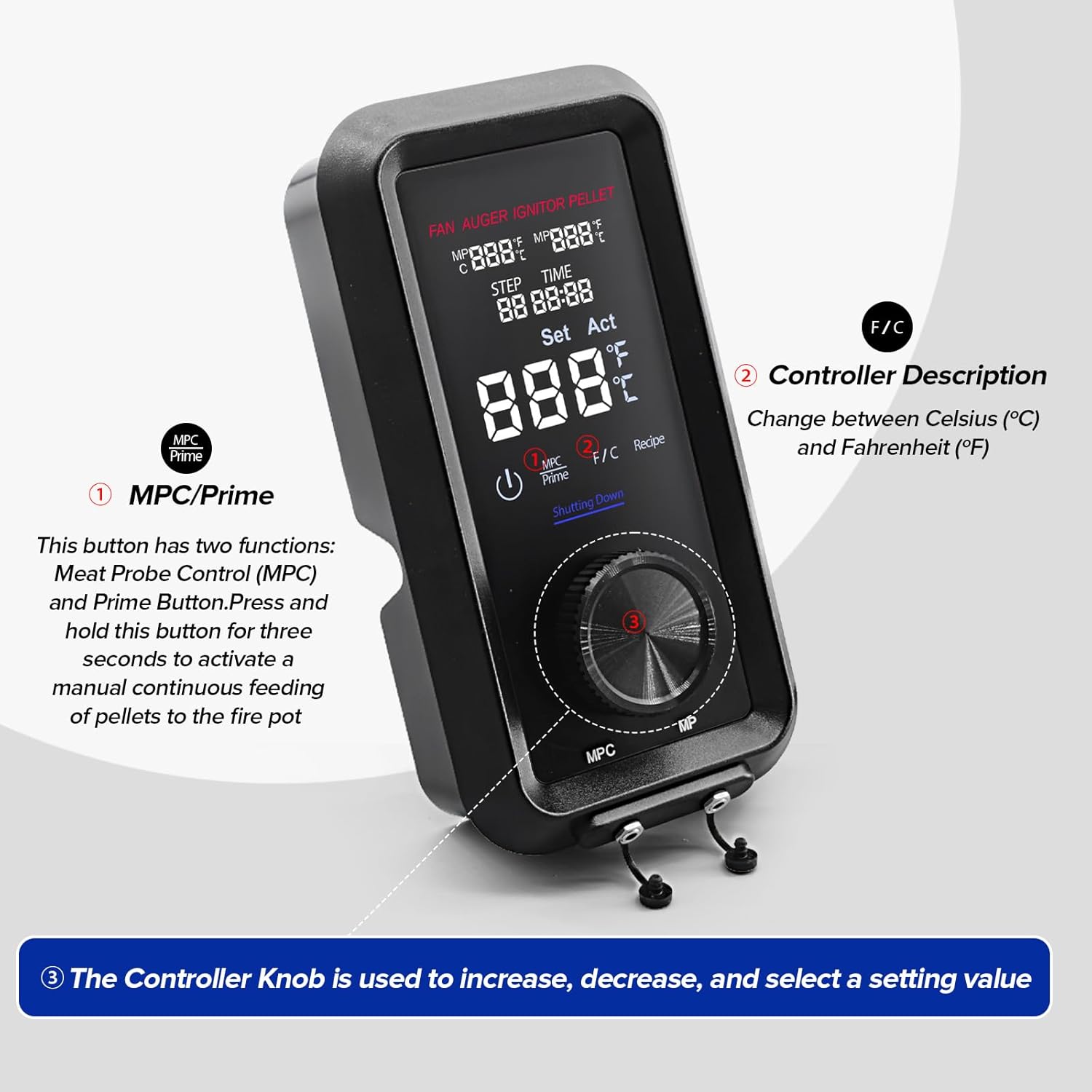
Figura 5: Detallada view of the control board interface, highlighting key operational elements.
- MPC/Prime Button (1): This button serves two functions:
- Meat Probe Control (MPC): Used to cycle through and view meat probe temperatures.
- Prime Button: Press and hold this button for three seconds to activate a manual continuous feeding of pellets to the fire pot, useful for initial startup or adding fuel.
- F/C Button (2): Allows you to change the temperature display between Celsius (°C) and Fahrenheit (°F).
- Controller Knob (3): This rotary knob is used to increase, decrease, and select setting values on the display. Press the knob to confirm a selection.
Funcionament bàsic
- Encès: Press the power button to turn on the control board. The display will illuminate.
- Temperatura establerta: Rotate the Controller Knob to adjust the desired cooking temperature. Press the knob to set the temperature. The PID controller will then work to maintain this setpoint.
- Monitor Meat Temperature: If using meat probes (not included), insert them into the designated ports and into your food. Press the MPC button to cycle through the meat probe readings on the display.
- Unitats de temperatura del commutador: Press the F/C button to toggle between Fahrenheit and Celsius display modes.
- Smoking Tip: To intensify savory flavor, switch to a smoke (low) temperature range immediately after placing your food in the smoker. This allows smoke to penetrate the meats before the pores of the meat close at approximately 120°F.
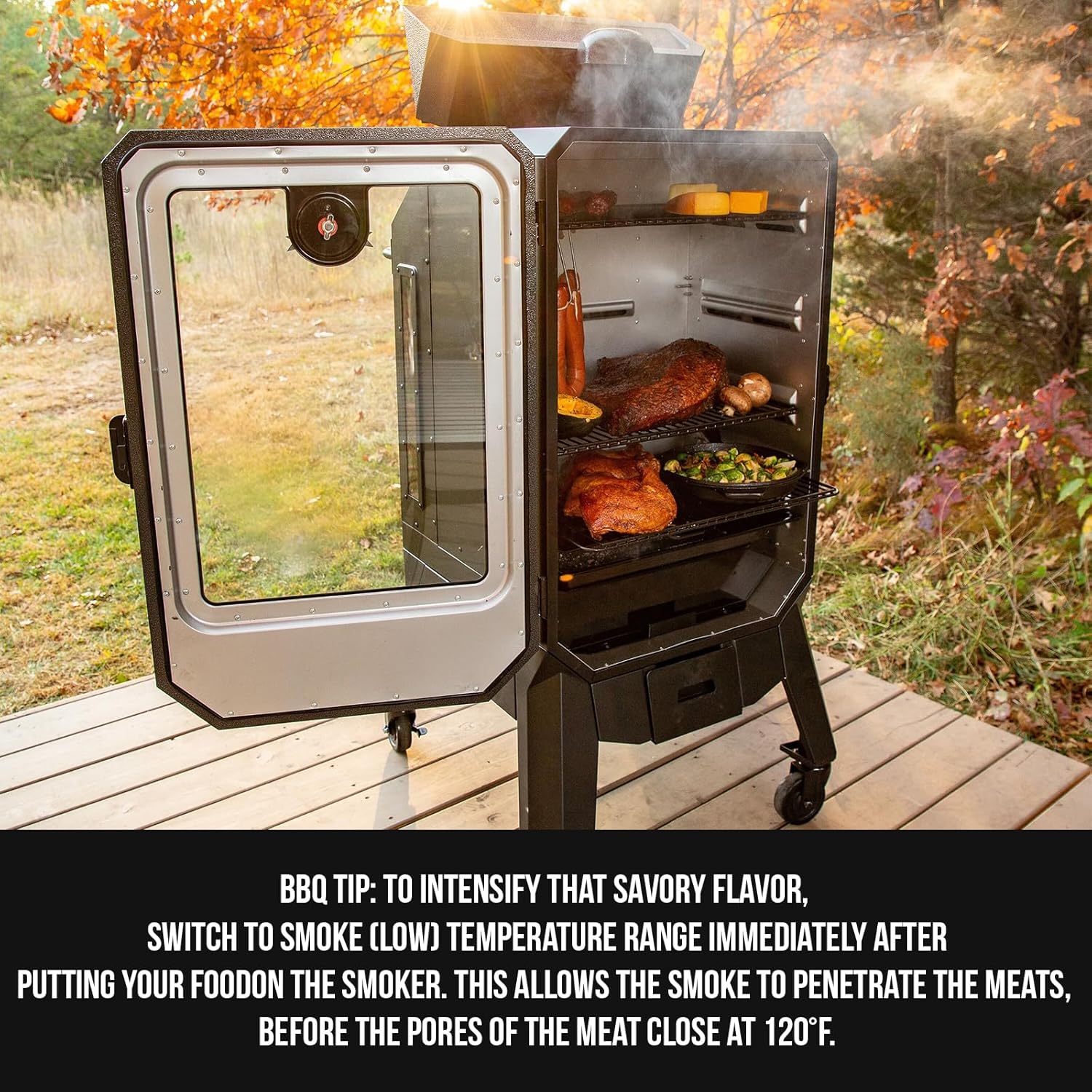
Figura 6: Example of a smoker in use, illustrating the BBQ tip for enhanced flavor.
Manteniment
Regular maintenance of your smoker and its components, including the control board, ensures optimal performance and longevity.
- Neteja: Keep the exterior of the control board clean. Use a soft, damp cloth to wipe away dust or grease. Do not use abrasive cleaners or immerse the unit in water.
- Inspecció del cablejat: Periodically inspect all wiring connections to the control board to ensure they are secure and free from damage.
- Emmagatzematge: When not in use for extended periods, store the smoker in a dry, protected area to prevent exposure to extreme weather conditions, which can affect electronic components.
Resolució de problemes
This section provides solutions to common issues you might encounter with your Unifit Digital PID Control Board.
| Problema | Causa possible | Solució |
|---|---|---|
| Control board not powering on. | No power supply; loose connection; faulty board. | Check power outlet and cord. Ensure all wiring connections are secure. If problem persists, contact support. |
| Temperature fluctuations are too wide. | Hopper low on pellets; dirty fire pot; fan/auger issue. | Ensure sufficient pellets. Clean fire pot. Check for obstructions in fan or auger. The PID controller is designed to minimize fluctuations, so significant issues may indicate a mechanical problem with the smoker itself. |
| Meat probe readings are inaccurate or not displayed. | Probe not fully inserted; faulty probe; dirty probe port. | Ensure meat probe is fully inserted into the port and food. Test with a different probe if available. Clean probe ports gently. |
| Pellets not feeding. | Hopper empty; auger jam; faulty auger motor. | Refill hopper. Check for pellet jams in the auger. If the auger motor is not turning, contact support. |
For issues not listed here or if solutions do not resolve the problem, please refer to the Support section.
Especificacions
| Atribut | Detall |
|---|---|
| Marca | Unifit |
| Nom del model | pb80147 |
| Número de part | 80147 (PBV4PS2) |
| Font d'alimentació | 110 V AC |
| Color | Negre |
| Material exterior | Plàstic |
| Pes de l'article | 1 lliura (aprox. 0.45 kg) |
| Dimensions del producte (L x A x A) | 21.3 cm x 10.8 cm x 5.8 cm (aprox. 8.38 cm x 4.25 cm x 2.28 cm) |
| Interval de temperatura | 150 °F - 420 °F |
| Ports de sonda de carn | 2 (probes not included) |
| Compatibilitat del tipus de combustible | Wood Pellet (for compatible smokers) |
| UPC | 782003305930 |
Garantia i Suport
Informació de la garantia
Unifit products are manufactured to high-quality standards. For specific warranty details regarding your Digital PID Vertical Control Board, please refer to the warranty information provided with your purchase or visit the official Unifit weblloc web. Conserveu el comprovant de compra per a reclamacions de garantia.
Atenció al client
If you have any questions, require technical assistance, or need to report an issue with your Unifit Digital PID Vertical Control Board, please contact Unifit customer support. You can typically find contact information on the product packaging, the Unifit brand store on Amazon, or their official weblloc.
Visita el Unifit Store on Amazon per a més informació i ofertes de productes.
Ask a question about this manual
Ask about setup, troubleshooting, compatibility, parts, safety, or missing instructions. Manuals+ will review the question and use this page’s manual context to help answer it.