
DOMO SLP9
DOMO Slate SLP9 OS12 T310 Tablet PC User Manual
Model: SLP9
Introducció
This manual provides essential information for the proper use and maintenance of your DOMO Slate SLP9 OS12 T310 Tablet PC. Please read it thoroughly before operating the device to ensure optimal performance and longevity.
Què hi ha a la caixa
- 1 Pc DOMO Slate SLP9 OS12 T310 Tablet PC
- 1 Pc Charging Power Adapter
- 1 Pc Type-C USB Cable
- 1 Pc Type-C OTG Cable
- 1 Sim Card Tray Eject Pin
- Manual d'usuari (aquest document)
Producte acabatview
Familiarize yourself with the physical components of your DOMO Slate SLP9 OS12 T310 Tablet PC.
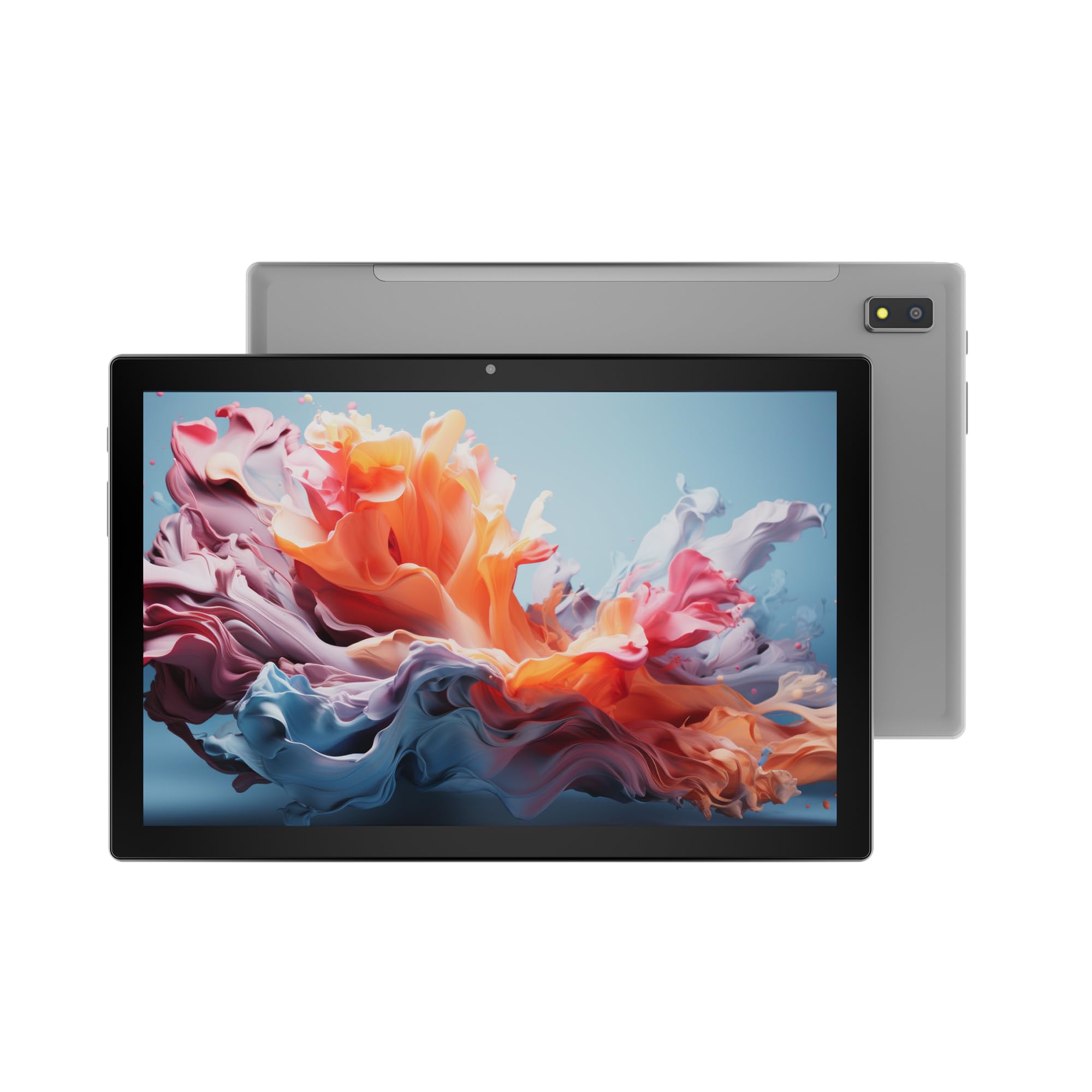
Figura 1: Davant view of the DOMO Slate SLP9 OS12 T310 Tablet PC, showcasing the 10.1-inch IPS LCD display.

Figura 2: En angle view of the tablet, highlighting its slim profile i pantalla.

Figura 3: lateral view of the tablet, showing the placement of buttons and ports.

Figura 4: posterior view of the tablet, displaying the camera module and branding.
Components clau
- 10.1-inch IPS HD LCD Display: High-resolution screen for clear visuals.
- Càmera frontal: Located above the screen for video calls and selfies.
- Rear Camera with LED Flash: Per capturar fotos i vídeos.
- Botó d'encesa: Per encendre/apagar el dispositiu o posar-lo en repòs.
- Botons de volum: Per ajustar els nivells d'àudio.
- Port USB tipus C: Per a càrrega i transferència de dades.
- Dual SIM Slot: Supports 4G, 3G, and 2G SIM cards for cellular connectivity and voice calling.
- Ranura per a targeta MicroSD: Per a emmagatzematge ampliable fins a 1 TB.
- Dual Box Type Speakers: Per a la sortida d'àudio.
Configuració
1. Càrrega de la tauleta
Before first use, fully charge your tablet. Connect the provided Type-C USB cable to the tablet's Type-C port and the other end to the charging power adapter. Plug the adapter into a wall outlet. The battery indicator on the screen will show charging status.
2. Inserció de targetes SIM i MicroSD
- Localitza la safata de la targeta SIM/MicroSD al lateral de la tauleta.
- Insert the provided SIM eject pin into the small hole next to the tray to open it.
- Carefully place your 4G/3G/2G SIM card(s) and/or MicroSD card into the designated slots on the tray. Ensure correct orientation as indicated on the tray.
- Empenyeu suaument la safata cap a dins de la tauleta fins que encaixi al seu lloc.
3. Engegada i configuració inicials
- Manteniu premut el botó Botó d'engegada until the DOMO logo appears on the screen.
- Segueix les instruccions que apareixen a la pantalla per seleccionar l'idioma, connectar-te a una xarxa Wi-Fi, configurar el teu compte de Google i configurar altres paràmetres inicials.
- Once setup is complete, your tablet is ready for use.
Instruccions de funcionament
Navegació bàsica
- Toca: Toca una icona per obrir una aplicació o seleccionar un element.
- Toca i mantén premut: Mantingueu premut un element per accedir als menús contextuals o moure les icones.
- Llisca: Arrossegueu el dit per la pantalla per desplaçar-vos per pàgines o llistes.
- Pessigar: Feu servir dos dits per ampliar o reduir les fotos i web pàgines.
Connexió a xarxes
Connexió Wi-Fi
- Vés a Configuració > Xarxa i Internet > Wi-Fi.
- Activa/desactiva el Wi-Fi On.
- Seleccioneu la xarxa desitjada de la llista i introduïu la contrasenya si se us demana.
Emparellament Bluetooth
- Vés a Configuració > Dispositius connectats > Bluetooth.
- Commuta el Bluetooth On.
- Select the device you wish to pair with from the list of available devices. Confirm the pairing code if prompted.
Cellular Data and Voice Calling (4G)
With a valid SIM card inserted, your tablet supports 4G cellular data and voice calling (VoLTE). Ensure your SIM card is activated for these services.
- To enable/disable mobile data, go to Configuració > Xarxa i Internet > Xarxa mòbil.
- Per fer una trucada, obriu la Telèfon app and dial the number.
Funcionament de la càmera
Obriu el Càmera aplicació des de la pantalla d'inici o el calaix d'aplicacions.
- Toqueu Obturador botó per fer una foto.
- Toqueu Vídeo icon to switch to video recording mode.
- Utilitza el Canvia càmera icon to toggle between the front and rear cameras.
Funcionalitat GPS
The tablet has an inbuilt GPS chip and antenna. To use location services, ensure GPS is enabled in Configuració > Ubicació. You can then use navigation apps or other location-based services.
Manteniment
Neteja del dispositiu
- Feu servir un drap suau i sense borrissol per netejar la pantalla i el cos de la tauleta.
- Eviteu utilitzar productes químics agressius, netejadors abrasius o aerosols.
- No permeteu que la humitat entri a les obertures.
Cura de la bateria
- Eviteu les temperatures extremes, ja que poden reduir la durada de la bateria.
- Feu servir només el carregador i el cable proporcionats.
- No deixeu la tauleta carregant-se durant períodes prolongats després que estigui completament carregada.
Actualitzacions de programari
Comproveu periòdicament si hi ha actualitzacions del sistema per assegurar-vos que la tauleta tingui les darreres funcions i millores de seguretat. Aneu a Configuració > Sistema > Actualització del sistema.
Resolució de problemes
| Problema | Possible solució |
|---|---|
| La tauleta no s'encén. | Assegureu-vos que la bateria estigui carregada. Connecteu el carregador i torneu-ho a provar. Si no respon, premeu i manteniu premut el botó d'engegada durant 10-15 segons per forçar un reinici. |
| No es pot connectar a la Wi-Fi. | Check if Wi-Fi is enabled in settings. Ensure the Wi-Fi password is correct. Restart your router and the tablet. |
| No s'ha detectat la targeta SIM. | Ensure the SIM card is correctly inserted into the tray. Restart the tablet. Check if the SIM card is active with your service provider. |
| Rendiment lent. | Close unused applications. Clear cache. Consider uninstalling unnecessary apps. Perform a factory reset as a last resort (backup data first). |
| La càmera no funciona. | Ensure the camera app has necessary permissions. Restart the tablet. |
Especificacions
| Característica | Detall |
|---|---|
| Marca | DOMO |
| Nom del model | Slate SLP9 OS12 T310 |
| Mostra | 10.1-inch IPS HD LCD, 1920 x 1200 Pixels, 400 NITS Brightness, 2.5D Corning Glass Touch Screen |
| Processador | UNISOC Tiger T310 - 64-bit Quadcore @ 3.8Ghz |
| RAM | 4 GB LPDDR4 |
| Emmagatzematge intern | 64 GB |
| Emmagatzematge ampliable | Fins a 1 TB mitjançant targeta MicroSD |
| Sistema operatiu | Android 12 |
| Càmera posterior | 13MP amb flaix LED |
| Càmera frontal | 5MP |
| Bateria | 5020 mAh rechargeable polymer battery |
| Connectivitat | Dual SIM (4G VoLTE, 3G, 2G), DualBand Wi-Fi (2.4GHz & 5GHz), Bluetooth 5.0, GPS, FM Radio |
| Ports | Type-C USB Port, POGO Connector |
| Dimensions (L x W x Thickness) | 24.4L x 16.2W x 1Th Centimeters |
| Pes | 505 grams |
| Habitatge | Metall |
| País d'origen | Índia |
Garantia i Suport
Informació de la garantia
The DOMO Slate SLP9 OS12 T310 Tablet PC comes with a 1 any de garantia for the device and 3 mesos de garantia for accessories. The warranty type is Onsite, which includes free pickups and deliveries for service.
Exclusions de garantia: Physical damages, water damages, moisture damages, seal tampering, and burnout cases are not covered under warranty.
Atenció al client
For technical assistance, troubleshooting, or warranty claims, please contact DOMO customer support. Support options include an online knowledge base, support tickets, and phone support. Post-warranty services are available as paid onsite services.
Per a més informació, visiteu l'oficial DOMO Store on Amazon.
Ask a question about this manual
Ask about setup, troubleshooting, compatibility, parts, safety, or missing instructions. Manuals+ will review the question and use this page’s manual context to help answer it.