
1. Introducció i finalview
The DOOGEE Blade 20 Ultra is a rugged smartphone designed for durability and performance in challenging environments. It features a robust build, a large battery, and advanced camera capabilities, making it suitable for outdoor activities and demanding work conditions.
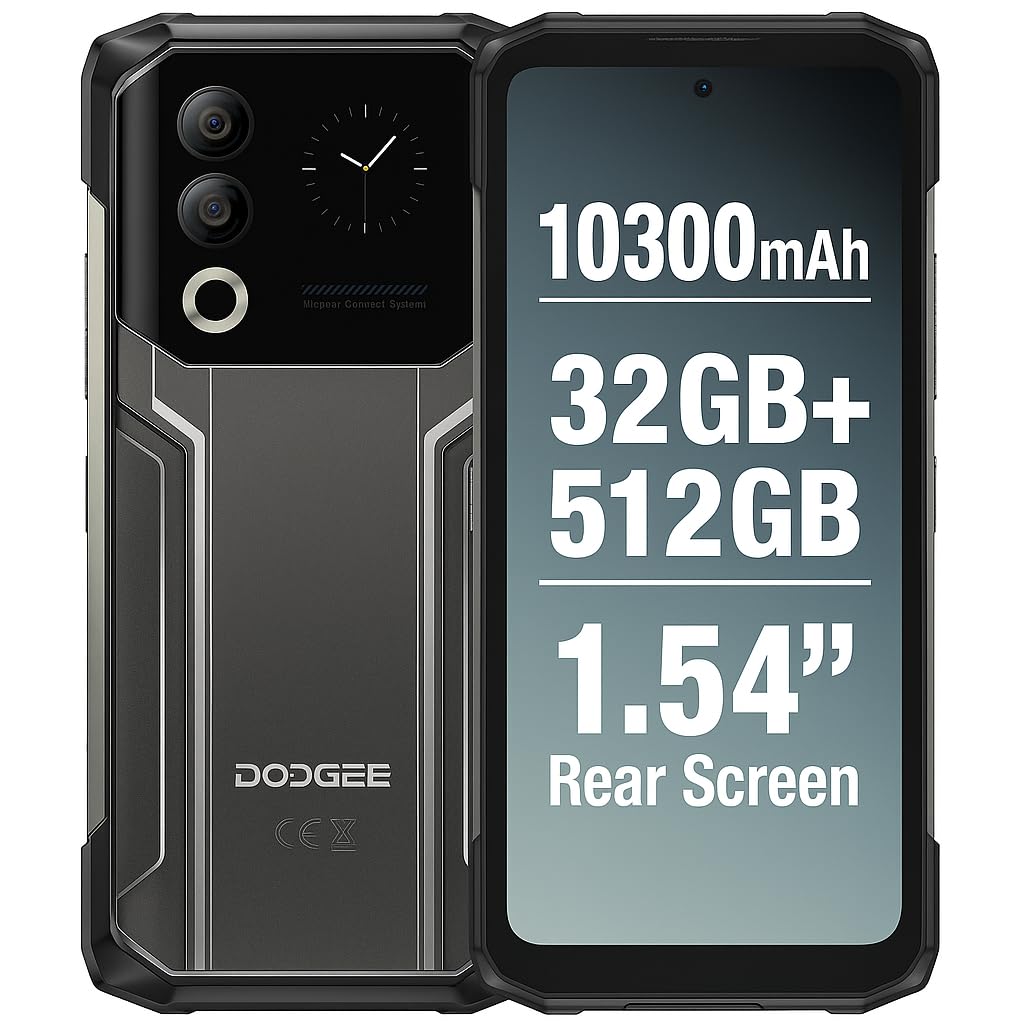
Figure 1: DOOGEE Blade 20 Ultra device overview.
Característiques principals:
- Ultra-Rugged Design: IP68/IP69K and MIL-STD-810H certified for water, dust, and shock resistance.
- Rendiment potent: Unisoc T7250 Octa-Core processor with 8GB RAM (expandable to 32GB virtual RAM) and 512GB internal storage (expandable up to 2TB).
- Pantalla dual: 6.6-inch FHD+ 90Hz main display and an innovative 1.54-inch smart rear display for quick access and customization.
- Bateria de llarga durada: 10300 mAh battery with 18W fast charging and OTG reverse charging capability.
- Sistema de càmera avançat: 50MP AI main camera and 8MP front camera with multiple shooting modes.
- Seguretat millorada: Side-mounted fingerprint sensor and facial recognition.
- Connectivitat: NFC with Google Pay support, GPS, Glonass, Galileo, Beidou for accurate navigation.
2. Configuració
2.1 Contingut del paquet
Abans de començar, assegureu-vos que tots els elements estiguin presents a la caixa:
- 1 x DOOGEE Blade 20 Ultra Smartphone
- 1 x Screen Protector Film (pre-applied or separate)
- 1 cable USB (tipus C)
- 1 x funda protectora
- 1 x Carregador
2.2 Instal·lació de la targeta SIM i la targeta MicroSD
The device supports a triple slot system for two Nano SIM cards and one MicroSD card.
- Localitza la safata de la targeta SIM al lateral del telèfon.
- Feu servir l'eina d'expulsió de la SIM proporcionada per obrir la safata.
- Carefully place your Nano SIM cards and/or MicroSD card into the designated slots. Ensure the gold contacts face downwards.
- Empenyeu suaument la safata cap al telèfon fins que encaixi al seu lloc.

Figure 2: Illustration of SIM and MicroSD card installation.
2.3 Càrrega inicial
Before first use, it is recommended to fully charge the device. Connect the USB cable to the phone's Type-C port and the charger, then plug the charger into a power outlet. The phone supports 18W fast charging.
2.4 Engegada/apagada
- Per encendre: Press and hold the Power button (usually on the side) until the DOOGEE logo appears.
- Per apagar: Mantingueu premut el botó d'engegada i, a continuació, seleccioneu "Apagar" de les opcions que apareixen a la pantalla.
- Per reiniciar: Mantingueu premut el botó d'engegada i, a continuació, seleccioneu "Reiniciar" de les opcions.
3. Funcionament del dispositiu
3.1 Main Display (6.6" HD+ 90Hz)
The 6.6-inch HD+ display offers a smooth visual experience with a 90Hz refresh rate. Navigate through apps, menus, and content using touch gestures.
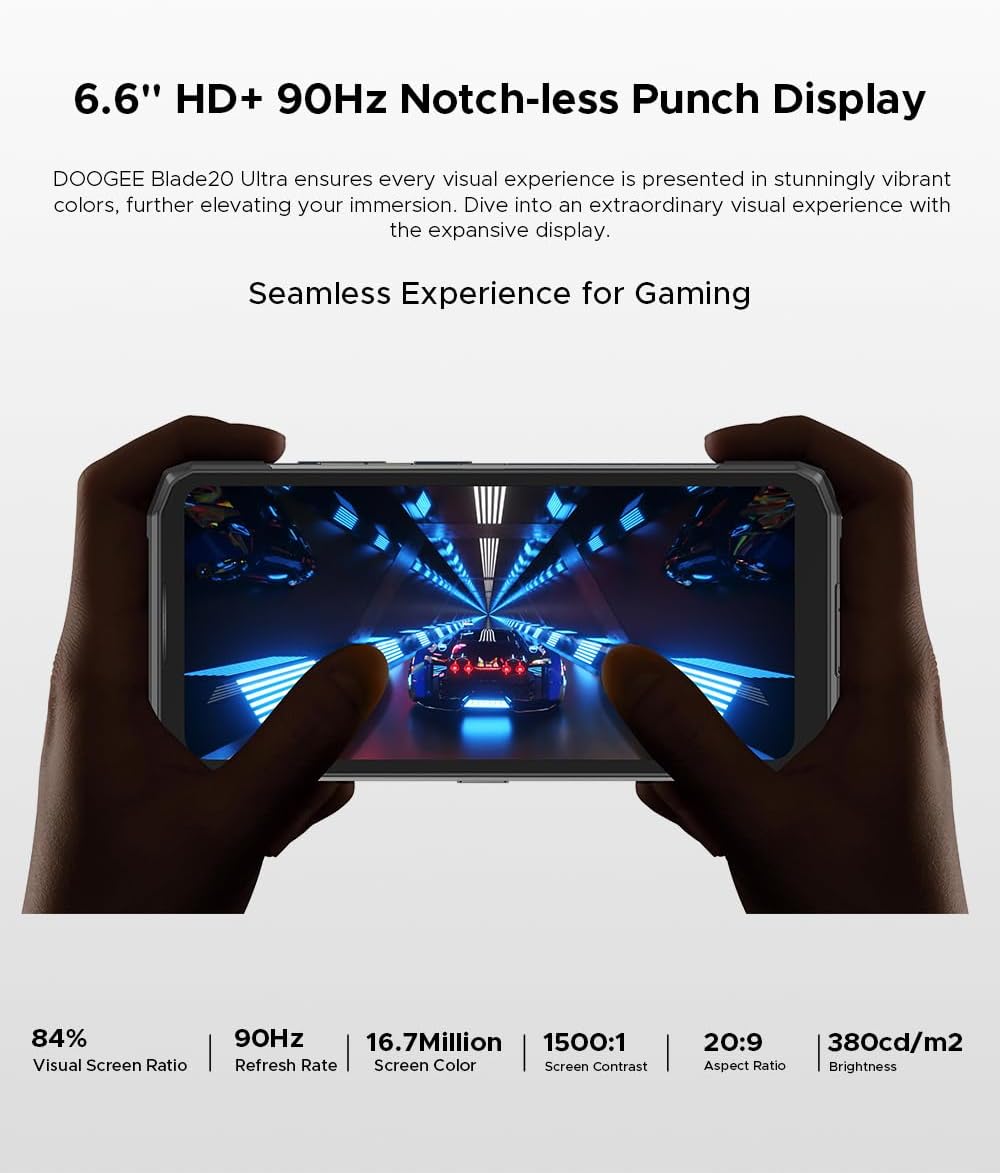
Figure 3: The 6.6-inch HD+ 90Hz main display provides a seamless viewexperiència.
3.2 1.54" Smart Rear Display
The innovative 1.54-inch rear display provides quick access to essential functions and customizable backgrounds. Double-tap to activate it.
- Accés ràpid: Control music, view notifications, check the calendar, and answer calls without opening the main screen.
- Selfies: Use the rear display to frame selfies with the main camera.
- Personalització: Choose from over 16 customizable wallpapers, including dynamic, business, and personalized photo settings.

Figure 4: The 1.54-inch smart rear display offers quick functions and personalization.
3.3 Funcions de la càmera
The DOOGEE Blade 20 Ultra features a 50MP AI main camera and an 8MP front camera. It supports Google Intelligent Camera features.
- Càmera principal: 50MP (OV50C40 sensor, F/1.8 aperture) with autofocus and LED flash.
- Càmera frontal: 8MP (Hi-842 sensor, F/2.2 aperture).
- Modes: Underwater mode, Night Vision, Professional Photography, Beauty Mode, Time-lapse, Portrait Mode, HDR, Panoramic Mode, Filter, Pro Mode.
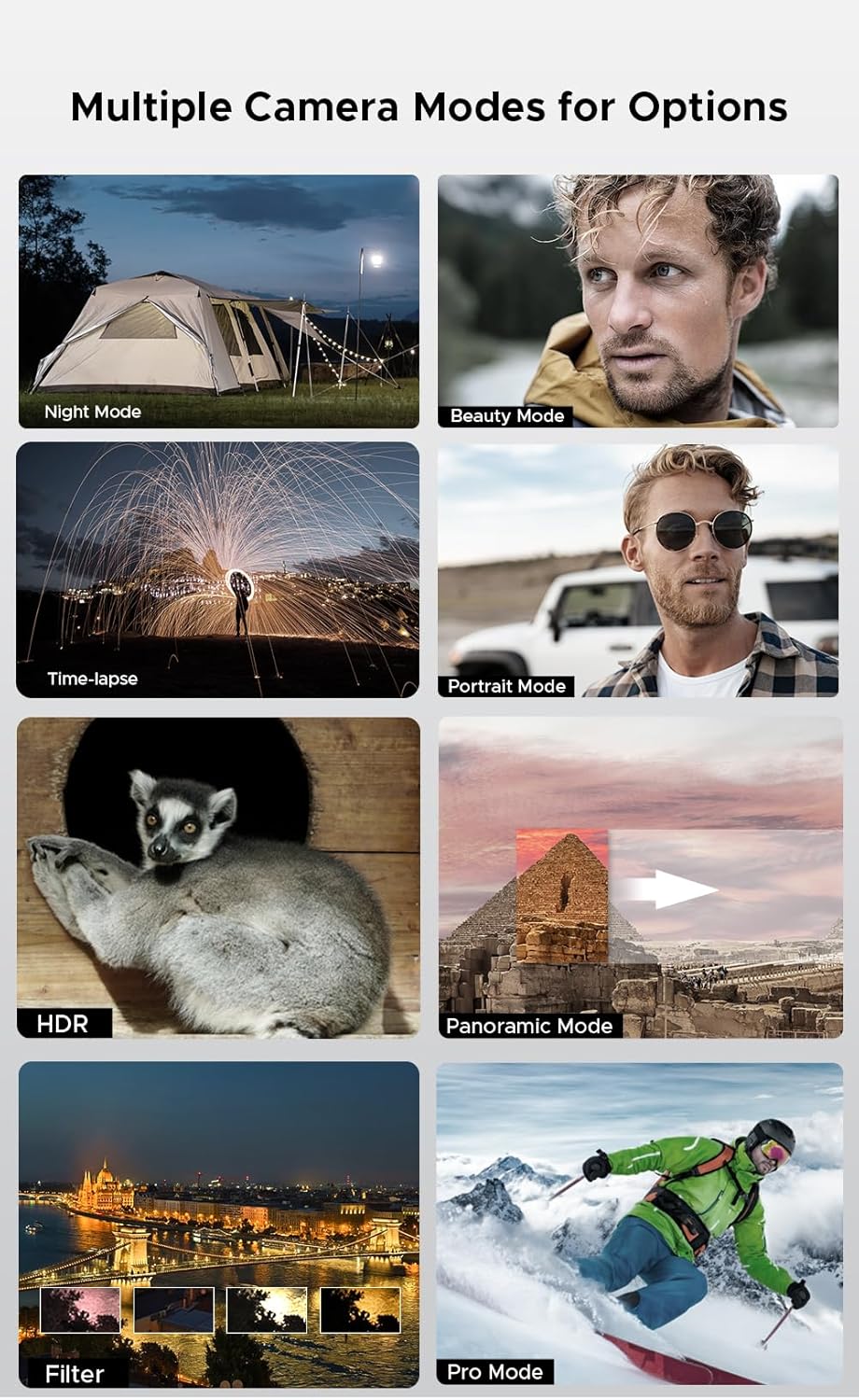
Figure 5: Various camera modes available on the Blade 20 Ultra.
3.4 Gestió de la bateria
The device is equipped with a 10300 mAh battery, providing extended usage times.
- Càrrega ràpida: Admet una càrrega ràpida de 18 W per recarregar ràpidament la bateria.
- Power Bank Function (OTG Reverse Charging): Use your phone to charge other devices.
- Ús: Fins a 35 hores de temps de conversa.
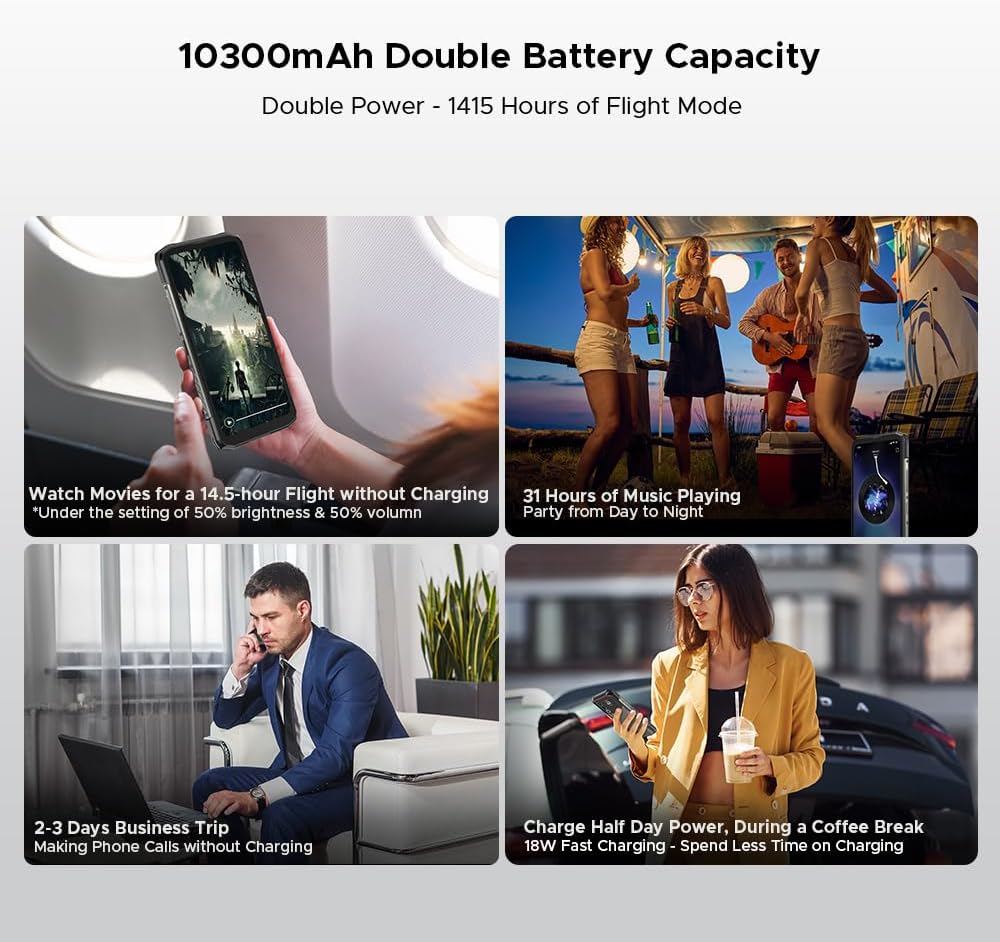
Figura 6: Examples of extended battery life for various activities.
3.5 Funcions de seguretat
- Sensor d'empremtes dactilars lateral: Unlock your device quickly and securely using the side-mounted fingerprint sensor.
- Reconeixement facial: Use your face to unlock the phone.
3.6 Connectivitat i navegació
The Blade 20 Ultra supports various connectivity options and global navigation systems.
- NFC: Supports Near Field Communication for contactless payments (Google Pay) and data transfer.
- Sense fil: GSM, 3G, 4G, Bluetooth, Wi-Fi.
- Navegació: Integrated GPS, Glonass, Galileo, and Beidou for accurate positioning.

Figure 7: The phone supports multiple global navigation satellite systems.
4. Manteniment
4.1 Neteja del dispositiu
Per mantenir l'aspecte i la funcionalitat del dispositiu:
- Netegeu la pantalla i el cos amb un drap suau i sense borrissol.
- Per a la brutícia persistent, lleugerament dampNetegeu el drap amb aigua o un netejador de pantalles.
- Eviteu utilitzar productes químics o materials abrasius.
- Assegureu-vos que totes les cobertes dels ports estiguin ben tancades abans d'exposar el dispositiu a l'aigua o la pols.
4.2 Cura de la bateria
- Eviteu les temperatures extremes, que poden reduir la durada de la bateria.
- Do not leave the phone fully charged or fully discharged for extended periods.
- Use only the original charger and cable or certified compatible accessories.
4.3 Actualitzacions de programari
The DOOGEE Blade 20 Ultra runs on Android 14. Regularly check for and install software updates to ensure optimal performance, security, and access to new features. You can usually find this option in the phone's Settings menu under 'System' or 'About phone'.
4.4 Gestió d'emmagatzematge
With 512GB of internal storage and support for up to 2TB MicroSD, you have ampespai. Repetir periòdicamentview teu files and applications to free up space if needed. Uninstall unused apps and transfer large media files to external storage or cloud services.
5. Solució De Problemes
This section addresses common issues you might encounter with your DOOGEE Blade 20 Ultra.
5.1 El dispositiu no s'encén
- Assegureu-vos que la bateria estigui carregada. Connecteu el carregador i espereu uns minuts abans d'intentar engegar-lo.
- Mantingueu premut el botó d'engegada durant almenys 10-15 segons per forçar un reinici.
5.2 Problemes de càrrega
- Check if the charger and USB cable are properly connected and undamaged.
- Proveu d'utilitzar una presa de corrent diferent.
- Assegureu-vos que el port de càrrega estigui net i lliure de residus.
5.3 Problemes de connectivitat de xarxa
- Check if your SIM card is correctly inserted and activated.
- Ensure 'Airplane mode' is off.
- Reinicieu el dispositiu.
- Go to Settings > Network & internet > Mobile network and check network settings.
5.4 Les aplicacions es bloquegen o es bloquegen
- Tanca i torna a obrir l'aplicació.
- Esborra la memòria cau i les dades de l'aplicació (Configuració > Aplicacions > [Nom de l'aplicació] > Emmagatzematge i memòria cau).
- Assegureu-vos que l'aplicació estigui actualitzada a la darrera versió.
- Si el problema persisteix, desinstal·la i torna a instal·lar l'aplicació.
5.5 Restabliment de fàbrica
Si teniu problemes de programari persistents, un restabliment de fàbrica els pot resoldre. Avís: Això esborrarà totes les dades del telèfon. Fes una còpia de seguretat de les dades importants abans de continuar.
- Aneu a Configuració > Sistema > Opcions de restabliment.
- Seleccioneu "Esborra totes les dades (restabliment de fàbrica)".
- Confirmeu la vostra decisió i introduïu el vostre PIN/contrasenya si se us demana.
6. Especificacions
| Característica | Especificació |
|---|---|
| Número de model | Blade 20 Ultra |
| Dimensions | 174 x 81.2 x 15.8 mm |
| Pes | 326 g |
| Sistema operatiu | Android 14 |
| Processador | Unisoc T7250 Octa-Core, 1.8 GHz (12 nm) |
| RAM | 8 GB (expandable to 32 GB virtual RAM) |
| Emmagatzematge intern | 512 GB (UFS), expandable up to 2 TB via MicroSD |
| Pantalla principal | 6.6 inches IPS HD+, 90 Hz refresh rate, 1920 x 1080 resolution, 367 PPI |
| Rear Smart Display | 1.54 inches IPS, 240 x 240 pixels |
| Càmera posterior | 50 MP AI (OV50C40 sensor, F/1.8 aperture) |
| Càmera frontal | 8 MP (Hi-842 sensor, F/2.2 aperture) |
| Capacitat de la bateria | 10300 mAh |
| Carregant | Càrrega ràpida de 18 W, càrrega inversa OTG |
| Ranures per a targetes SIM | Dual Nano SIM + 1 MicroSD (Triple Slot) |
| Connectivitat | 4G, 3G, GSM, Wi-Fi, Bluetooth, GPS, NFC (Google Pay) |
| Navegació | GPS, Glonass, Galileo, Beidou |
| Seguretat | Side Fingerprint Sensor, Facial Recognition |
| Durabilitat | IP68/IP69K, MIL-STD-810H (Waterproof, Dustproof, Shockproof) |
| Conector d'auriculars | Sense connector de 3.5 mm |
7. Garantia i Suport
7.1 Informació de la garantia
Your DOOGEE Blade 20 Ultra is covered by a standard manufacturer's warranty. The specific terms and duration of the warranty may vary by region and retailer. Please refer to the warranty card included in your product packaging or contact your point of purchase for detailed information.
7.2 Atenció al client
For technical assistance, troubleshooting beyond this manual, or warranty claims, please contact DOOGEE customer support or the retailer from whom you purchased the device. Keep your proof of purchase handy when contacting support.
Information regarding spare parts availability is not provided at this time.