
1. Introducció
This manual provides detailed instructions for the setup, operation, and maintenance of your ORGSTA T003 Thermal Label Maker. Please read this guide thoroughly to ensure proper use and to maximize the lifespan of your device. The ORGSTA T003 is a versatile thermal label printer designed for various labeling needs, offering connectivity via Bluetooth and USB.
2. Contingut del paquet
Upon unboxing your ORGSTA T003 Thermal Label Maker, please verify that all the following items are included:
- ORGSTA T003 Thermal Label Maker
- Cable de càrrega USB
- 3 Rolls of White Self-Adhesive 2" (50mm) Round Thermal Paper (140 labels per roll)
- Manual d'usuari

Image: ORGSTA T003 Label Maker and included accessories.
3. Configuració
3.1. Càrrega de paper tèrmic
- Gently press the side button on the label maker to open the printer cover.
- Remove any existing paper core or residue.
- Tear off the green sticker from the new thermal paper roll.
- Insert the thermal paper roll into the compartment, ensuring the printing side faces upwards and the paper feeds smoothly into the printer slot.
- Close the printer cover firmly until it clicks into place. The printer will automatically adjust the label position.

Image: The ORGSTA T003 Label Maker supports various label sizes, from 0.8 to 3.15 inches (20-80mm) wide.
3.2. Càrrega del dispositiu
Connect the provided USB charging cable to the charging port on the label maker and plug the other end into a compatible USB power source. The device will indicate charging status. Ensure the device is fully charged before first use for optimal performance.
3.3. Descàrrega i instal·lació d'aplicacions
The ORGSTA T003 operates with the '4Barcode' application. For iOS and Android devices, download the '4Barcode' app from your respective app store. For PC connectivity, an easy-to-install driver is available and compatible with Windows, Mac OS, Chrome OS, and Linux.
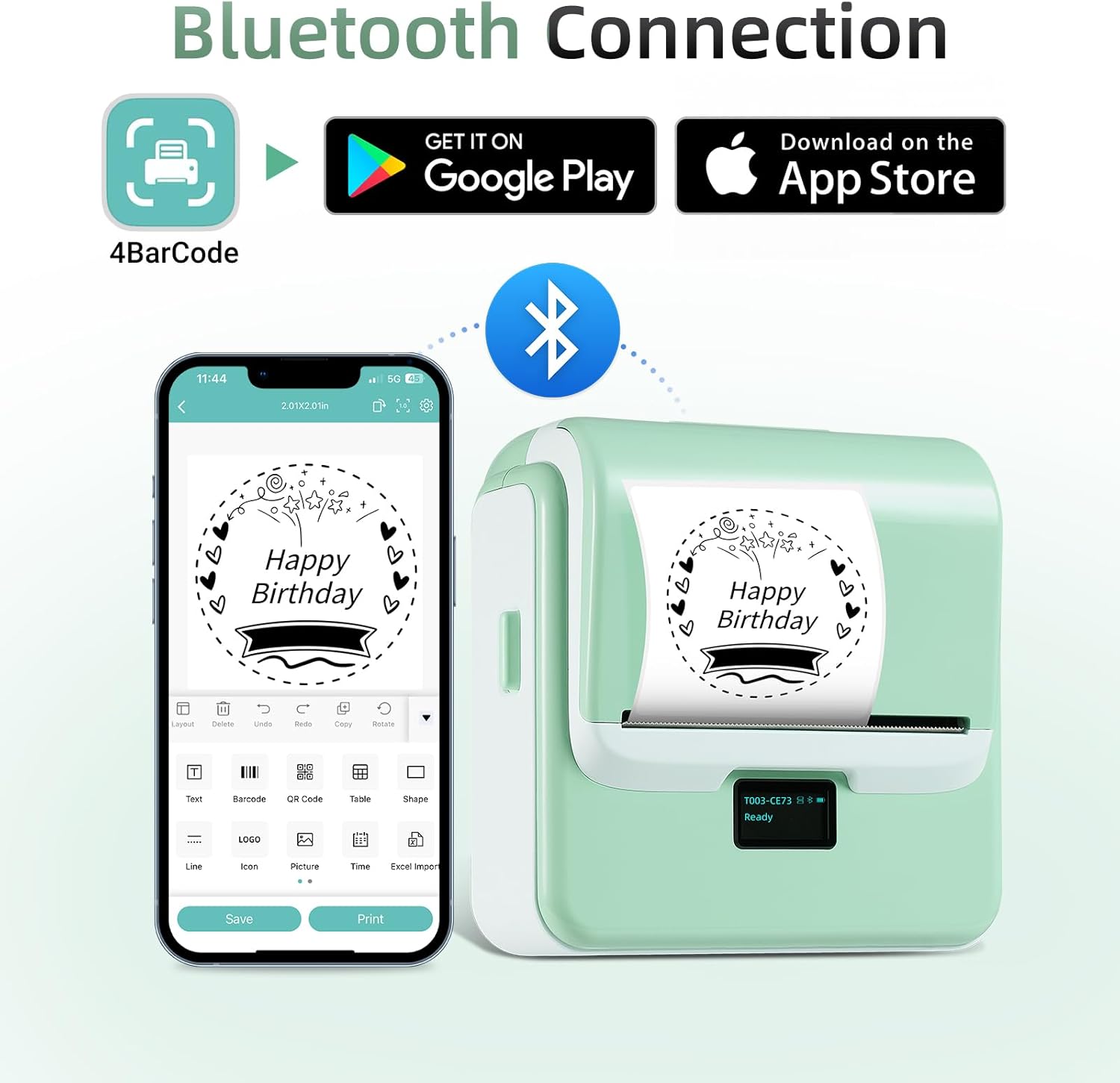
Image: Bluetooth connection setup with the '4Barcode' app.
3.4. Connecting the Label Maker
- Bluetooth Connection (Mobile Devices): Turn on the label maker by long-pressing the power button. Enable Bluetooth on your smartphone or tablet. Open the '4Barcode' app and follow the on-screen instructions to pair with the ORGSTA T003.
- USB Connection (PC): Connect the label maker to your computer using the provided USB cable. Install the necessary drivers if prompted. The printer should then be recognized by your operating system.

Image: The ORGSTA T003 supports both Bluetooth wireless and USB cable connections.
4. Instruccions de funcionament
4.1. Creació i impressió d'etiquetes
The '4Barcode' app provides extensive customization options for your labels:
- Plantilles: Access over 150 ready-to-use label templates for various applications.
- Disseny personalitzat: Design and save your own templates. Choose from over 80 fonts and 670+ icons.
- Característiques: The app supports QR codes, barcode labels, tables, materials, timestamps, numbers, and text.
- Impressió: Once your design is complete, select the print option within the app. You can adjust print settings such as the number of copies and print density before initiating the print job.

Imatge: Examples of customized labels for different items.
4.2. Label Specifications
The ORGSTA T003 supports label widths from 0.8 inches (20mm) to 3.15 inches (80mm). It is compatible with both fixed-size thermal labels and continuous thermal paper. The included labels are 2 inches (50mm) round, black-on-white, self-adhesive, and designed for excellent visibility and a professional appearance.

Image: ORGSTA Thermal Labels, 140 labels per roll, 1.97 inches (50mm) in diameter.
5. Manteniment
5.1. Neteja del capçal d'impressió
Per mantenir la qualitat d'impressió, netegeu regularment el capçal d'impressió. Utilitzeu un drap suau i sense borrissol, netegeu-lo suaument.ampened with isopropyl alcohol. Gently wipe the print head surface. Ensure the device is powered off and disconnected from any power source before cleaning.
5.2. Thermal Paper Care
ORGSTA thermal paper is designed for durability, featuring waterproof, oil-proof, BPA-free, strong adhesion, and abrasion-resistant properties. Store thermal paper in a cool, dry place away from direct sunlight and heat to preserve its quality and longevity.
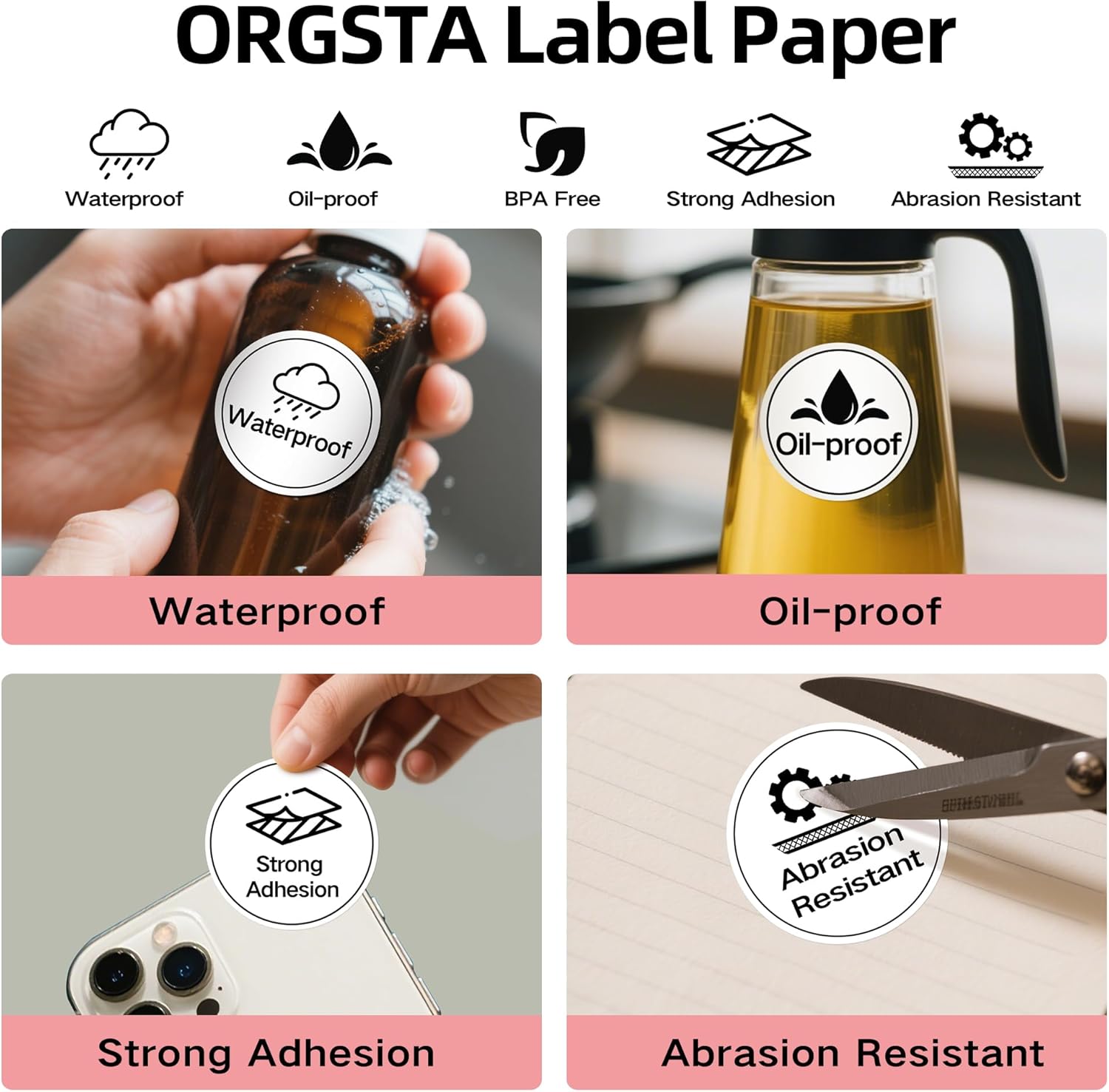
Image: ORGSTA label paper is waterproof, oil-proof, has strong adhesion, and is abrasion resistant.
6. Solució De Problemes
| Problema | Causa possible | Solució |
|---|---|---|
| Sense poder | Battery drained; Power button not pressed correctly. | Charge the device using the provided USB cable. Long-press the power button for 3 seconds to turn on. |
| Printing Issues (Blank/Faint) | Thermal paper loaded incorrectly; Print head dirty. | Ensure thermal paper is loaded with the printing side up. Clean the print head as per maintenance instructions. |
| Error de connexió Bluetooth | Bluetooth off; Device not paired; App issue. | Ensure Bluetooth is enabled on both devices. Re-pair the device through the '4Barcode' app. Restart the app and the label maker. |
| Emballament de paper | Incorrect paper loading; Foreign object in paper path. | Open the cover, carefully remove any jammed paper or obstructions. Reload paper correctly. |
7. Especificacions
- Marca: ORGSTA
- Model: T003
- Tecnologia de connectivitat: Bluetooth
- Tecnologia d'impressió: Tèrmica
- Característica especial: Portàtil
- Sortida de la impressora: Monocrom
- Supported Label Width: 0.8"-3.15" (20-80 mm)
8. Garantia i assistència
For warranty information, technical support, or any inquiries regarding your ORGSTA T003 Thermal Label Maker, please refer to the contact information provided on the product packaging or visit the official ORGSTA weblloc web. Conserveu el rebut de compra com a comprovant de compra per a reclamacions de garantia.
9. Vídeo oficial del producte
Video: This official seller video demonstrates the setup and basic operation of a portable thermal label maker, including loading paper and connecting to the app.