
1. Introducció
This manual provides detailed instructions for the VGN F1 Pro Max Wireless Gaming Mouse. Please read this guide thoroughly before using the product to ensure proper setup, operation, and maintenance. This mouse offers dual-mode connectivity (2.4GHz wireless and Type-C wired), a high-precision sensor, and programmable buttons for an optimized user experience.
2. Què hi ha a la caixa
Verifiqueu que tots els components siguin presents al paquet:
- 1 x VGN F1 Pro Max Gaming Mouse
- 1 x USB Receiver (for 2.4GHz wireless connection)
- 1 x cable de càrrega tipus C
- 1 x PTFE Feet (replacement set)
- 1 x Manual d'usuari
- 1 x Extender (for USB receiver)
- 1 x Grip Tape
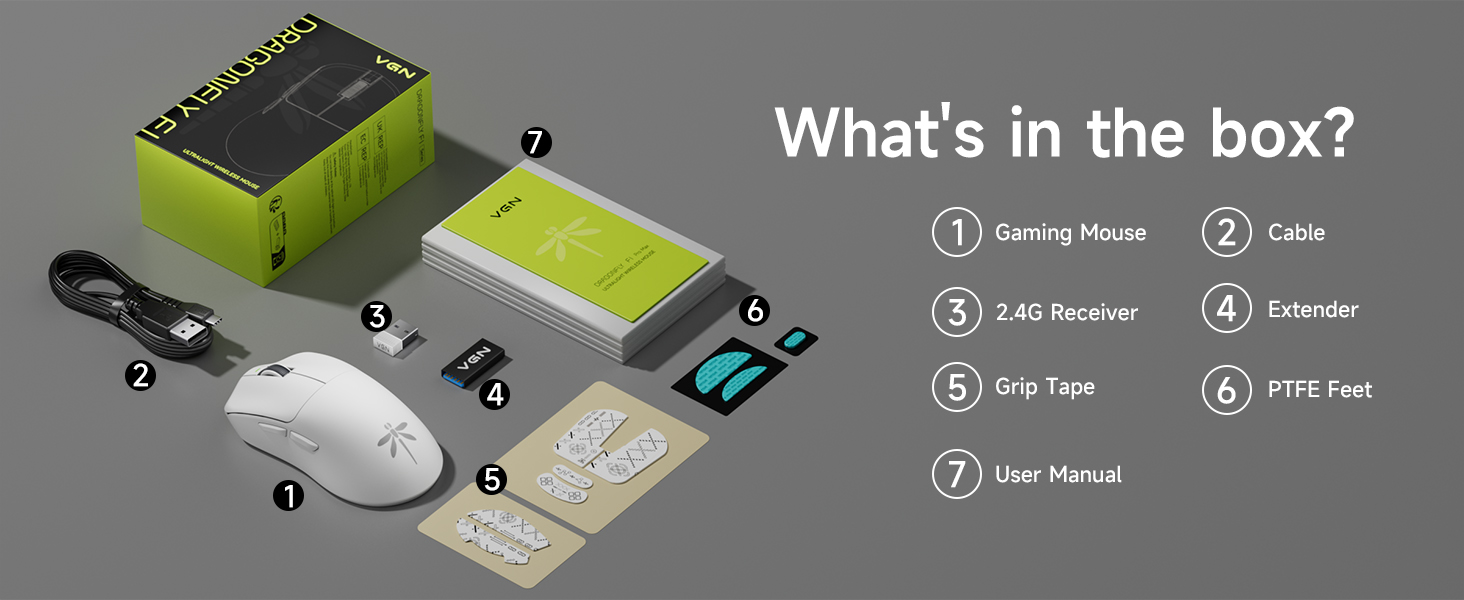
Image: Contents of the VGN F1 Pro Max package.
3. Característiques del producte
3.1. PAW 3395 Sensor
The VGN F1 Pro Max is equipped with a PAW 3395 sensor, offering high precision and responsiveness. It features 650 IPS (Inches Per Second) tracking speed and 50G acceleration. The DPI (Dots Per Inch) is adjustable from 50 to 26,000. The default polling rate is 1,000Hz, with support for up to 4,000Hz with a separately purchased 4K receiver.
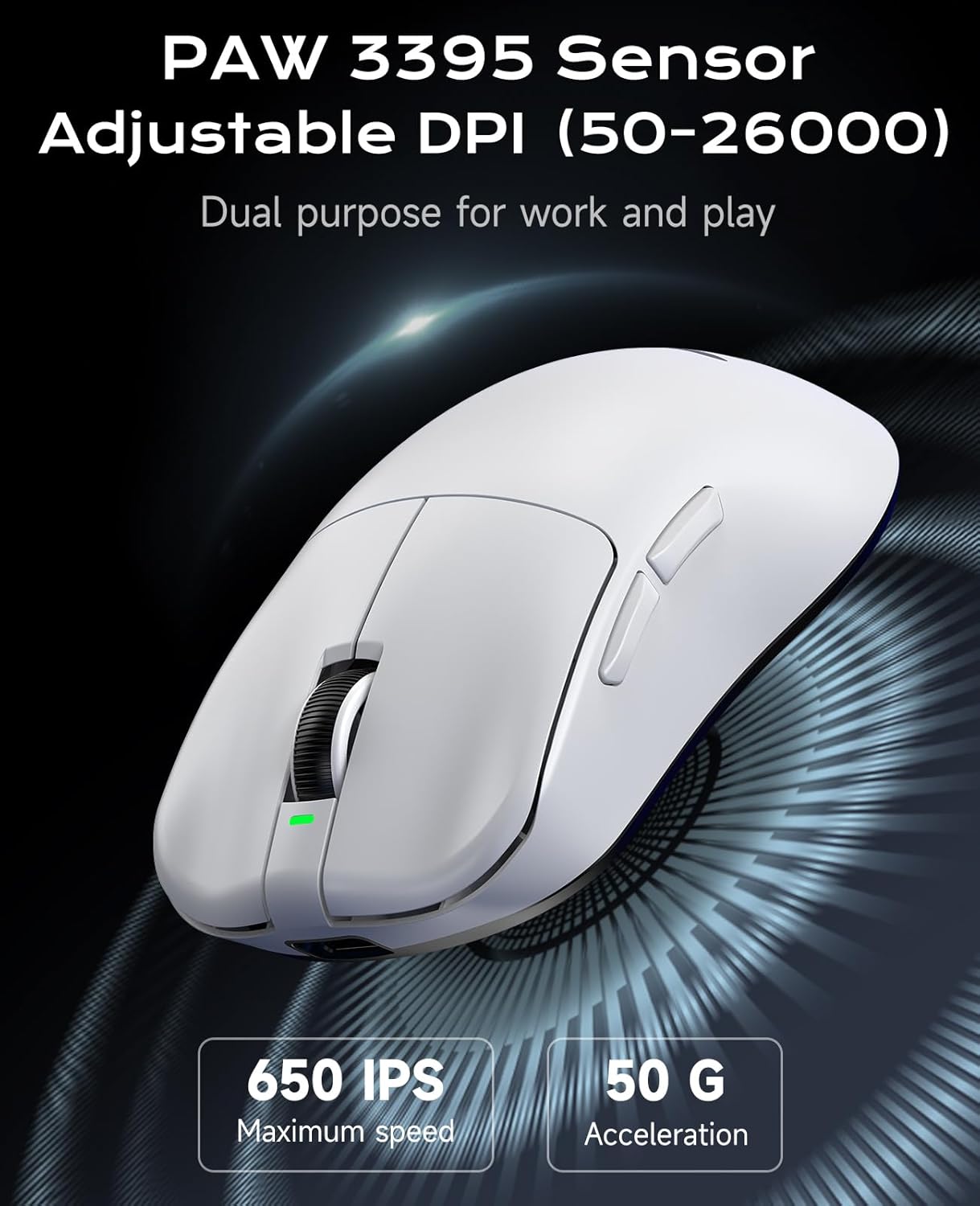
Image: PAW 3395 Sensor capabilities.
3.2. Black Gold Mamba Micro Motion Switches
This mouse utilizes Black Gold Mamba Micro Motion switches, designed for a distinct click feel with clear feedback and rapid rebound. These switches have a long lifespan of over 90 million clicks, making them suitable for demanding gaming scenarios.

Image: Black Gold Mamba Micro Motion switches.
3.3. Ultra-Lightweight Design
Weighing approximately 55g, the F1 Pro Max mouse features an ultra-lightweight design. This construction aims to reduce hand fatigue during extended use and enhance maneuverability.

Image: Ultra-lightweight design of the mouse.
3.4. Dual-Mode Connectivity
The mouse supports both 2.4GHz wireless connectivity via a USB receiver and wired connectivity via a Type-C cable. This allows for flexible usage depending on user preference and charging needs.
3.5. Durada de la bateria estesa
Utilizing Smart Speed Wireless technology, the F1 Pro Max offers a continuous working battery life ranging from 130 hours to a maximum of 200 hours, depending on usage patterns.
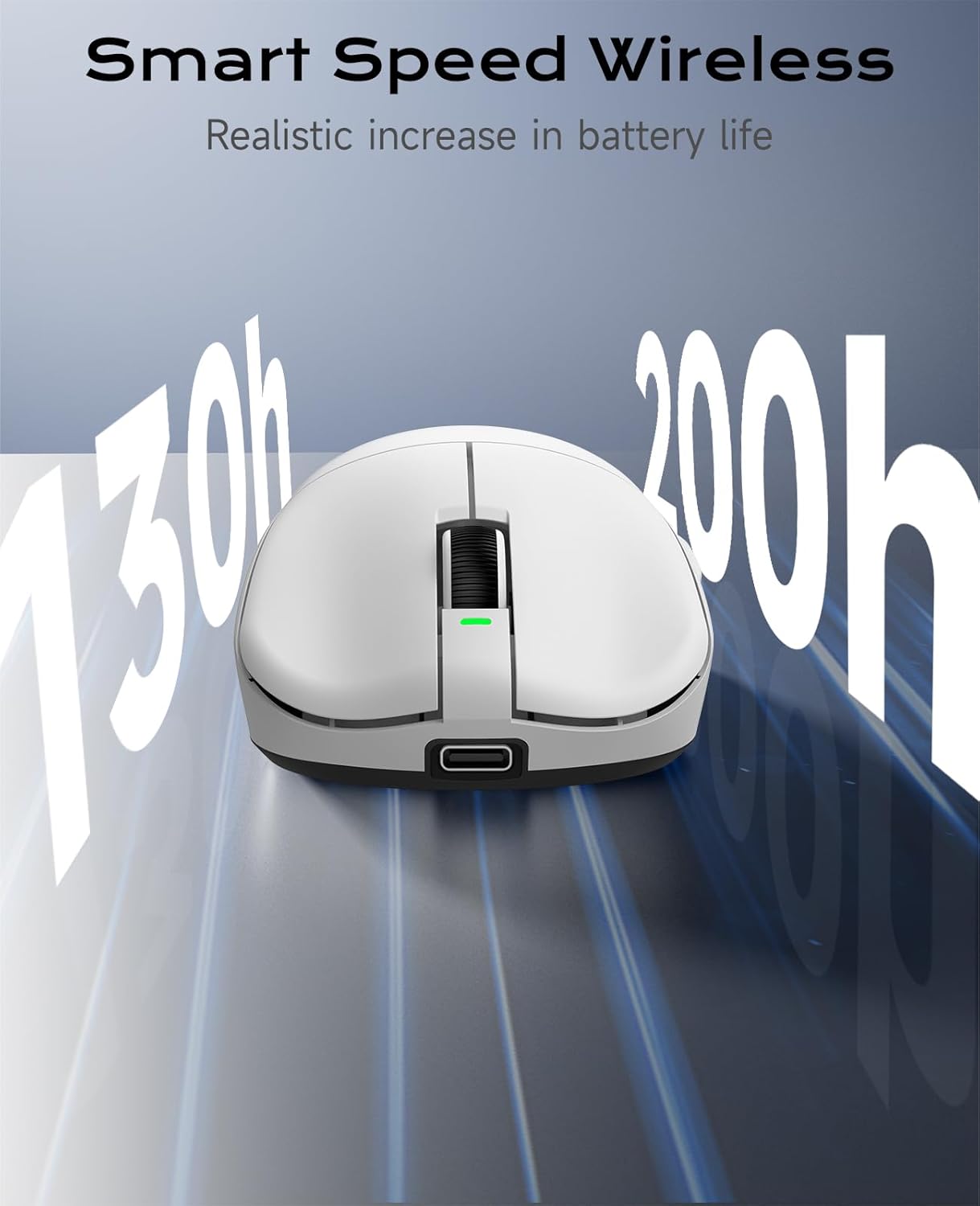
Image: Smart Speed Wireless for extended battery life.
4. Configuració
4.1. Connexió sense fil (2.4 GHz)
- Localitzeu el receptor USB que es troba al compartiment de la part inferior del ratolí.
- Connecteu el receptor USB a un port USB disponible de l'ordinador.
- Turn on the mouse using the Power Switch located on the underside.
- El ratolí s'hauria de connectar automàticament a l'ordinador.
4.2. Wired Connection (Type-C)
- Connect one end of the provided Type-C charging cable to the Type-C interface on the front of the mouse.
- Connecteu l'altre extrem del cable a un port USB disponible de l'ordinador.
- El ratolí funcionarà en mode amb cable i es carregarà simultàniament.

Image: Wireless and Wired connection options.
5. Instruccions de funcionament
5.1. Funcions del botó
The VGN F1 Pro Max mouse features 6 programmable buttons:
- Botó esquerre: Funció de clic principal.
- Botó dret: Funció de clic secundari.
- Roda de desplaçament: Scrolls content up/down. Can also be pressed for a middle-click function.
- Botó Endavant: Navega cap endavant web navegadors o aplicacions.
- Botó enrere: Navega cap enrere web navegadors o aplicacions.
- Botó DPI: Canvia ciclísticament pels nivells de DPI preestablerts.
5.2. Power Switch and Receiver Storage
On the underside of the mouse, you will find:
- Interruptor d'alimentació: To turn the mouse ON or OFF.
- Ranura d'emmagatzematge del receptor: A secure compartment for storing the USB receiver when not in use or during travel.

Image: Multi-function buttons and underside components.
6. Customization (VGN HUB Driver)
The VGN HUB custom driver software allows for advanced configuration of your F1 Pro Max mouse. This software enables you to:
- Ajusta la configuració de DPI.
- Modify the polling rate.
- Assign custom functions to macro keys.
- Program various other settings.
Nota: The VGN HUB software is compatible only with Windows 10 and above operating systems. Please visit the official VGN website to download the latest driver software.
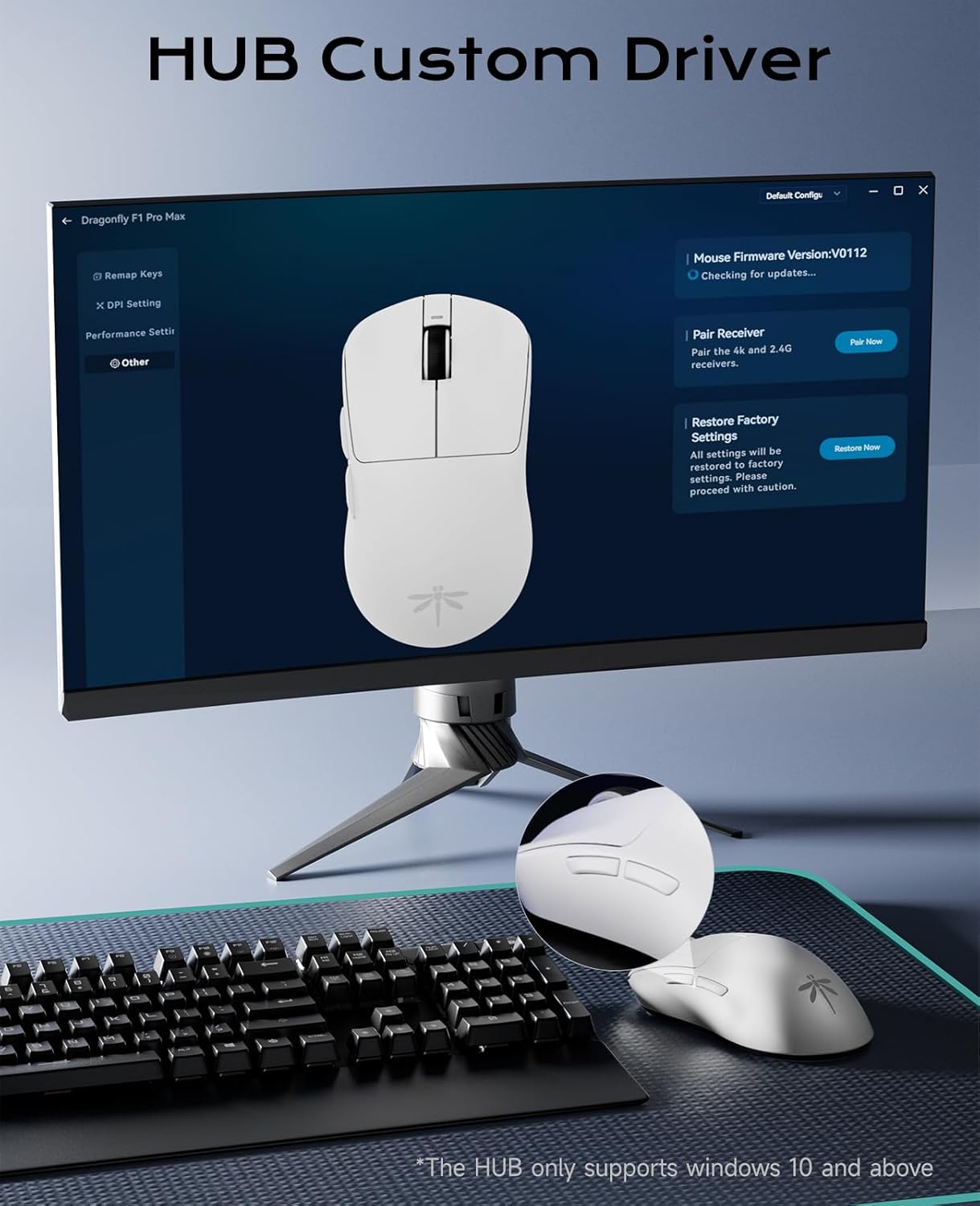
Image: VGN HUB custom driver interface.
7. Càrrega i durada de la bateria
7.1. Càrrega del ratolí
To charge the mouse, connect the provided Type-C cable to the mouse's Type-C port and the other end to a USB power source (e.g., computer USB port, USB wall adapter). The mouse can be used in wired mode while charging.
7.2. Indicador de bateria
The charging indicator light provides information about the battery status:
- Verd: Battery normal.
- Taronja: El dispositiu s'està carregant.
- Vermell: Bateria baixa.
8. Manteniment
To ensure the longevity and optimal performance of your VGN F1 Pro Max mouse:
- Mantingueu el ratolí net netejant-lo amb un drap suau i sec. Eviteu utilitzar productes químics agressius o materials abrasius.
- Ensure the optical sensor on the underside is free from dust and debris for accurate tracking.
- Store the USB receiver in its designated slot when transporting the mouse to prevent loss.
- If using the included grip tape, ensure it is applied cleanly to prevent residue buildup.

Image: Mouse with optional anti-slip tape.
9. Solució De Problemes
9.1. El ratolí no respon
- Assegureu-vos que el ratolí estigui encès amb l'interruptor d'alimentació.
- For wireless mode, check if the USB receiver is securely plugged into a working USB port. Try a different USB port.
- For wired mode, ensure the Type-C cable is properly connected to both the mouse and the computer.
- Check the battery level. If low, connect the charging cable.
- Reinicieu l'ordinador.
9.2. Moviment erràtic del cursor
- Netegeu el sensor òptic de la part inferior del ratolí.
- Assegureu-vos que feu servir el ratolí sobre una superfície adequada (per exemple, una estora de ratolí).
- Interference from other wireless devices might affect performance. Try moving the receiver closer to the mouse or using a wired connection.
9.3. Buttons Not Functioning
- Check if the VGN HUB software has remapped the buttons incorrectly. Reset to default settings if necessary.
- Ensure the mouse firmware is up to date via the VGN HUB software.
10. Especificacions
| Model | F1 Pro Màxim |
| Connectivitat | 2.4GHz Wireless, Type-C Wired |
| Sensor | Sensor òptic PAW 3395 |
| Rang de DPI | 50 - 26,000 (ajustable) |
| IPS | 650 |
| Acceleració | 50G |
| Taxa de votació | 1,000Hz (up to 4,000Hz with optional receiver) |
| Interruptors | Black Gold Mamba Micro Motion (90M+ clicks) |
| Botons | 6 Botons programables |
| Durada de la bateria | 130-200 hours (continuous use) |
| Pes | Aproximadament 55 g |
| Dimensions del producte | 4.77 x 2.5 x 0.1 polzades |
| OS Compatibility (VGN HUB) | Windows 10 i superior |
11. Garantia i Suport
For warranty information and technical support, please refer to the documentation included with your purchase or visit the official VGN weblloc web. Conserveu el comprovant de compra per a qualsevol reclamació de garantia.