
Introducció
Thank you for choosing the W-KING T8II Portable Bluetooth Speaker. This manual will guide you through the features and functions of your new speaker, ensuring optimal performance and longevity. Please read these instructions carefully before using the product.
Contingut del paquet
- 1 x W-KING T8II Portable Loud Speaker
- 1 cable d'àudio de 3.5 mm
- 1 x cable de càrrega tipus C
- 1 x Manual d'usuari
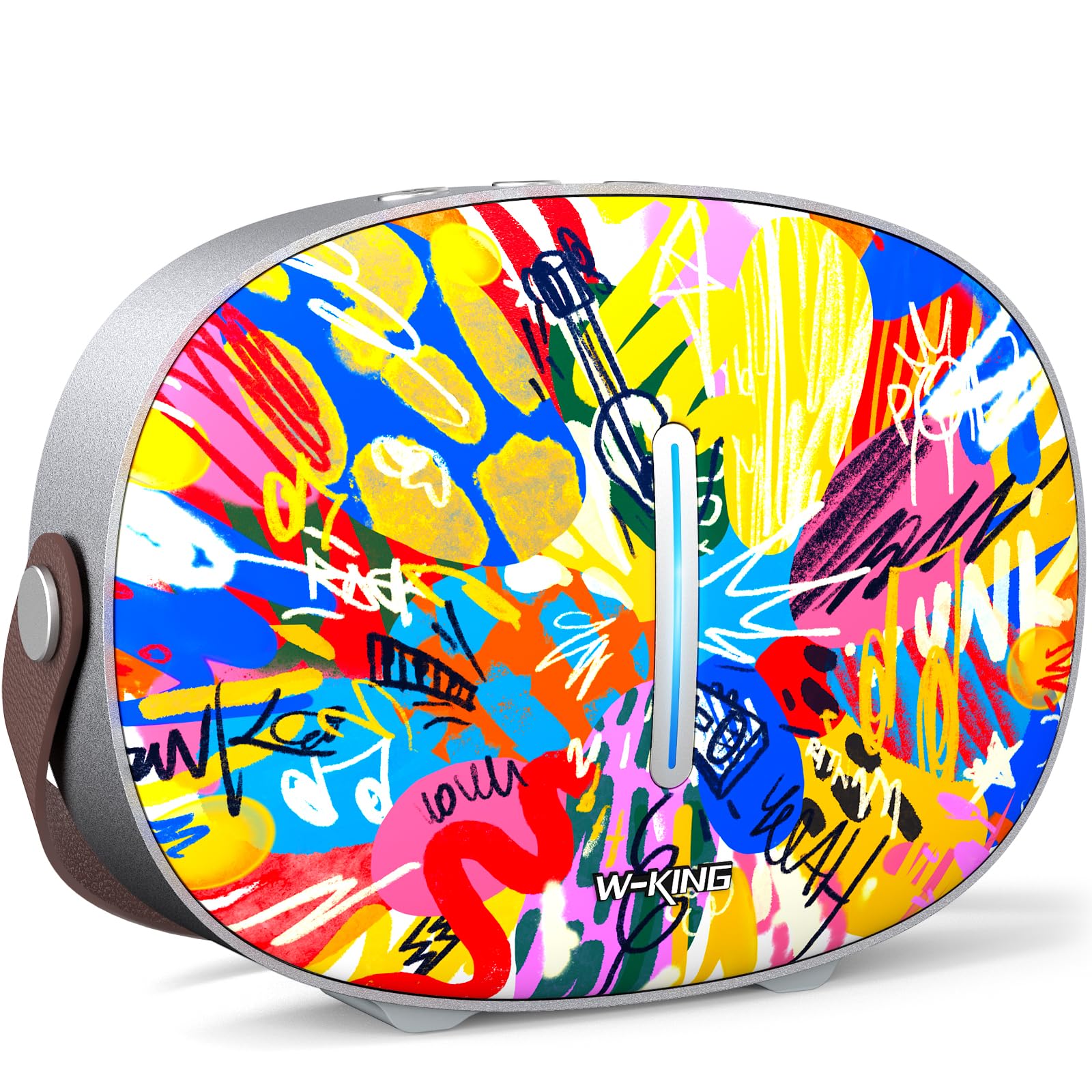
The package includes the W-KING T8II speaker, a 3.5mm audio cable for auxiliary connections, a Type-C charging cable, and this user manual.
Configuració
Càrrega inicial
Before first use, fully charge your W-KING T8II speaker. Connect the provided Type-C charging cable to the speaker's Type-C port and a compatible power source. The speaker supports up to 30W fast charging. The indicator lights on the back will show the charging status.

Encès/Apagat
- To power on: Press and hold the power button located on the back of the speaker for a few seconds until the indicator light illuminates.
- To power off: Press and hold the power button again for a few seconds until the indicator light turns off.

Emparellament Bluetooth
- Assegureu-vos que l'altaveu estigui encès i en mode d'emparellament Bluetooth (l'indicador lluminós parpellejarà).
- Al dispositiu (telèfon intel·ligent, tauleta, etc.), activeu el Bluetooth i cerqueu els dispositius disponibles.
- Select "W-KING T8II" from the list of devices.
- Once connected, the indicator light will become solid, and you will hear an audible confirmation.

The W-KING T8II uses Bluetooth 5.4 for a stable and efficient wireless connection.
Desempaquetatge i mésview Vídeo
Vídeo: Un unboxing i mésview of the W-KING T8II Portable Bluetooth Speaker, demonstrating its contents and initial setup.
Instruccions de funcionament
Botons de control
The top panel of the speaker features intuitive control buttons for easy operation:
- M (Mode Button): Press to switch between Bluetooth, AUX, and USB playback modes.
- - (Baixar volum / Pista anterior): Premeu curt per baixar el volum. Premeu llargament per anar a la pista anterior.
- Botó Reproduir/Pausa: Premeu per reproduir o posar en pausa l'àudio.
- + (Pujar volum / Pista següent): Premeu curtament per augmentar el volum. Premeu llargament per anar a la pista següent.

Modes de reproducció
- Mode Bluetooth: Connect wirelessly to your device as described in the Setup section.
- Mode AUX: Connect an external audio device using the provided 3.5mm audio cable to the AUX port on the back of the speaker. Press the 'M' button to switch to AUX mode.
- Mode de reproducció USB: Insert a USB flash drive into the USB-A port on the back of the speaker. The speaker will automatically switch to USB mode and begin playing compatible audio files.

Vinculació True Wireless Stereo (TWS).
For an enhanced audio experience, two W-KING T8II speakers can be paired together to create a true stereo sound system:
- Ensure both T8II speakers are powered on and in Bluetooth pairing mode (not connected to any device).
- On one of the speakers, press and hold the Bluetooth pairing button (usually indicated by a Bluetooth icon) until you hear a confirmation tone.
- The two speakers will automatically connect to each other. Once connected, one speaker will act as the master (left channel) and the other as the slave (right channel).
- Connect your device to the master speaker via Bluetooth.

Càrrega de dispositius externs
The W-KING T8II speaker can function as a power bank to charge your mobile devices. Connect your device to the speaker's USB-A output port using a compatible charging cable. The USB-A to Type-C output supports up to 18W charging.

Manteniment
Atenció General
- Mantingueu l'altaveu allunyat de temperatures extremes, llum solar directa i humitat.
- Eviteu deixar caure o sotmetre l'altaveu a forts impactes.
- Do not disassemble or attempt to repair the speaker yourself, as this will void the warranty.
Cura de la bateria
To maximize battery life, avoid fully discharging the speaker frequently. Recharge the battery regularly, even if the speaker is not in use for extended periods.
Neteja
Netegeu l'altaveu amb un drap suau i sec. No utilitzeu productes de neteja abrasius ni dissolvents.
Resistència a l'aigua
Nota: The W-KING T8II speaker is NO impermeable. Avoid exposure to water or other liquids to prevent damage.
Resolució de problemes
| Problema | Solució |
|---|---|
| L'altaveu no s'encén. | Assegureu-vos que la bateria estigui carregada. Connecteu l'altaveu a una font d'alimentació amb el cable tipus C. |
| No es pot emparellar per Bluetooth. |
|
| Sense so. |
|
| Distorsió del so a un volum alt. | Reduce the volume on the speaker or your connected device. Ensure audio source quality is high. |
| L'altaveu no carrega el dispositiu extern. | Assegureu-vos que l'altaveu tingui prou bateria. Feu servir un cable USB-A compatible. |
Especificacions
| Nom del model | T8II |
| Marca | W-REI |
| Tipus d'altaveu | Outdoor Wireless Portable Loud Speaker |
| Tecnologia de connectivitat | Auxiliar, Bluetooth, USB |
| Versió Bluetooth | 5.4 |
| Potència de sortida màxima dels altaveus | 96 watts |
| Mode de sortida d'àudio | Envoltant estèreo |
| Resposta de freqüència | 20 Hz (Lower bound, full range not specified) |
| Ràtio senyal / soroll | 85 dB |
| Diàmetre del woofer | 3 polzades |
| Diàmetre del Tweeter | 1 polzades |
| Font d'alimentació | Alimentat per piles (cal 1 pila de 12 V) |
| Dimensions del producte | 10.91 "P x 7.73" W x 3.9" H |
| Pes de l'article | 5.5 lliures (2.5 quilograms) |
| Material | Plàstic, metall |
| Impermeable | No |
| Característiques especials | Bass Boost, Bluetooth 5.4, True Wireless Stereo Pairing, Portable, Shockproof, Type-C Fast Charging, Type-C output, USB PLAYBACK/AUX, Personalised Trendy Design |
Informació de la garantia
The W-KING T8II Portable Bluetooth Speaker comes with a Limited Warranty. Please refer to the product packaging or contact W-KING customer support for specific warranty terms and conditions.
Suport
For further assistance, technical support, or inquiries regarding your W-KING T8II speaker, please visit the official W-KING website or contact their customer service department. The user manual included in the package also contains detailed information.
W-KING Store: Visit the W-KING Store on Amazon