
1. Introducció
This manual provides detailed instructions for the AULA S99 99-Key Tri-Mode Wireless RGB Gaming Keyboard. Please read this manual thoroughly before use to ensure proper operation and to maximize your experience with the product.
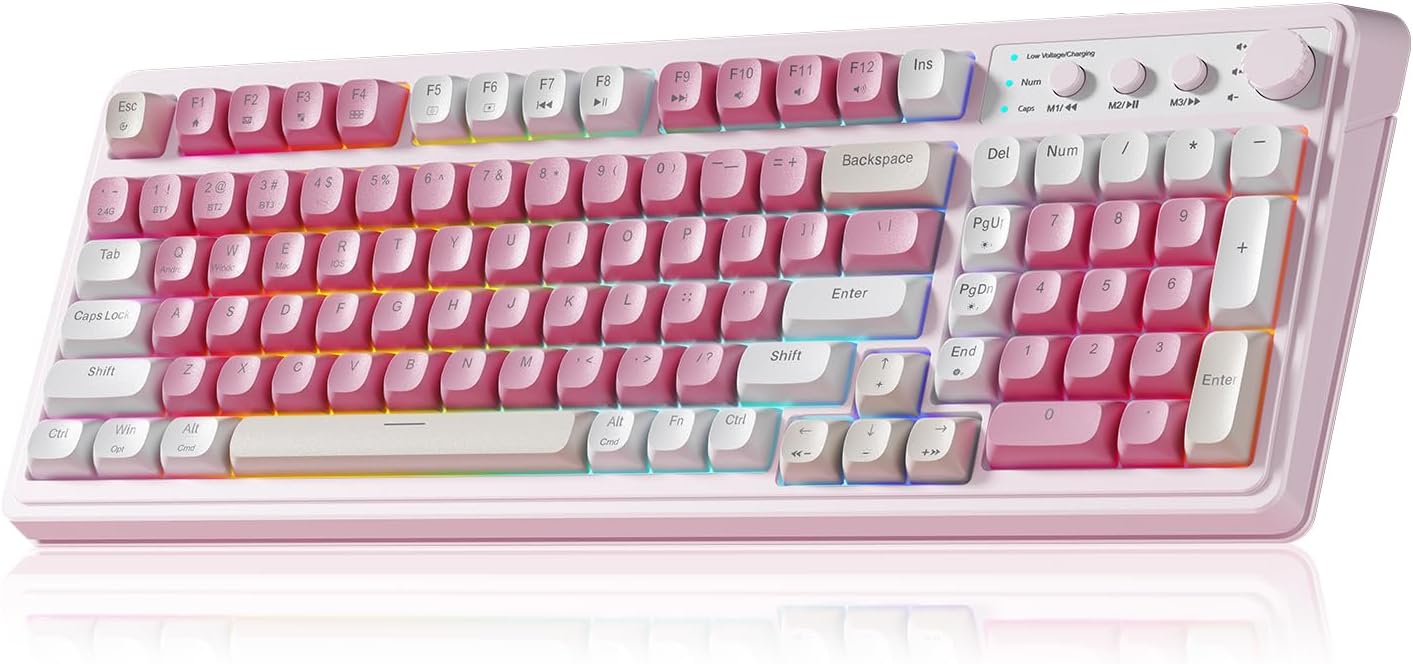
Figure 1: AULA S99 99-Key Tri-Mode Wireless RGB Gaming Keyboard (Pink variant).
2. Què hi ha a la caixa
- 1x AULA S99 99-Key Tri-Mode Wireless RGB Gaming Keyboard - Pink
- 1x Type-C Cable (Please use our original charging cable, otherwise it may damage the keyboard)
- 1x extractor de tecles
- 1 x manual d'usuari
3. Producte acabatview
The AULA S99 keyboard is designed for versatility and performance, featuring a compact 99-key layout that includes a number pad. It offers multiple connectivity options, vibrant RGB backlighting, and ergonomic considerations for extended use.

Figure 2: Key features of the AULA S99 keyboard.
Característiques principals:
- Disposició de 99 tecles: Compact design with a dedicated number pad.
- Connectivitat trimodal: Supports Bluetooth 5.0, 2.4GHz wireless, and USB wired connections.
- Retroil·luminació RGB: 16.8 million colors with 16 pre-set lighting effects, adjustable brightness and speed.
- Tecles programables: M1/M2/M3 buttons for macro customization.
- Pom multifunció: Adjusts volume, connection mode, and backlight settings.
- Disseny ergonòmic: Features a foldable 2-stage kickstand for adjustable tilt angles.
- Bateria de llarga durada: Equipat amb una bateria de 2000 mAh.
- Nota: This is a membrane keyboard and does not support hot-swapping of switches.
4. Configuració
The AULA S99 keyboard offers three connection modes: Bluetooth, 2.4GHz wireless, and USB wired. Follow the instructions below to set up your preferred connection.

Figure 3: Triple Mode Connection options for the AULA S99 keyboard.
4.1. Canvi de modes de connexió
To restore factory settings, press FN + Esc. Then, quickly switch keyboard modes using FN + ' ~ ! 1(1) / @ 2(#) / # 3($) claus.
4.2. Connexió sense fil de 2.4 GHz
- Switch the mode button on the keyboard to 2.4G.
- Premeu FN + 4($). The Num indicator (blue) will flash rapidly.
- Insert the 2.4GHz USB receiver into your device.
- The Num indicator will flash slowly upon successful connection.
4.3. Connexió Bluetooth
- Switch the mode button on the keyboard to BT.
- Premeu FN + 1(!), FN + 2(@), o FN + 3(#) to select a Bluetooth channel. The CAP indicator will flash rapidly.
- On your device, search for