
1. Introducció
The VEMER VE798300 Mini Time is a 1-module digital recessed timer designed for controlling the automatic switching on and off of various electrical loads, such as lights, blinds, doors, and other automated systems. This device offers flexible programming options, including fixed hourly schedules and astronomical programming based on sunrise and sunset. Control and configuration are conveniently managed via a Bluetooth-enabled smartphone or tablet application.
2. Informació de seguretat
- Risc elèctric: Installation and maintenance must be performed by qualified personnel in accordance with local electrical codes and regulations.
- Desconnexió d'alimentació: Always disconnect power to the circuit at the main breaker before installing, servicing, or removing the device.
- Voltage: Assegureu-vos que la font d'alimentació voltage matches the device's specifications (230 V AC).
- Capacitat de càrrega: Do not exceed the maximum relay load capacity of 5 A / 250 V AC.
- Condicions ambientals: No exposeu el dispositiu a la humitat, temperatures extremes ni ambients corrosius.
3. Contingut del paquet
Verifiqueu que els elements següents s'inclouen al vostre paquet:
- VEMER VE798300 Mini Time Digital Bluetooth Recessed Timer (Gris/Gray)
- Adapters for integration with major civil series plates
- Manual d'usuari (aquest document)
4. Producte acabatview
The VEMER VE798300 Mini Time features a minimalist design suitable for various domestic and professional environments. It is designed for recessed installation within standard 1-module electrical boxes.
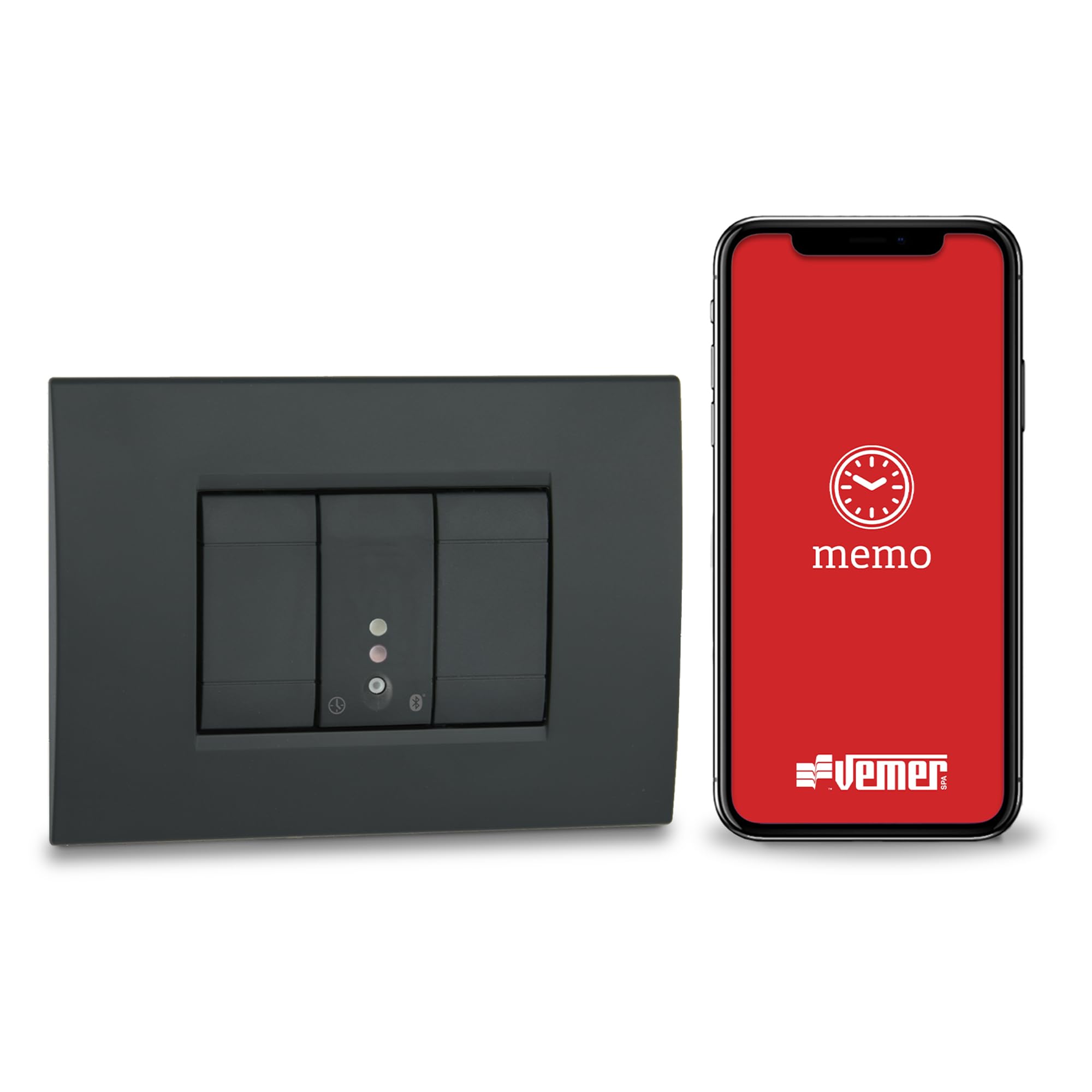
Image 1: VEMER VE798300 Mini Time Digital Bluetooth Recessed Timer (Gray variant).

Image 2: The timer integrated into a standard wall plate, demonstrating its recessed installation.
4.1. Característiques clau
- Digital Recessed Timer: 1-module design for seamless integration.
- Control de l'aplicació Bluetooth: Manage schedules and settings via the Memo app on your smartphone or tablet (Bluetooth BLE 5.1).
- Personalized Programming: Supports both fixed hourly and astronomical (sunrise/sunset) scheduling.
- Alta precisió: Up to 120 programmable events with 1-minute resolution.
- Tipus d'esdeveniments: ON/OFF, pulses, and P astro function.
- Bloqueig del teclat: Disable local manual control for enhanced security and app-exclusive management.
- Adaptabilitat: Includes adapters for compatibility with various civil series plates.
4.2. Device Components (Illustrative)

Image 3: Illustrative diagram of the timer's front panel with key indicators. (Note: Image shows white variant for clarity).
- Front Panel / Cover
- Status Indicator LED (e.g., power, relay status)
- Bluetooth Connection Indicator LED
- Manual Override Button / Function Button
5. Configuració
5.1. Instal·lació
- Desconnexió d'alimentació: Before starting, ensure the main power supply to the installation area is completely disconnected.
- Muntatge: The timer is designed for recessed installation in standard 1-module electrical boxes. Carefully insert the device into the box.
- Cablejat: Connect the device to the 230 V AC power supply and the load (e.g., lights, motor for blinds) according to the wiring diagram provided in the detailed installation guide (refer to the physical manual included with the product). The relay supports up to 5 A / 250 V AC.
- Plate Integration: Use the provided adapters to integrate the timer seamlessly with the plates of your existing civil series electrical system.
- Segur: Once wired, secure the timer and its plate firmly in place.
- Restauració d'energia: Restore power to the circuit. The device should power on.
Note: If you encounter difficulties during installation, it is recommended to consult a qualified electrician.
5.2. App Download and Device Pairing
- Download the Memo App: Cerca the "Memo" application in your smartphone's or tablet's app store (iOS or Android) and install it.
- Activa el Bluetooth: Assegureu-vos que el Bluetooth estigui habilitat al vostre telèfon intel·ligent o tauleta.
- Obre l'aplicació i emparella: Open the Memo app. The app will guide you through the process of discovering and pairing with your VEMER VE798300 Mini Time timer via Bluetooth BLE 5.1. Follow the on-screen instructions to complete the pairing process.

Image 4: A smartphone displaying the Memo app, used for controlling the timer.
6. Funcionament
The VEMER VE798300 Mini Time is primarily operated and programmed through the Memo application.
6.1. Programming Schedules via App
- Create/Modify Programs: Within the Memo app, navigate to the programming section. You can create new schedules or modify existing ones.
- Hourly Programming: Set specific ON/OFF times for your connected loads. You can define schedules for individual days or groups of days.
- Astronomical Programming: Utilize the astronomical function to automatically switch loads based on local sunrise and sunset times. The app will automatically calculate these times based on the GPS coordinates synchronized from your device.
- Tipus d'esdeveniments: The timer supports various event types, including standard ON/OFF switching, pulse functions (for momentary actions), and the P astro function for advanced astronomical control.
- Transfer Programs: The app allows you to transfer programmed schedules to the timer.
- Sincronització: The app automatically synchronizes the date, time, and GPS coordinates with the timer, ensuring accurate operation.
6.2. Control manual
- Remote Manual Switching: The Memo app allows for manual remote switching of the relay, overriding programmed schedules temporarily.
- Local Manual Control: The device may have a physical button for manual override. Refer to the detailed physical manual for specific button functions.
6.3. Keypad Lock Function
For enhanced security and to prevent unauthorized local tampering, the keypad lock function can be activated via the Memo app. When enabled, local manual control is disabled, and the timer can only be managed through the application.
7. Manteniment
- Neteja: To clean the device, gently wipe the surface with a soft, dry cloth. Do not use abrasive cleaners, solvents, or excessive moisture.
- Inspecció: Periodically inspect the device for any signs of damage or loose connections. If any issues are found, disconnect power and consult a qualified technician.
- Actualitzacions de programari: Keep the Memo app updated to the latest version to ensure optimal performance and access to new features.
8. Solució De Problemes
- El dispositiu no respon: Check the power supply. Ensure the circuit breaker is ON. If the device has a status indicator, check its state.
- Problemes de connectivitat de l'aplicació: Ensure Bluetooth is enabled on your smartphone/tablet and the device is within range. Restart the Memo app or your mobile device.
- Programming Not Executing: Verify that the schedules are correctly set in the Memo app and have been successfully transferred to the timer. Check the current date and time synchronization.
- Dificultats d'instal·lació: If you encounter challenges during the physical installation or wiring, it is strongly recommended to seek assistance from a qualified electrician.
- Compatibilitat de l'adaptador: While adapters are included for major civil series, some specific older or less common plate models may require minor modifications or alternative solutions.
9. Especificacions
| Número de model | VE798300 |
| Dimensions (producte) | 12 x 5 x 6 cm |
| Pes | 500 g |
| Font d'alimentació | 230 V AC |
| Sortida de relé | 5 A / 250 V AC |
| Mida del mòdul | 1 Module (recessed) |
| Connectivitat | Bluetooth BLE 5.1 |
| Esdeveniments programables | Fins a 120 |
| Resolució temporal | 1 minut |
| Material | Plàstic |
| Color | Gris (gris) |
| País d'origen | Itàlia |
10. Informació de la garantia
This VEMER product is covered by a manufacturer's warranty against defects in materials and workmanship. The specific terms and duration of the warranty may vary by region. Please refer to the warranty card included with your product or contact VEMER customer support for detailed information.
11. Suport
For any technical assistance, questions, or support regarding your VEMER VE798300 Mini Time timer, please contact our technical support team:
- Correu electrònic: assistenza.tecnica@vemer.it
Please have your product model number (VE798300) and a description of your issue ready when contacting support.