
1. Introducció
Thank you for choosing the FLEXISPOT EC5 Lite Electric Height Adjustable Desk. This manual provides essential information for the safe assembly, operation, and maintenance of your new desk. The EC5 Lite features a robust dual-motor system, a 3-stage frame, and a wide height adjustment range (60-125 cm) to support a dynamic and ergonomic workspace. With a maximum load capacity of 100 kg, 4 memory presets, and an anti-collision function, this desk is designed for comfort and efficiency.

Image: The FLEXISPOT EC5 Lite Series Dual-Motor Standing Desk in various usage scenarios, highlighting its versatility for sitting and standing work.
2. Informació de seguretat
- Read all instructions carefully before assembly and operation.
- Mantingueu els nens i les mascotes allunyats de l'escriptori durant el funcionament.
- Assegureu-vos que tots els cables estiguin correctament encaminats i fixats per evitar riscos d'ensopegada o danys.
- Do not overload the desk beyond its maximum weight capacity of 100 kg.
- Eviteu col·locar líquids directament sobre el tauler de control o a prop de components elèctrics.
- Desconnecteu l'alimentació abans de netejar o realitzar qualsevol manteniment.
- The anti-collision feature is designed to prevent damage but should not replace careful operation.
3. Contingut del paquet
Your FLEXISPOT EC5 Lite package typically includes the following components. Please verify all parts are present before beginning assembly.
- Desk Frame (legs, crossbars, motor system)
- Tauler de control
- Adaptador d'alimentació i cable
- Maquinari de muntatge (cargols, perns, etc.)
- Manual d'instruccions
Note: The desktop surface is often packaged separately or purchased independently.
4. Muntatge i muntatge
Assembly of the FLEXISPOT EC5 Lite desk frame is straightforward. While the process is designed for ease, having an extra person can be helpful, especially when attaching the desktop. Please note that some assembly tools may not be included.
- Desempaquetar components: Traieu amb cura totes les peces de l'embalatge i col·loqueu-les sobre una superfície neta i suau per evitar ratllades.
- Assemble Legs and Crossbars: Follow the detailed diagrams in the included paper manual to connect the desk legs to the crossbars. Ensure all screws are tightened securely.
- Attach Control Box and Motors: Mount the control box and connect the motor cables as indicated in the instructions.
- Instal·leu el tauler de control: Secure the control panel to the underside of the desktop or frame in an easily accessible location.
- Adjunta l'escriptori: Carefully place your desktop onto the assembled frame. Align the pre-drilled holes (if applicable) and secure the desktop using the provided screws. The frame width is adjustable (111.6-148.6 cm) to accommodate various tabletop sizes (recommended 120-180 cm length, 60-80 cm width, and >2.5 cm thickness).
- Gestió de cables: Route and secure all power and motor cables using cable ties or clips to prevent tangling and ensure safe operation.
- Connectar l'alimentació: Connecteu l'adaptador de corrent a la caixa de control i després a una presa de corrent.
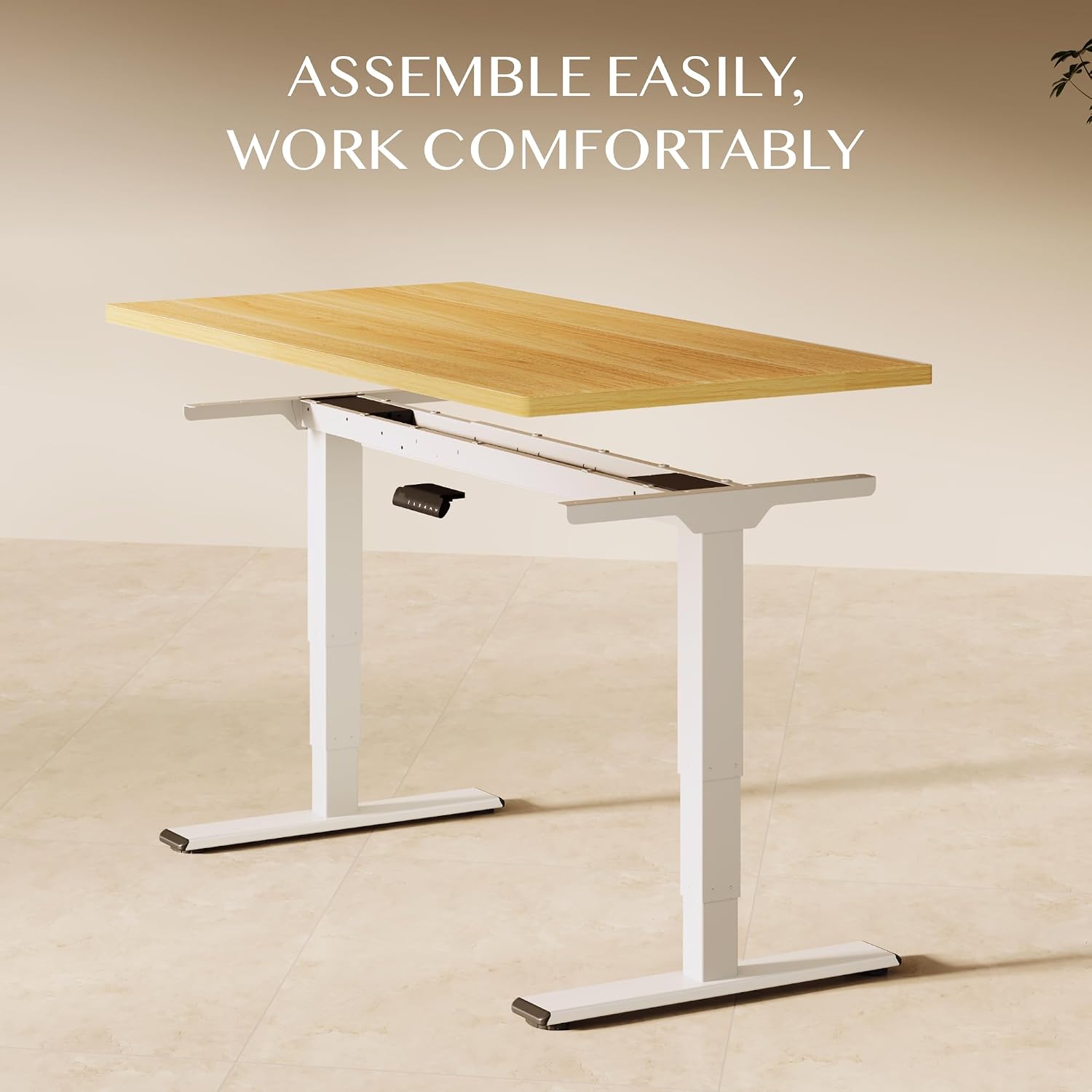
Image: An exploded diagram showing the main components of the desk for easy assembly.

Image: A diagram illustrating the adjustable frame width and recommended tabletop dimensions for the desk.
5. Instruccions de funcionament
The FLEXISPOT EC5 Lite desk is operated via a smart control panel, allowing for smooth and precise height adjustments.

Image: The smart control panel with its buttons for height adjustment and memory settings.
5.1. Ajust d'alçada
- Botons amunt / avall: Press and hold the “▲” (Up) or “▼” (Down) buttons to raise or lower the desk to your desired height. Release the button to stop movement. The desk moves at a speed of 25 mm/s.
- The height adjustment range is from 60 cm to 125 cm.

Image: The desk in motion, illustrating its lift speed and smooth transition between sitting and standing heights.

Image: A visual representation of the desk's flexible height range, accommodating users of various heights.
5.2. Preajustos de memòria
The control panel allows you to save up to four preferred height settings.
- Per desar una alçada: Adjust the desk to your desired height. Press the “M” button, then press one of the number buttons (1, 2, 3, or 4) within 3 seconds. The display will show “S-” followed by the number, indicating the height is saved.
- Per recordar una alçada: Press the corresponding number button (1, 2, 3, or 4). The desk will automatically move to the saved height.
5.3. Anti-Collision Function
The desk is equipped with an anti-collision system. If the desk encounters an obstacle during movement, it will automatically stop and reverse slightly to prevent damage.
- Ajust de sensibilitat: Refer to the full product manual for instructions on adjusting the anti-collision sensitivity, if available.
6. Manteniment
Regular maintenance ensures the longevity and optimal performance of your FLEXISPOT EC5 Lite desk.
- Neteja: Netegeu la superfície i el marc de l'escriptori amb un drap suau iamp cloth. Avoid harsh chemicals or abrasive cleaners. Ensure the desk is unplugged before cleaning.
- Comprovació del cable: Inspeccioneu periòdicament tots els cables per detectar desgast o danys. Assegureu-vos que estiguin connectats correctament i que no estiguin pinçats.
- Apretar els cargols: Occasionally check and tighten any loose screws on the frame to maintain stability.
- Capacitat de càrrega: No supereu la capacitat de càrrega màxima de 100 kg.

Image: The desk highlighting its 100 kg maximum load capacity, demonstrating its robust design.

Imatge: Una imatge detallada view of the desk's enhanced stability features, such as reinforced columns and double crossbars.

Image: A graphic detailing the extra stability design, emphasizing thicker components for durability and wobble-free performance.
7. Solució De Problemes
If you encounter issues with your FLEXISPOT EC5 Lite desk, refer to the following common troubleshooting steps:
| Problema | Causa possible | Solució |
|---|---|---|
| L'escriptori no es mou | Power cable disconnected; Control box issue; Overload | Check power connections; Reset by unplugging for 10 seconds; Reduce load on desk. |
| L'escriptori es mou de manera desigual | Uneven load; Loose connections | Distribute weight evenly; Check and tighten all frame connections. |
| Codi d'error a la pantalla | Error específic del sistema | Refer to the full manual for specific error code meanings and solutions, or contact customer support. |
| Anti-collision triggers too often | High sensitivity setting; Obstruction | Adjust sensitivity (if applicable); Ensure no objects are in the desk's path. |
If these steps do not resolve the issue, please contact FLEXISPOT customer support for further assistance.
8. Especificacions
Detailed technical specifications for the FLEXISPOT EC5 Lite Electric Height Adjustable Desk.

Image: A technical diagram detailing the desk's dimensions and performance specifications.
| Característica | Detall |
|---|---|
| Marca | FLEXISPOT |
| Número de model | EC5lite SET |
| Disseny d'escriptori | Escriptori |
| Interval d'ajust d'altura | 60 cm - 125 cm |
| Velocitat d'elevació | 25 mm/s |
| Sistema Motor | Motor dual |
| Cama Stages | 3-Stage |
| Capacitat de càrrega màxima | 100 kg |
| Nivell de soroll | <50 dB |
| Presets de memòria | Posicions 4 |
| Característiques de seguretat | Anti-collision Function |
| Material base | Acer d'aliatge |
| Tipus de material superior | Fusta d'enginyeria |
| Gruix de la taula | 2.5 cm |
| Pes de l'article | 30 kg (frame only) |
| UPC | 840460469241 |
9. Garantia i Suport
FLEXISPOT stands behind the quality of its products.
- Garantia: The desk frame of your FLEXISPOT EC5 Lite is covered by a 5-year warranty. Please retain your proof of purchase for warranty claims.
- Atenció al client: For any questions, technical assistance, or warranty claims, please contact FLEXISPOT GmbH customer service. Contact details can typically be found on the FLEXISPOT official weblloc web o la documentació de la compra.