
Veement GT803
Manual d'usuari de la càmera de salpicadero dual Veement GT803
Model: GT803
1. Introducció
The Veement GT803 Dual Dash Cam is designed to provide comprehensive recording of your driving environment, both outside and inside your vehicle. Featuring high-resolution cameras, advanced night vision, and smart connectivity, it ensures critical moments are captured for your safety and peace of mind.
2. Informació de seguretat
- Assegureu-vos que la càmera del salpicader estigui instal·lada correctament i que no obstrueixi la vista del conductor. view o interferir amb els controls del vehicle.
- Do not operate the device while driving. Adjust settings only when the vehicle is safely parked.
- Mantingueu el dispositiu allunyat de temperatures extremes, de la llum solar directa durant períodes prolongats i de la humitat.
- Use only the original car charger provided to prevent damage to the device.
- No intenteu desmuntar o reparar el dispositiu vosaltres mateixos. Contacteu amb l'assistència al client per obtenir assistència.
- Desfeu-vos del dispositiu i dels seus components de manera responsable d'acord amb la normativa local.
3. Contingut del paquet
Marqueu la casella per als elements següents:
- Veement GT803 Dash Cam Unit
- Car Charger (11 ft)
- Targeta MicroSD de 32 GB
- 2 x Coixinets adhesius
- Anti-static Sticker
- Easy Lift Tool
- Guia d'inici ràpid
- Manual d'usuari

Imatge: Frontal view of the Veement GT803 Dash Cam product box, showing the device and model number.
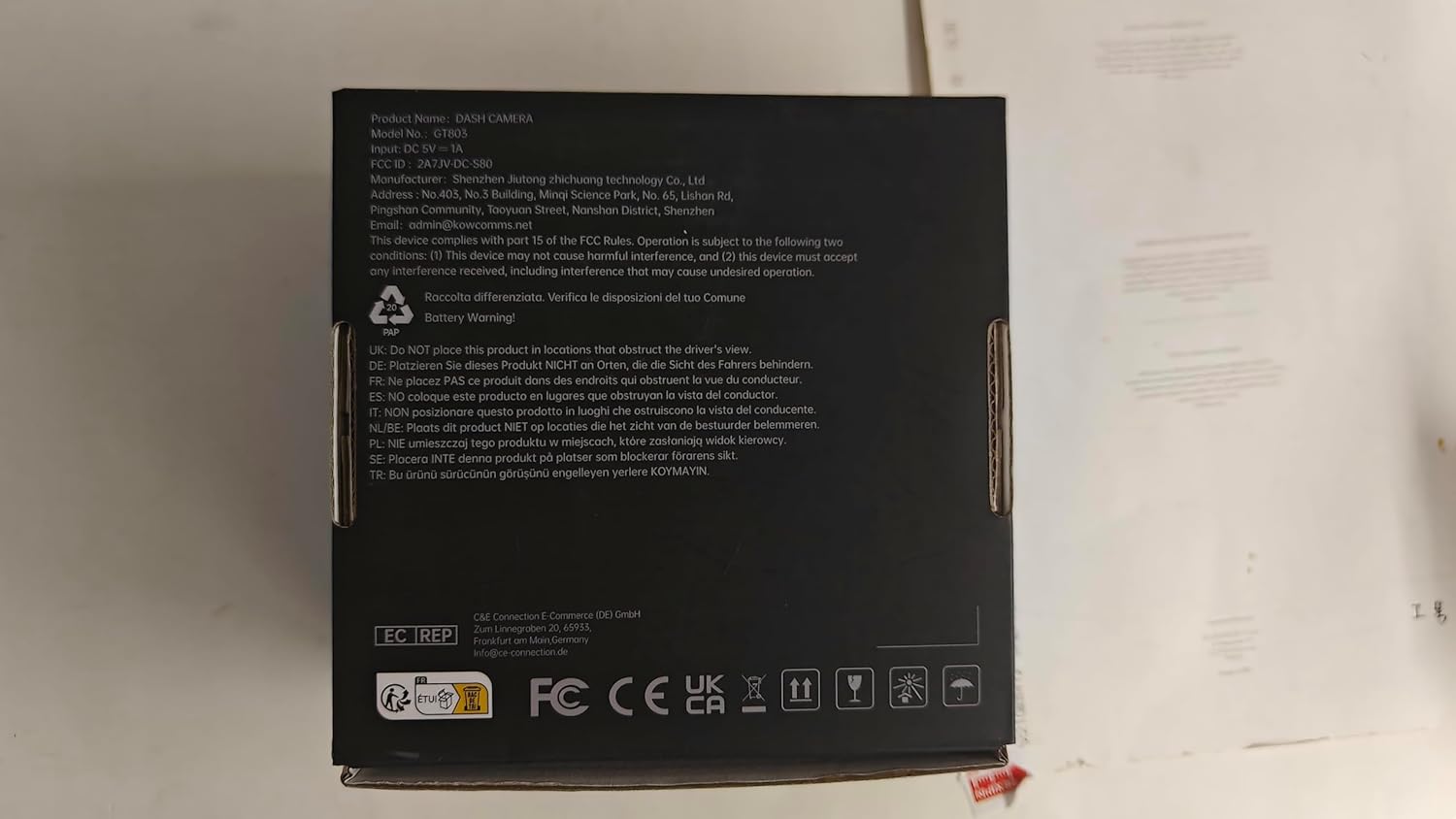
Imatge: Enrere view of the Veement GT803 Dash Cam product box, displaying product information and regulatory marks.
4. Producte acabatview
The Veement GT803 is a compact dual-lens dash camera designed for discreet installation. It features a front-facing camera for road recording and an interior-facing camera for cabin monitoring.

Image: The Veement GT803 Dual Dash Cam shown alongside a smartphone, illustrating its compact design and Wi-Fi connectivity with the companion app.
Característiques principals:
- Sistema de doble càmera: 2.5K QHD (2560x1440p) front camera and 1080P Full HD interior camera.
- Lents de gran angular: 165° front view and 160° interior view per a una cobertura integral.
- Visió nocturna avançada: Interior camera equipped with 4 IR LEDs and Wide Dynamic Range (WDR) for clear recordings in low light.
- Wi-Fi integrat: Connects to a smartphone app for live view, video playback, download, and settings adjustment.
- Sensor G: Detecta automàticament impactes o col·lisions sobtades i bloqueja el vídeo actualtage per evitar la sobreescritura.
- Monitor d'aparcament les 24 hores: Records motion or impacts when the vehicle is parked (requires hardwire kit, not included).
- Enregistrament en bucle: Continuously records by overwriting the oldest unsecured files quan la targeta de memòria està plena.
- Disseny compacte: Discreetly mounts behind the rearview mirall.
5. Configuració
5.1 Instal·lació de la targeta MicroSD
- Assegureu-vos que la càmera del salpicader estigui apagada.
- Locate the MicroSD card slot on the side of the GT803 unit.
- Insert the provided 32GB MicroSD card into the slot until it clicks into place. Ensure the correct orientation.
- Per treure-la, premeu suaument la targeta fins que faci clic i, a continuació, deixeu-la anar per expulsar-la.
5.2 Muntatge de la càmera del salpicader
- Clean the windshield area behind your rearview mirror thoroughly.
- Apply the anti-static sticker to the cleaned area on the windshield. This helps with easy removal and prevents residue.
- Attach one of the adhesive pads to the dash cam mount.
- Press the dash cam firmly onto the anti-static sticker on the windshield, ensuring the lenses have a clear view of the road and cabin.
- Ajusteu l'angle de la càmera segons sigui necessari.
5.3 Alimentació de la Dash Cam
- Connect the small end of the provided car charger cable to the power input port on the dash cam.
- Plug the larger end of the car charger into your vehicle's 12V power outlet (cigarette lighter socket).
- Route the cable neatly along the windshield edge and trim using the easy lift tool to tuck it under the car's interior trim.
- La càmera del salpicader s'encendrà automàticament i començarà a gravar quan s'engegi el motor del vehicle.
6. Instruccions de funcionament
6.1 Funcionament bàsic
- Enregistrament automàtic: The GT803 automatically starts recording when powered on (engine starts) and stops when powered off (engine turns off).
- Enregistrament en bucle: Videos are recorded in segments (e.g., 1, 3, or 5 minutes). When the MicroSD card is full, the oldest unsecured fileLes s se sobreescriuen automàticament.
- Sensor G (enregistrament d'emergència): In case of a sudden impact or collision, the G-sensor will trigger emergency recording, locking the current video file to prevent it from being overwritten by loop recording.
6.2 Wi-Fi Connectivity and App Control
The GT803 features built-in 2.4GHz Wi-Fi for seamless connection to your smartphone via a dedicated app. This allows for easy viewdescarregar, compartir i compartir menjartage, as well as adjusting settings.
- Descarrega l'aplicació: Cerca the "Veement Dash Cam" app on your smartphone's app store (iOS App Store or Google Play Store).
- Activa el Wi-Fi a la càmera del cotxe: Refer to the Quick Start Guide or the app for specific instructions on activating Wi-Fi on the GT803.
- Connecta't a Wi-Fi: On your smartphone, go to Wi-Fi settings and connect to the GT803's Wi-Fi network (e.g., "GT803_XXXX"). The default password is usually "12345678" or found in the Quick Start Guide.
- Obriu l'aplicació: Launch the Veement Dash Cam app. You should now see a live view des de la càmera del salpicader.
- Funcions de l'aplicació:
- Pre Liveview: View foo en temps realtage from both front and interior cameras.
- Reproducció de vídeo: Access recorded videos stored on the MicroSD card.
- Descarrega i comparteix: Download important video clips directly to your phone and share them as needed (e.g., with police or insurance).
- Configuració: Adjust various dash cam settings, including video resolution, loop recording duration, G-sensor sensitivity, parking monitor mode, and more.
6.3 Parking Monitor (Optional)
The 24-hour parking monitor feature provides surveillance when your vehicle is parked. It requires a hardwire kit (not included) to ensure continuous power supply from your car battery.
- When enabled and properly hardwired, the dash cam will automatically detect motion or impacts around your parked vehicle and begin recording.
- Time-lapse parking mode records at a lower frame rate (e.g., 1 frame per second) to save storage space while still capturing events.
7. Manteniment
- Lents netes: Netegeu regularment les lents de la càmera amb un drap suau i sense borrissol per garantir una qualitat de vídeo nítida. Eviteu materials abrasius.
- Manteniment de la targeta MicroSD:
- Format the MicroSD card monthly to maintain optimal performance and prevent data corruption. This can usually be done via the dash cam's app settings.
- Replace the MicroSD card every 6-12 months, especially if used frequently, as memory cards have a limited lifespan for continuous recording.
- Actualitzacions de firmware: Check the Veement website or app periodically for firmware updates. Keeping your dash cam's firmware up-to-date can improve performance and add new features.
- Condicions d'emmagatzematge: Quan no la feu servir durant períodes prolongats, guardeu la càmera del salpicader en un lloc fresc i sec, allunyat de la llum solar directa.
8. Solució De Problemes
| Problema | Causa possible | Solució |
|---|---|---|
| La càmera del salpicader no s'encén. | No power from car charger; faulty charger/cable; loose connection. | Check car charger connection and vehicle's 12V outlet. Try another charger if available. Ensure engine is running. |
| L'enregistrament s'atura o es congela. | MicroSD card full or corrupted; low-quality MicroSD card; firmware issue. | Format the MicroSD card. Use a high-speed (Class 10 or U3) MicroSD card from a reputable brand. Update firmware. |
| Video quality is poor/blurry. | Dirty lens; protective film still on lens; incorrect resolution setting. | Clean the camera lenses. Remove any protective film. Check video resolution settings in the app. |
| Problemes de connexió Wi-Fi. | Contrasenya Wi-Fi incorrecta; aplicació no actualitzada; interferències. | Verify Wi-Fi password. Ensure the app is the latest version. Try restarting both the dash cam and your phone. |
| G-sensor too sensitive/not sensitive enough. | G-sensor sensitivity setting needs adjustment. | Adjust the G-sensor sensitivity level via the app settings. |
9. Especificacions
| Característica | Detall |
|---|---|
| Nom del model | GT803 |
| Marca | Veement |
| Resolució de la càmera frontal | 2.5K QHD (2560 x 1440 pixels) |
| Resolució de la càmera interior | Full HD de 1080P |
| Angle de la càmera frontal | 165 graus |
| Interior Camera Angle | 160 graus |
| Connectivitat | Wi-Fi (2.4 GHz) |
| Suport d'emmagatzematge | MicroSD card up to 256GB (32GB included) |
| Tipus de muntatge | posteriorview Mirror Mount (Adhesive) |
| Dimensions del producte | 4.2 x 4 x 8.3 cm (1.65 x 1.57 x 3.27 polzades) |
| Pes | 250 grams (0.55 lliures) |
| Components inclosos | Dash Cam, Car Charger, 32GB MicroSD Card, 2x Adhesive Pads, Anti-static Sticker, Easy Lift Tool, Quick Start Guide, User Manual |
10. Garantia i Suport
Veement products are designed for reliability and performance. For warranty information, technical support, or service inquiries, please refer to the contact details provided in your Quick Start Guide or visit the official Veement weblloc.
Conserveu el vostre comprovant de compra per a reclamacions de garantia.
For the latest support resources and FAQs, visit: www.veement.com/support (Example link, please refer to actual manufacturer's weblloc)
Ask a question about this manual
Ask about setup, troubleshooting, compatibility, parts, safety, or missing instructions. Manuals+ will review the question and use this page’s manual context to help answer it.