
1. Introducció
This manual provides comprehensive instructions for operating your VJIANGER 4K Digital Camera. Please read this manual thoroughly before use to ensure proper operation and to maximize the camera's capabilities. This camera is designed for photography and vlogging, offering high-resolution imaging and versatile features for beginners and content creators.
2. Producte acabatview
The VJIANGER 4K Digital Camera (Model W08) is a compact and feature-rich device. Key components include:
- 64MP Photo Sensor: For high-resolution still images.
- Gravació de vídeo 4K: Capable of recording smooth 4K UHD 2160p videos.
- 3-inch 180° Flip Screen: Ideal for vlogging and self-portraits.
- Zoom digital 18X: Allows for magnification of subjects.
- Built-in Fill Light/Flash: For improved low-light performance.
- Internal Microphone and Speaker: Per a l'enregistrament i la reproducció d'àudio.
- Connectivitat Wi-Fi: For easy transfer of photos and videos to smart devices.
- WebFuncionalitat de la càmera: Can be used as a PC camera.

Figure 2.1: VJIANGER 4K Digital Camera (Light Pink) and included accessories.
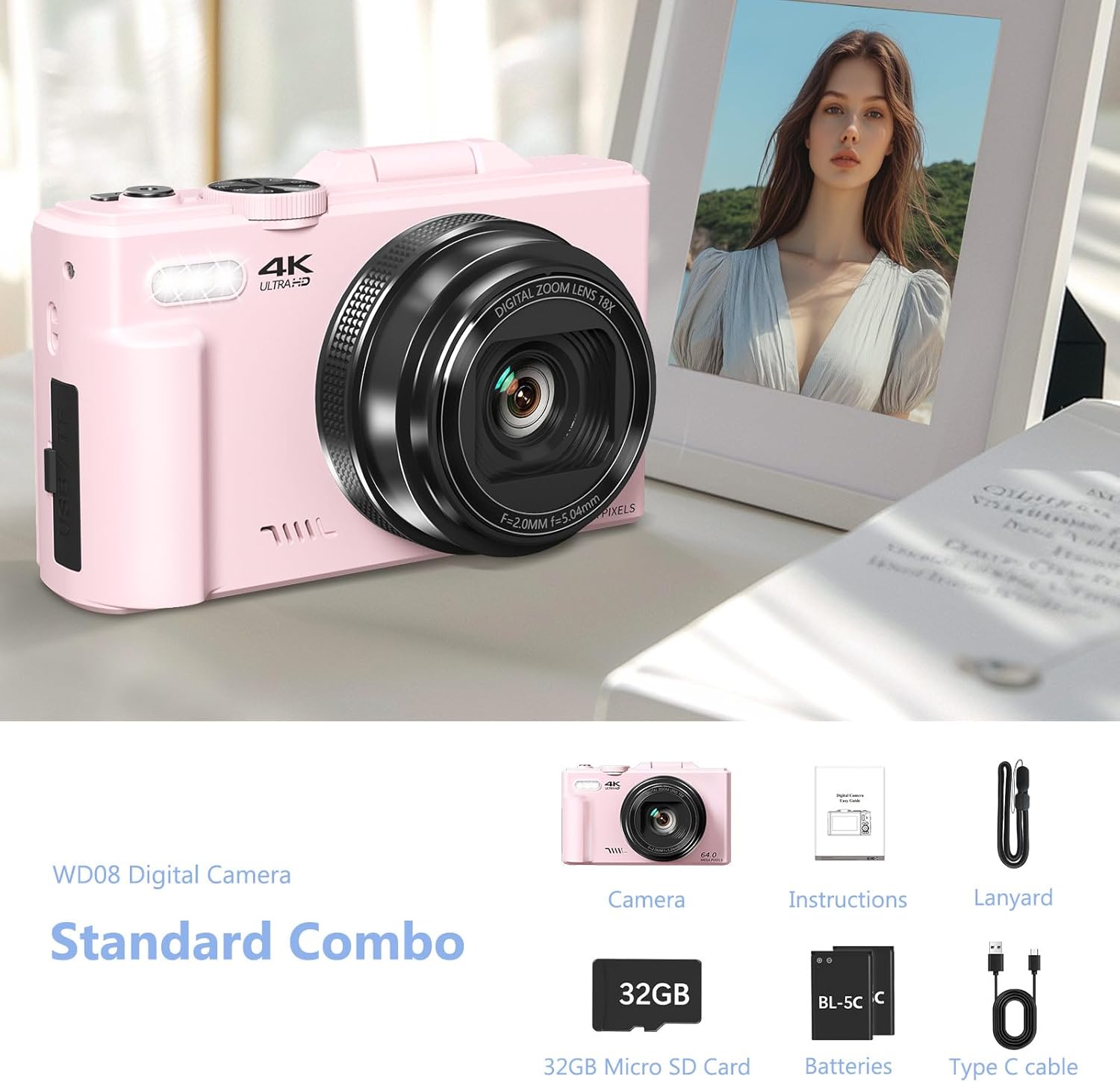
Figure 2.2: Standard Combo contents: Camera, Instructions, Lanyard, 32GB Micro SD Card, Batteries, Type-C Cable.
3. Configuració
3.1 Instal·lació de la bateria
The camera requires 1 Lithium Ion battery (included). Ensure correct polarity when inserting the battery.
- Obriu la tapa del compartiment de la bateria que es troba al lateral de la càmera.
- Insert the battery according to the polarity indicators (+/-) inside the compartment.
- Tanqueu bé la tapa del compartiment de la bateria.

Figure 3.1: Location of memory card slot, data cable socket, and battery compartment.
3.2 Instal·lació de la targeta Micro SD
A 32GB Micro SD card is included. The camera supports Micro SD cards for storage.
- Locate the memory card slot next to the battery compartment.
- Introduïu la targeta Micro SD a la ranura fins que encaixi al seu lloc.
- Per treure-la, premeu suaument la targeta fins que surti disparada.
3.3 Càrrega inicial
Before first use, fully charge the camera battery using the provided Type-C USB cable.
- Connect the Type-C cable to the camera's data cable socket.
- Connecteu l'altre extrem del cable a un adaptador de corrent USB (no inclòs) o a un port USB de l'ordinador.
- The charging indicator will illuminate. It will turn off or change color when fully charged.
4. Instruccions de funcionament
4.1 Encès/Apagat
Premeu i manteniu premut el botó d'engegada per encendre o apagar la càmera.
4.2 Focus Mode Adjustment
If images appear blurry, adjust the focus mode from "Fixed focus" to "Auto focus" in the camera settings.
Video 4.1: Demonstrates how to change the focus mode from fixed to auto focus for clearer images. This video is provided by the seller.
4.3 Modes de foto i vídeo
The camera offers various modes for capturing content:
- Mode de fotografia: Captura d'imatges fixes estàndard.
- Tret continu: Captura diverses fotos en una successió ràpida.
- Timed Shooting: Estableix un retard abans de fer una foto.
- Auto Shooting: Automatic settings for ease of use.
- Mode de vídeo: Records standard video.
- Gravació de lapse de temps: Captures frames at intervals to create a sped-up video.
- Slow-motion Recording: Records at a higher frame rate for slow-motion playback.
- Enregistrament en bucle: Continuously records, overwriting older footage quan l'emmagatzematge està ple.
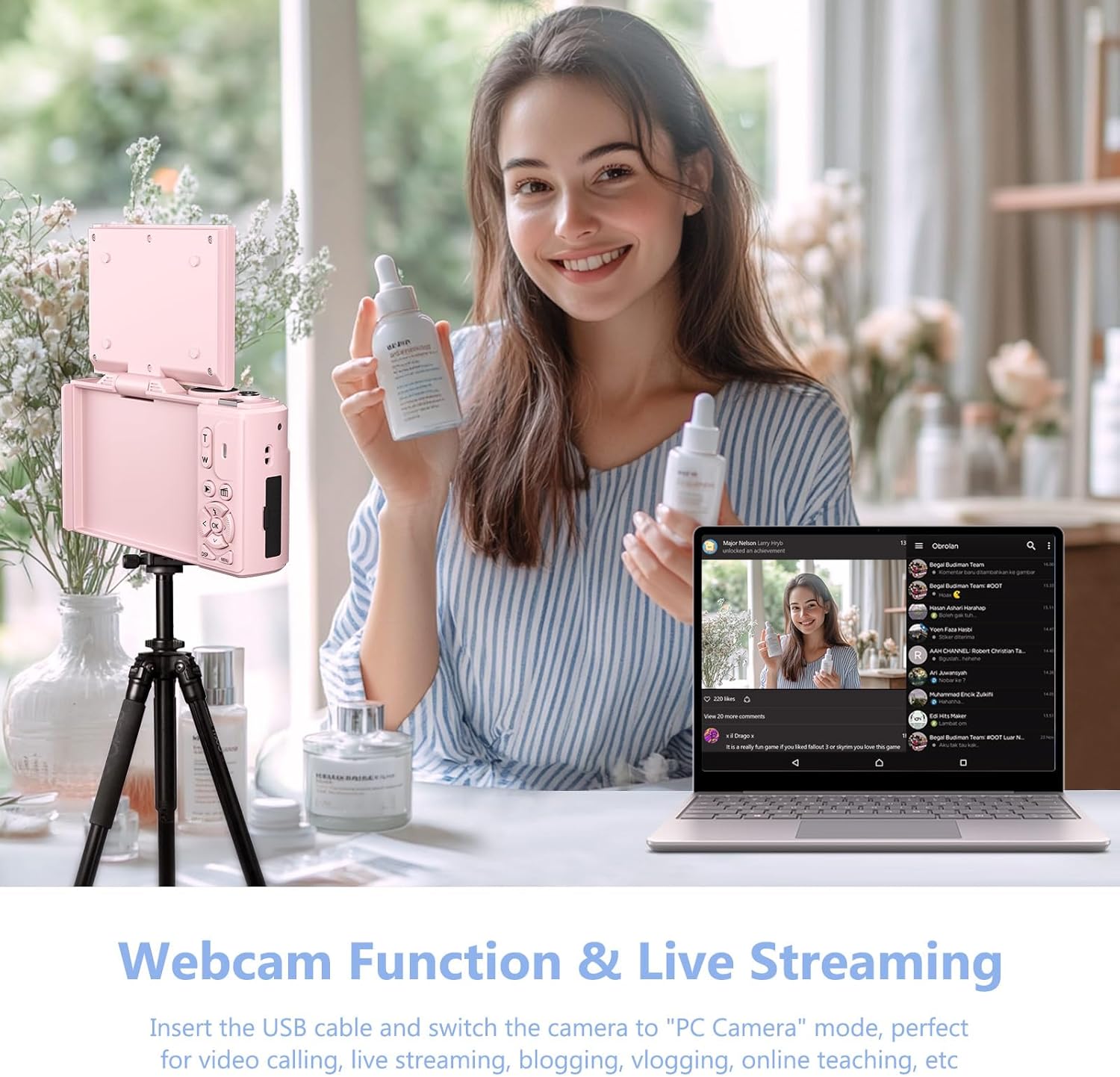
Figura 4.1: Mésview of the camera's 9 multi-function modes, including Photo, Video, Continuous Shooting, Slow Motion Video, Timer, Auto, Time Lapse Video, Loop Video, and Video + Photo.

Figura 4.2: Detallada view of the four photography modes available.

Figura 4.3: Detallada view of the four video modes available.
4.4 Digital Zoom and Flash
Use the W/T buttons to control the 18X digital zoom. The built-in flash can be activated for low-light conditions.

Figure 4.4: The camera features 18X digital zoom with autofocus capabilities.
4.5 Wi-Fi Connectivity and File Transferència
Connect the camera to your smartphone or tablet via Wi-Fi for easy photo and video transfer and remote control.
- Enable Wi-Fi on the camera through the menu settings.
- Download the companion app to your smart device.
- Connect your device to the camera's Wi-Fi network.
- Use the app to download files, control the camera remotely, or view reproducció.

Figure 4.5: Built-in Wi-Fi allows for quick and seamless content uploading and sharing.
Alternativament, podeu transferir files via USB connection or by using a card reader:
- Connexió USB: Connect the camera to a PC using the Type-C cable. Select "Mass Storage Mode" on the camera.
- Lector de targetes: Remove the Micro SD card and insert it into a card reader connected to your computer.

Figure 4.6: Various methods for downloading photos, including Wi-Fi, USB connection, and using an OTG adapter/card reader.
4.6 WebFuncionalitat de la càmera
The camera can function as a webcàmera per a transmissió en directe i videotrucades.
- Connect the camera to your PC using the Type-C USB cable.
- On the camera screen, select "PC Camera" mode.
- L'ordinador hauria de reconèixer la càmera com a weblleva.

Figure 4.7: The camera can be used as a webcam for video calls and live streaming by connecting it to a PC.
Video 4.2: Demonstration of connecting the camera to a PC and selecting "PC Camera" mode to use it as a webcam. This video is provided by the seller.
5. Manteniment
- Neteja: Feu servir un drap suau i sec per netejar el cos de la càmera. Per a l'objectiu, feu servir un drap i una solució especials per a la neteja d'objectius. Eviteu materials abrasius.
- Emmagatzematge: Guardeu la càmera en un lloc fresc i sec, allunyat de la llum solar directa i de temperatures extremes. Traieu la bateria si la guardeu durant períodes prolongats.
- Cura de la bateria: Per allargar la durada de la bateria, eviteu descarregar-la completament amb freqüència. Carregueu-la regularment.
6. Solució De Problemes
| Problema | Causa possible | Solució |
|---|---|---|
| Blurry images/videos | Incorrect focus mode (Fixed Focus) | Change Focus Mode to "Auto focus" in settings. (Refer to Section 4.2) |
| La càmera no s'encén | Low or uncharged battery; incorrectly inserted battery. | Carregueu la bateria. Assegureu-vos que la bateria estigui inserida amb la polaritat correcta. |
| No es pot transferir files | Incorrect USB mode selected; Wi-Fi not connected. | Ensure "Mass Storage Mode" is selected when connecting via USB. Verify Wi-Fi connection and app settings. |
| Poor sound quality in recorded videos | Soroll ambiental; obstrucció del micròfon. | Record in quieter environments. Ensure microphone is not covered. |
7. Especificacions
| Característica | Detall |
|---|---|
| Marca | VJIANGER |
| Nom del model | W08 |
| Resolució de fixes efectius | 64 MP |
| Resolució de vídeo | 1080p, 4K UHD 2160p |
| Zoom digital | 18 x |
| Mida de la pantalla | 3 polzades |
| Tipus de visualització | LCD |
| Tecnologia de connectivitat | Wi-Fi |
| Tecnologia del sensor fotogràfic | CMOS |
| Estabilització d'imatge | Digital |
| Mida de la memòria externa | 32 GB (Micro SD) |
| Tipus de bateria | Ió de liti |
| Durada mitjana de la bateria | 2 hores |
| Factor de forma | Compacte |
| Material | Metall, plàstic |
8. Garantia i Suport
For product support, warranty information, or to ask a question, please visit the VJIANGER store on Amazon or contact the seller directly through the Amazon platform.

Figure 8.1: Guide on contacting the seller for support via Amazon.