
ViATOM Checkme O2 (PO6B)
Manual d'usuari del pulsioxímetre Bluetooth ViATOM
Model: Checkme O2 (PO6B)
1. Introducció
The ViATOM Bluetooth Pulse Oximeter is a compact, non-invasive device designed for spot-checking and continuous monitoring of blood oxygen saturation (SpO2), pulse rate (PR), and perfusion index (PI). Utilizing advanced infrared light technology, it provides accurate and reliable measurements for health monitoring. This device is suitable for use by adults and children in home environments, sports, or aviation. It features an OLED display for clear readings and can connect to a mobile application for data storage and trend analysis.

Image 1.1: The ViATOM Bluetooth Pulse Oximeter alongside a smartphone displaying its connected application, showing real-time and historical SpO2 and pulse rate data.
1.1 Característiques clau
- Accurate and Fast Measurement: Advanced finger sensor uses infrared light to capture body movements and collect precise SpO2, PI, and heart rate information.
- APP for iOS & Android: Receives data from the oximeter and automatically saves it (only when the APP is running) to display real-time data, graphical reports, and trends.
- Instant Start: Simply wear the oximeter to begin. O2, pulse rate, and PI values are measured and displayed on the clear OLED screen.
- Alarm for Abnormal Readings: Screen flashes to warn you if values are outside preset thresholds.
- Built-in Memory: Stores up to 12 groups of records directly on the device. Unlimited historical data can be saved via the APP.
- Auto On & Off: Device automatically powers on when a finger is inserted and off when removed.

Image 1.2: A visual summary of the oximeter's key features, including real-time data, continuous monitoring, built-in memory, automatic power management, alert functions, smart app integration, graphical reporting, and data sharing capabilities.
2. Informació i precaucions de seguretat
- No utilitzeu l'oxímetre en un entorn de ressonància magnètica o TC.
- Do not use the oximeter in situations requiring sterile conditions.
- The oximeter is not intended for continuous monitoring in critical care settings.
- Mantingueu el dispositiu allunyat de l'aigua i la humitat.
- Eviteu les fortes interferències electromagnètiques.
- No intenteu reparar o modificar el dispositiu vosaltres mateixos. Poseu-vos en contacte amb el servei d'atenció al client per obtenir ajuda.
- Ensure the finger is clean and dry before measurement. Nail polish or artificial nails may affect accuracy.
- Prolonged use on a single finger may cause discomfort or pressure marks. Change fingers periodically.
- This device is not a substitute for professional medical advice or treatment. Consult a healthcare professional for any health concerns.
3. Contingut del paquet
Si us plau, comproveu el contingut del paquet en desembalar-lo per assegurar-vos que hi hagi tots els elements:
- 1 x ViATOM Bluetooth Pulse Oximeter
- 1 x User Manual (Instruction Guide)
- 1 x cordó
- 2 x piles AAA
- 1 x bossa d'emmagatzematge

Image 3.1: A visual representation of the ViATOM Pulse Oximeter package contents, showing the device, user manual, lanyard, and two AAA batteries.
4. Dispositiu acabatview
Familiarize yourself with the different parts of your ViATOM Pulse Oximeter:

Image 4.1: A detailed diagram illustrating the various components and display indicators of the ViATOM Pulse Oximeter, including SpO2, Pulse Rate, PI, pulse waveform, battery indicator, and the single operation button.
- Pantalla OLED: Shows SpO2, Pulse Rate, PI, pulse waveform, and battery status.
- Finger Chamber: Where the finger is inserted for measurement. Contains the infrared sensor.
- Operation Button: Used to turn the device on/off and cycle through display modes (if applicable).
- Compartiment de la bateria: Located at the back, holds two AAA batteries.
- Forat del cordó: Per enganxar el cordó inclòs.
5. Configuració
5.1 Instal·lació de bateries
- Obriu la tapa de la bateria a la part posterior del dispositiu.
- Insert the two AAA batteries provided, ensuring correct polarity (+/-).
- Tanqueu la tapa de la bateria amb seguretat.
5.2 Downloading the ViHealth App
The ViATOM Pulse Oximeter connects to the ViHealth app for iOS and Android devices, allowing for data storage, trend analysis, and report generation.
- Cerca "ViHealth" in the Apple App Store (for iOS) or Google Play Store (for Android).
- Baixeu i instal·leu l'aplicació al vostre telèfon intel·ligent o tauleta.
- Follow the on-screen instructions within the app to create an account or log in.

Image 5.1: Screenshots of the ViHealth application interface, demonstrating its capabilities for tracking oxygen levels, pulse rate, and displaying historical data in graphical reports.
5.3 Vinculació Bluetooth
- Assegureu-vos que el Bluetooth estigui habilitat al vostre telèfon intel·ligent.
- Open the ViHealth app.
- Insert your finger into the oximeter to turn it on.
- Within the app, navigate to the device connection section (usually indicated by a Bluetooth icon or "Connect Device").
- Select the ViATOM Pulse Oximeter from the list of available devices. The device name might appear as "Checkme O2" or similar.
- Once connected, the app will display "Connected" and begin receiving real-time data from the oximeter.
6. Instruccions de funcionament
6.1 Prendre una mesura
- Ensure the oximeter has batteries installed and is clean.
- Obriu el clamp of the oximeter.
- Insert one of your fingers (preferably the index or middle finger) fully into the finger chamber, ensuring the nail is facing upwards towards the display.
- Allibera el clamp. The device will automatically turn on and begin measurement.
- Keep your hand still during the measurement. Movement can affect accuracy.
- Readings for SpO2, Pulse Rate, and PI will appear on the OLED display within a few seconds.
- The device features an "Auto On & Off" function, meaning it will automatically turn off after approximately 8 seconds of inactivity (when no finger is detected).

Image 6.1: A user demonstrating how to place a finger into the oximeter for a real-time measurement, with the accompanying app showing the live data feed.
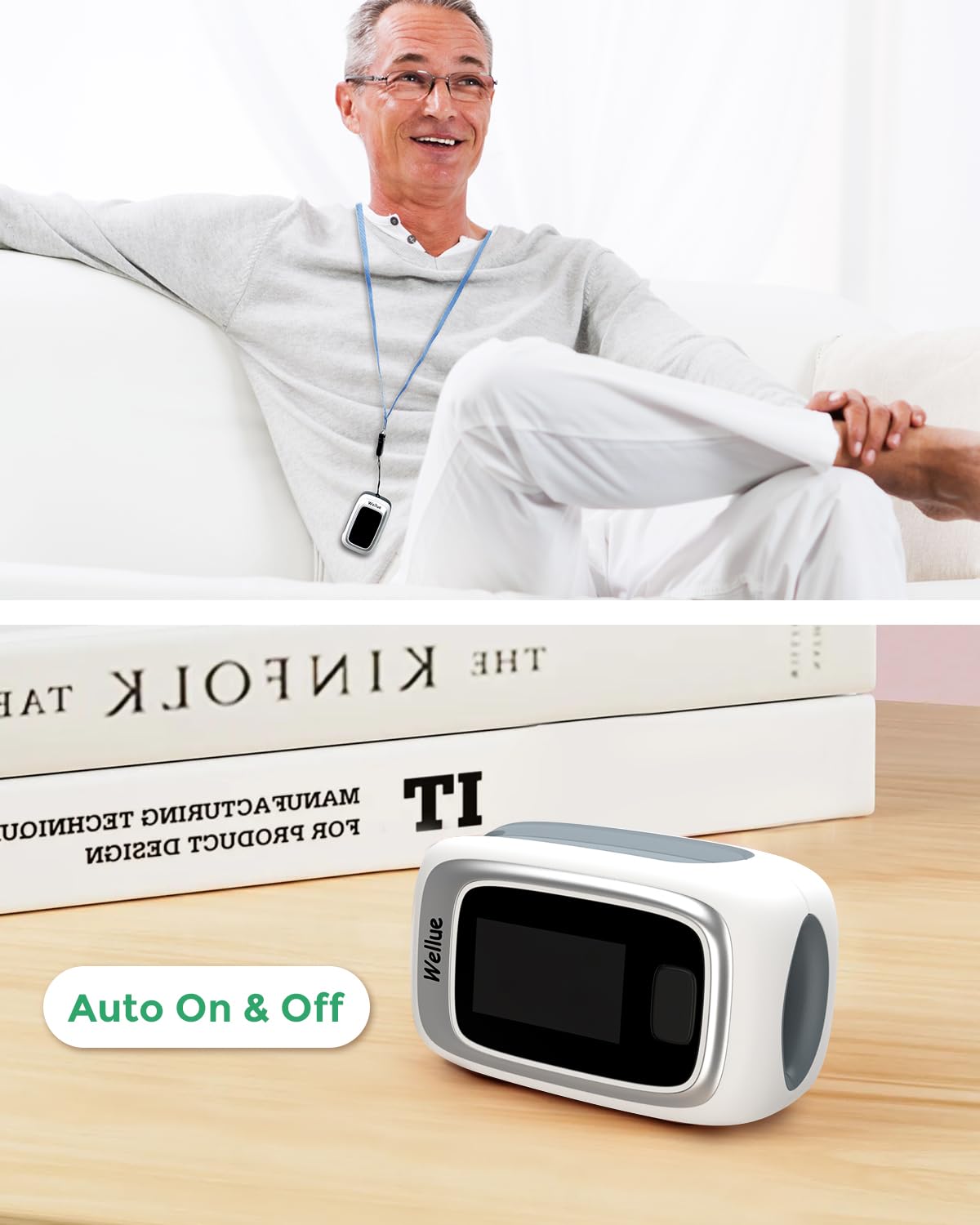
Image 6.2: The oximeter in use, demonstrating its automatic power management feature, turning on when a finger is inserted and off when removed.
6.2 Interpretació de lectures
- SpO2 (%): Blood Oxygen Saturation. Normal values typically range from 95% to 100%.
- PR (bpm): Pulse Rate (Heart Rate) in beats per minute. Normal adult resting heart rate is usually between 60 and 100 bpm.
- PI (%): Perfusion Index. Indicates the strength of the pulse signal at the measurement site. Higher PI values generally indicate a stronger signal.
- Pulse Waveform: A graphical representation of your pulse, indicating the regularity and strength of your heartbeat.
6.3 Alarm for Abnormal Readings
The oximeter is equipped with an alarm function. If your blood oxygen saturation, pulse rate, or PI values fall below or rise above the preset thresholds, the oximeter's screen will flash to warn you. These thresholds can often be customized within the ViHealth app.

Image 6.3: The oximeter's display showing a measurement, with an overlaid text indicating an audible alert ("~beep") for abnormal readings.
6.4 Spot Check vs. Continuous Mode
The device supports both quick spot checks and continuous monitoring, depending on your needs and app settings.

Image 6.4: A visual comparison of the display modes, highlighting the difference between a single 'Spot Check' measurement and ongoing 'Continuous Mode' monitoring.
6.5 Using the ViHealth App
The ViHealth app enhances the functionality of your oximeter:
- Dades en temps real: View live SpO2, PR, and PI readings directly on your phone.
- Emmagatzematge de dades: The app automatically saves measurement data (only when the app is running and connected). The oximeter itself has built-in memory for up to 12 groups of records, which can be browsed directly on the device. Unlimited historical data can be saved via the app.
- Graphical Reports: Generar i view graphical reports of your blood oxygen saturation and heart rate trends over time.
- Compartició de dades: Easily share your graphical reports (as images) with healthcare professionals or family members.
- Configuració: Adjust alarm thresholds, display brightness, and other device settings through the app.
7. Manteniment
7.1 Neteja del dispositiu
- Before cleaning, ensure the device is turned off and batteries are removed if storing for a long period.
- Wipe the surface of the oximeter with a soft cloth dampened with a mild disinfectant (e.g., 70% isopropyl alcohol).
- Clean the inside of the finger chamber with a cotton swab lightly dampamb desinfectant.
- Do not immerse the device in water or any cleaning solution.
- Allow the device to air dry completely before use or storage.
7.2 Emmagatzematge
- Guardeu l'oxímetre en un lloc fresc i sec, allunyat de la llum solar directa i de temperatures extremes.
- Si no heu d'utilitzar el dispositiu durant un període prolongat, traieu-ne les piles per evitar fuites i danys.
- Use the provided storage pouch to protect the device from dust and scratches.

Image 7.1: The compact design of the oximeter allows for easy storage in a bag or pouch, highlighting its portability.
8. Solució De Problemes
| Problema | Causa possible | Solució |
|---|---|---|
| El dispositiu no s’encén. | Les piles estan gastades o incorrectament inserides. | Comproveu la polaritat de la bateria. Substituïu-la per piles AAA noves. |
| Lectures inexactes o inestables. | Finger not inserted properly; excessive movement; cold fingers; nail polish/artificial nails; strong ambient light. | Reinsert finger correctly. Remain still. Warm hands if cold. Remove nail polish. Shield from bright light. Try a different finger. |
| Problemes de connexió Bluetooth. | Bluetooth off on phone; app not running; device out of range; interference. | Ensure phone Bluetooth is on. Open ViHealth app. Keep device close to phone. Restart both device and app. |
| App not recording data. | App not running in foreground; device not connected; insufficient phone storage. | Keep app open during measurement. Ensure successful Bluetooth connection. Check phone storage. |
| Screen flashing/Alarm. | Readings are outside preset normal range. | This is a warning feature. Consult a healthcare professional if readings are consistently abnormal. Check app settings for alarm thresholds. |
9. Especificacions
| Marca | ViATOM |
| Nom del model | Checkme O2 (PO6B) |
| Interval de mesura | SpO2: 35-100%, Pulse Rate: 25-250 bpm |
| Font d'alimentació | 2 piles AAA (incloses) |
| Dimensions del producte | 4 x 3 x 2 cm |
| Pes de l'article | 80 g |
| Connectivitat | Bluetooth |
| Tipus de visualització | OLED |
| Components inclosos | Finger Pulse Oximeter, Instruction Manual, Lanyard, 2 AAA Batteries, Pouch |
10. Garantia i Suport
ViATOM offers a 24-month worry-free service and technical support for this product. For any questions, issues, or warranty claims, please contact ViATOM customer service through their official weblloc web o la informació de contacte que es proporciona a l'embalatge del producte.
For the latest information and support, please visit the official ViATOM weblloc: www.viatomtech.com
Ask a question about this manual
Ask about setup, troubleshooting, compatibility, parts, safety, or missing instructions. Manuals+ will review the question and use this page’s manual context to help answer it.