
1. Introducció
Thank you for choosing the Cuifati Portable 4G 5G WiFi Hotspot Device. This manual provides essential information for setting up, operating, and maintaining your device. This mobile hotspot allows you to create a fast 300Mbps network, connecting up to 10 devices simultaneously, ensuring you stay connected wherever you go. It features a built-in 2100mAh battery and uses a Type-C port for charging.

Figura 1.1: Frontal view of the Cuifati Portable WiFi Hotspot Device.
2. Informació de seguretat
- No exposeu el dispositiu a temperatures extremes, llum solar directa ni humitat elevada.
- Eviteu deixar caure o sotmetre el dispositiu a forts impactes.
- No intenteu desmuntar ni reparar el dispositiu vosaltres mateixos. Poseu-vos en contacte amb personal de servei qualificat.
- Use only the provided or approved charging cable.
- Mantingueu el dispositiu allunyat de l'aigua i altres líquids.
- Assegureu-vos que la ventilació sigui adequada quan utilitzeu el dispositiu per evitar el sobreescalfament.
3. Contingut del paquet
Si us plau, comproveu el paquet per veure si hi ha els elements següents:
- 1 x Portable WiFi Hotspot Device
- 1 x cable de càrrega USB tipus C
- 1 x Manual d'usuari (aquest document)

Figure 3.1: Included items: Hotspot device and USB Type-C cable.
4. Producte acabatview
Familiarize yourself with the device's components:
- Botó d'encesa: S'utilitza per encendre/apagar el dispositiu.
- Indicadors LED: Display network signal strength, battery status, and message notifications.
- Ranura per a targeta SIM: For inserting your 4G/5G SIM card.
- Port de tipus C: Per carregar el dispositiu.

Figure 4.1: The hotspot device positioned on a desk, ready for use with other devices.
5. Configuració
5.1. Inserció de la targeta SIM
- Assegureu-vos que el dispositiu estigui apagat.
- Locate the SIM card slot on the device. This is typically found by removing the back cover.
- Carefully insert your standard-sized SIM card into the slot with the gold contacts facing down, until it clicks into place.
- Replace the back cover if removed.

Figura 5.1: View of the SIM card slot, showing where to insert the SIM card.
5.2. Càrrega del dispositiu
- Connect the provided USB Type-C cable to the Type-C port on the device.
- Connect the other end of the USB cable to a USB power adapter (not included), a computer USB port, or a car USB charger.
- The battery indicator LED will show charging status. A full charge ensures over 10 hours of stable connectivity.

Figura 5.2: Detallada view of the Type-C charging port.
6. Instruccions de funcionament
6.1. Encès / apagat
- Per encendre: Premeu i manteniu premut el botó d'engegada durant uns segons fins que els llums indicadors s'il·luminin.
- Per apagar: Premeu i manteniu premut el botó d'engegada de nou fins que els llums indicadors s'apaguin.
6.2. Connexió de dispositius al punt d'accés
Once the hotspot is powered on and has established a network connection (indicated by the signal LED), you can connect your devices:
- On your Wi-Fi enabled device (smartphone, tablet, laptop), go to the Wi-Fi settings.
- Cerca available Wi-Fi networks. The hotspot's SSID (network name) and password are usually found on a sticker inside the battery compartment or on the device packaging.
- Select the hotspot's SSID from the list.
- Introduïu la contrasenya de Wi-Fi quan se us demani.
- Your device should now be connected to the internet via the hotspot. The hotspot supports simultaneous connection of up to 10 devices.

Figure 6.1: Easy setup and connection with a laptop, highlighting the plug-and-play functionality.

Figure 6.2: The hotspot providing convenient connectivity for a user working on a laptop.
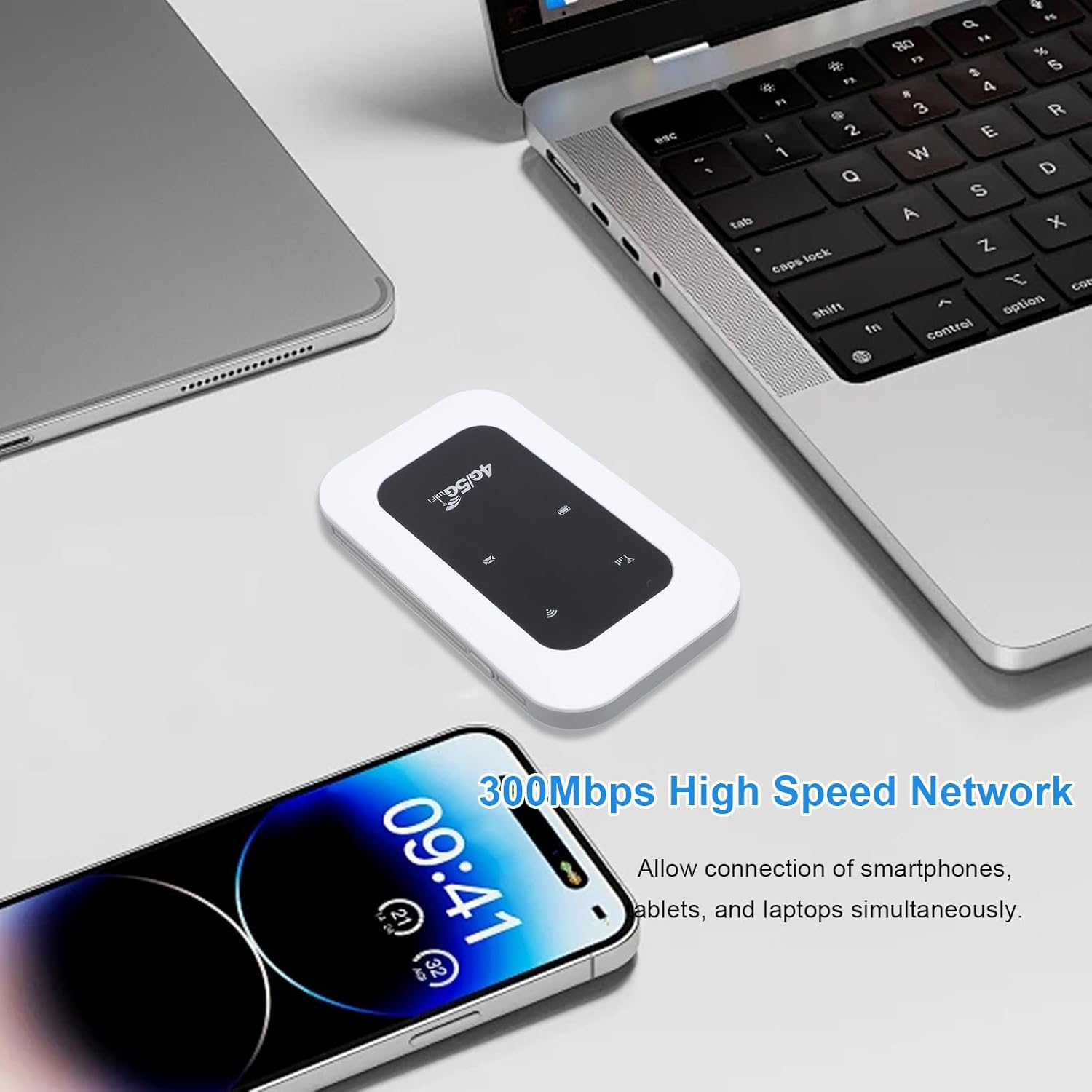
Figure 6.3: The hotspot enabling high-speed network access for multiple devices like smartphones and laptops.
7. Manteniment
- Netegeu el dispositiu amb un drap suau i sec. No utilitzeu netejadors líquids ni aerosols.
- Guardeu el dispositiu en un lloc fresc i sec quan no l'utilitzeu.
- Avoid blocking the ventilation holes to ensure proper heat dissipation.
- Regularly check for firmware updates (if applicable) through the manufacturer's weblloc per a un rendiment òptim.

Figure 7.1: The portable design allows for easy transport and use on the go, supported by its long battery life.
8. Solució De Problemes
| Problema | Causa possible | Solució |
|---|---|---|
| Sense senyal de xarxa | SIM card not inserted correctly; No network coverage; SIM card not activated. | Reinsert SIM card; Move to an area with better coverage; Contact your service provider. |
| No es pot connectar a la Wi-Fi | Incorrect Wi-Fi password; Device too far from hotspot; Hotspot not powered on. | Verify password; Move closer to hotspot; Power on the hotspot. |
| Velocitat de xarxa lenta | Too many connected devices; Weak signal; Network congestion. | Disconnect some devices; Move to an area with stronger signal; Try again later. |
| El dispositiu no es carrega | Faulty cable or adapter; Loose connection. | Try a different cable/adapter; Ensure cable is securely connected. |
9. Especificacions
| Característica | Detall |
|---|---|
| Tipus d'element | Portable 4G 5G WiFi Hotspot |
| Freqüència de xarxa | LTE: Band 1/Band 3/Band 5/Band 40, WCDMA: Band 1 |
| Suport WIFI | 802.11 b/g/n |
| Wireless Network Transmission Frequency | Fins a 300 Mbps |
| Ranura per a targetes | 1 x SIM Card (not included) |
| Tipus de bateria | Bateria integrada de 2100 mAh |
| Connectivitat | Connecta fins a 10 dispositius simultàniament |
| Port de càrrega | Tipus-C |
| Número de model | Cuifatizyd6i8p4gm |
| Dimensions | 11 x 7 x 4 cm |
| Pes | 101 g |
10. Garantia i Suport
For warranty information and technical support, please refer to the warranty card included with your product or visit the official Cuifati website. If you encounter any issues not covered in this manual, please contact Cuifati customer service for assistance.
Assistència en línia: Si us plau, visiteu www.cuifati.com (Nota: Això és un marcador de posició URL, consulteu la documentació del producte real per obtenir els enllaços de suport correctes.)