
Sheawasy SH-A100
Sheawasy Mini Retro Digital Camera SH-A100 User Manual
Model: SH-A100
1. Introducció
Gràcies per la compraasing the Sheawasy Mini Retro Digital Camera. This compact and lightweight camera is designed to capture your memories with a unique retro aesthetic, offering both photo and video capabilities. This manual provides detailed instructions on how to set up, operate, and maintain your camera to ensure optimal performance and longevity.

Figure 1.1: Key features of the Sheawasy Mini Retro Digital Camera, highlighting its 1.3-inch LCD screen, video and photo capabilities, included 32GB memory card, compact size, retro aesthetic, and overall design as a cool gadget.
2. Producte acabatview i Components
2.1 Contingut del paquet
Si us plau, comproveu el contingut del paquet per assegurar-vos que hi hagi tots els elements:
- 1 x Sheawasy Mini Retro Digital Camera (Main Unit)
- 1 x 32GB Memory Card (Pre-installed)
- 1 x cable de càrrega USB tipus C
- 1 x corretja
- 1 x Clauer
- 1 x Manual d'usuari (Aquest document)

Figure 2.1: The Sheawasy Mini Retro Digital Camera shown with its complete set of accessories, including the camera body, a 32GB memory card, a USB Type-C charging cable, a strap, and a keychain.
2.2 Parts de la càmera
Familiarize yourself with the camera's buttons and ports:

Figure 2.2: An annotated image of the camera highlighting its operational controls: the Power/Mode switch, buttons for Time Stamp ON/OFF, Filter Function, and the Shutter Button.
- Interruptor d'encesa/mode: Turns the camera on/off and switches between photo, video, and playback modes.
- Temps St.amp Botó ON/OFF: Toggles the date and time stamp on recorded media.
- Filter Function Button: Cycles through available retro filters.
- Botó de l'obturador: Captura fotos o inicia/atura la gravació de vídeo.
- Pantalla LCD a color de 1.3 polzades: Displays live feed, status, and allows playback.
- Port USB tipus C: Per a càrrega i transferència de dades.
- Ranura per a targeta MicroSD: Per a la inserció de targetes de memòria.
3. Configuració
3.1 Càrrega de la càmera
Before first use, fully charge the camera's internal battery. Use the provided USB Type-C cable.
- Connect one end of the USB Type-C cable to the camera's Type-C port.
- Connecteu l'altre extrem a un adaptador de corrent USB (no inclòs) o al port USB d'un ordinador.
- El llum indicador de càrrega s'il·luminarà. S'apagarà o canviarà de color quan la càrrega s'hagi completat.
3.2 Inserció de la targeta de memòria
The camera comes with a 32GB memory card pre-installed. If you need to remove or re-insert it:
- Localitza la ranura per a targetes microSD al lateral de la càmera.
- Gently push the memory card into the slot until it clicks into place. Ensure the gold contacts face the correct direction (usually towards the screen).
- To remove, push the card in again until it clicks, and it will spring out slightly for you to pull it out.
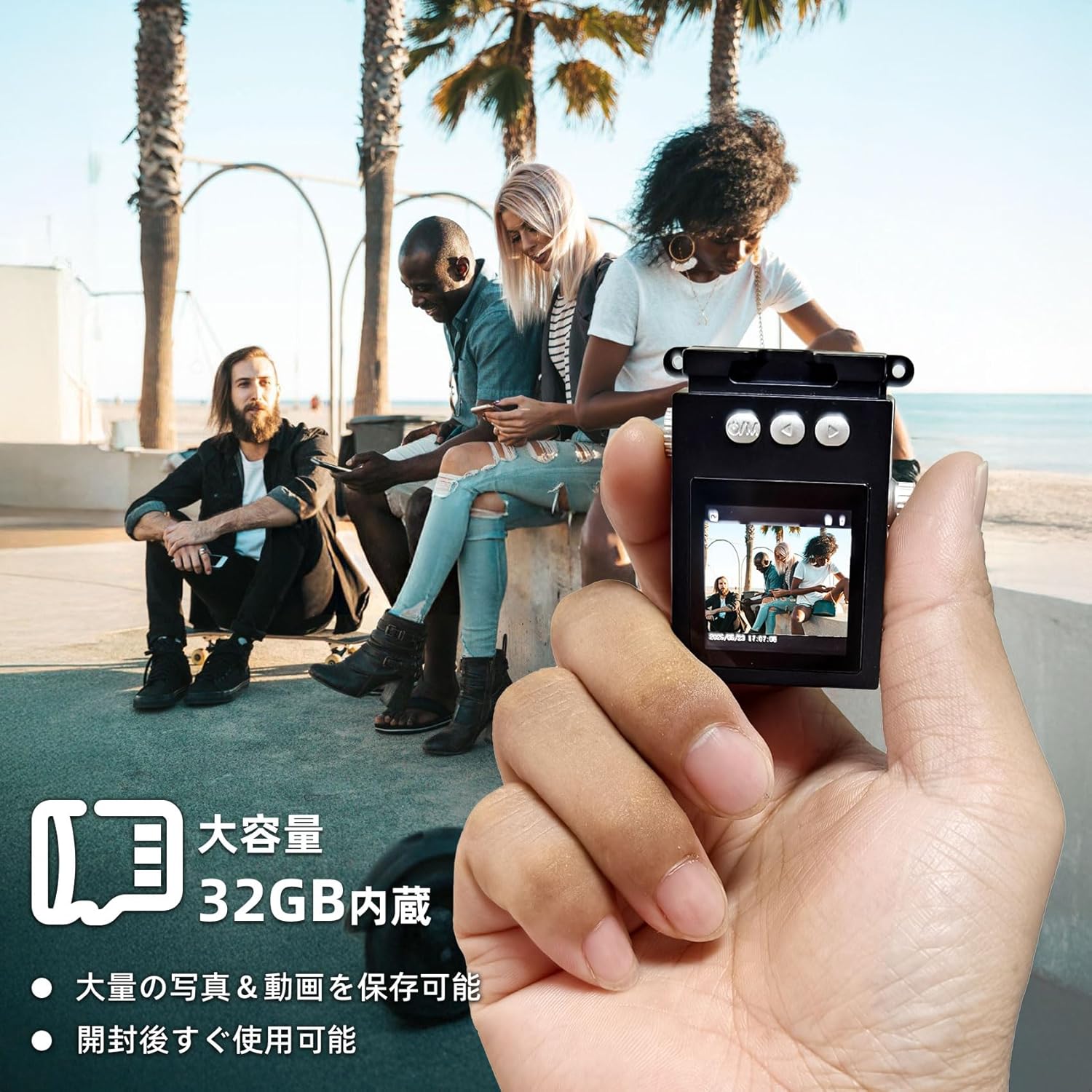
Figure 3.1: The camera is shown in hand, emphasizing its compact size and the inclusion of a 32GB memory card for ample storage of photos and videos.
4. Instruccions de funcionament
4.1 Engegada/apagada
- Per engegar, feu lliscar el Interruptor d'alimentació/mode to the desired mode (Photo or Video).
- Per apagar, feu lliscar el botó Interruptor d'alimentació/mode a la posició OFF.
4.2 Fer fotos
The camera captures photos at 1920x1080 pixels.
- Feu lliscar el Interruptor d'alimentació/mode to the Photo mode. The screen will display a live preview.
- Enquadra la teva foto amb la pantalla LCD de 1.3 polzades.
- Premeu el botó Botó de l'obturador to take a photo. The screen may briefly flash or show a capture animation.

Figure 4.1: The camera's screen shows sample images, demonstrating the nostalgic and retro photographic style it produces.
4.3 Gravació de vídeos
The camera records videos at 1920x1080P resolution with a wide-angle lens.
- Feu lliscar el Interruptor d'alimentació/mode to the Video mode. The screen will display a live preview.
- Premeu el botó Botó de l'obturador once to start recording. A recording indicator (e.g., red dot or timer) will appear on the screen.
- Premeu el botó Botó de l'obturador de nou per aturar la gravació.

Figure 4.2: The camera's 1.3-inch color LCD screen shows a live feed, illustrating its capacity for 1080P video recording and high-definition photography, enhanced by a wide-angle lens.
4.4 Reproducció
Pots tornarview your captured photos and videos directly on the camera's screen.
- Feu lliscar el Interruptor d'alimentació/mode to the Playback mode.
- Use the navigation buttons (if available, or the filter/timestamp buttons may double as navigation in playback mode) to browse through your files.
- Premeu el botó Botó de l'obturador a view una foto o reproduir un vídeo.
4.5 Applying Filters
Enhance your photos with various retro filters.
- En el mode Foto o Vídeo, premeu la tecla Filter Function Button to cycle through available filters (e.g., Wine Red, Grass Green, Light Blue, Monochrome, Sunshine Yellow).
- The selected filter will be applied to the live preview and the captured media.
4.6 Transferència Files
To transfer photos and videos to your computer or other devices:
- Connect the camera to your computer using the provided USB Type-C cable.
- The camera should appear as a removable disk drive on your computer.
- Navigate to the camera's storage, usually a folder named "DCIM" or similar, to access your files.
- Alternatively, you can remove the microSD card and insert it into a card reader (not included) connected to your computer.

Figure 4.3: Instructions for file transfer, illustrating connection options to a smartphone (via adapter) or a laptop (via USB cable). A reminder is included that a card reader is not part of the package.
5. Manteniment
5.1 Neteja de la càmera
- Use a soft, dry, lint-free cloth to clean the camera body.
- For the lens and screen, use a specialized lens cleaning cloth and solution if necessary. Avoid abrasive materials.
- No utilitzeu detergents ni dissolvents forts.
5.2 Cura de la bateria
- Avoid exposing the camera to extreme temperatures (hot or cold) as this can affect battery life.
- Charge the battery regularly, even if not in frequent use, to maintain its health.
- If storing for a long period, charge the battery to about 50% before storage.
5.3 Emmagatzematge
- Store the camera in a cool, dry place away from direct sunlight and high humidity.
- Keep it away from dust and dirt. Consider using a protective pouch.
6. Solució De Problemes
Si teniu problemes amb la càmera, consulteu els problemes i solucions més comuns següents:
| Problema | Causa possible | Solució |
|---|---|---|
| La càmera no s'encén. | La bateria està esgotada. | Carregueu la càmera completament. |
| No es poden fer fotos/vídeos. | Memory card is full or not inserted correctly. | Check memory card insertion; delete old files or replace card. |
| Mala qualitat d'imatge/vídeo. | La lent està bruta; il·luminació insuficient. | Clean the lens; ensure adequate lighting for your shots. |
| La càmera es congela. | Error temporal de programari. | Turn off the camera and turn it back on. If persistent, try charging it. |
| Files not transferring to computer. | Incorrect cable connection; driver issue. | Ensure cable is securely connected; try a different USB port or computer. |
Si el problema persisteix després de provar aquestes solucions, poseu-vos en contacte amb l'atenció al client.
7. Especificacions
| Característica | Detall |
|---|---|
| Marca | Sheawayy |
| Nom del model | SH-A100 |
| Mida de la pantalla | 1.3 polzades |
| Resolució de vídeo | 1080P (1920x1080) |
| Resolució d'imatge fixa | 1 MP (resolució efectiva de fotos) |
| Tipus de lent | Wide-angle, Macro |
| Estabilització d'imatge | Digital |
| Memòria inclosa | Targeta MicroSD de 32 GB |
| Connectivitat | USB tipus C |
| Color | Negre |
| Dimensions | 15.4 x 9.1 x 4.8 cm; 70 g (Package Size) |
| Product Weight (Body Only) | 31 g |
| Admet File Format | AVI |

Figure 7.1: The compact design of the camera is illustrated by comparing its size to a typical smartphone, highlighting its small dimensions for easy portability.
8. Garantia i Suport
No specific warranty information is provided in the product details. For any warranty-related inquiries, please refer to the retailer's policy or contact the manufacturer directly.
Atenció al client
If you have any questions, concerns, or require technical assistance with your Sheawasy Mini Retro Digital Camera, please contact our customer support team through the retailer's platform or visit the official Sheawasy brand store on Amazon:
Sheawasy Official Store on Amazon.co.jp
Please have your product model (SH-A100) and purchase details ready when contacting support.
Ask a question about this manual
Ask about setup, troubleshooting, compatibility, parts, safety, or missing instructions. Manuals+ will review the question and use this page’s manual context to help answer it.