
1. Introducció
Thank you for choosing the ZIPRO Ramble Treadmill. This manual provides essential information for the safe assembly, operation, and maintenance of your new fitness equipment. Please read this manual thoroughly before first use and keep it for future reference. The ZIPRO Ramble Treadmill is designed for home use, offering a versatile workout experience with adjustable speed, incline, and various training programs.
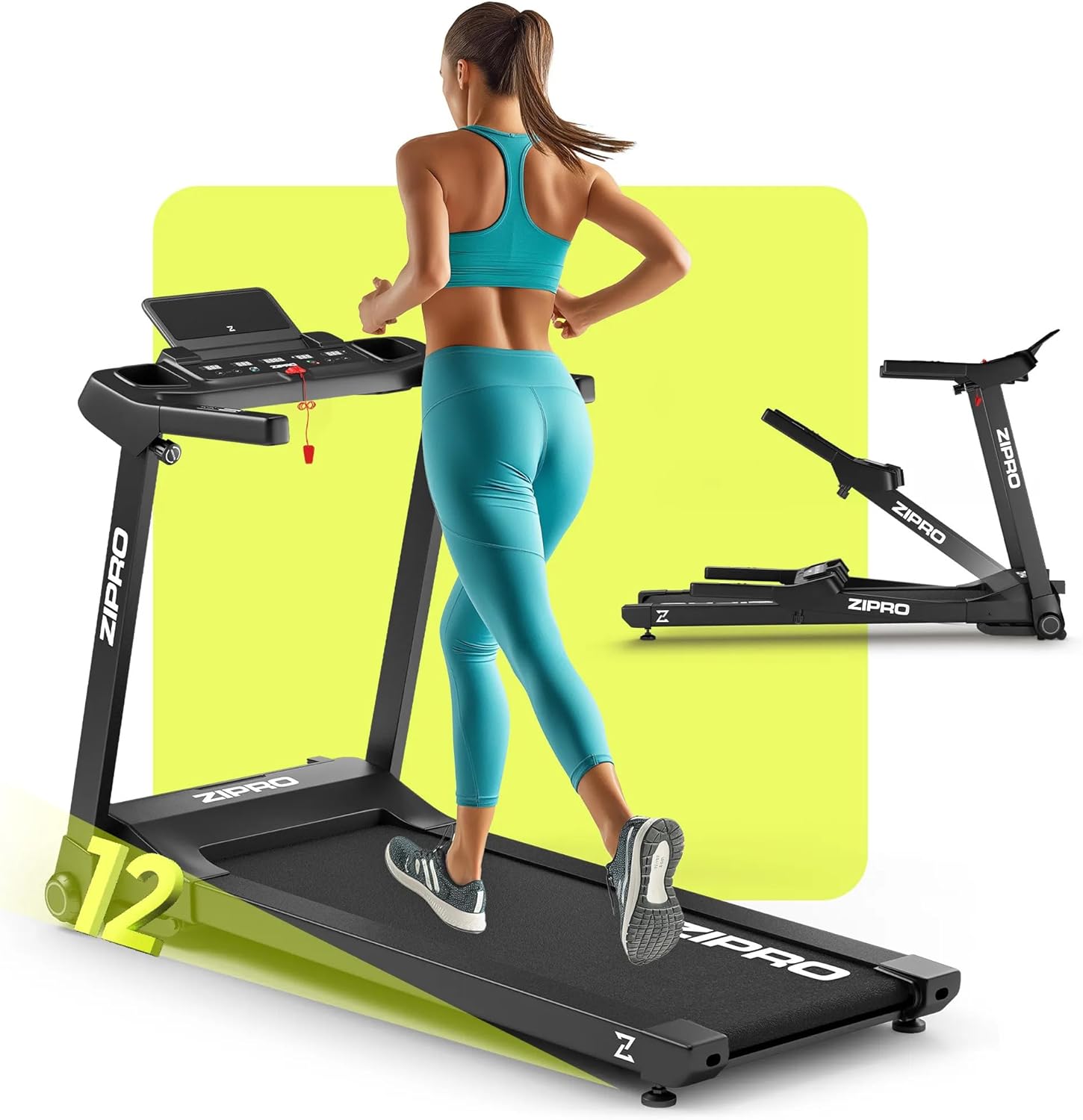
Image 1.1: The ZIPRO Ramble Treadmill in operation, demonstrating its design and functionality.
2. Instruccions de seguretat importants
Per reduir el risc de lesions greus, llegiu totes les instruccions abans d'utilitzar la cinta de córrer. El fabricant no assumeix cap responsabilitat per lesions personals o danys materials soferts per o a través de l'ús d'aquest producte.
- Consulteu un metge abans de començar qualsevol programa d'exercici.
- Mantingueu els nens i les mascotes lluny de la cinta de córrer durant el funcionament.
- Col·loqueu la cinta de córrer sobre una superfície plana i estable amb un espai lliure suficient al seu voltant.
- Porteu roba esportiva i calçat esportiu adequats.
- No feu servir la cinta de córrer si té el cable o l'endoll danyats o si no funciona correctament.
- Always use the safety key. Attach the clip to your clothing before starting your workout.
- No pugeu ni baixeu de la cinta de córrer mentre la cinta estigui en moviment.
- Do not attempt to service the treadmill yourself. Contact qualified personnel for repairs.
- Desendolleu la cinta de córrer de la presa de corrent quan no l'utilitzeu o abans de netejar-la/fer-ne el manteniment.
3. Contingut del paquet
Carefully unpack the box and ensure all components are present and undamaged. If any parts are missing or damaged, do not assemble the treadmill and contact customer support.
- 1x ZIPRO Ramble Inclinable Treadmill (main unit)
- Manual d'usuari
- Eines de muntatge (si s'inclouen)
- Clau de seguretat
4. Muntatge i muntatge
The ZIPRO Ramble Treadmill comes largely pre-assembled. Follow these steps for final setup:
- Desembalatge: Remove all packaging materials and place the treadmill on a clear, level surface.
- Desplegament: Aixequeu amb cura la consola i el manillar a la posició vertical fins que es bloquegin correctament. Assegureu-vos que tots els mecanismes de bloqueig estiguin activats.
- Posicionament: Place the treadmill in a location with at least 2 meters (6.5 feet) of clear space behind it and 0.5 meters (1.6 feet) on each side.
- Connexió d'alimentació: Connecteu el cable d'alimentació a una presa elèctrica amb connexió a terra.
- Clau de seguretat: Place the safety key in its designated slot on the console. The treadmill will not operate without the safety key in place.

Image 4.1: Demonstrating the folding and transport features of the treadmill.
The treadmill is equipped with transport wheels for easy relocation when folded. To fold, ensure the running deck is lowered, then lift the rear of the running deck until it locks into the upright position. To unfold, gently release the locking mechanism and lower the running deck to the floor.
5. Instruccions de funcionament
5.1 Consola completaview

Image 5.1: The control panel with integrated phone holder and bottle holders.
The console features an LED display showing time, speed, distance, calories burned, and heart rate. It also includes quick-access buttons for speed and incline, as well as a smartphone holder and two bottle holders.
5.2 Començar un entrenament
- Encès: Assegureu-vos que la cinta de córrer estigui connectada i que la clau de seguretat estigui al seu lloc.
- Mode manual: Press the 'Start' button. The belt will begin moving at a low speed.
- Ajustar velocitat: Use the '+' and '-' buttons on the console or handlebars to adjust the speed from 1 km/h to 16 km/h.
- Adjust Incline: Use the 'Incline +' and 'Incline -' buttons to adjust the incline level (12 levels available).

Image 5.2: The treadmill's electronic incline adjustment system.
5.3 programes predefinits
The treadmill offers 12 predefined training programs and 3 customizable modes. To select a program:
- From standby, press the 'Program' button to cycle through available programs (P1-P12).
- Press 'Start' to begin the selected program. The treadmill will automatically adjust speed and incline according to the program profile.

Imatge 5.3: acabatview of training programs and app integration.
5.4 Connectivitat de l'aplicació
The ZIPRO Ramble Treadmill can connect to fitness applications like FitShow via Bluetooth. Download the compatible app to your smartphone, enable Bluetooth, and follow the app's instructions to pair with your treadmill. This allows for enhanced workout tracking and control.
5.5 Monitorització de la freqüència cardíaca
Grip the pulse sensors on the handlebars to display your heart rate on the LED screen. For accurate readings, ensure both hands are firmly placed on the sensors.
5.6 Stopping the Treadmill
Press the 'Stop' button to gradually slow down and stop the treadmill. In an emergency, pull the safety key to immediately stop the belt.
6. Manteniment
Un manteniment regular garanteix la longevitat i el rendiment òptim de la cinta de córrer.
- Neteja: Netegeu les superfícies de la cinta de córrer amb anuncisamp drap després de cada ús. Eviteu productes de neteja o dissolvents abrasius.
- Lubricació de corretja: The running belt requires periodic lubrication to reduce friction. Refer to the specific instructions provided with your lubricant for frequency and application. Generally, lift the edge of the belt and apply silicone lubricant to the center of the deck.
- Ajust del cinturó: If the running belt slips or drifts to one side, it may need adjustment. Consult the troubleshooting section or contact customer support for guidance.
- Cable d'alimentació: Inspeccioneu regularment el cable d'alimentació per detectar qualsevol dany.
7. Solució De Problemes
Si teniu problemes amb la cinta de córrer, consulteu els següents problemes i solucions habituals:
| Problema | Causa possible | Solució |
|---|---|---|
| La cinta de córrer no s'engega | Cable d'alimentació desconnectat, clau de seguretat no col·locada, interruptor apagat. | Check power connection, ensure safety key is fully inserted, turn on power switch. |
| Corretges de corretja corredisses | La corretja està massa fluixa, cal lubricar-la. | Adjust belt tension (refer to specific instructions), lubricate the running deck. |
| Soroll inusual durant el funcionament | Loose parts, motor issue, belt friction. | Check all bolts and screws for tightness. Lubricate belt. If noise persists, contact customer support. |
| Lectura incorrecta de la freqüència cardíaca | Mans no ben subjectes als sensors, mans seques. | Ensure firm contact with both sensors. Lightly moisten hands if they are too dry. |
For issues not listed here or if solutions do not resolve the problem, please contact ZIPRO customer support.
8. Especificacions
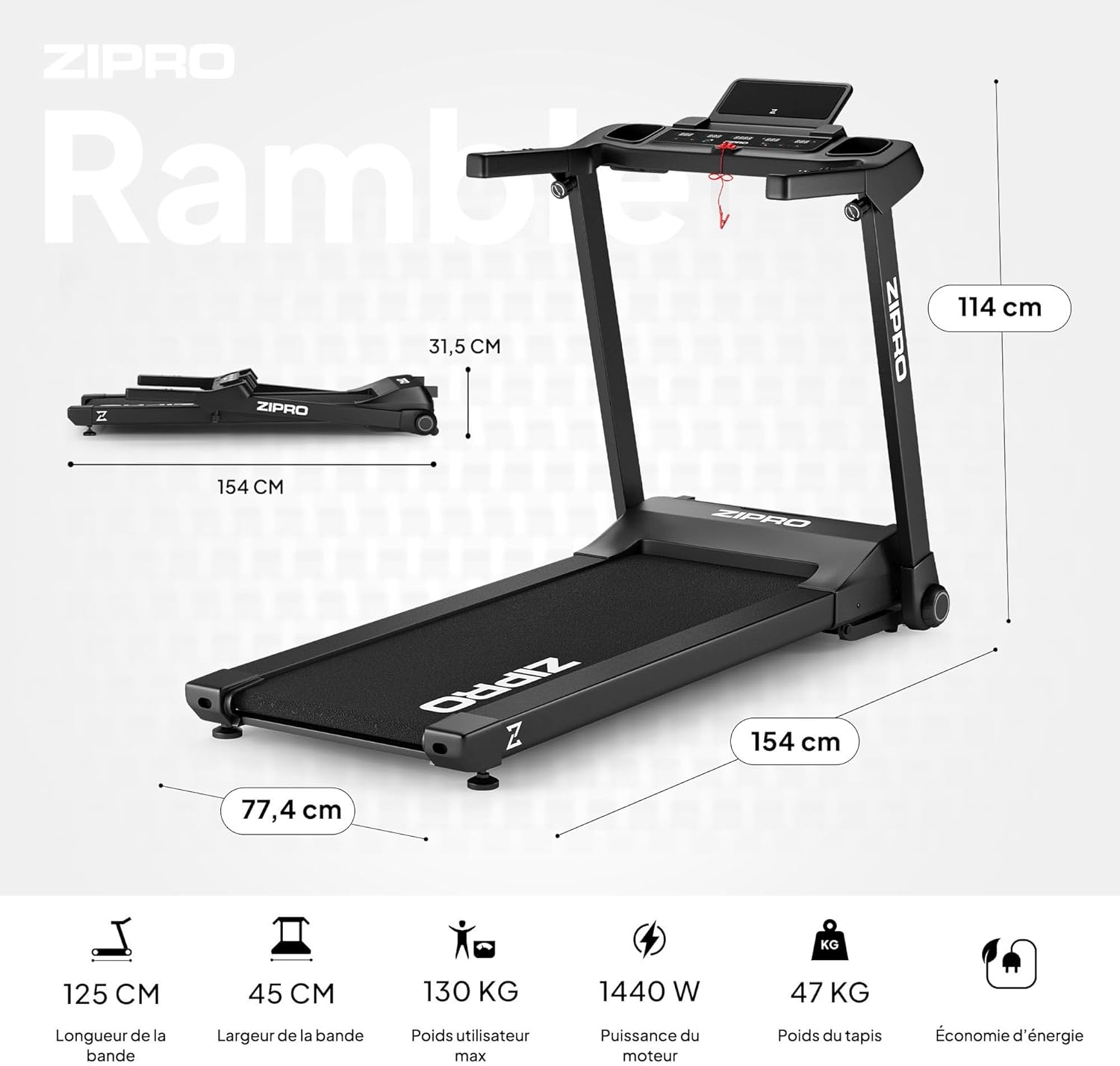
Image 8.1: Key dimensions and specifications of the ZIPRO Ramble Treadmill.
| Característica | Especificació |
|---|---|
| Model | Rambla |
| Marca | ZIPRO |
| Potència del motor | 1.96 HP (Continuous Duty) / 1440 W |
| Interval de velocitat | 1 - 16 km/h |
| Nivells d'inclinació | 12 (Automatic Electronic Adjustment) |
| Superfície de córrer (L x A) | 125 cm x 45 cm |
| Pes màxim de l'usuari | 130 kg |
| Programes | 12 Predefined, 3 Customizable |
| Mostra | LED (Time, Speed, Distance, Calories, Heart Rate) |
| Connectivitat | Bluetooth (for fitness apps like FitShow) |
| Dimensions desplegades (L x A x A) | 154 cm x 77.4 cm x 114 cm |
| Mides plegades (L x A x A) | 154.2 cm x 77.4 cm x 31.5 cm (height) |
| Pes del producte | 47.7 kg |
| Característiques especials | Foldable design, Transport wheels, Heart rate monitor, Bottle holder, Smartphone holder, Shock absorption system (VIBGUARD PRO) |
| Materials | Polyethylene (PE), Metal, Plastic |
9. Garantia i Suport
For information regarding warranty coverage, please refer to the warranty card included with your product or visit the official ZIPRO website. If you require technical assistance, spare parts, or have any questions not covered in this manual, please contact ZIPRO customer support through their official channels.
Please have your product model (Ramble) and purchase information ready when contacting support.


