
eKids 115
eKids Dora Karaoke Microphone with Boombox Instruction Manual
Model: 115 | Brand: eKids
1. Introducció
Welcome to the eKids Dora Karaoke Microphone with Boombox. This device is designed to provide an interactive and engaging musical experience. It features a wired microphone, built-in music, and Bluetooth connectivity for streaming audio from compatible devices. This manual provides essential information for setup, operation, maintenance, and troubleshooting to ensure optimal performance and enjoyment.
2. Producte acabatview
The eKids Dora Karaoke Microphone with Boombox is a portable audio device shaped like Dora's backpack, designed for children aged 3 and up. It combines a speaker with a wired microphone, allowing users to sing along to pre-loaded songs or music streamed via Bluetooth.
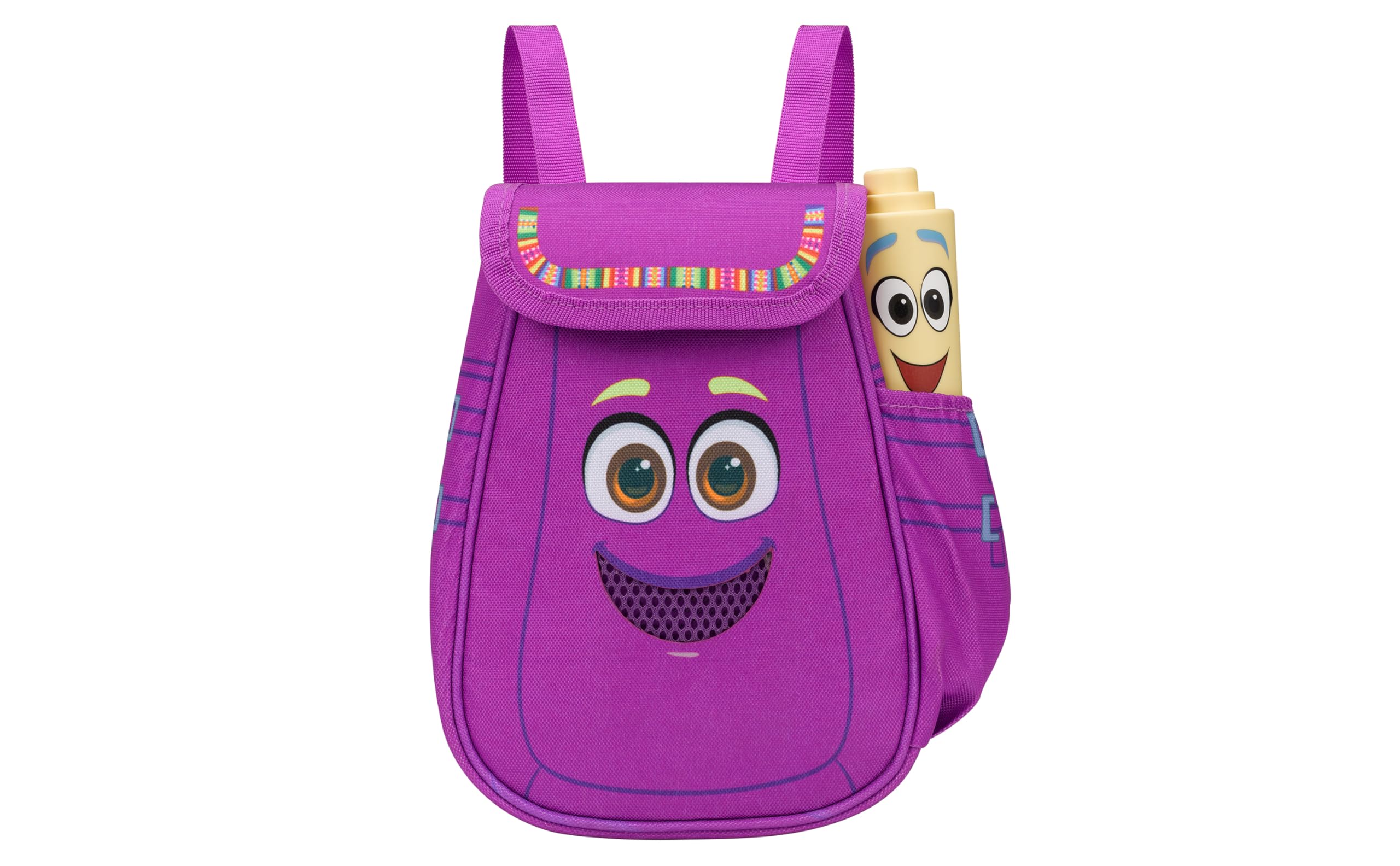
Figure 1: eKids Dora Karaoke Microphone with Boombox.
Característiques principals:
- Altaveu Bluetooth: Connects to any music device via Bluetooth to stream popular karaoke playlists and more. Lightweight and portable, this karaoke boombox is designed for kids aged 3 and up.
- Micròfon de karaoke: Includes a wired microphone to amplify your voice for singing.
- Dora Backpack Design: Features cute and colorful graphics inspired by the popular Nickelodeon series.
- Música integrada: Contains extended clips of the songs ‘Rainforest Ritmo’, ‘Cake’, and ‘Empanada’.
- Portabilitat: Lightweight design with a built-in handle for easy transport.
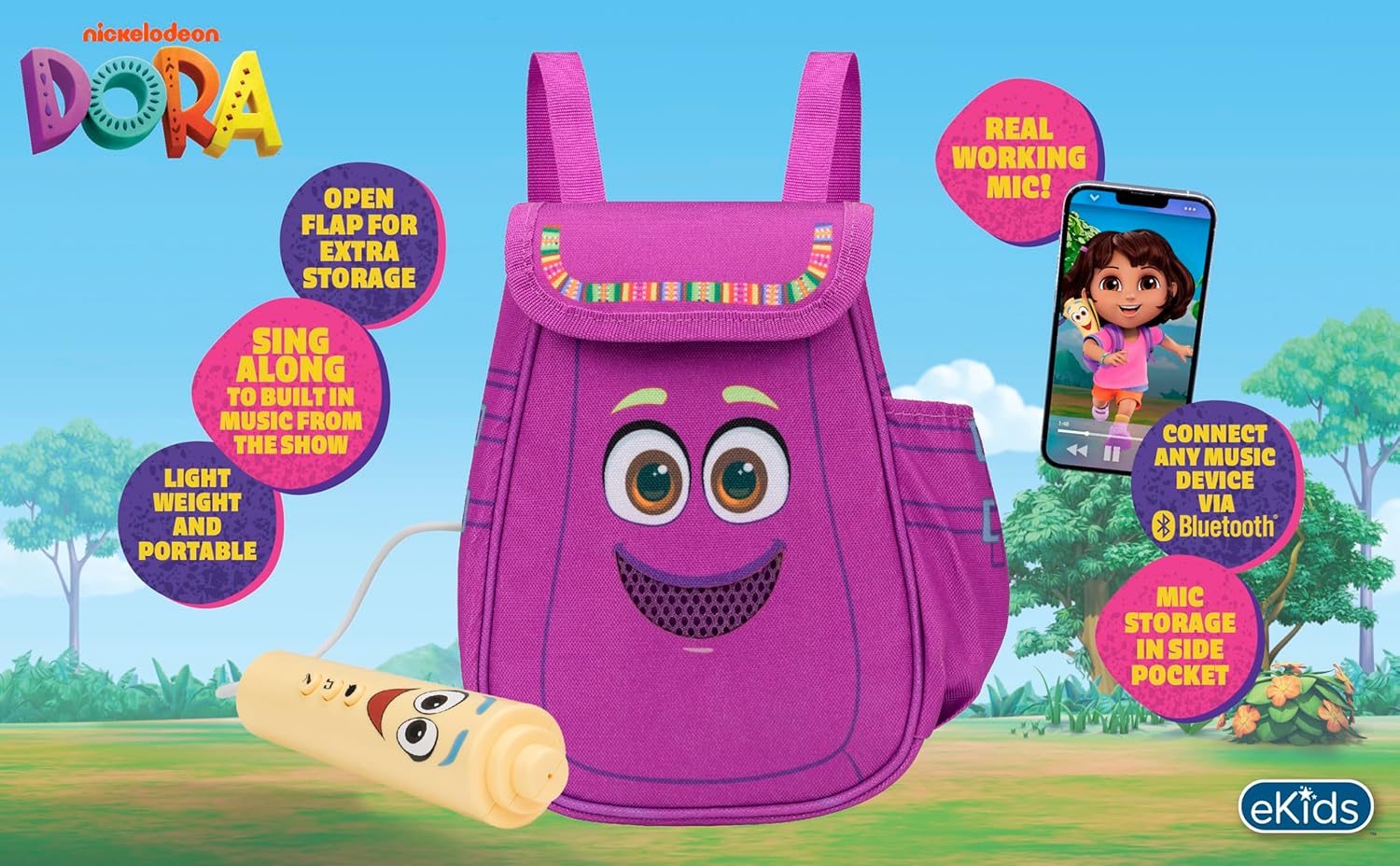
Figura 2: Visual overview of the product's key features.
3. Contingut del paquet
Assegureu-vos que hi hagi tots els articles presents en desempaquetar:
- Dora Karaoke Microphone with Boombox (main unit)
- Micròfon per cable
- Manual d'instruccions (aquest document)
- 3 x 'AA' Batteries (included)

Figure 3: Product as packaged, showing the boombox and microphone.
4. Configuració
4.1 Instal·lació de la bateria
- Locate the battery compartment on the back or bottom of the boombox unit.
- Amb un tornavís Phillips (no inclòs), obriu la tapa del compartiment de la bateria.
- Insert 3 'AA' batteries, ensuring correct polarity (+/-).
- Substituïu la tapa del compartiment de la bateria i fixeu-la amb el cargol.
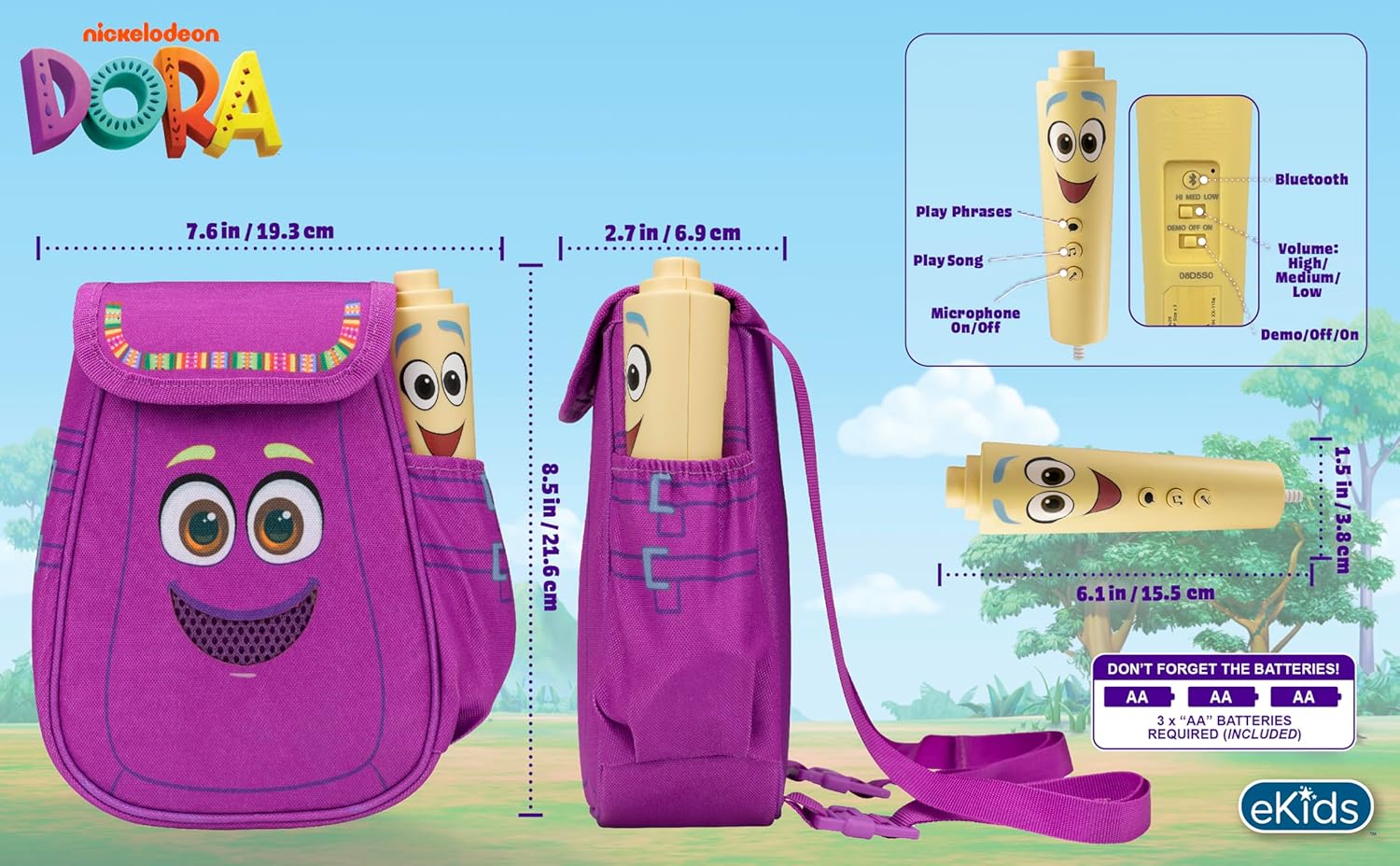
Figura 4: posterior view of the boombox, indicating battery compartment and control buttons.
4.2 Connexió del micròfon
The wired microphone is typically pre-connected or plugs into a dedicated port on the boombox. Ensure the microphone cable is securely plugged in.
5. Instruccions de funcionament
5.1 Encès/Apagat
Locate the Power switch (often labeled ON/OFF or with a power symbol) on the unit. Slide it to the 'ON' position to power on the device. Slide it to 'OFF' to power off.
5.2 Playing Built-in Music
Press the designated 'Play Song' button (refer to Figure 4 for button layout) to cycle through the pre-loaded songs. The unit includes extended clips of 'Rainforest Ritmo', 'Cake', and 'Empanada'.
5.3 Ús del micròfon
To use the microphone, ensure the 'Microphone On/Off' switch (refer to Figure 4) is in the 'On' position. Speak or sing into the microphone to amplify your voice through the boombox speaker.
5.4 Connectivitat Bluetooth
To stream music from an external device:
- Assegureu-vos que el boombox estigui encès.
- Activate Bluetooth on your external music device (e.g., smartphone, tablet, computer).
- Cerca available Bluetooth devices and select "eKids Dora" or a similar name.
- Once paired, you can stream audio from your device to the boombox.

Figure 5: Bluetooth connectivity allows streaming from various compatible devices.
5.5 Control de volum
Adjust the volume using the 'Volume: High/Medium/Low' switch on the unit (refer to Figure 4).
5.6 Mode de demostració
The unit may include a 'Demo/Off/On' switch (refer to Figure 4). Set it to 'Demo' for a brief demonstration of features, or 'On' for full functionality.
6. Manteniment
- Neteja: Netegeu la unitat amb un drap suau i sec. No utilitzeu productes de neteja abrasius ni submergiu la unitat en aigua.
- Cura de la bateria: Traieu les piles si no heu d'utilitzar la unitat durant un període prolongat per evitar fuites.
- Emmagatzematge: Guardeu la unitat en un lloc fresc i sec, allunyat de la llum solar directa i de temperatures extremes.
7. Solució De Problemes
| Problema | Solució |
|---|---|
| Sense poder | Check battery installation and ensure batteries are fresh. Confirm the power switch is in the 'ON' position. |
| No hi ha so de l'altaveu | Increase the volume. Ensure the microphone is switched 'ON' if using it. If using Bluetooth, check device volume and connection. |
| El micròfon no funciona | Ensure the microphone is securely plugged in and its 'On/Off' switch is in the 'On' position. |
| Bluetooth no connectat | Ensure the boombox is in Bluetooth pairing mode (if applicable, check manual for specific instructions). Turn off and on Bluetooth on your external device. Move devices closer together. |
8. Especificacions
- Marca: eKids
- Nom del model: 115
- Color: Dora
- Font d'alimentació: Battery Powered (3 x 'AA' batteries)
- Recompte de parlants: 1
- Tecnologia de connectivitat: Bluetooth, 3.5mm audio jack (for wired microphone)
- Pes de l'article: 0.52 quilos
- Dimensions de l'article (D x W x H): 10.63 "P x 2.24" W x 8.17" H
- UPC: 092298961934
- Fabricant: KIDdesigns
9. Garantia i Suport
Aquest producte ve amb un Garantia limitada d'1 any from the manufacturer, KIDdesigns. For warranty claims or technical support, please refer to the contact information provided with your purchase documentation or visit the eKids official weblloc.
For additional product information or to explore other eKids products, visit the eKids Brand Store.
Ask a question about this manual
Ask about setup, troubleshooting, compatibility, parts, safety, or missing instructions. Manuals+ will review the question and use this page’s manual context to help answer it.