Introducció
This manual provides detailed instructions for the setup, operation, and maintenance of your Rii Wireless Keyboard and Mouse Combo. Please read this guide thoroughly before using the product to ensure optimal performance and longevity.
Contingut del paquet
Verifiqueu que tots els elements siguin presents al vostre paquet:
- 1 x ratolí sense fil
- 1 x teclat sense fils
- 1 x USB Receiver (stored in the keyboard battery compartment)
- 1 x Manual d'usuari
Instruccions de configuració
Follow these steps to set up your Rii Wireless Keyboard and Mouse Combo:
- Instal·leu les bateries:
- For the keyboard: Insert 1 AAA battery (not included) into the battery compartment located on the underside of the keyboard.
- For the mouse: Insert 2 AAA batteries (not included) into the battery compartment located on the underside of the mouse.
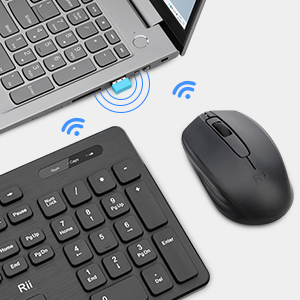
- Localitza el receptor USB: The single USB receiver for both the keyboard and mouse is stored within the keyboard's battery compartment. Carefully remove it.
- Connecteu el receptor USB: Connecteu el receptor USB a un port USB disponible de l'ordinador.
- Encès: Turn on the mouse using the On/Off switch located on its underside. The keyboard does not have a separate power switch; it activates upon battery installation and connection.
- Connexió automàtica: El teclat i el ratolí s'haurien de connectar automàticament a l'ordinador. Normalment no calen controladors addicionals.

Instruccions de funcionament
Ús del teclat
The Rii wireless keyboard features a standard layout with 12 easy-to-reach function keys for enhanced productivity. Its ergonomic key caps are designed for comfortable typing.
Ús del ratolí
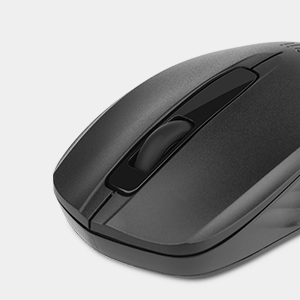
The wireless optical mouse operates at 1000 DPI, providing smooth and precise cursor control on various surfaces.
- Mode de repòs: When the mouse enters sleep mode to conserve battery, simply click any button to wake it up. Moving the mouse will not wake it from sleep mode.
Manteniment
To maintain the performance and appearance of your Rii Wireless Keyboard and Mouse Combo:
- Neteja: Feu servir un drap suau i sec per netejar les superfícies del teclat i el ratolí. Per a la brutícia persistent, netegeu lleugerament.amp es pot fer servir un drap i assecar-lo immediatament. Eviteu utilitzar productes químics agressius o netejadors abrasius.
- Substitució de la bateria: Replace batteries promptly when the low battery indicator on the keyboard illuminates or when mouse responsiveness decreases.
- Emmagatzematge: When not in use for extended periods, remove batteries to prevent leakage and store the devices in a cool, dry place.
Resolució de problemes
If you experience connection issues or other problems, try the following solutions:
Problemes de connexió
- Comprovació del receptor USB: Assegureu-vos que el receptor USB estigui ben connectat a un port USB que funcioni de l'ordinador. Proveu un altre port USB si cal.
- Comproveu les bateries: Verify that the batteries in both the keyboard and mouse are correctly installed and have sufficient charge. Replace them if needed.
- Procediment de reaparellament: If the devices lose connection, you may need to re-pair them with the USB receiver:
- Per al teclat: Remove the batteries from the keyboard and the USB receiver from the computer. Reinstall the batteries in the keyboard. Press and hold the 'ESC' and 'Q' buttons on the keyboard simultaneously for approximately 3 seconds until the red light flashes. While the light is flashing, plug the USB receiver back into the computer.
- Per al ratolí: Remove the batteries from the mouse and the USB receiver from the computer. Reinstall the batteries in the mouse. Press and hold the scroll wheel and the right mouse button simultaneously for approximately 3 seconds. While holding, plug the USB receiver back into the computer.
- Interferència: Ensure there are no other wireless devices operating on the same 2.4GHz frequency nearby that could cause interference.
Mouse Not Waking from Sleep
- As noted in the operating instructions, the mouse wakes from sleep mode by clicking any button, not by moving it.
Especificacions
| Característica | Detall |
|---|---|
| Marca | veure |
| Model | B0FB89JTKJ |
| Color | Negre |
| Tecnologia de connectivitat | 2.4G sense fil |
| Característica especial | Disseny ergonòmic |
| Dispositius compatibles | Windows XP / VISTA / 7 /8 /10; Mac OS; Chrome OS; Linux etc. |
| DPI del ratolí | 1000 |
| Bateria del teclat | 1 x AAA (no inclòs) |
| Bateria del ratolí | 2 x AAA (no inclòs) |
| Pes de l'article | 1.43 lliures |
| Dimensions del paquet | 17.49 x 8.27 x 1.83 polzades |
Garantia i Suport
Rii provides a worry-free 1-year product service for this Wireless Keyboard and Mouse Combo. If you encounter any problems during use, please contact our support team for assistance.