
SIMO SolHero24
SIMO Solis Hero 4G LTE Portable Mobile Hotspot Instruction Manual
Model: SolHero24 | Brand: SIMO
1. Producte acabatview
The SIMO Solis Hero is a versatile 2-in-1 device designed to provide reliable global Wi-Fi connectivity and serve as a portable power bank. It offers seamless internet access in over 140 countries without the need for a SIM card or contract, automatically connecting to the strongest available network. Its robust design is suitable for various travel and remote work scenarios.
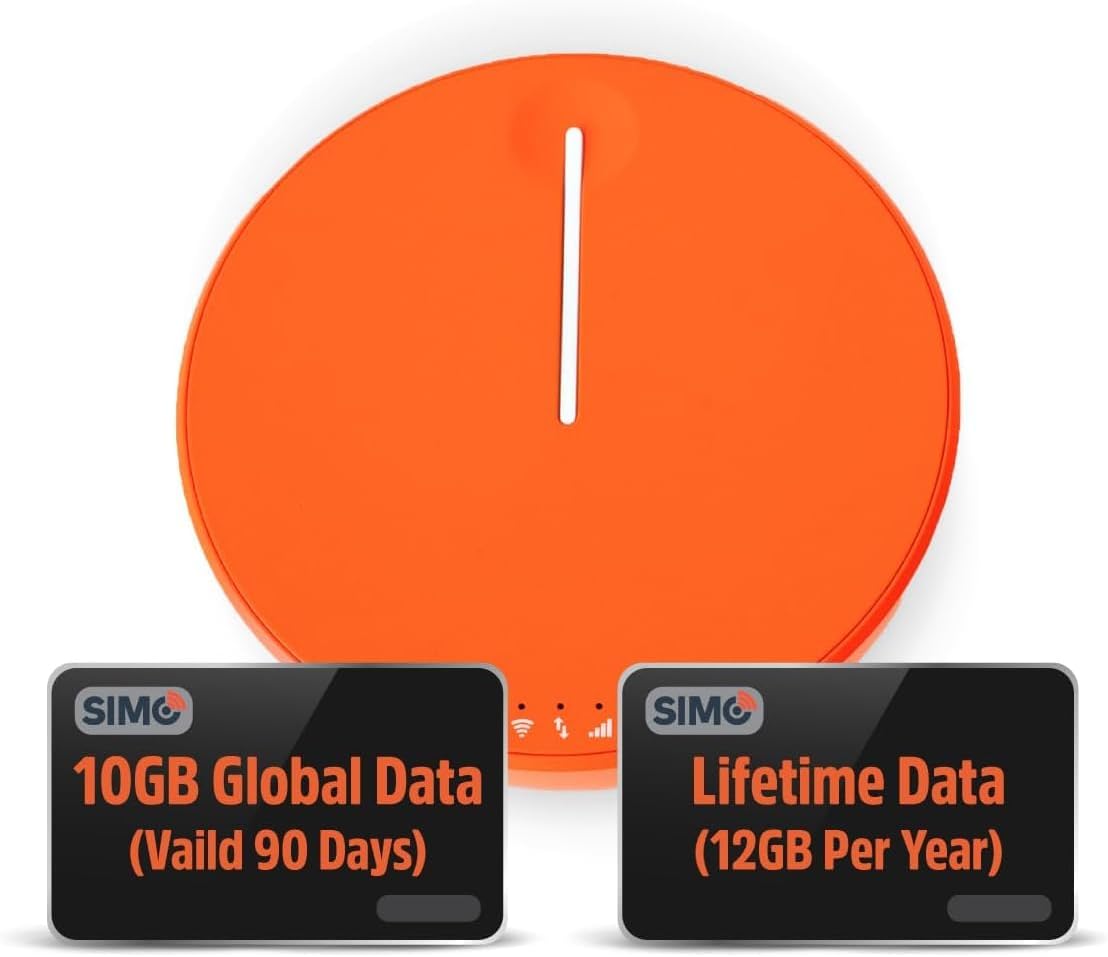
Figure 1.1: SIMO Solis Hero 4G LTE Portable Mobile Hotspot device.
Característiques principals:
- 2-in-1 Device: Functions as a mobile hotspot and a 5250mAh power bank.
- Connectivitat global: Access to 300+ mobile networks in 140+ countries with SignalScan technology.
- No SIM Card or Contract: Utilizes virtual SIM technology for hassle-free connection.
- Lifetime Data Plan: Includes 1GB of global data every month for the life of the device.
- Disseny durador: IP68-rated for dust, water, and drop protection.
- Suport multidispositiu: Connecta fins a 10 dispositius simultàniament.

Figura 1.2: Mésview of Solis Hero key features.
2. Què inclou la caixa
Upon opening your SIMO Solis Hero package, you will find the following components:
- SIMO Solis Hero Hotspot Device
- Maleta de transport
- Cable de càrrega USB-C
- Guia d'inici ràpid
- Registration & Support Card
Video 2.1: Official unboxing and setup guide for the SIMO Solis Hero. This video demonstrates the contents of the box and initial steps to get started.

Figure 2.1: Visual representation of the Solis Hero components and initial setup steps.
3. Guia de configuració
3.1 Activació inicial del dispositiu
- Carregueu el dispositiu: Before first use, fully charge your Solis Hero using the provided USB-C charging cable. Connect the cable to the device and a compatible USB power adapter (not included).
- Encès: Press and hold the power button on the device until the indicator lights illuminate.
- Download the Solis App: Scan the QR code on the Registration & Support Card or search for 'Solis Wi-Fi' in your device's app store (available for iOS and Android).
- Registra el teu dispositiu: Open the Solis app and follow the on-screen instructions to create an account and register your Solis Hero using its serial number. This step is crucial for activating your Lifetime Data plan and any included global data.
3.2 Connexió a Wi-Fi
- Locate Wi-Fi Network: On your smartphone, tablet, or laptop, go to your Wi-Fi settings.
- Select Solis Hero Network: Find the Wi-Fi network name (SSID) broadcast by your Solis Hero device. The SSID and password are typically found on a sticker on the device or in the Quick Start Guide.
- Introduïu la contrasenya: Input the Wi-Fi password when prompted.
- Connectar: Your device should now be connected to the Solis Hero's Wi-Fi network.
4. Instruccions de funcionament
Connectivitat Wi-Fi 4.1
- The Solis Hero automatically connects to the strongest 4G LTE network available in your location using SignalScan technology.
- You can manage connected devices and monitor data usage through the Solis app.
4.2 Funcionalitat del banc d'energia
- The built-in 5250mAh battery allows you to charge other devices.
- Connect your device to the Solis Hero using a compatible charging cable.
- The Solis Hero can provide over 16 hours of battery life for its own operation, or it can be used to charge external devices.
4.3 Data Plans and Management
Your Solis Hero comes with a Lifetime Data plan (1GB per month) and an additional 10GB of global data (valid for 90 days). Additional data can be purchased as needed via the Solis app.

Figure 4.1: Flexible data plans are available through the Solis app to suit various usage needs.
5. Manteniment i cura
- Neteja: Feu servir un drap suau i sec per netejar el dispositiu. Eviteu productes de neteja o dissolvents abrasius.
- Emmagatzematge: Guardeu el dispositiu en un lloc fresc i sec, allunyat de la llum solar directa i de temperatures extremes.
- Cura de la bateria: Per allargar la durada de la bateria, eviteu descarregar completament el dispositiu amb freqüència. Carregueu-lo regularment, fins i tot si no l'utilitzeu durant períodes prolongats.
- Resistència a l'aigua i a la pols: While IP68-rated, avoid intentional submersion or exposure to harsh environments to maintain device integrity.
6. Resolució de problemes comuns
| Problema | Causa possible | Solució |
|---|---|---|
| Sense connexió a Internet | No data plan active or data exhausted. Weak signal. Device not powered on. | Check data plan status in Solis app. Move to an area with better signal. Ensure device is powered on and fully charged. |
| El dispositiu no es carrega | Faulty cable or adapter. Charging port obstruction. | Try a different USB-C cable and power adapter. Check charging port for debris. |
| Velocitat d'internet lenta | Congested network. Data throttling after high usage. Too many connected devices. | Move to a less congested area. Check data plan details for speed limitations. Disconnect unused devices. |
| No es pot connectar a la xarxa Wi-Fi | Incorrect Wi-Fi password. Device too far from hotspot. | Verify Wi-Fi password. Move closer to the Solis Hero device. |
7. Especificacions tècniques
| Característica | Detall |
|---|---|
| Número de model | SolHero24 |
| Capacitat de la bateria | Ió de liti de 5250 mAh (inclosa) |
| Dimensions | 4.41 x 4.37 x 2.05 polzades |
| Pes de l'article | 9.7 unces |
| Connectivitat | 4G LTE, Wi-Fi (connects to 300+ mobile networks) |
| Màxim dispositius connectats | 10 |
| Classificació de durabilitat | IP68 (Dust, Water, Drop Protection) |
8. Garantia i atenció al client
SIMO products are backed by responsive customer service. For any inquiries, technical assistance, or warranty claims, please refer to the contact information provided on your Registration & Support Card or visit the official SIMO weblloc.
També podeu visitar el SIMO Store on Amazon per obtenir més informació i recursos de suport.
Documents relacionats - SolHero24
 |
Solís Tag User Manual: Setup, Features, and Specifications Comprehensive user manual for the Solis Tag portable Wi-Fi hotspot. Learn how to set up, connect, manage data plans, understand light indicators, and view especificacions tècniques. |
 |
Solis Hero Portable Wi-Fi Hotspot User Manual and Specifications Comprehensive guide to the Solis Hero portable Wi-Fi hotspot by SIMO, covering setup, features like SignalScan and Lifetime Data, technical specifications, and compliance information. |
 |
Solis 5G Mobile Hotspot User Guide and Specifications A comprehensive guide to setting up and using the SIMO Solis 5G mobile hotspot, including step-by-step instructions, technical specifications, support contact information, and FCC compliance details. |
 |
Solis Go Mobile Hotspot User Manual User manual for the Solis Go high-speed mobile hotspot and power bank. Includes setup instructions, charging guide, LED status indicators, and technical specifications. |
 |
Solis Go Power Bank User Manual (SGO24) User manual for the Solis Go Power Bank (Model SGO24/TS-61), a multi-function device featuring a 4G/LTE WiFi router and an 8000mAh power bank. |
 |
SIM0-7610 用户手册:主板安装、配置与BIOS设置指南 获取SIM0-7610主板的详细用户手册,了解包装清单、主板规格、硬件安装、BIOS设置、编程指南及订购信息。 |
Ask a question about this manual
Ask about setup, troubleshooting, compatibility, parts, safety, or missing instructions. Manuals+ will review the question and use this page’s manual context to help answer it.