
1. Introducció
The ATTACK SHARK X11SE is a high-performance wireless gaming mouse designed for precision and comfort. It features a lightweight design, advanced sensor technology, and versatile connectivity options to enhance your gaming and productivity experience.

Imatge: Més deview of the ATTACK SHARK X11SE's key features including PAW3311 sensor, 63g lightweight design, 22000 DPI, HUANO switches, tri-mode switch, BK52820 chip, TTC encoders, and 65 hours of battery life.
Característiques principals:
- PAW3311 Gaming Sensor: Equipped with the flagship PixArt PAW3311 sensor, offering up to 22,000 DPI with 6 adjustable levels, 400 IPS tracking speed, 35G acceleration, and a 1000Hz/1ms polling rate.
- Ultralight 63g Design: Weighing only 63 ± 3g, this mouse features a minimalist, full-casing design optimized for reduced weight without compromising build quality.
- Connectivitat trimodal: Supports 2.4 GHz wireless, USB-C wired, and Bluetooth connections for versatile use across various devices.
- Durable Switches & Encoder: Features HUANO switches with a lifespan of 20 million clicks and an optimized TTC encoder for precise scroll wheel feedback.
- Disseny ergonòmic: Dimensions (128 x 64 x 40 mm) suitable for medium to large hands, accommodating palm, claw, and fingertip grip styles for extended comfort.
- Dual Driver Support: Compatible amb Web Driver and proprietary ATTACK SHARK driver for advanced customization of buttons, DPI, polling rate, and macros.
2. Configuració
Contingut del paquet:
- ATTACK SHARK X11SE Wireless Gaming Mouse
- Cable USB-C
- Receptor USB (2.4 GHz)
- Cinta d'adherència
- Manual d'usuari
Càrrega del ratolí:
Connect the mouse to your computer using the provided USB-C cable. The mouse has a 300mAh battery, providing up to 65 hours of uninterrupted use on a full charge (2-3 hours charging time).

Image: The ATTACK SHARK X11SE mouse illustrating its efficient battery management, offering up to 65 hours of use from a 300mAh battery, fully charged in 2-3 hours.
Modes de connectivitat:
The X11SE mouse supports three connection modes: 2.4GHz Wireless, Bluetooth, and USB-C Wired.

Image: The ATTACK SHARK X11SE mouse highlighting its lightning-fast 2.4G wireless connection, wired mode via USB-C, and Bluetooth 5.2 capabilities.
- Mode sense fil de 2.4 GHz:
- Localitza el receptor USB, que normalment es guarda en un compartiment a la part inferior del ratolí.
- Connecteu el receptor USB a un port USB disponible de l'ordinador.
- Turn on the mouse using the switch on the bottom. Select the 2.4G mode.
- El ratolí s'hauria de connectar automàticament.
- Mode Bluetooth:
- Turn on the mouse and select the Bluetooth mode using the switch on the bottom.
- Press and hold the Bluetooth toggle button (often located near the mode switch) for 3 seconds to enter pairing mode. The indicator light will flash.
- A l'ordinador o dispositiu, vés a la configuració de Bluetooth i cerca dispositius nous.
- Select "ATTACK SHARK X11SE" from the list to pair.
- Mode amb cable USB-C:
- Connect the USB-C cable to the front port of the mouse and the other end to a USB port on your computer.
- El ratolí canviarà automàticament al mode amb cable i començarà a carregar-se.
3. Funcionament
Funcions del botó:
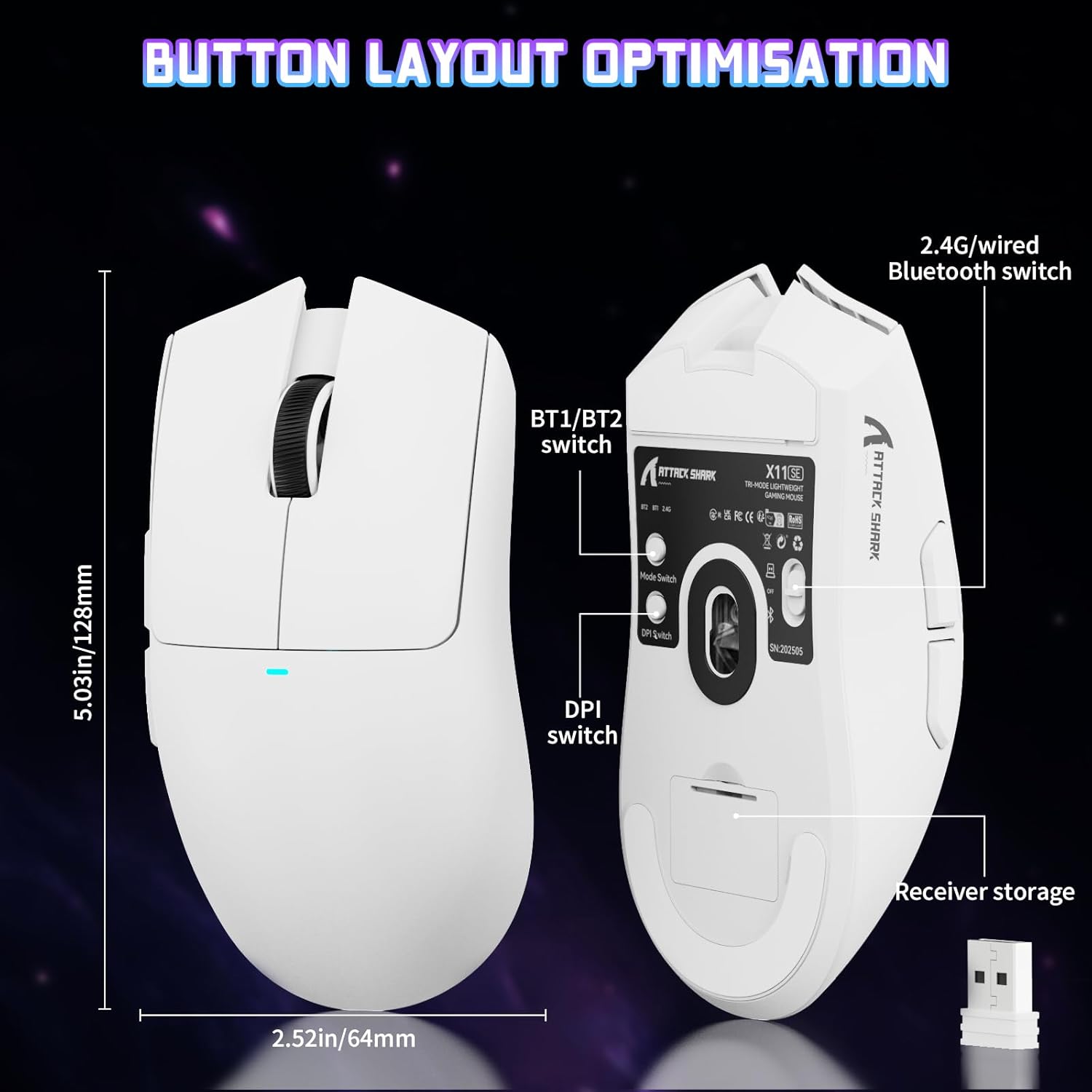
Image: The ATTACK SHARK X11SE mouse displaying its button layout, including the BT1/BT2 switch, DPI switch, and receiver storage, along with its dimensions (128mm length, 64mm width).
- Clic esquerre: Botó d'acció principal.
- Clic dret: Botó d'acció secundària, normalment per a menús contextuals.
- Roda de desplaçament: Scrolls up/down. Can also be pressed for a middle-click function.
- Botons laterals (endavant/enrere): Used for navigation in web navegadors o accions dins del joc.
- Commutador DPI: Located on the underside of the mouse, this button cycles through preset DPI levels.
- Interruptor de mode: Located on the underside, this switch allows you to select between 2.4G wireless, Bluetooth, and Off modes.
Ajust de DPI:
The X11SE features a PixArt PAW3311 sensor with up to 22,000 DPI. You can adjust the DPI sensitivity using the dedicated DPI switch on the bottom of the mouse. For more precise control and custom DPI levels, use the official software.
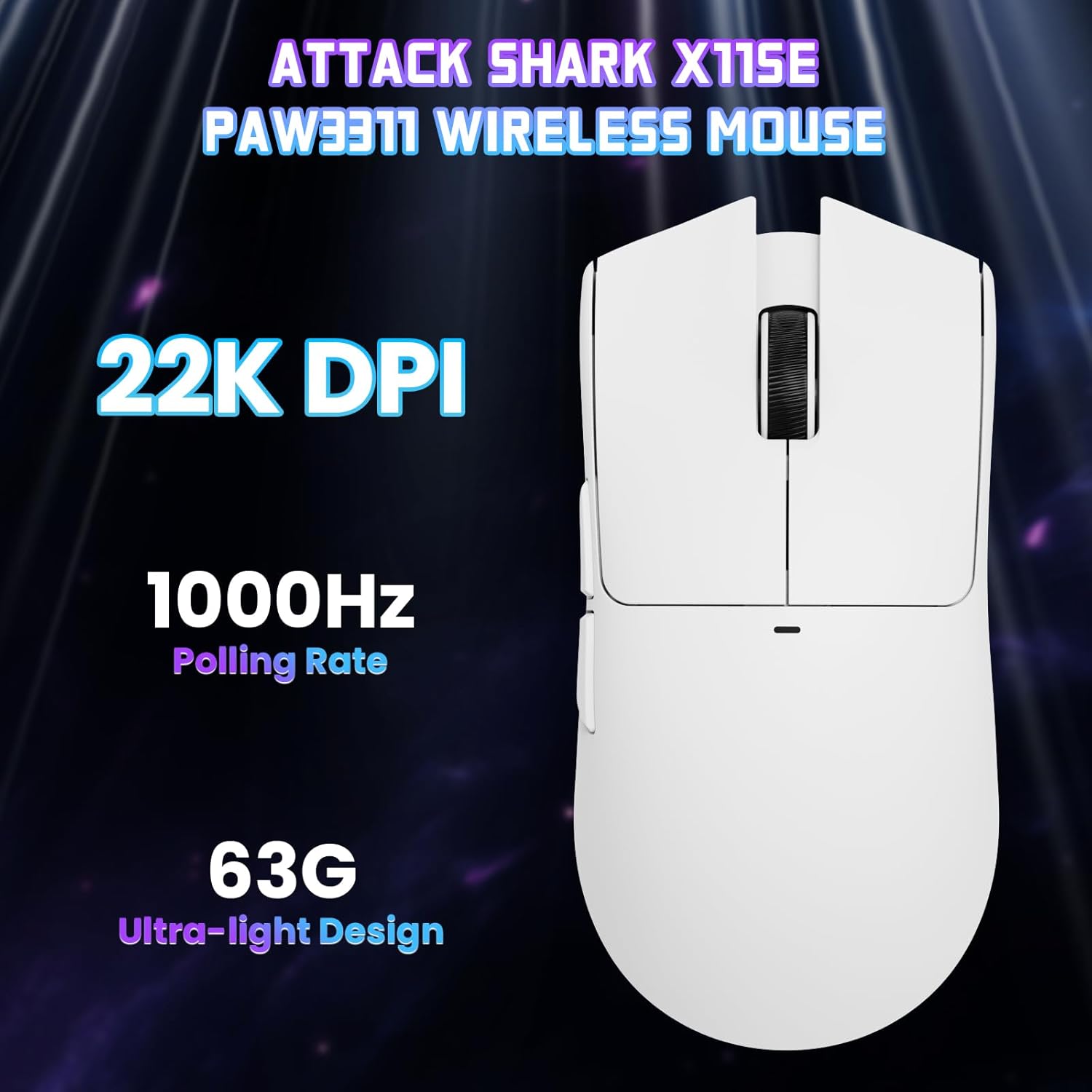
Imatge: Vista de dalt a baix view of the ATTACK SHARK X11SE mouse, emphasizing its 22,000 DPI capability and 1000Hz polling rate for high-performance gaming.
4. Personalització
The ATTACK SHARK X11SE mouse offers extensive customization options through its dedicated software. This allows you to personalize button assignments, DPI settings, polling rate, and create macros.
Instal·lació del controlador:
The mouse supports two drivers:
- Web Conductor: Accés via http://szslxd-tech.com/#/
- ATTACK SHARK Proprietary Driver: Descarrega des de https://attackshark.com/pages/dirver-download
Download and install the preferred driver software on your Windows, macOS, or Linux system.
Característiques del programari:

Image: The ATTACK SHARK X11SE software interface, demonstrating options for mouse settings, DPI adjustments, parameter settings, macro editing, and personal profiles.
- Programació de botons: Reassigna funcions a qualsevol dels 5 botons.
- Configuració de DPI: Create custom DPI profiles and adjust sensitivity levels.
- Taxa de votació: Adjust the polling rate for optimal responsiveness.
- Editor de macros: Record and assign complex sequences of commands to a single button.
- Profile Gestió: Save and switch between different profiles per a diversos jocs o aplicacions.
5. Manteniment
Neteja:
- Feu servir un drap suau i sec per netejar la superfície del ratolí.
- Per a la brutícia persistent, lleugerament dampNetegeu el drap amb aigua o una solució de neteja suau. Eviteu productes químics agressius.
- Clean the optical sensor area on the bottom of the mouse with a cotton swab to ensure accurate tracking.
Cura de la bateria:
- Eviteu descarregar completament la bateria amb freqüència per allargar-ne la vida útil.
- Guardeu el ratolí en un lloc fresc i sec quan no l'utilitzeu durant períodes prolongats.
6. Solució De Problemes
Problemes comuns i solucions:
- El ratolí no respon:
- Assegureu-vos que el ratolí estigui carregat.
- Check the mode switch on the bottom of the mouse to ensure it's in the correct mode (2.4G, BT, or Wired).
- For 2.4GHz mode, ensure the USB receiver is securely plugged in. Try a different USB port.
- For Bluetooth mode, ensure Bluetooth is enabled on your device and the mouse is paired correctly. Try re-pairing.
- For wired mode, ensure the USB-C cable is properly connected.
- Els DPI no canvien:
- Press the DPI switch on the bottom of the mouse.
- If using custom DPI settings, ensure the driver software is running and the correct profile està actiu.
- Connexió amb retard o intermitent:
- Ensure the mouse is close to the USB receiver (for 2.4GHz) or your device (for Bluetooth).
- Eviteu interferències d'altres dispositius sense fil.
- Assegureu-vos que la bateria del ratolí estigui prou carregada.
- Update mouse drivers if available.
7. Especificacions
| Característica | Especificació |
|---|---|
| Marca | ATACA AL TAURON |
| Nom del model | X11SE |
| Color | Blanc |
| Tecnologia de connectivitat | 2.4 GHz Wireless/USB-C Wired/Bluetooth |
| Característiques especials | 63g ultralight, BK52820 Chip, TTC Encoder, Dual Driver |
| Tecnologia de detecció de moviment | Optical (PixArt PAW3311) |
| Nombre de botons | 5 |
| Orientació de la mà | Ambidextre |
| Ús recomanat del producte | Jocs per ordinador |
| Dispositius compatibles | Desktop Computer, MAC |
| Sistema operatiu | Windows, macOS, Linux |
| Nombre de bateries | 1 polímer de liti (inclòs) |
| Font d'alimentació | Funciona amb bateria |
| Maximum Mouse Sensitivity | 22000 DPI |
| Interval | 300 centímetres |
| Estil | Ergonòmic |
| Material | Plàstic |
| País d'origen | Xina |
| Components inclosos | USB-C Cable, Manual, Grip Tape |
| UPC | 752010613663 |
8. Garantia i Suport
Informació de la garantia:
The ATTACK SHARK X11SE Wireless Gaming Mouse comes with a six-month warranty from the date of purchase. Please retain your proof of purchase for warranty claims.
Driver Downloads:
For the latest drivers and software updates, please visit:
- Web Conductor: http://szslxd-tech.com/#/
- ATTACK SHARK Driver: https://attackshark.com/pages/dirver-download
Related Product Video:
Vídeo: Un vídeo oficial del venedorasing the ATTACK SHARK X11 Mouse, demonstrating its features and functionality. While specifically for the X11, it provides relevant insights into the X11SE's design and operation.