
1. Introducció
Thank you for choosing the Pro Breeze 40L Smart Dehumidifier. This manual provides important information regarding the safe operation, installation, use, and maintenance of your appliance. Please read this manual thoroughly before use and retain it for future reference.
This dehumidifier is designed to efficiently remove excess moisture from the air, helping to prevent mold, mildew, and condensation in spaces up to 50 m².
2. Instruccions de seguretat importants
Seguiu sempre les precaucions de seguretat bàsiques quan utilitzeu aparells elèctrics per reduir el risc d'incendi, descàrrega elèctrica i lesions.
- Llegiu atentament totes les instruccions abans d'utilitzar l'aparell.
- Assegureu-vos que el voltagEl volum indicat a l'etiqueta de classificació coincideix amb el volum de la xarxa elèctricatage.
- No submergiu l'aparell, el cable d'alimentació ni l'endoll en aigua ni en altres líquids.
- No feu funcionar l'aparell amb un cable o endoll danyats, o després que no funcioni correctament o que s'hagi deixat caure o s'hagi fet malbé de qualsevol manera.
- Mantingueu l'aparell fora de l'abast dels nens i de les mascotes.
- Always unplug the appliance when not in use, before cleaning, or before moving.
- Assegureu-vos que l'aparell estigui col·locat en una superfície plana i estable.
- No bloquegeu les entrades ni sortides d'aire. Mantingueu una distància mínima de 20 cm al voltant de la unitat.
- Aquest aparell només és per a ús interior.
- Do not use in bathrooms or other excessively humid environments where water may splash onto the unit.
3. Producte acabatview
3.1 Components
The Pro Breeze 40L Smart Dehumidifier features a compact design with integrated controls and a water tank. It includes a continuous drainage option and mobility wheels for easy placement.
Imatge: Frontal view of the Pro Breeze 40L Smart Dehumidifier, highlighting its dimensions (52cm height, 28cm depth, 35.5cm width) and key features like smart app control, laundry mode, 5.5L tank, and low energy consumption.
3.2 Tauler de control i pantalla
The dehumidifier is equipped with an intuitive touch control panel and an LED display for easy operation and monitoring of humidity levels.

Image: A hand interacting with the touch control panel of the dehumidifier, showing the digital display and various function buttons.
4. Configuració
4.1 Desembalatge
- Traieu amb cura el deshumidificador del seu embalatge.
- Remove all packaging materials, including any protective films or tapes.
- Inspect the appliance for any signs of damage. If damaged, do not operate and contact customer support.
4.2 Col·locació
Place the dehumidifier on a firm, level surface in the desired room. Ensure there is at least 20 cm of clear space around all sides of the unit to allow for proper airflow.

Image: A person easily moving the dehumidifier across a wooden floor in a living room, demonstrating its portability with four swivel wheels.
4.3 Connexió d'alimentació
Plug the power cord into a grounded electrical outlet. Ensure the outlet meets the power requirements specified in the 'Specifications' section.
4.4 Drenatge continu (opcional)
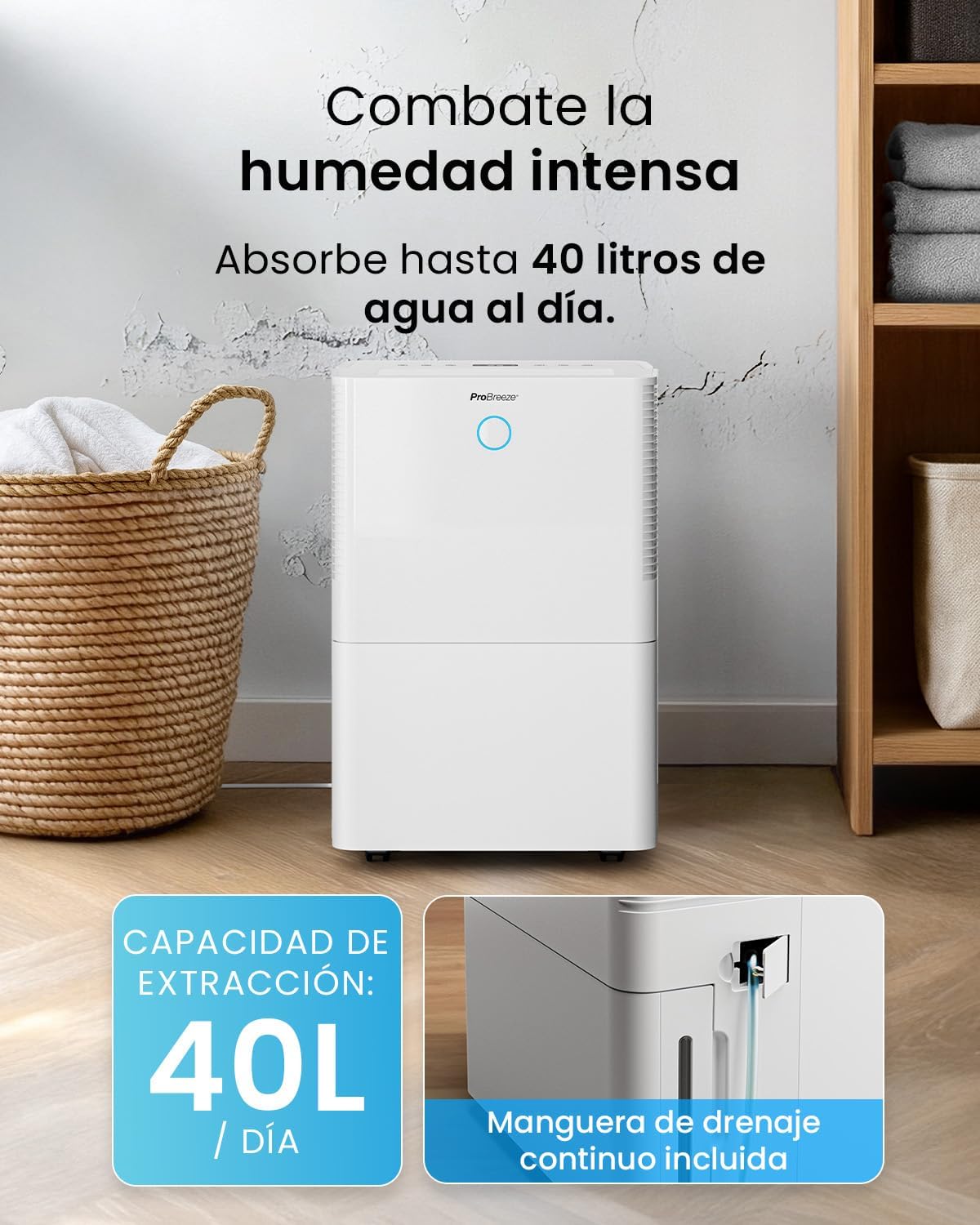
For continuous operation without needing to empty the water tank, attach the included drainage hose. Connect one end to the drainage port on the back of the unit and the other end to a suitable drain or container that is lower than the drainage port.

Imatge: Primer pla view of the dehumidifier's side, showing the continuous drainage hose connected and leading to a floor drain.
5. Instruccions de funcionament
5.1 Encès/Apagat
Premeu el botó Poder botó del tauler de control per encendre o apagar la unitat.
5.2 Configuració de la humitat desitjada
The dehumidifier features an automatic sensor that continuously measures room humidity. Use the Humitat buttons to set your desired humidity level between 30% and 80%.

Image: A family relaxing in a living room with the dehumidifier operating. An overlay illustrates the humidity indicator lights: Blue for >50% (Low), Green for 50-70% (Medium), and Red for <70% (High).
5.3 Modes de funcionament
- Mode automàtic: The unit will automatically adjust its operation to maintain the set humidity level.
- Mode continu: The dehumidifier will operate continuously regardless of the humidity level, ideal for very damp condicions.
- Mode de bugaderia: This mode is designed to accelerate the drying of clothes indoors by running at maximum fan speed and continuous dehumidification.
- Mode de repòs: Reduces fan speed and dims the display for quiet operation during the night.

Image: A woman smiling while placing clothes on a drying rack next to the dehumidifier, illustrating the accelerated laundry drying feature.

Image: A family watching television in a dimly lit living room, with the dehumidifier operating quietly in the foreground, indicating its silent operation and night mode features.
5.4 Funció de temporitzador
Utilitza el Temporitzador button to set a 24-hour timer for automatic power on or off. This allows you to schedule operation according to your needs.

Image: A close-up of a smartphone screen displaying the Pro Breeze app's 24-hour timer function, allowing users to schedule the dehumidifier's operation.
6. Wi-Fi Connectivity and App Control
The Pro Breeze 40L Smart Dehumidifier can be controlled remotely via the free Pro Breeze app, compatible with both Alexa and Google Home.
6.1 Instal·lació i emparellament de l'aplicació
- Download the Pro Breeze app from your smartphone's app store.
- Follow the in-app instructions to create an account and pair your dehumidifier.
- Ensure your dehumidifier is powered on and your smartphone is connected to a 2.4GHz Wi-Fi network during the pairing process.
6.2 Funcions del control remot
A través de l'aplicació, pots:
- Engegueu/apagueu el deshumidificador.
- Adjust humidity settings.
- Select operating modes (Auto, Continuous, Laundry, Sleep).
- Set and manage the 24-hour timer.
- Monitoritza la humitat actual de l'habitació.

Image: A woman using a smartphone to control the dehumidifier, with icons for Amazon Alexa and Google Home indicating voice control compatibility.
7. Manteniment
Un manteniment regular garanteix un rendiment òptim i una llarga vida útil del deshumidificador.
7.1 Neteja del filtre d'aire
El filtre d'aire s'ha de netejar cada dues setmanes o amb més freqüència, depenent de l'ús i la qualitat de l'aire.
- Apagueu i desconnecteu el deshumidificador.
- Traieu el filtre d'aire de la part posterior de la unitat.
- Renteu el filtre amb aigua tèbia i sabó. Esbandiu-lo bé i deixeu-lo assecar completament a l'aire abans de tornar-lo a inserir.
- Do not operate the dehumidifier without the filter installed.
7.2 Buidar i netejar el dipòsit d'aigua
When the water tank is full, the unit will automatically shut off and an indicator light will illuminate. Empty the tank and clean it regularly to prevent mold and bacteria growth.
- Traieu amb cura el dipòsit d'aigua de la part frontal de la unitat.
- Aboqueu l'aigua recollida.
- Clean the tank with mild detergent and water. Rinse thoroughly.
- Reinsert the dry tank firmly into the dehumidifier.

Image: The dehumidifier in operation, with an overlay indicating its 40L/day extraction capacity and the continuous drainage hose option.
7.3 Neteja exterior
Netegeu l'exterior del deshumidificador amb un damp tela. No utilitzeu netejadors abrasius ni dissolvents.
8. Solució De Problemes
If you encounter issues with your dehumidifier, refer to the following table before contacting customer support.
| Problema | Causa possible | Solució |
|---|---|---|
| El deshumidificador no s'encén. | No power; Power cord not plugged in; Water tank full or not correctly inserted. | Check power supply; Plug in power cord; Empty and reinsert water tank correctly. |
| No s'ha recollit aigua. | Room humidity too low; Temperature too low; Air filter blocked; Continuous drainage hose connected. | Increase desired humidity setting; Ensure room temperature is above 5°C; Clean air filter; Disconnect continuous drainage hose if collecting water in tank. |
| La unitat fa soroll. | Unit not on a level surface; Air filter blocked; Fan obstruction. | Place on a flat, stable surface; Clean air filter; Check for obstructions in fan area. |
| Problemes de connexió Wi-Fi. | Incorrect Wi-Fi password; Not connected to 2.4GHz network; Router too far. | Verify password; Connect to 2.4GHz Wi-Fi; Move unit closer to router or use a Wi-Fi extender. |
9. Especificacions
- Marca: Pro Breeze
- Nom del model: PB-D-32W-W
- Extracció d'humitat: Fins a 40 litres/dia
- Capacitat del dipòsit d'aigua: 5.3 litres
- Mida recomanada de l'habitació: Fins a 50 m² (538 peus quadrats)
- Dimensions (L x A x A): 27.5 x 35.5 x 52.2 cm
- Pes: 16.36 kg
- Nombre de velocitats: 3
- Característiques especials: Smart App Control, Automatic Humidity Sensor, Automatic Shut-off, 24-hour Timer, Laundry Mode, Sleep Mode, Continuous Drainage
- Nivell de soroll: <49dB
10. Garantia i Suport
For warranty information and customer support, please refer to the documentation included with your purchase or visit the official Pro Breeze website. Ensure you have your model number (PB-D-32W-W) and proof of purchase available when contacting support.
Fabricant: Un grup minorista