
Introducció
Thank you for choosing the STRICH SEP-150S 88-Key Digital Piano. This manual provides essential information for the proper setup, operation, and maintenance of your instrument. Please read it thoroughly before use to ensure optimal performance and longevity.

Image: The STRICH SEP-150S 88-Key Digital Piano, showcasing its full size, semi-weighted keys, and bundled accessories including headphones, a sustain pedal, and a music rest.
Què s'inclou
Carefully unpack your STRICH SEP-150S Digital Piano and ensure all items listed below are present. If any items are missing or damaged, please contact customer support.
- STRICH SEP-150S 88-Key Digital Piano
- Pedal de sosteniment
- Auriculars
- Music Rest (Sheet Music Holder)
- Power Adapter (Power Line)
- Keyboard Stickers
- Manual d'usuari (aquest document)

Image: A visual representation of all components included in the STRICH SEP-150S Digital Piano package.
Configuració
1. Col·locació
Place the digital piano on a stable, flat surface. Ensure adequate space for playing and access to power outlets. Avoid direct sunlight, extreme temperatures, and high humidity.
2. Potència de connexió
- Locate the power input port on the rear panel of the piano.
- Connect the power adapter cable to the power input port.
- Connecteu l'adaptador d'alimentació a una presa de corrent estàndard.
- Premeu el botó Poder button to turn on the instrument.
3. Connexió d'accessoris
- Pedal de sosteniment: Connect the sustain pedal cable to the "Sustain Pedal" input jack on the rear panel.
- Auriculars: For private practice, plug the headphones into the 3.5mm "Headphone Output" jack. The internal speakers will automatically mute.
- Repòs musical: Insert the music rest into the designated slots on the top panel of the piano.

Imatge: Detallada view of the rear panel connections for the STRICH SEP-150S, illustrating where to connect power, pedals, and audio devices.
Instruccions de funcionament
1. Controls bàsics
- Botó d'encesa: Encén o apaga el piano.
- Volume Knob/Buttons: Ajusta el volum de sortida general.
- Selecció de to: Use the "Tone" button and "Select" buttons or numerical keypad (if present) to choose from 200 available tones.
- Selecció de ritme: Use the "Rhythm" button and "Select" buttons to choose from 700 built-in rhythm styles.
- Tempo: Adjusts the speed of rhythms and demos.
- Inici/Parada: Initiates or halts rhythm playback.

Image: Close-up of the control panel, showing buttons for various functions like Tone, Rhythm, Tempo, and Start/Stop.
2. Funcions avançades
- Metrònom: Activates a click track for timing practice. Refer to the display for tempo settings.
- Mode d'acords: Enables automatic chord accompaniment based on keys played.
- Mode de gravació: Allows recording and playback of your performances.
- Function + Key Combinations: Certain advanced settings are accessed by holding the "Function" button and pressing a specific key. Consult the detailed manual for a full list of these combinations.
- Cançons de demostració: Play through the 110 built-in demo songs to explore the instrument's capabilities.

Imatge: Un cop mésview of the multi-function control panel, illustrating features like metronome, chord, record mode, and the number of available tones and rhythms.
3. Connectivity with External Devices
- USB 2.0 / MIDI Output: Connect the piano to a computer or other MIDI-compatible devices using a USB cable for MIDI data transfer. This allows for use with music software and applications.
- Entrada/sortida d'àudio: Use the audio input to connect external audio sources (e.g., MP3 player) and play along. The audio output can be used to connect to external amplificadors, mescladors o equips de gravació.
The SEP-150S supports various music learning applications such as Flowkey, Synthesia, POP Piano, and Garage Band, enhancing your learning and creative experience.
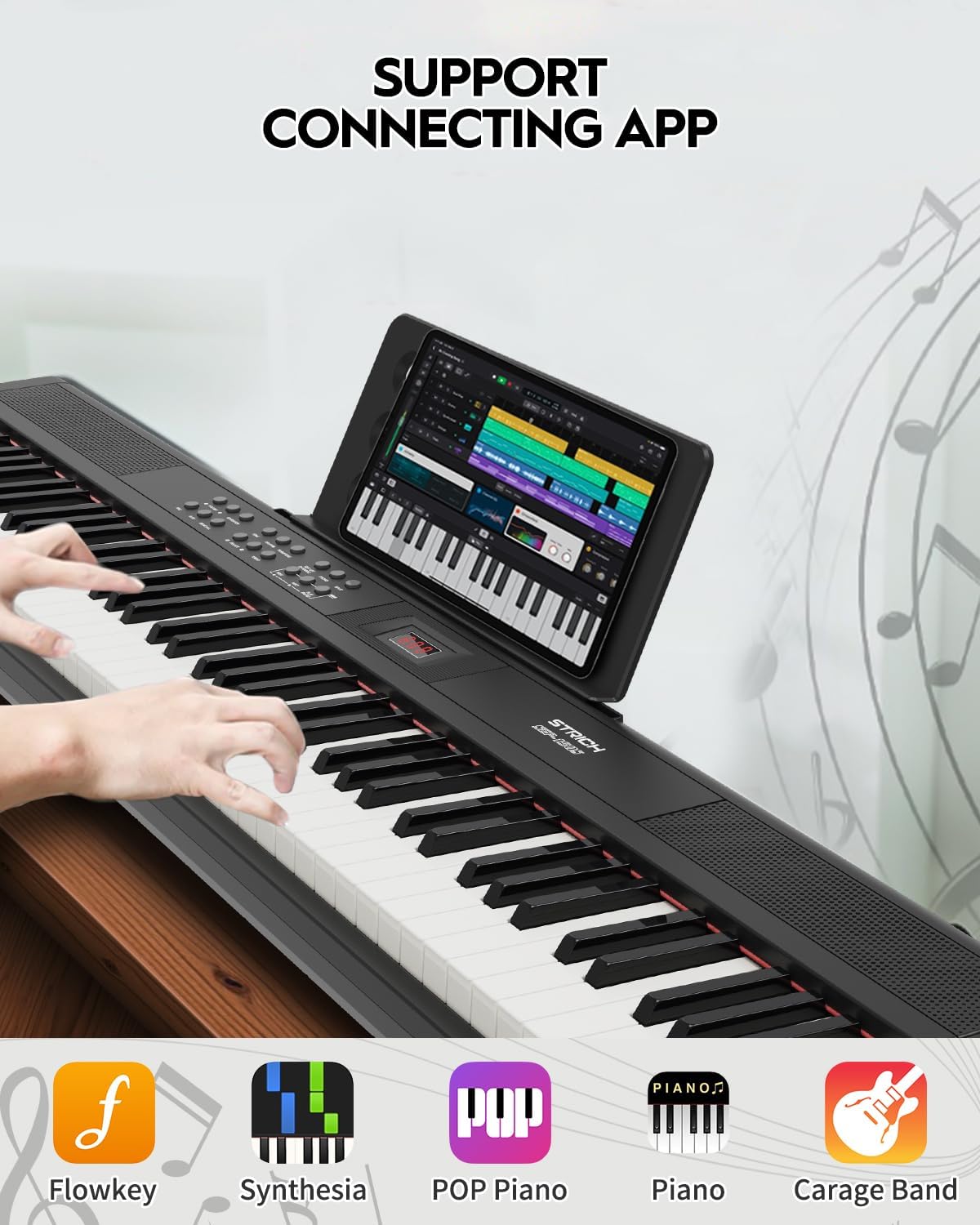
Image: The digital piano connected to a tablet running a music application, demonstrating its compatibility with various learning and production software.
Manteniment
- Neteja: Feu servir un drap suau i sec per netejar la superfície del piano. Per a la brutícia persistent, netegeu lleugerament.ampRenta el drap amb aigua. Evita productes de neteja abrasius, dissolvents o ceres.
- Emmagatzematge: When not in use for extended periods, cover the piano to protect it from dust. Store in a cool, dry place away from direct sunlight and heat sources.
- Manipulació: Always lift the piano by its base. Avoid dropping or subjecting it to strong impacts.
- Potència: Desconnecteu l'adaptador de corrent de la presa de corrent quan no feu ús del piano o durant tempestes elèctriques.
Resolució de problemes
| Problema | Causa possible | Solució |
|---|---|---|
| Sense so |
|
|
| Keys not responding or inconsistent touch sensitivity |
|
|
| El pedal de sustain no funciona |
|
|
| No sound from external speakers/mixer |
|
|
If the problem persists after attempting these solutions, please contact STRICH customer support.
Especificacions
| Característica | Detall |
|---|---|
| Nom del model | SEP-150S |
| Nombre de claus | 88 tecles de mida completa |
| Tipus de clau | Semi-Weighted, Velocity-Sensitive |
| Tons | 200 |
| Ritmes | 700 |
| Polifonia | 128-bit (Max) |
| Cançons de demostració | 110 |
| Altaveus | 2 x 10W (Built-in three-dimensional surround sound) |
| Connectivitat | MIDI Output, USB 2.0, 3.5mm Headphone Jack, Audio Input, Audio Output, Three-pedal input |
| Font d'alimentació | Corded Electric (Power Adapter Included) |
| Dimensions (L x A x A) | 50.79" x 10.63" x 4.33" (129 cm x 27 cm x 11 cm) |
| Pes | 9.9 lliures (4.5 kg) |

Image: Size information diagram for the STRICH SEP-150S, detailing its length, width, and height.
Garantia i Suport
STRICH products are designed for reliability and performance. For warranty information, technical support, or service inquiries, please refer to the contact details provided with your purchase documentation or visit the official STRICH weblloc.
Conserveu el vostre comprovant de compra per a reclamacions de garantia.