
Introducció
This manual provides detailed instructions for the MageGee GK960 Wireless Gaming Keyboard. Please read this manual thoroughly before using the product to ensure proper operation and to maximize your user experience. The GK960 offers versatile connectivity, customizable RGB lighting, and an ergonomic design for extended use.

Image: The MageGee GK960 Wireless Gaming Keyboard, showcasing el seu disseny complet i la retroiluminació RGB.
Contingut del paquet
Verifiqueu que tots els elements que s'enumeren a continuació s'inclouen al vostre paquet:
- MageGee GK960 Wireless Gaming Keyboard
- Cable de càrrega USB-C
- Receptor USB 2.4G
- Manual d'usuari
- Guia d'usuari
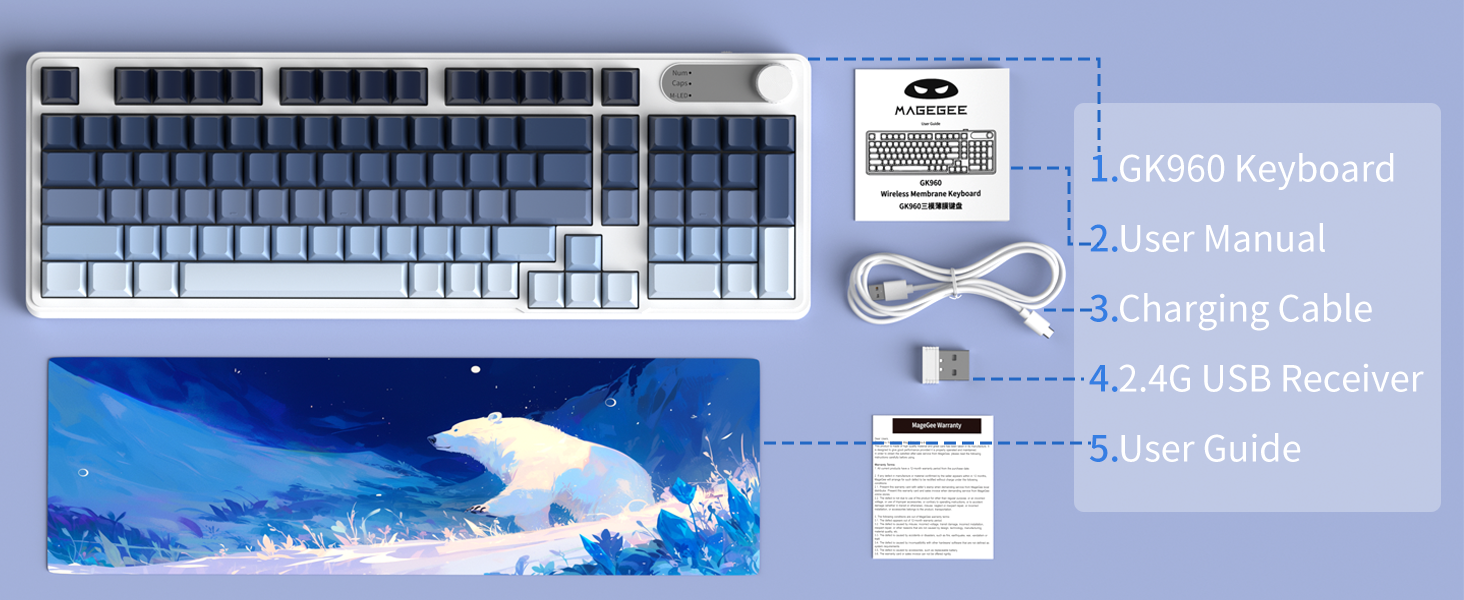
Image: An illustration showing the MageGee GK960 keyboard and its included accessories: USB-C cable, 2.4G receiver, user manual, and user guide.
Configuració i connectivitat
The GK960 keyboard supports three connection modes: Wired (USB-C), 2.4GHz Wireless, and Bluetooth.
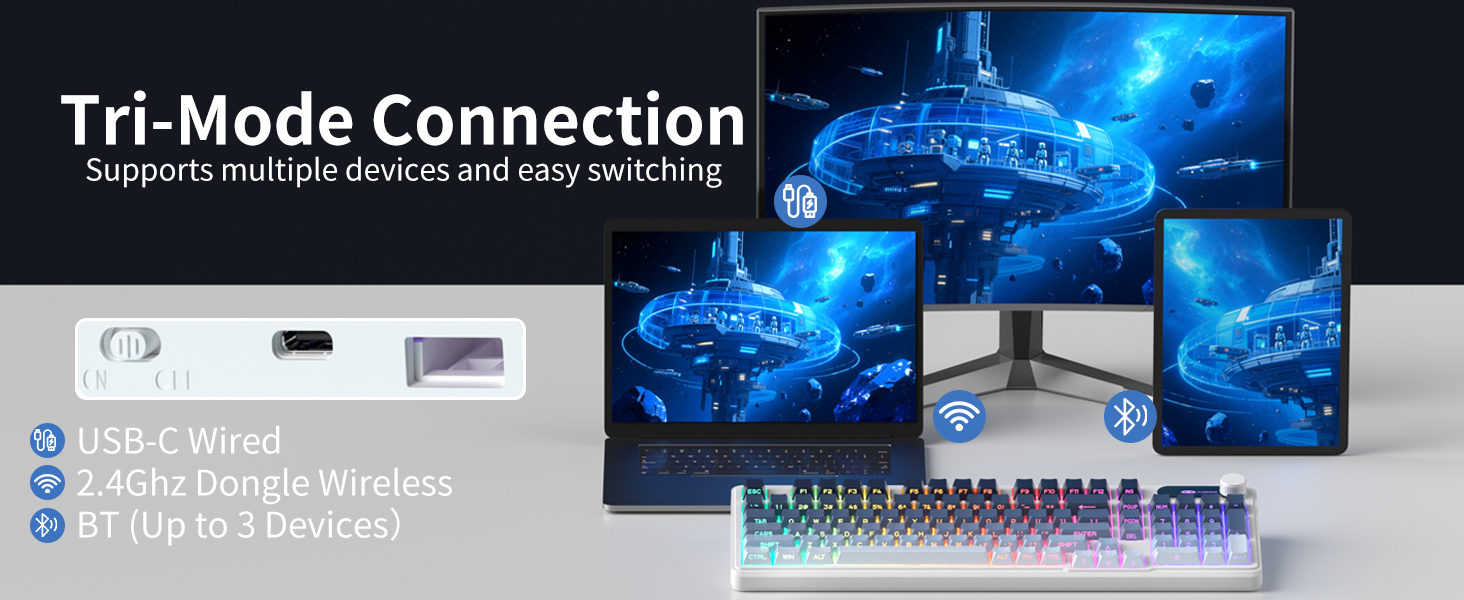
Image: A visual representation of the keyboard connecting to multiple devices (laptop, monitor, tablet) via USB-C, 2.4G dongle, and Bluetooth.
1. Connexió amb cable (USB-C)
- Connecteu el cable USB-C proporcionat al port USB-C del teclat.
- Connecteu l'altre extrem del cable USB-C a un port USB disponible de l'ordinador.
- El teclat serà reconegut automàticament i estarà llest per al seu ús.
2. Connexió sense fil de 2.4 GHz
- Locate the 2.4G USB receiver in the package.
- Connecteu el receptor USB de 2.4 G a un port USB disponible de l'ordinador.
- On the keyboard, switch the mode selector to the '2.4G' position.
- The keyboard will connect wirelessly to your device.
3. Connexió Bluetooth
The GK960 supports up to three Bluetooth devices (BT1, BT2, BT3).
- On the keyboard, switch the mode selector to the 'BT' position.
- Mantén premut FN + 1 (per a BT1), FN + 2 (per a BT2), o FN + 3 (for BT3) for 3-5 seconds until the indicator light flashes rapidly, indicating pairing mode.
- Al dispositiu (ordinador, tauleta, telèfon intel·ligent), activeu el Bluetooth i cerqueu dispositius nous.
- Select 'GK960' from the list of available devices to pair.
- Un cop emparellat, l'indicador lluminós deixarà de parpellejar.
Canvi entre modes
Use the mode selector switch on the keyboard to easily switch between Wired, 2.4G, and Bluetooth modes. For Bluetooth, press FN + 1/2/3 per canviar entre dispositius Bluetooth emparellats.
Instruccions de funcionament
Control de retroil·luminació RGB
The GK960 features vibrant RGB backlighting with adjustable effects, brightness, and speed.
- FN + INS: Switch between different light modes.
- FN + retrocés: Turn the backlight on/off.
- FN + -/_: Adjust light speed (slower).
- FN + =/+: Adjust light speed (faster).
- FN + PgUp: Augmenta la brillantor de la llum.
- FN + PgDn: Redueix la brillantor de la llum.
- FN + P: Toggle logo color.
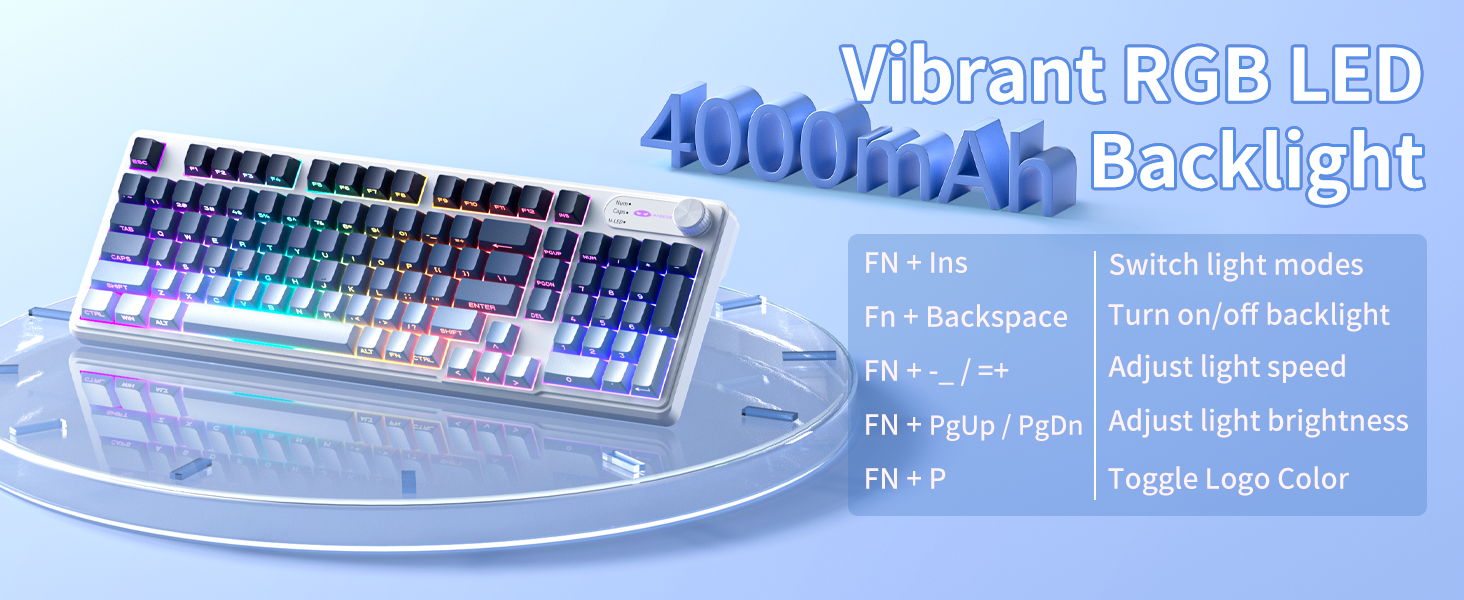
Image: A diagram illustrating the FN key combinations for controlling the RGB backlight modes, speed, brightness, and logo color.
Dual-Mode Rotary Knob
The multi-functional knob allows quick adjustments for volume and lighting.
- Mode de commutació: Long-press FN + Maneta for 5 seconds to switch between Volume Mode and Light Mode.
- Mode de volum: Rotate the knob to adjust volume. Press down on the knob to mute/unmute.
- Mode de llum: Rotate the knob to adjust backlight brightness. Press down on the knob to cycle through lighting effects.
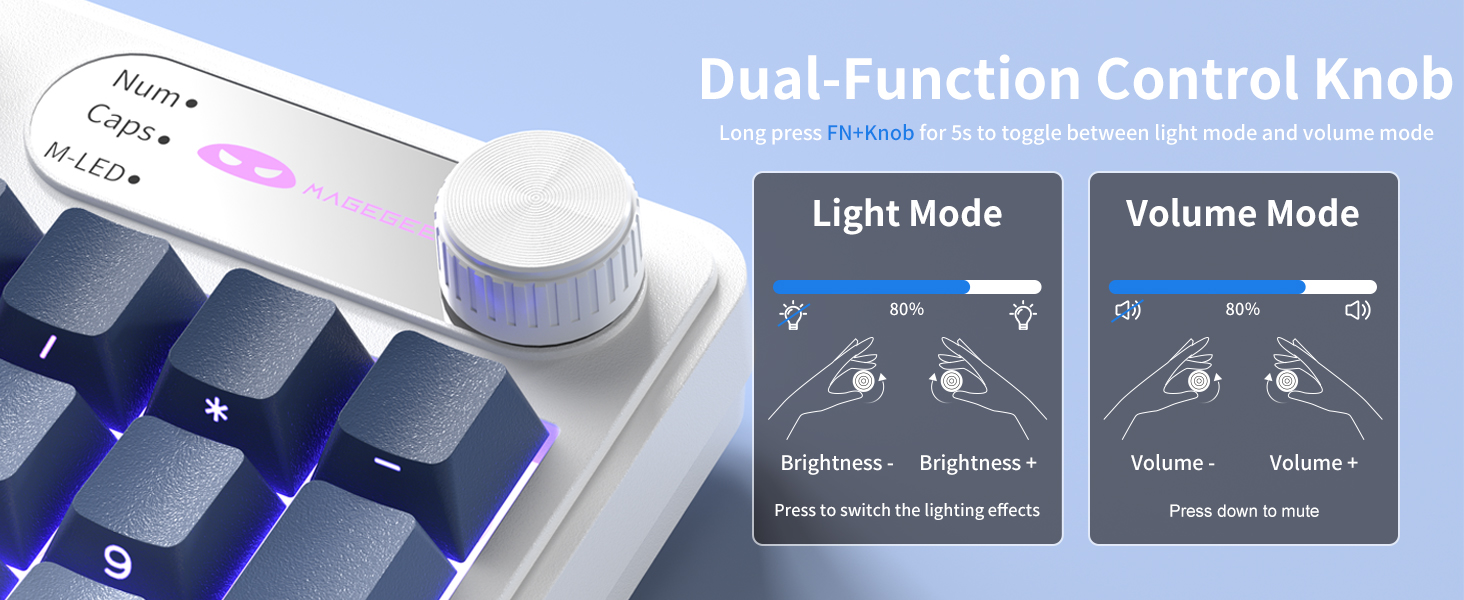
Image: A close-up of the multi-functional knob, detailing its operation for both volume and lighting adjustments, including the FN+Knob long-press for mode switching.
Side-Printed Keycaps
The GK960 features double-shot injection molded keycaps with side-printed legends. This design allows the backlight to shine through the letters, enhancing visibility and durability, preventing fading from prolonged use.

Imatge: Un primer pla view of the keyboard's side-printed keycaps, highlighting how the backlight illuminates the legends.
Anti-ghosting de 19 tecles
The GK960 keyboard is equipped with 19-key anti-ghosting technology. This ensures that every keystroke registers accurately, even when multiple keys are pressed simultaneously during fast-paced gaming or typing. This prevents missed inputs and enhances performance.
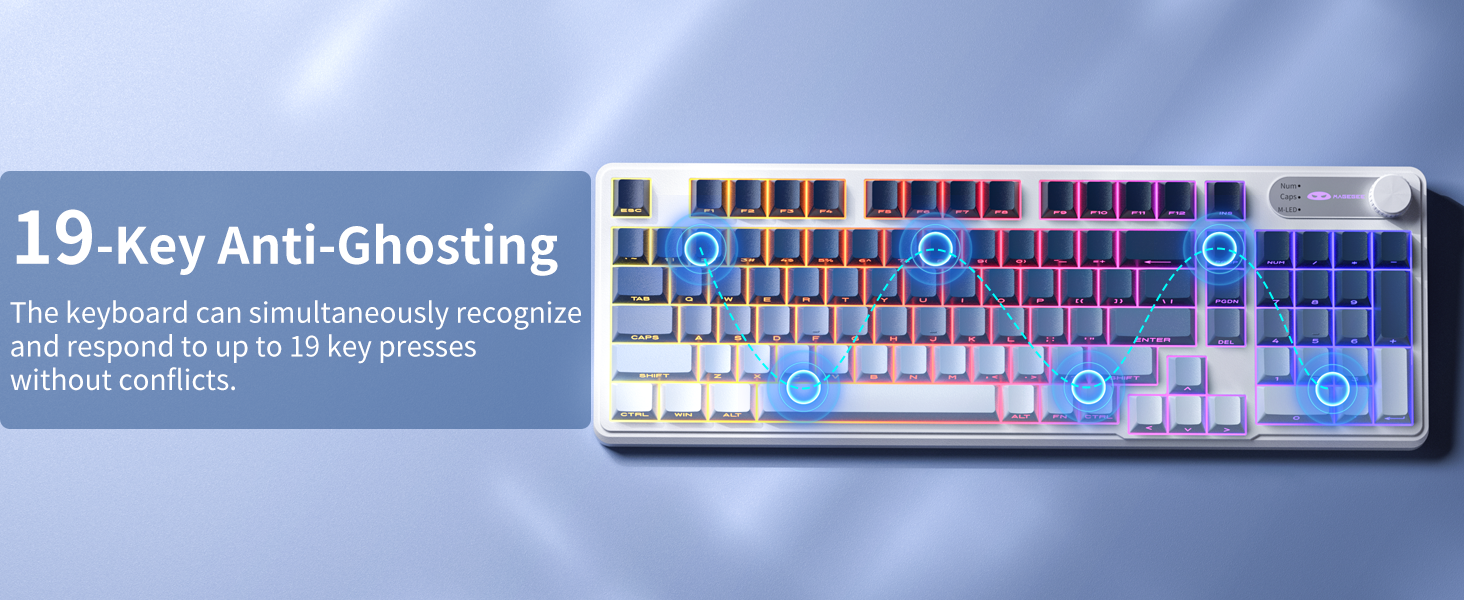
Image: A visual diagram illustrating the 19-key anti-ghosting feature, showing multiple simultaneous key presses being registered without conflict.
Compatibilitat del sistema
The keyboard supports both Windows and Mac operating systems. You can switch between them using a simple key combination (refer to specific key combinations if provided on the keyboard or in a quick start guide).
Gestió de la bateria
The GK960 is equipped with a 4000mAh high-capacity battery for extended usage.
- Carregant: Connect the keyboard using the provided USB-C cable to a power source. The keyboard can be used in wired mode while charging.
- Durada de la bateria: Approximately 22 hours with backlight on, and up to 200 hours with backlight off.
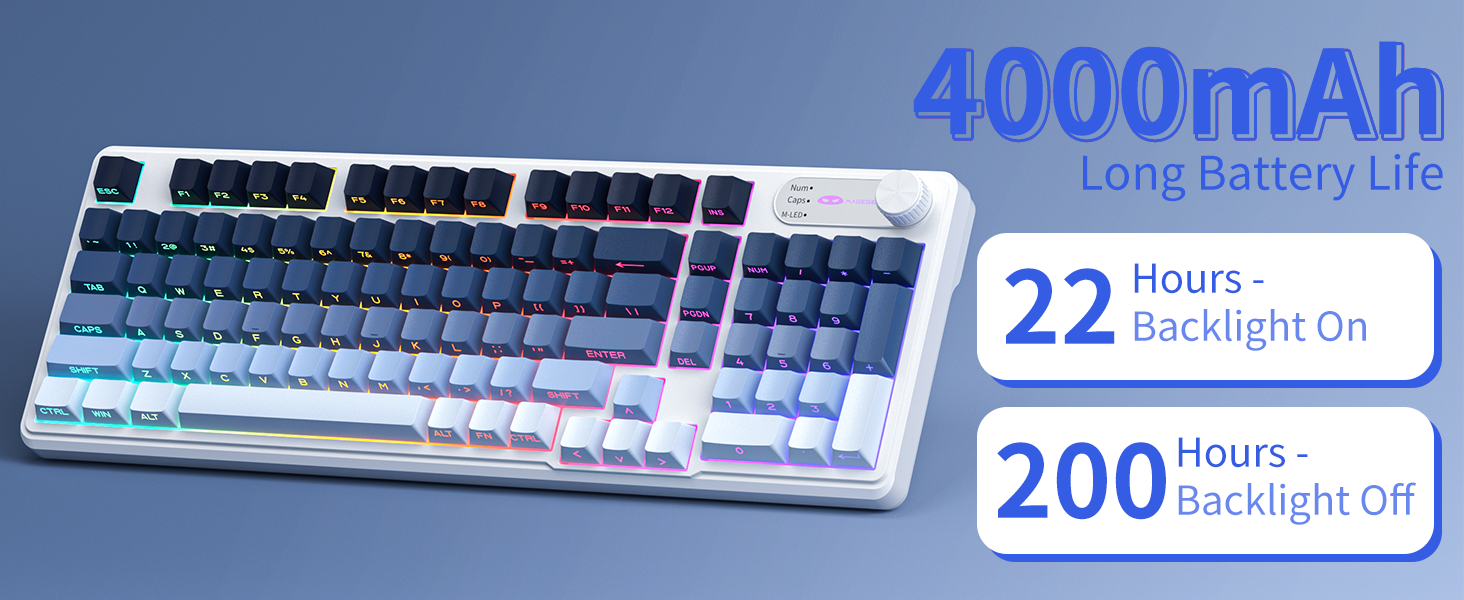
Image: A graphic displaying the 4000mAh battery capacity and estimated usage times: 22 hours with backlight on and 200 hours with backlight off.
Disseny ergonòmic
The GK960 features a stepped keycap structure and adjustable stands to promote a comfortable typing posture. This design helps reduce wrist fatigue during long periods of use.
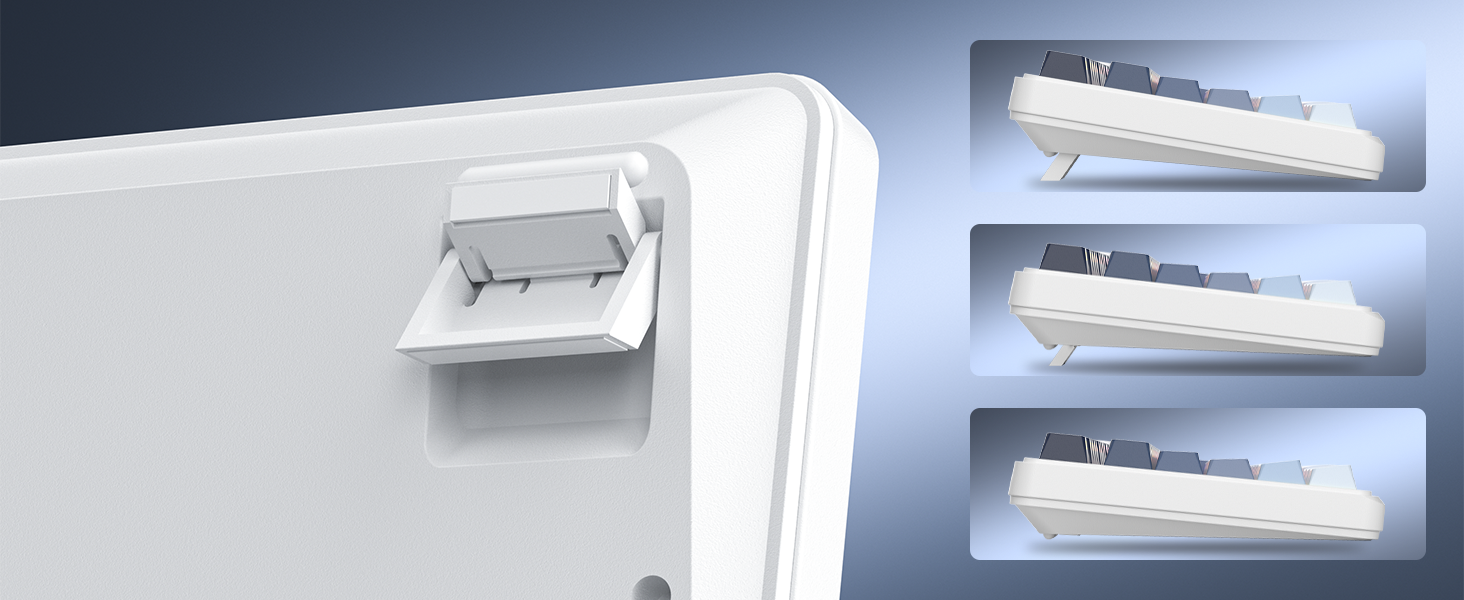
Image: A depiction of the keyboard's adjustable feet and stepped keycap profile, illustrating its ergonomic features for comfortable typing angles.
Manteniment
- Neteja: Use a soft, dry cloth to wipe the keyboard surface. For deeper cleaning, use compressed air to remove dust and debris from between keycaps. Avoid using harsh chemicals or abrasive materials.
- Emmagatzematge: Guardeu el teclat en un lloc fresc i sec, allunyat de la llum solar directa i de temperatures extremes.
- Exposició líquida: Avoid spilling liquids on the keyboard. If liquid exposure occurs, immediately disconnect the keyboard and allow it to dry completely before reconnecting.
Resolució de problemes
- El teclat no respon: Ensure the keyboard is charged. Check the connection mode (Wired, 2.4G, BT) and ensure it matches your device's connection. For 2.4G, ensure the USB receiver is properly inserted. For Bluetooth, re-pair the device if necessary.
- La llum de fons no funciona: Premeu FN + retrocés to toggle the backlight. Ensure brightness is not set to minimum (FN + PgUp).
- Connexió intermitent: Ensure the keyboard is within range of the receiver/device. Avoid sources of strong electromagnetic interference.
- Claus que no es registren: Clean under the keycaps to remove any obstructions. Ensure the keyboard is fully charged.
Especificacions
| Característica | Especificació |
|---|---|
| Nom del model | GK960 |
| Tecnologia de connectivitat | Cablejat (USB-C), sense fil 2.4G, Bluetooth |
| Capacitat de la bateria | 4000 mAh |
| Il·luminació de fons | RGB |
| Anti-fantasma | 19-Clau |
| Tipus de tecla | Side-Printed, Double-Shot Injection |
| Dispositius compatibles | Ordinador portàtil, PC, telèfon intel·ligent, tauleta |
| Pes de l'article | 1.88 lliures |
| Dimensions del paquet | 17.56 x 7.17 x 2.05 polzades |

Image: A diagram illustrating the physical dimensions of the MageGee GK960 keyboard.
Garantia i Suport
MageGee products are designed for reliability and performance. For warranty information or technical support, please refer to the warranty card included in your package or visit the official MageGee weblloc. Conserveu el rebut de compra per a reclamacions de garantia.