
1. Introducció
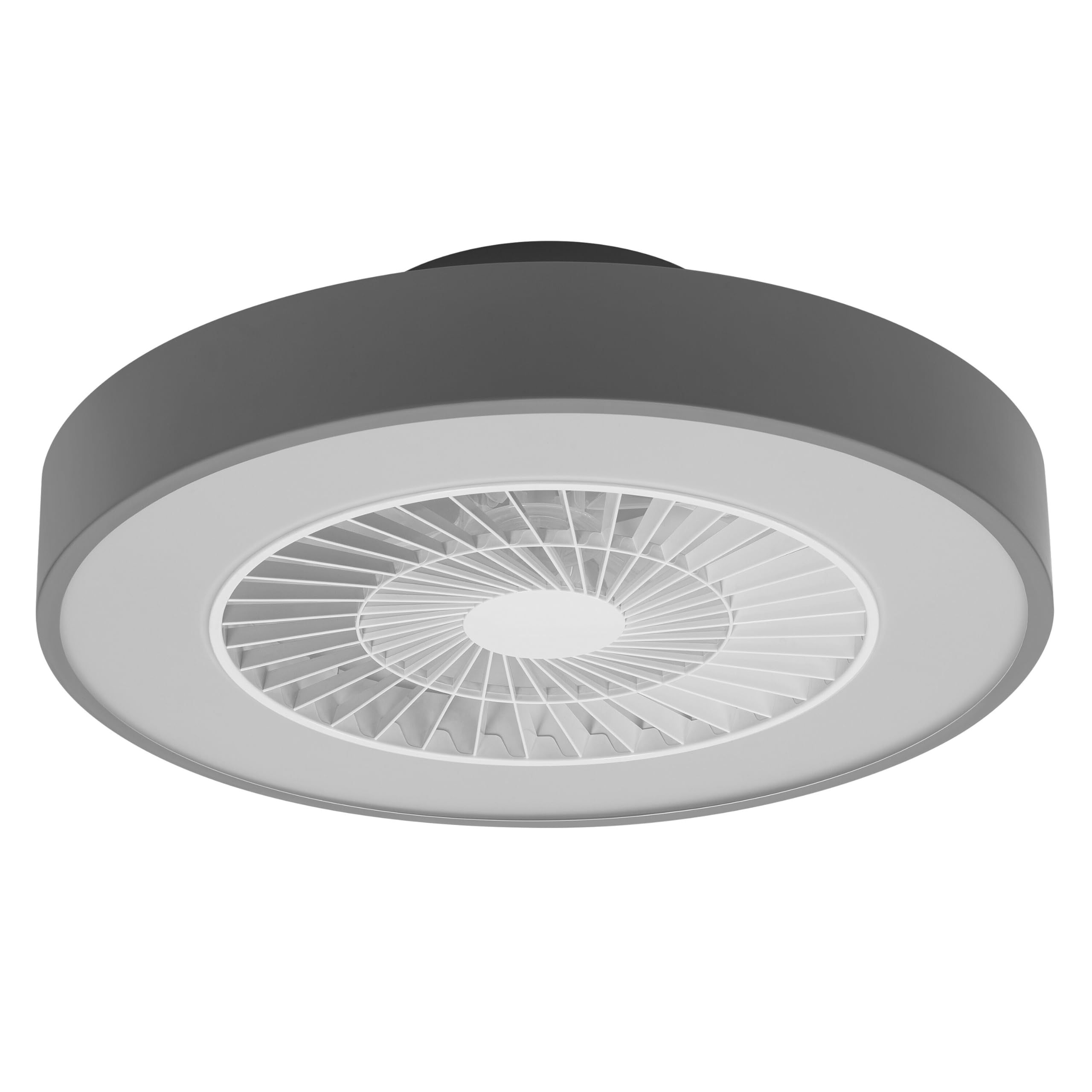
This manual provides detailed instructions for the installation, operation, and maintenance of your Osram SMART+ WiFi LED Ceiling Fan, Cylinder 550mm model. This innovative device combines an LED light fixture with an integrated fan, designed to provide both illumination and air circulation in various indoor environments.
The fan features adjustable speed settings, while the integrated LED light offers a customizable color temperature range from warm white (3000 K) to daylight white (6500 K) and is fully dimmable. Control options include a dedicated remote control, a smartphone application, and voice assistants for a seamless user experience.
2. Informació de seguretat
Llegiu atentament totes les instruccions de seguretat abans de la instal·lació i l'ús. Si no seguiu aquestes instruccions, podeu patir descàrregues elèctriques, incendis o lesions personals.
- Totes les connexions elèctriques han de ser realitzades per un electricista qualificat.
- Always disconnect power at the circuit breaker before beginning any installation, maintenance, or cleaning procedures.
- Verify the suitability and structural integrity of the ceiling and wall before mounting the fan. If in doubt, consult a professional.
- Aquest producte està dissenyat només per a ús interior.
- Ensure all components are securely fastened before restoring power.

3. Contingut del paquet
Carefully unpack the box and ensure all items are present and undamaged. If any parts are missing or damaged, contact customer support.
- 1x Osram SMART+ WiFi LED Ceiling Fan Cylinder 550mm
- 1x comandament a distància
- Mounting accessories (screws, dowels, bracket)
- Manual d'instruccions
4. Configuració i instal·lació
The Osram SMART+ WiFi LED Ceiling Fan is designed for simple assembly. Complete accessories are included for installation. The fan has dimensions of 60 x 60 cm, making it suitable for standard ceiling covers.
Passos d'instal·lació:
- Talla el poder: Before starting any work, ensure the main power supply to the installation area is switched off at the circuit breaker.
- Preparació del muntatge: Mark and drill holes for the mounting bracket on the ceiling. Ensure the holes are correctly spaced and sized for the provided dowels and screws.
- Fix the Support: Securely attach the mounting bracket to the ceiling using the provided dowels and screws.
- Connecteu els cables: Connect the electrical cables according to the wiring diagram provided in the manual. Ensure all connections are tight and secure.
- Instal·leu el ventilador: Attach the ceiling fan unit to the mounted bracket, ensuring it is securely locked in place.
- Restaura l'alimentació: Un cop finalitzada la instal·lació i totes les connexions siguin segures, restableu l'alimentació a l'interruptor.


5. Instruccions de funcionament
Your Osram SMART+ WiFi LED Ceiling Fan can be operated using the included remote control, the SMART+ app, or voice commands.
5.1. Operació de control remot
The remote control allows for direct adjustment of fan speed, light brightness, and color temperature without needing a network connection.

- Botó d'encesa: Encén/apaga el ventilador i la llum.
- Botons de velocitat del ventilador: Adjusts the fan speed (typically 3 levels).
- Llum encès/apagat: Controls the light independently.
- Ajust de brillantor: Dims or brightens the light.
- Ajust de temperatura de color: Changes the light color from warm white to daylight white.
- Mode estiu/hivern: Switches between airflow directions for cooling (summer) or circulating warm air (winter).


6. Smart Features (WiFi, App, Voice Control)
The Osram SMART+ WiFi LED Ceiling Fan integrates seamlessly into your smart home ecosystem, offering advanced control options via WiFi.
6.1. SMART+ App Control
Control your fan and light settings from anywhere using the SMART+ app on your smartphone or tablet. The app allows for precise adjustments of fan speed, light brightness, and color temperature, as well as scheduling and scene creation.
- Descarrega l'aplicació: Cerca "SMART+ App" in the App Store (iOS 14.0 or higher) or Google Play Store (Android 8.0 or higher). You can also scan the QR code or visit l.ead.me/SmartPlusWifi.
- Maridatge: Follow the in-app instructions to pair your ceiling fan with the SMART+ app via your home WiFi network (2.4 GHz).
- Característiques: Once paired, you can control individual fan and light functions, group multiple devices, create automated routines, and manage settings remotely.


6.2. Control per veu
Integrate your Osram SMART+ Ceiling Fan with compatible voice assistants like Google Home and Amazon Alexa for hands-free control.
- Configuració: Link your SMART+ account with your preferred voice assistant app (e.g., Google Home, Amazon Alexa).
- Ordres: Use simple voice commands to turn the fan or light on/off, adjust speed, brightness, or color temperature. For example, "Alexa, turn on the ceiling fan" or "Hey Google, set fan speed to medium."

7. Manteniment
Un manteniment regular garanteix un rendiment òptim i una llarga vida útil del ventilador de sostre.
- Neteja: Before cleaning, ensure the power is disconnected. Wipe the fan and light surfaces with a soft, dry, or slightly damp tela. No utilitzeu netejadors abrasius ni dissolvents.
- Inspecció: Periodically check all mounting screws and connections to ensure they remain tight.
- Font de llum: The integrated LED light source is designed for a long lifespan (30,000 hours) and is not user-replaceable.
8. Solució De Problemes
If you encounter issues with your Osram SMART+ WiFi LED Ceiling Fan, refer to the following common problems and solutions:
| Problema | Causa possible | Solució |
|---|---|---|
| Fan/Light does not turn on | Sense subministrament d'alimentació; Cablejat solt; Pila del comandament a distància baixa. | Check circuit breaker; Verify electrical connections (consult electrician); Replace remote control batteries. |
| El comandament a distància no respon | Batteries depleted; Obstruction between remote and fan; Remote out of range. | Replace batteries; Ensure clear line of sight; Operate within closer range. |
| WiFi disconnection or app control issues | Weak WiFi signal; Router issues; Incorrect app pairing. | Ensure strong 2.4 GHz WiFi signal; Restart router; Re-pair device in SMART+ app. |
| El ventilador fa soroll | Loose mounting; Obstruction in fan blades; Motor issue. | Check mounting screws; Ensure no obstructions; If noise persists, contact support. |
If the problem persists after attempting these solutions, please contact Osram customer support.
9. Especificacions
| Característica | Especificació |
|---|---|
| Marca | Osram |
| Nom del model | SMART+ Wifi Ceiling Fan LED Cylinder 550mm + RC |
| Número de model | 4099854472800 |
| Color | Gris |
| Estil | Cilindre |
| Dimensions | 60 x 60 cm |
| Pes | 4000 grams |
| Material | Acrilonitril butadiè estirè (ABS) |
| Font d'alimentació | CA (corrent altern) |
| Consum d'energia | 78 watts |
| Voltage | 6 Volts (Note: This may refer to a control circuit voltage; the main power supply is AC.) |
| Tipus de llum | LED |
| Sortida de llum | 2500 lúmens |
| Temperatura de color | 3000 K (Warm White) to 6500 K (Daylight White) |
| Regulable | Sí |
| Vida útil | 30,000 hores |
| Nivells de velocitat del ventilador | 3 |
| Tipus de motor | Motor sense escombretes |
| Mètode de control | Aplicació, control remot, veu |
| Compatibilitat amb la llar intel·ligent | Yes (via SMART+ App, Google Home, Amazon Alexa) |
| Protocol de xarxa | WiFi (2.4 GHz) |
| Funcionament sense fil | No (Refers to main power supply, not control via WiFi) |
| Classe d'eficiència energètica | E |
| Tipus d'instal·lació | Autoinstal·lació |
| Entorn d'ús | Interior |
10. Garantia i Suport
Osram products are manufactured to high-quality standards. This product comes with a standard manufacturer's warranty. Please refer to the warranty card included in your package or visit the official Osram weblloc web per obtenir informació detallada sobre els termes i condicions de la garantia.
For technical support, troubleshooting assistance, or warranty claims, please contact Osram customer service through their official weblloc web o la informació de contacte que es proporciona a la documentació del producte.
Osram Official Weblloc: www.osram.com