
1. Introducció i finalview
The artfone CF241A is a user-friendly GSM flip phone specifically designed for seniors. It features large buttons, a clear 2.4-inch display, and essential functions for easy communication. Key features include an SOS emergency button, FM radio, and dual SIM card support.
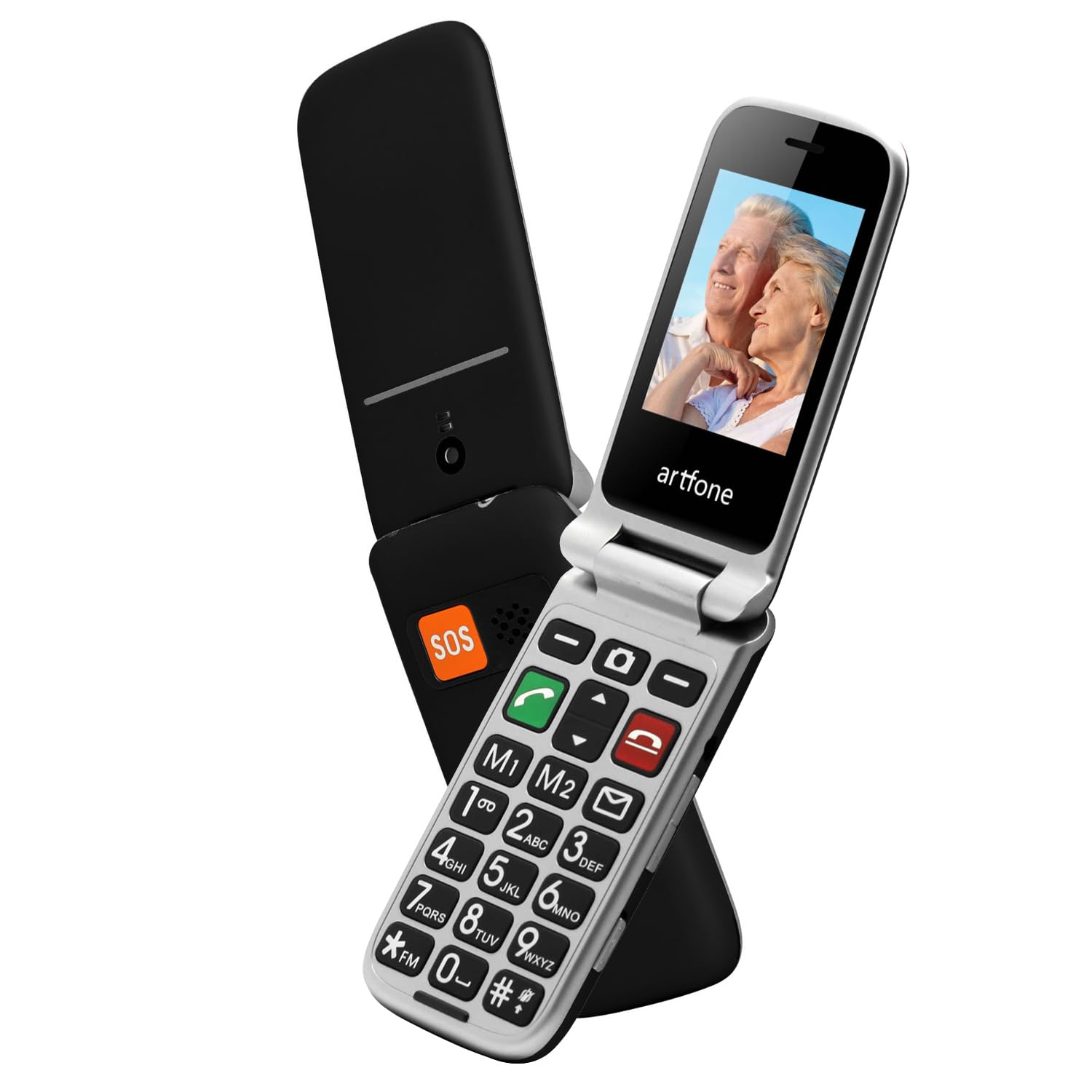
Image 1.1: The artfone CF241A flip phone in black, shown open to display its large, easy-to-read buttons and a vibrant color screen.
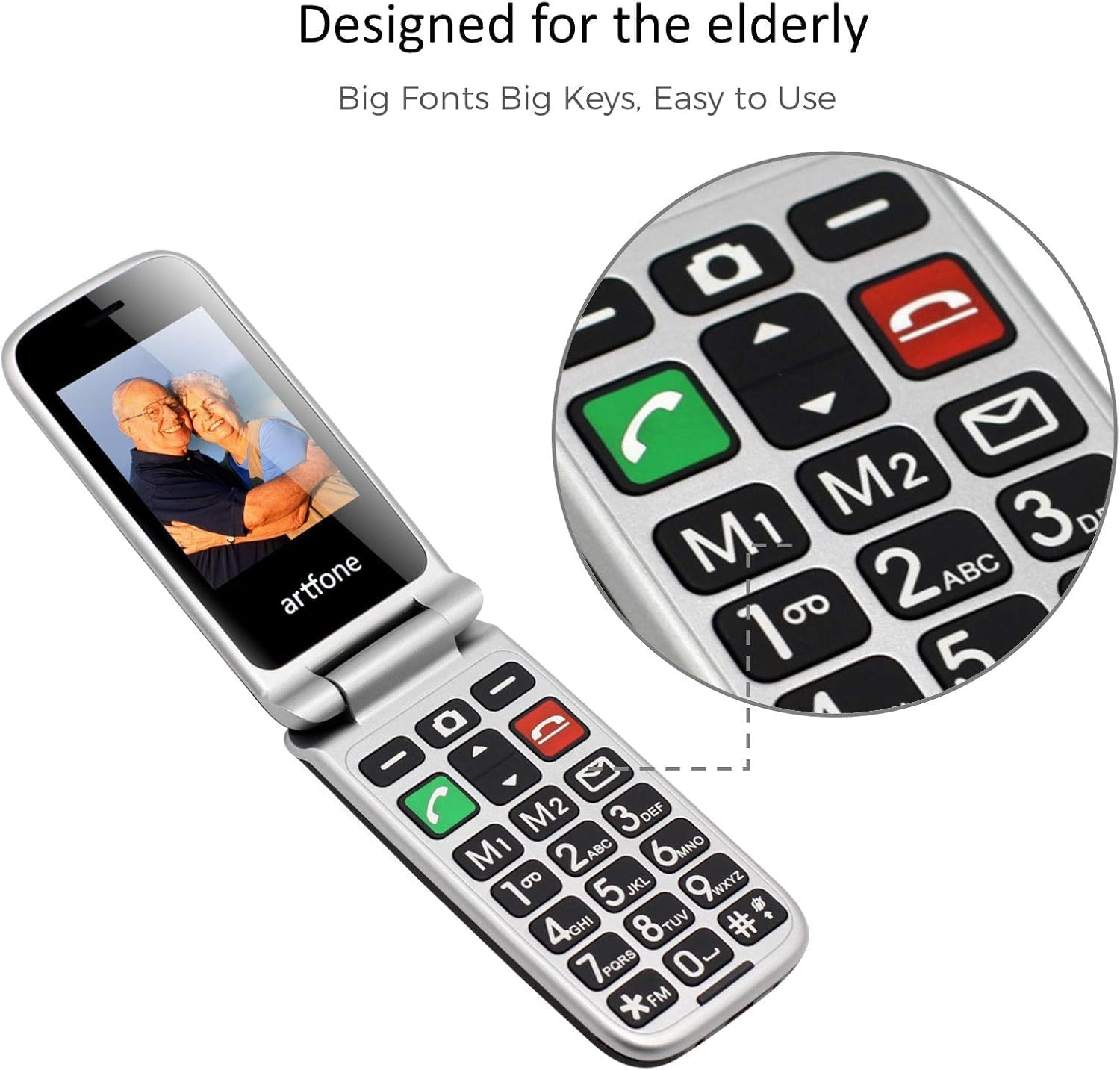
Image 1.2: Close-up of the artfone CF241A's keypad, highlighting the large, distinct buttons and dedicated memory keys (M1, M2) for quick dialing.
2. Configuració
2.1 Instal·lació de la bateria
- Traieu amb cura la tapa posterior del telèfon.
- Insert the provided Lithium-ion battery into the battery compartment, ensuring the gold contacts align with the phone's terminals.
- Torneu a col·locar la coberta posterior fins que sentiu un clic i que quedi ben fixada al seu lloc.
2.2 Instal·lació de la targeta SIM i la targeta MicroSD
- With the back cover and battery removed, locate the SIM card slot(s). This phone supports dual SIM cards.
- Insert your standard-sized SIM card(s) into the designated slot(s) with the gold contacts facing down, following the diagram near the slot.
- If using a MicroSD card for additional storage, insert it into the MicroSD card slot.
- Torneu a instal·lar la bateria i la coberta posterior.
2.3 Càrrega del telèfon
- Connect the USB Type-C charging cable to the charging port on the phone.
- Plug the other end of the cable into a compatible USB power adapter or a computer's USB port.
- The battery icon on the screen will indicate charging status. Allow the phone to fully charge before first use.
2.4 Powering On/Off and Language Selection
- To power on, press and hold the red 'End Call' button until the screen lights up.
- Upon first power-on, you may be prompted to select your preferred language. Use the navigation keys to select English and press the 'OK' button.
- To power off, press and hold the red 'End Call' button until the power-off option appears, then confirm.
3. Instruccions de funcionament
3.1 Fer i rebre trucades
- Fer una trucada: Enter the phone number using the keypad and press the green 'Call' button.
- Respondre una trucada: When the phone rings, press the green 'Call' button to answer.
- Finalització d'una trucada: Press the red 'End Call' button to terminate a call.
- De marcatge ràpid: Press and hold a number key (2-9) to dial a pre-assigned speed dial contact. M1 and M2 keys can also be programmed for direct dialing.
3.2 Enviament i recepció de missatges SMS
- Enviament d'SMS: Navigate to the 'Messages' menu, select 'Write Message', enter your text, and then select the recipient from your contacts or enter a number.
- Recepció de SMS: New messages will be indicated by an envelope icon on the screen. Access them through the 'Messages' menu.
3.3 Funció d'emergència SOS
The SOS button is located on the back of the phone. It allows for quick contact with pre-selected emergency numbers.
- Setting up SOS Numbers: Go to 'Settings' > 'SOS Settings' to add up to 5 emergency contacts.
- Activació de SOS: In an emergency, press and hold the SOS button for 3 seconds. The phone will automatically call the pre-set emergency numbers in sequence until one is answered. It will also send an emergency SMS to these contacts.
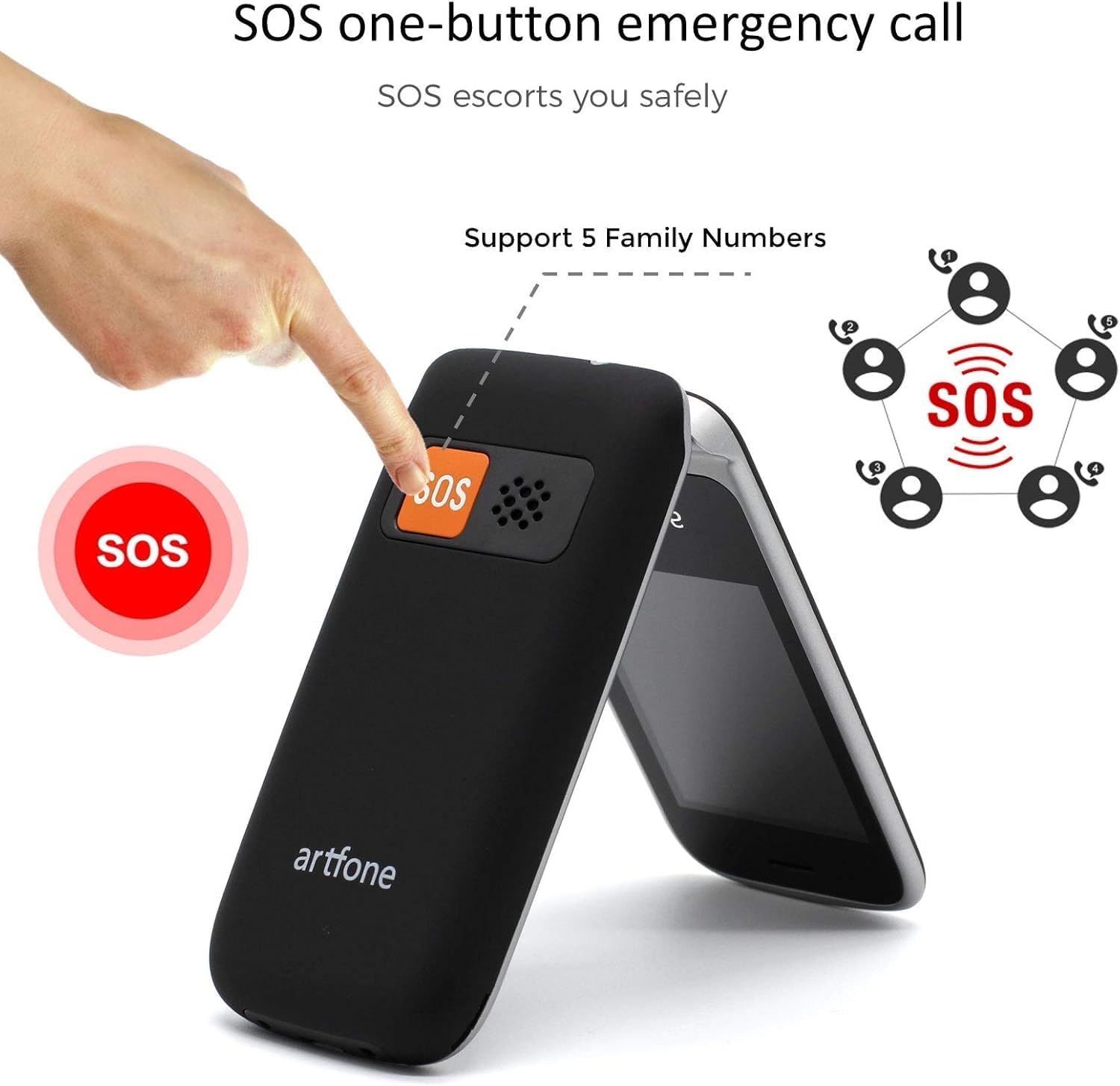
Image 3.1: Demonstrating the SOS emergency call function by pressing the dedicated button on the phone's rear.
3.4 Phonebook / Contacts
Store frequently used numbers in the phonebook. You can add, edit, and delete contacts through the 'Contacts' menu.
3.5 Ràdio FM
To use the FM radio, connect a wired headset (not included) to the phone's audio jack, as it acts as an antenna. Navigate to the 'FM Radio' application in the menu to scan for stations.
3.6 Llanterna
Activate the flashlight function by pressing and holding the dedicated flashlight button on the side of the phone, or through the 'Tools' menu.

Image 3.2: The artfone CF241A's integrated flashlight in operation, providing illumination.
3.7 Altres funcions
The phone includes additional tools such as an alarm clock, calculator, and calendar, accessible via the main menu.

Imatge 3.3: acabatview of the phone's various functions, represented by icons on the screen.
4. Manteniment
- Neteja: Feu servir un drap suau i sec per netejar l'exterior del telèfon. Eviteu netejadors líquids o materials abrasius.
- Cura de la bateria: To prolong battery life, avoid extreme temperatures and do not leave the phone fully discharged for extended periods.
- Emmagatzematge: Guardeu el telèfon en un lloc fresc i sec, allunyat de la llum solar directa i de la humitat quan no l'utilitzeu.
5. Solució De Problemes
| Problema | Causa possible | Solució |
|---|---|---|
| El telèfon no s'encén | Low battery; Battery not installed correctly | Carregueu la bateria; Torneu a instal·lar la bateria correctament |
| No puc fer ni rebre trucades | No SIM card; SIM card not installed correctly; No network signal | Install SIM card; Reinstall SIM card; Move to an area with better signal |
| Problema de càrrega | Faulty charger/cable; Loose connection | Try a different charger/cable; Ensure cable is securely connected |
| El botó SOS no funciona | No SOS numbers set; Incorrect settings | Configure SOS numbers in settings; Check SOS settings |
Si els problemes persisteixen, poseu-vos en contacte amb l'atenció al client.
6. Especificacions
- Marca: artfone
- Número de model: CF241A
- Color: Negre
- Sistema operatiu: artfone OS
- Mida de la pantalla: 2.4 polzades
- Resolució: 240 x 320 píxels
- Connexions: 2G GSM
- Velocitat de la CPU: 1000 MHz
- RAM: 64 MB
- Emmagatzematge intern: 128 MB
- Composició de la bateria: Ió de liti
- Capacitat de la bateria: 1300 mAh
- Port de càrrega: USB tipus C
- Suport de la targeta SIM: Doble SIM
7. Garantia i Suport
Your artfone CF241A phone comes with a standard manufacturer's warranty. Please refer to the warranty card included in your product packaging for specific terms and conditions.
For technical support, troubleshooting assistance, or warranty claims, please contact artfone customer service through their official weblloc web o la informació de contacte que es proporciona a la documentació del producte.