
1. Introducció
The Contixo F28A Premium Drone is a high-performance quadcopter equipped with a 4K camera, 2-axis gimbal, and Electronic Image Stabilization (EIS). Designed for both beginners and experienced pilots, it offers intelligent flight modes, extended flight time, and a robust control range. This manual provides essential information for safe operation, setup, and maintenance of your drone.
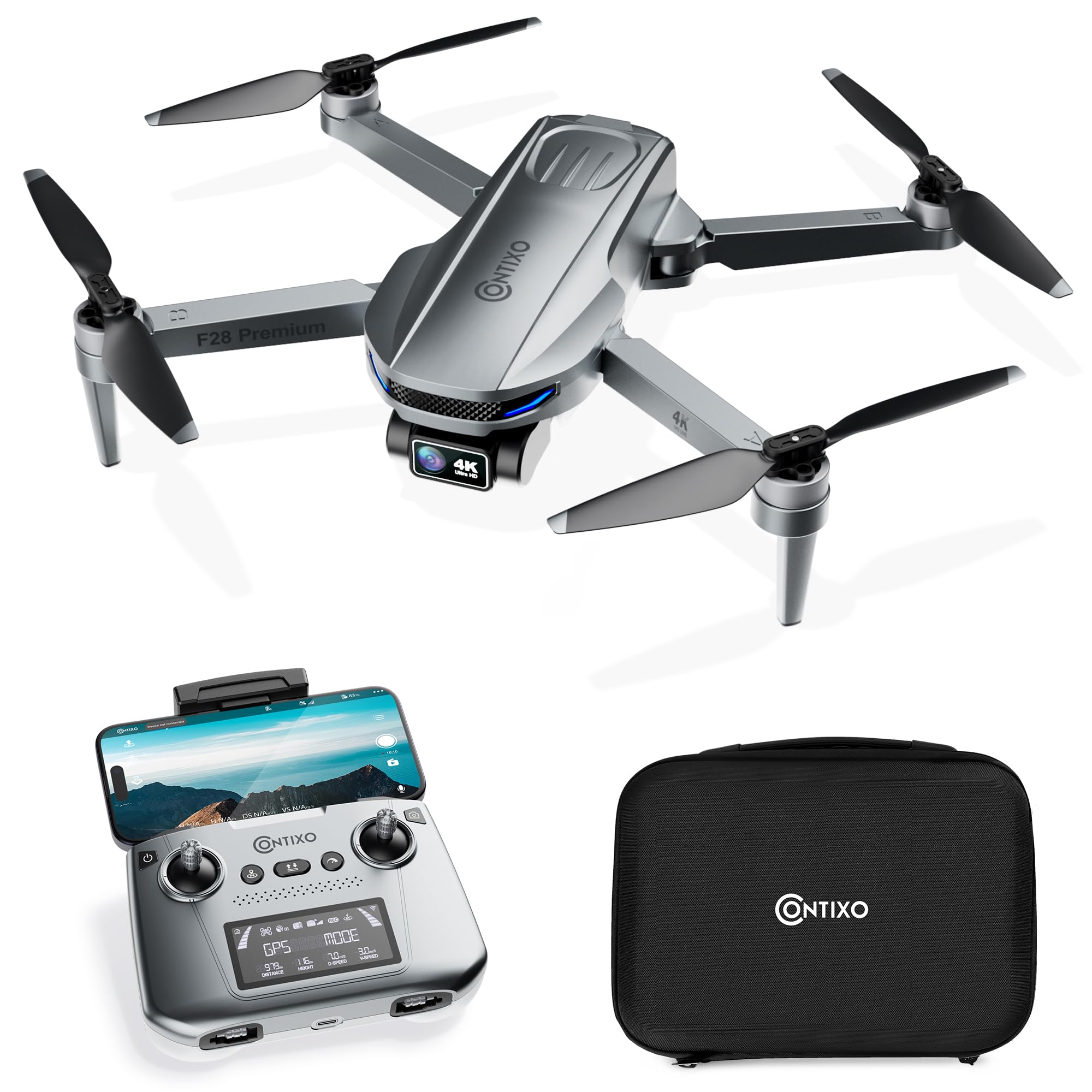
Image 1.1: The Contixo F28A Premium Drone in flight.
2. Què hi ha a la caixa
Verifiqueu que tots els components siguin presents al vostre paquet:
- Contixo F28 Premium Drone x1
- Battery x1 (7.7V 1820mAh Li-Po)
- Transmitter (Remote Control) x1
- Blades x8 (4 installed, 4 spare)
- Landing Gear x1
- Cable de càrrega x1
- Waterproof Carry Case x1
- Manual d'usuari x1

Image 2.1: All items included in the Contixo F28A Premium Drone package.
3. Producte acabatview
The Contixo F28A drone features a compact, foldable design for portability. Key components include the 4K camera with a 2-axis gimbal, brushless motors, and an intelligent flight battery.

Image 3.1: Dimensions of the Contixo F28A drone in both folded and unfolded states.

Image 3.2: Illustration of the drone's compact design, brushless motor, and intelligent flight battery.
4. Configuració
4.1 Desplegament del dron
- Carefully unfold the front arms of the drone.
- Desplegueu els braços posteriors.
- Ensure all arms are securely locked into position.
4.2 Instal·lació de la bateria
- Insert the fully charged battery into the battery compartment on the rear of the drone until it clicks into place.
- Press the power button on the battery once to check the charge level, then press and hold for 2 seconds to power on the drone.
4.3 Configuració del control remot
- Install 4 AA batteries (not included) into the remote control.
- Power on the remote control by pressing and holding the power button.
- Attach your smartphone to the remote control holder.
4.4 App Connection and Linking
Download the Contixo F28 app from your smartphone's app store. Follow these steps to link the drone and remote:
- Engega el dron i el comandament a distància.
- On your smartphone, go to Wi-Fi settings and connect to the drone's Wi-Fi network (e.g., "Contixo-F28-Premium-XXXX").
- Open the Contixo F28 app. The app should display a live feed from the drone's camera once connected.
- Wait for the drone to acquire sufficient GPS satellites (indicated by solid green lights on the drone and GPS status on the remote).
Video 4.1: Official Contixo F28 Premium Drone Linking Guide. This video demonstrates the steps for unfolding the drone, installing the battery, powering on the remote, and connecting to the app via Wi-Fi.
5. Instruccions de funcionament
5.1 Llista de verificació prèvia al vol
- Assegureu-vos que les bateries del dron i del comandament a distància estiguin completament carregades.
- Comproveu si les hèlixs estan danyades i assegureu-vos que estiguin ben fixades.
- Verify GPS signal strength before takeoff.
- Ensure you are in an open area, free from obstacles and people.
5.2 Controls bàsics de vol
Refer to the remote control diagram in the included manual for specific button functions. Common controls include:
- Joystick esquerre: Controla l'altitud (amunt/avall) i la girada (girar esquerra/dreta).
- Joystick dret: Controla el moviment endavant/enrere i esquerra/dreta.
- Enlairament/aterratge amb una sola tecla: Press the designated button for automatic takeoff or landing.
- Parada d'emergència: Press and hold the emergency stop button to immediately cut power to the motors (use only in emergencies).

Image 5.1: Visual representation of the one-key takeoff and landing function.
5.3 Smart Flight Modes
The F28A drone offers several intelligent flight modes for enhanced control and creative shots:
- Segueix-me: The drone automatically follows the remote controller or a designated subject.
- Waypoint: Plan a custom flight path by setting multiple waypoints on the app map. The drone will fly along the specified route.
- Orbit Mode: The drone circles around a designated point of interest, maintaining a set distance and altitude.
- Auto Return to Home (RTH): The drone automatically returns to its takeoff point in case of low battery, signal loss, or manual activation.

Image 5.2: The drone actively following a person in Follow Me mode.

Image 5.3: The drone flying a pre-programmed route using Waypoint mode.

Image 5.4: The drone performing a circular flight path in Orbit Mode.

Imatge 5.5: acabatview of GPS Intelligent Return functions, including Signal Loss RTH, Low Battery RTH, and One-key RTH.
6. Funcionament de la càmera
The F28A is equipped with a 4K UHD camera featuring a 2-axis gimbal and Electronic Image Stabilization (EIS) for smooth, high-quality footage.
- Captura de foto/vídeo: Use the dedicated buttons on the remote control or within the app interface to take photos or start/stop video recording.
- Control de cardán: Adjust the camera's tilt angle using the dedicated dial on the remote control.
- Control de gestos: Perform specific hand gestures for photo and video capture (refer to the app for details).

Image 6.1: Close-up of the 4K UHD camera with 2-axis gimbal and EIS, highlighting its 110° wide-angle lens and 90° adjustable angle.

Image 6.2: Comparison showing improved stability in pitch and roll with the 2-Axis Gimbal and EIS technology.

Image 6.3: Demonstrates hand gestures for initiating photo and video capture.
7. Manteniment
7.1 Neteja
- Regularly clean the drone body and camera lens with a soft, dry cloth.
- Remove any dust or debris from the motors and propellers.
7.2 Substitució de l'hèlix
If a propeller is damaged, replace it immediately using the spare blades provided. Ensure you match the correct 'A' and 'B' propellers to their respective motor arms.
7.3 Cura de la bateria
- Carregueu la bateria amb el cable de càrrega subministrat.
- No sobrecarregueu ni descarregueu completament la bateria.
- Emmagatzemeu les bateries en un lloc fresc i sec, lluny de la llum solar directa.
8. Solució De Problemes
- El dron no s'encén: Ensure the battery is fully charged and correctly installed. Press and hold the power button for 2 seconds.
- No live video feed in app: Verify that your smartphone is connected to the drone's Wi-Fi network. Restart the app and drone if necessary.
- El dron es desvia durant el vol: Ensure GPS mode is active and the drone has acquired enough satellites before takeoff. Calibrate the gyroscope if drifting persists.
- El comandament a distància no es connecta: Ensure both the drone and remote are powered on. Re-link the remote control following the instructions in the full manual.
- Temps de vol curt: Assegureu-vos que la bateria estigui completament carregada. El temps de vol es pot veure afectat per les condicions del vent i els vols agressius.
9. Especificacions
| Marca | Contixo |
| Nom del model | F28 Premium |
| Resolució de captura de vídeo | 4K |
| Resolució de fixes efectius | 8 MP |
| Tecnologia de connectivitat | Wi-Fi |
| Capacitat de la bateria | 1820 milionsamp Hours (7.7V) |
| Interval màxim | 3280 Feet (Control), 2600 Feet (Video Transmission) |
| Temps de vol | Fins a 23 minuts |
| Pes | Less than 249g (0.55 lbs) |
| Material | ABS, plàstic |
| Dimensions (L x A x A) | 11.8 cm de llargada x 12.6 cm d'amplada x 2.2 cm d'alçada (desplegat) |
10. Pautes de seguretat
Always prioritize safety when operating your drone:
- Vola en zones obertes, lluny de persones, animals i obstacles.
- Mantingueu la línia de visió amb el dron en tot moment.
- No voli a prop d'aeroports o espais aeris restringits.
- Eviteu volar amb vents forts o condicions meteorològiques adverses.
- Ensure propellers are clear before starting motors.
- Familiarize yourself with local drone regulations.
11. Garantia i Suport
For warranty information, technical support, or service inquiries, please refer to the official Contixo weblloc web o poseu-vos en contacte amb el seu departament d'atenció al client. Conserveu el rebut de compra com a comprovant de compra per a reclamacions de garantia.
Contixo is committed to customer satisfaction and provides support for their products. For further assistance, please visit the Contixo Store on Amazon.