ATUVOS Air Tracker Tags Manual d'usuari
Model: AT2501
Introducció
The ATUVOS Air Tracker Tags are versatile Bluetooth tracking devices designed to help you locate your valuable items quickly and efficiently. Compatible with both Apple Find My and Google Find Hub applications, these tags offer a reliable solution for keeping track of your belongings, whether they are nearby or far away. This manual provides detailed instructions on how to set up, operate, maintain, and troubleshoot your ATUVOS Air Tracker Tags.

Image: A pack of four ATUVOS Air Tracker Tags, espectacleasing their compact design and compatibility with both Apple and Android tracking networks.
Configuració i aparellament
Before using your ATUVOS Air Tracker Tag, ensure the included CR2032 battery is properly installed. The tags come with batteries pre-installed, offering approximately one year of battery life.
Pairing with Apple Find My (iOS)
- Assegureu-vos que el Bluetooth estigui habilitat al vostre dispositiu iOS.
- Open the Apple 'Find My' app.
- Tap on the 'Items' tab.
- Select 'Add Item' and then 'Other Supported Item'.
- Follow the on-screen instructions within the app to complete the pairing process.
Pairing with Google Find Hub (Android)
- Ensure Bluetooth is enabled on your Android device (requires Android version 9+).
- Open the Google 'Find Hub' app.
- Turn on your ATUVOS Air Tracker Tag.
- Col·loca el tag near your Android device. A connection pairing window should automatically pop up.
- Click 'Connect' and follow the prompts to add the tag to the Find Hub app.
Nota: Huawei devices are not supported for Google Find Hub compatibility.
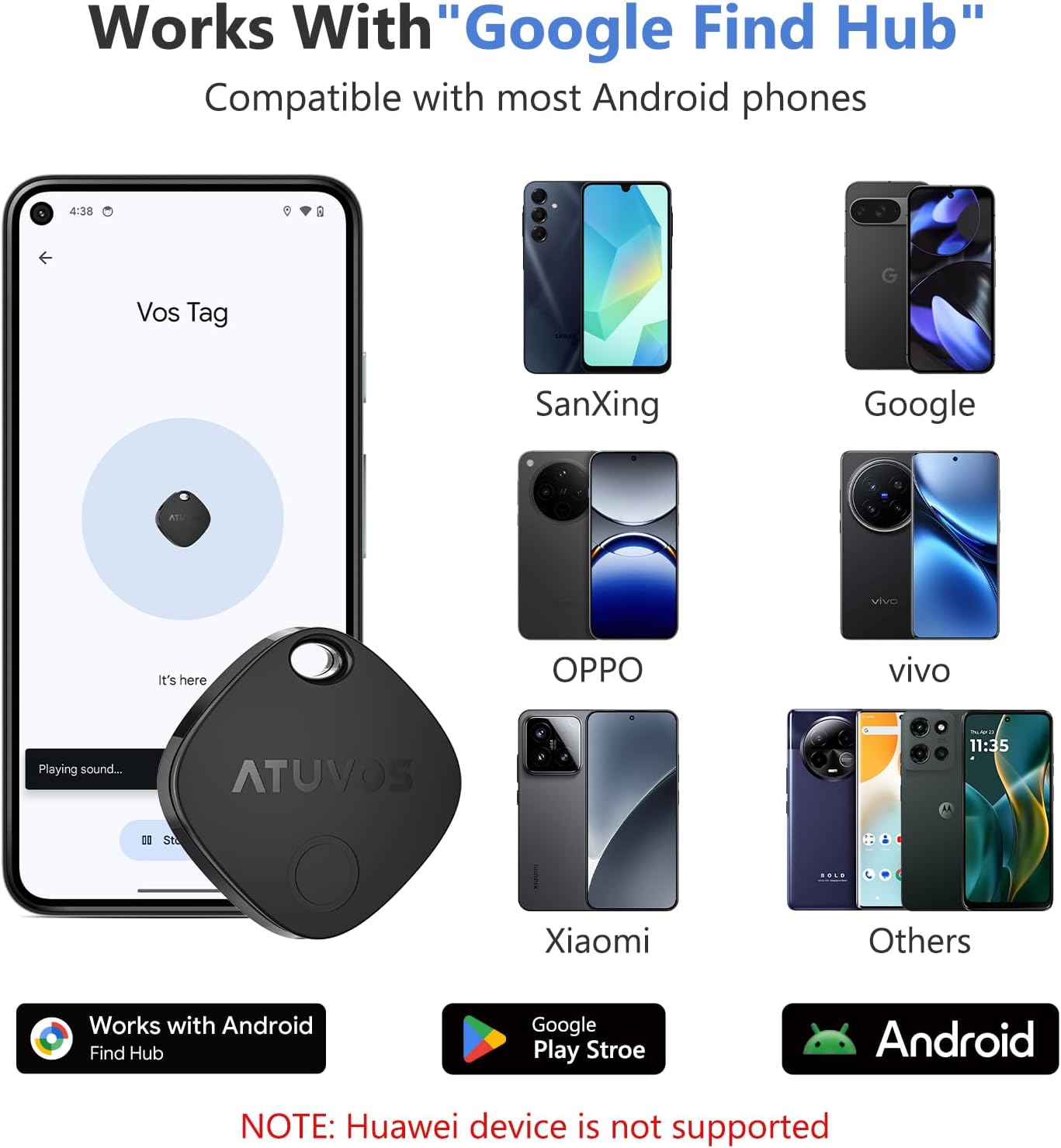
Image: The ATUVOS Air Tracker Tag is compatible with Google Find Hub on most Android phones, excluding Huawei devices.

Image: Detailed dimensions and key features of the ATUVOS Air Tracker Tag, including its compact size and robust capabilities.
Instruccions de funcionament
Cercar elements propers
When your ATUVOS Air Tracker Tag is within Bluetooth range (up to 200 feet or 60 meters), you can use the 'Find My' or 'Find Hub' app to play a loud sound (80-100 decibels) from the tag's built-in speaker. You can also ask Siri for assistance if using an Apple device.

Image: Use the 'Play Sound' feature in the Google Find Hub app to locate items by sound, even if they are hidden.
Finding Far Away Items
If your item is outside of Bluetooth range, you can still locate it using the vast Apple Find My network or Google Find Hub network. These networks leverage hundreds of millions of devices to anonymously relay the location of your tag. Tu pots view el tag's real-time location on a map within the respective app and use navigation features to guide you to its last known position.

Image: The 'Find Far Away' feature allows you to locate your tag using a map, even when it's out of direct Bluetooth range, leveraging the extensive Find My/Find Hub networks.
Left Behind Remind and Lost Mode
The 'Left Behind Remind' feature sends instant notifications to your device if your ATUVOS Air Tracker Tag disconnects from your phone's Bluetooth connection. This helps prevent you from accidentally leaving your belongings behind. In 'Lost Mode', you can mark your item as lost in the app, and if it's found by someone else, they can use their device to see your contact information (if you've provided it) to help return the item.
Sharing Items (iOS 17+)
With iOS 17 or later, you can share your ATUVOS Air Tracker Tag with up to 5 other individuals in the Find My app. This allows multiple users to see the item's location on a map. Borrowers will not receive tracking notifications when the item moves with them.

Image: The sharing feature enables trusted contacts to assist in locating items, enhancing convenience for families or groups.
Vídeo d'ús del producte
Video: This video demonstrates the various uses and features of the ATUVOS Air Tracker Tags, including how they can be used to track keys, luggage, and backpacks.
Manteniment
Canvi de bateria
The ATUVOS Air Tracker Tag uses a replaceable CR2032 coin cell battery, which typically lasts for about one year. To replace the battery:
- Gently twist open the tracker's casing.
- Traieu la bateria CR2032 antiga.
- Inseriu una nova bateria CR2032 amb el costat positiu (+) cap amunt.
- Alinea la casing and twist to securely close the tracker.
Resistència a l'aigua
The ATUVOS Air Tracker Tag features an IP67 water-resistant rating. This means it is protected against dust ingress and can withstand immersion in water up to 1 meter for up to 30 minutes. While it is designed to resist splashes and rain, it is not recommended for prolonged submersion or use during swimming.

Image: The IP67 waterproof rating ensures the tracker can withstand water splashes and brief submersion, providing durability for everyday use.

Image: The tracker's robust design makes it suitable for various environments, including outdoor settings, without concern for minor water exposure.
Neteja
To clean your ATUVOS Air Tracker Tag, eixugueu-ho amb un drap suau, sec o lleugerament secamp cloth. Avoid using harsh chemicals or abrasive materials, as these may damage the device.
Resolució de problemes
| Problema | Causa possible | Solució |
|---|---|---|
| Tracker not connecting/pairing | Bluetooth is off; Tracker battery is low; App permissions not granted; Device not supported. | Ensure Bluetooth is on. Check battery level and replace if necessary. Grant necessary app permissions. Note that Huawei devices are not supported. |
| Sound not playing from tracker | Tracker is out of Bluetooth range; Battery is dead; Speaker is obstructed. | Move closer to the tracker. Replace the battery. Ensure the speaker opening is clear. |
| Inaccurate location on map | Weak network signal; GPS interference; Outdated location data. | Ensure your phone has a strong internet connection. Move to an open area. The location updates when the tag is detected by other devices in the network. |
| 'Left Behind Remind' not working | Feature disabled in app; App not running in background; Bluetooth connection unstable. | Check app settings to ensure the feature is enabled. Allow the app to run in the background. Maintain a stable Bluetooth connection. |
Especificacions
| Característica | Detall |
|---|---|
| Número de model | AT2501 |
| Dimensions | 1.37 x 1.37 x 0.39 polzades (35 mm x 35 mm x 10 mm) |
| Pes | 2.39 unces |
| Connectivitat | Bluetooth |
| Tipus de bateria | CR2032 (included, replaceable) |
| Durada de la bateria | Aproximadament 1 any |
| Resistència a l'aigua | IP67 |
| Nivell de so | 80-100 decibels |
| Color | Negre |
| Material | Plàstic |
Garantia i Suport
ATUVOS provides 24-hour customer service to assist with any questions or issues regarding the use of your ATUVOS Air Tracker Tags. For support, please refer to the contact information provided with your product packaging or visit the official ATUVOS weblloc.