
Cuifati CUIFATIpbi51wg9sz
CUIFATI 5G WiFi 6 Mobile Hotspot
Manual d'usuari
1. Introducció
Thank you for choosing the CUIFATI 5G WiFi 6 Mobile Hotspot. This device provides high-speed wireless internet access, allowing you to connect multiple devices simultaneously. With its portable design and long-lasting battery, it is an ideal solution for travel, business, and home use. This manual will guide you through the setup, operation, and maintenance of your new mobile hotspot.
2. Informació de seguretat
- No exposeu el dispositiu a temperatures extremes, llum solar directa ni humitat elevada.
- Eviteu deixar caure o sotmetre el dispositiu a forts impactes.
- Use only the original or certified charger and cables provided with the device.
- No intenteu desmuntar, reparar o modificar el dispositiu vosaltres mateixos. Poseu-vos en contacte amb personal de servei qualificat.
- Mantingueu el dispositiu allunyat de l'aigua i altres líquids.
- Desfeu-vos del dispositiu i de la bateria de manera responsable d'acord amb la normativa local.
3. Contingut del paquet
Si us plau, comproveu el paquet per veure si hi ha els elements següents:
- CUIFATI 5G WiFi 6 Mobile Hotspot
- Cable de càrrega USB
- Eina expulsora de SIM
- Manual d'usuari (aquest document)
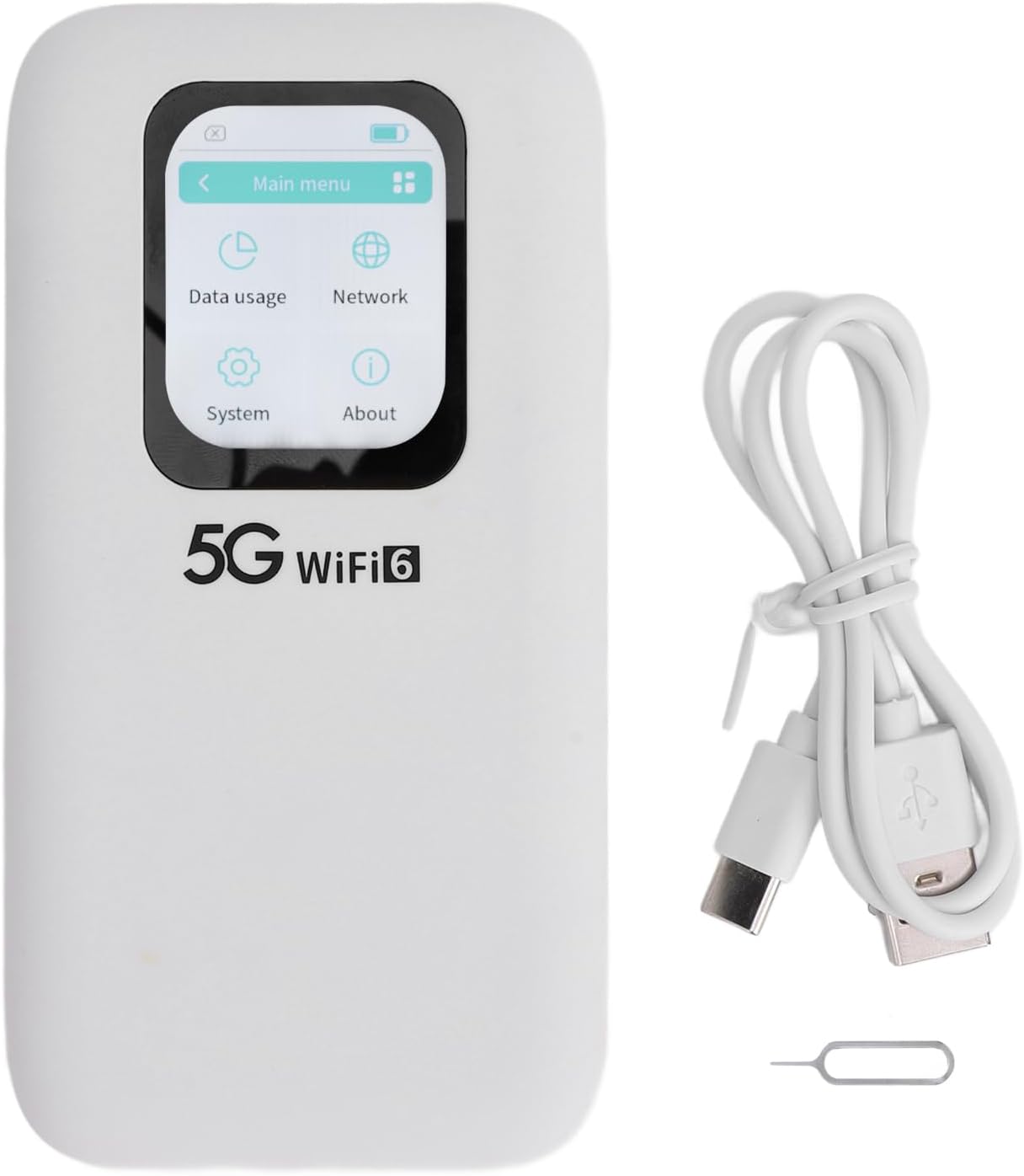
Image: Contents of the CUIFATI 5G WiFi 6 Mobile Hotspot package, including the device, USB charging cable, and SIM ejector tool.
4. Producte acabatview
Familiarize yourself with the physical components of your mobile hotspot.
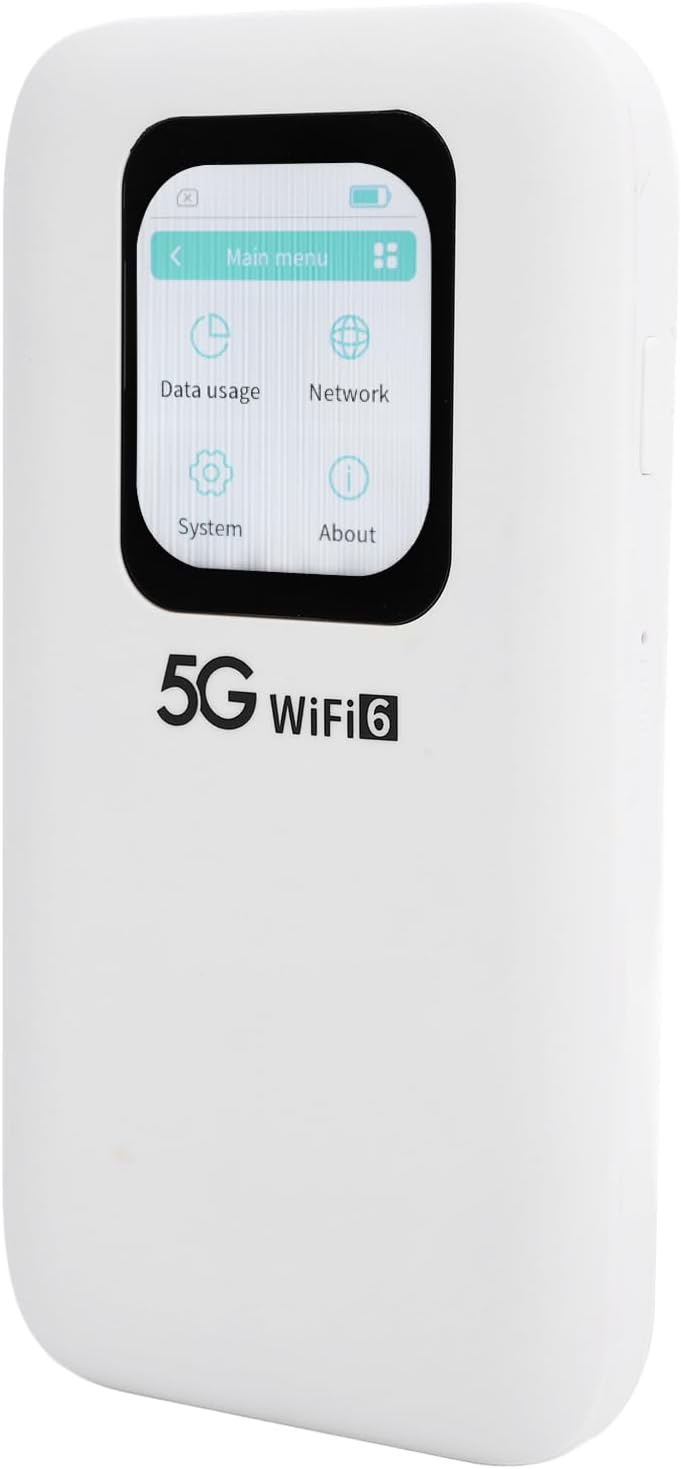
Imatge: Frontal view of the CUIFATI 5G WiFi 6 Mobile Hotspot, highlighting its 2.01-inch touch screen display.

Imatge: Lateral view of the CUIFATI 5G WiFi 6 Mobile Hotspot, illustrating the location of the power button and reset pinhole.

Imatge: Enrere view of the CUIFATI 5G WiFi 6 Mobile Hotspot, displaying the product label with default Wi-Fi network names (SSID) and password (WiFi Key).
Components del dispositiu
| Component | Descripció |
|---|---|
| Pantalla tàctil | 2.01-inch screen for monitoring status, data usage, and managing settings. |
| Botó d'engegada | Press and hold to power on/off the device. Short press to wake/sleep the screen. |
| Port USB-C | Per carregar el dispositiu i connectar-lo a un ordinador. |
| Ranura per a targeta Nano SIM | Insert your Nano SIM card here for cellular data connectivity. |
| Restableix el forat | Use the SIM ejector tool to press and hold for factory reset. |
5. Configuració
5.1 Inserting the Nano SIM Card
- Assegureu-vos que el dispositiu estigui apagat.
- Localitza la ranura de la targeta SIM al lateral del dispositiu.
- Use the provided SIM ejector tool to gently press into the small hole next to the SIM tray until the tray pops out.
- Place your Nano SIM card into the tray with the gold contacts facing down, ensuring it is correctly oriented.
- Carefully push the SIM tray back into the slot until it clicks into place.
5.2 Càrrega del dispositiu
- Connect the USB charging cable to the USB-C port on the device.
- Connecteu l'altre extrem del cable a un adaptador de corrent USB compatible (no inclòs) o al port USB d'un ordinador.
- The battery indicator on the screen will show the charging status. A full charge typically takes several hours.
5.3 Engegada/apagada
- Per encendre: Press and hold the Power Button for approximately 3 seconds until the screen lights up.
- Per apagar: Press and hold the Power Button for approximately 3 seconds. A power-off confirmation prompt will appear on the screen. Select 'Power Off' to shut down the device.
- Pantalla activada/desactivada: A short press of the Power Button will turn the screen on or off without powering down the device.
6. Funcionament
6.1 Connexió de dispositius a la Wi-Fi
- Ensure the mobile hotspot is powered on.
- On your Wi-Fi enabled device (e.g., smartphone, laptop, tablet), open the Wi-Fi settings.
- Cerca available Wi-Fi networks. The default network names (SSID) for your hotspot are typically found on the back label of the device (e.g., 'stoneoim_5C16_5G' or 'stoneoim_5C16_2.4G').
- Select the desired Wi-Fi network (SSID).
- Enter the Wi-Fi Key (password) displayed on the device's back label or screen.
- Your device should now be connected to the internet via the mobile hotspot.
6.2 Using the Touch Screen Interface
The 2.01-inch touch screen allows for easy navigation and configuration of your hotspot. Swipe left/right or tap icons to access different menus.
- Menú principal: Displays icons for Data Usage, Network, System, and About.
- Ús de dades: Monitor your current data consumption.
- Xarxa: View network status, signal strength, and configure Wi-Fi settings (e.g., change SSID, password, band).
- Sistema: Access device information, update firmware, and perform factory resets.
- Sobre: Displays device model, software version, and other relevant information.
7. Manteniment
7.1 Neteja
- Use a soft, dry, lint-free cloth to clean the device.
- No utilitzeu netejadors líquids, aerosols ni dissolvents.
7.2 Cura de la bateria
- Per allargar la durada de la bateria, eviteu descarregar-la completament amb freqüència.
- Guardeu el dispositiu en un lloc fresc i sec quan no el feu servir durant períodes prolongats.
- If the device will not be used for a long time, charge it to about 50% before storing.
7.3 actualitzacions de microprogramari
- Periodically check for firmware updates through the device's touch screen interface (under 'System' or 'About' menu) or the manufacturer's weblloc.
- Ensure the device has sufficient battery life (at least 50%) and a stable internet connection before performing an update.
8. Solució De Problemes
| Problema | Causa possible | Solució |
|---|---|---|
| El dispositiu no s'encén. | Bateria baixa; botó d'engegada defectuós. | Carregueu el dispositiu durant almenys 30 minuts. Si encara no respon, contacteu amb l'assistència tècnica. |
| Sense connexió a Internet. | No SIM card; incorrect APN settings; no signal; data limit reached. | Ensure SIM is inserted correctly. Check signal strength on screen. Verify APN settings (consult your carrier). Check data plan. |
| No es pot connectar a la Wi-Fi. | Incorrect Wi-Fi password; device too far from hotspot. | Double-check Wi-Fi password. Move closer to the hotspot. Restart both devices. |
| Velocitat d'internet lenta. | Weak signal; network congestion; too many connected devices. | Move to an area with better signal. Disconnect unnecessary devices. |
| El dispositiu es bloqueja o no respon. | Error de programari. | Press and hold the power button for 10 seconds to force restart. If persistent, perform a factory reset (data will be lost). |
9. Especificacions
Detailed technical specifications for the CUIFATI 5G WiFi 6 Mobile Hotspot.
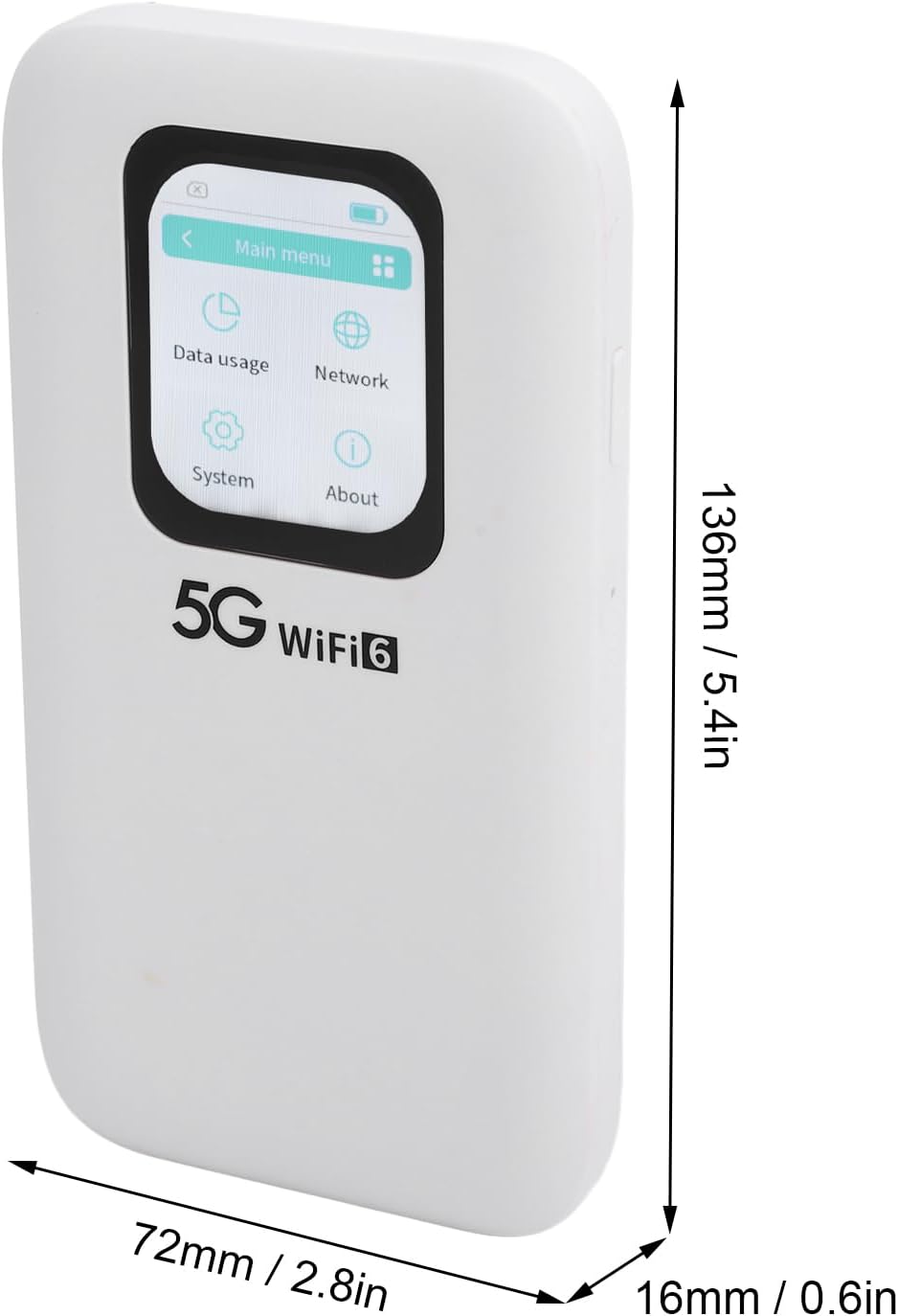
Image: Physical dimensions of the CUIFATI 5G WiFi 6 Mobile Hotspot.
| Característica | Detall |
|---|---|
| Número de model | CUIFATIpbi51wg9sz |
| Tecnologia de connectivitat | 5G NR, 4G LTE (FDD/TDD), 3G |
| Wi-Fi estàndard | WiFi 6 (802.11a/b/g/n/ac/ax) |
| Bandes de freqüència | 2.4GHz, 5.8GHz (Dual Band) |
| Velocitat màxima de descàrrega | Fins a 2.77 Gbps |
| Velocitat màxima de càrrega | Fins a 1.25 Gbps |
| Capacitat de la bateria | Bateria de polímer de 7100 mAh |
| Mostra | Pantalla tàctil de 2.01 polzades |
| Tipus de targeta SIM | Nano SIM |
| Màxim dispositius connectats | Fins a 16 dispositius alhora |
| Dimensions (L x A x A) | 6.69 x 4.33 x 1.57 polzades (aprox. 170 x 110 x 40 mm) |
| Pes de l'article | 10.8 unces (aproximadament 306 grams) |
| Classificació de protecció d'entrada (IP). | IP67 (Reinforced design for drop and water resistance) |
10. Garantia i Suport
The CUIFATI 5G WiFi 6 Mobile Hotspot comes with a standard manufacturer's warranty. Please refer to the warranty card included in your package or visit the official Cuifati weblloc web per obtenir informació detallada sobre els termes i condicions de la garantia.
For technical support, troubleshooting assistance, or any inquiries regarding your device, please contact Cuifati customer service. Contact information can typically be found on the manufacturer's weblloc web o a l'embalatge del producte.
Assistència en línia: Visit the Cuifati official weblloc web per a preguntes freqüents, descàrregues de controladors i recursos d'assistència.
Suport per correu electrònic: Consulteu la documentació del producte per obtenir l'adreça electrònica d'atenció al client.
Ask a question about this manual
Ask about setup, troubleshooting, compatibility, parts, safety, or missing instructions. Manuals+ will review the question and use this page’s manual context to help answer it.