
PAXA Clipbuds 7
PAXA Clipbuds7 Open Ear Earbuds User Manual
Model: Clipbuds 7
1. Introducció
Thank you for choosing the PAXA Clipbuds7 Open Ear Earbuds. This manual provides essential information for setting up, operating, and maintaining your new earbuds. Please read it thoroughly before use to ensure optimal performance and longevity of your device.

Image 1: PAXA Clipbuds7 Open Ear Earbuds and their charging case. The earbuds are purple and feature a unique clip-on design. The charging case has an LED display showing battery levels.
2. Contingut del paquet
Verifiqueu que tots els elements siguin presents al vostre paquet:
- PAXA Clipbuds7 Open Ear Earbuds (1 pair)
- Estoig de càrrega sense fil (1)
- Cable de càrrega (1)
- Manual d'usuari (1)
3. Configuració
3.1 Càrrega inicial
Before first use, fully charge the earbuds and charging case. Connect the provided charging cable to the Type-C port on the charging case and a power source. The LED display on the case will indicate the charging status.
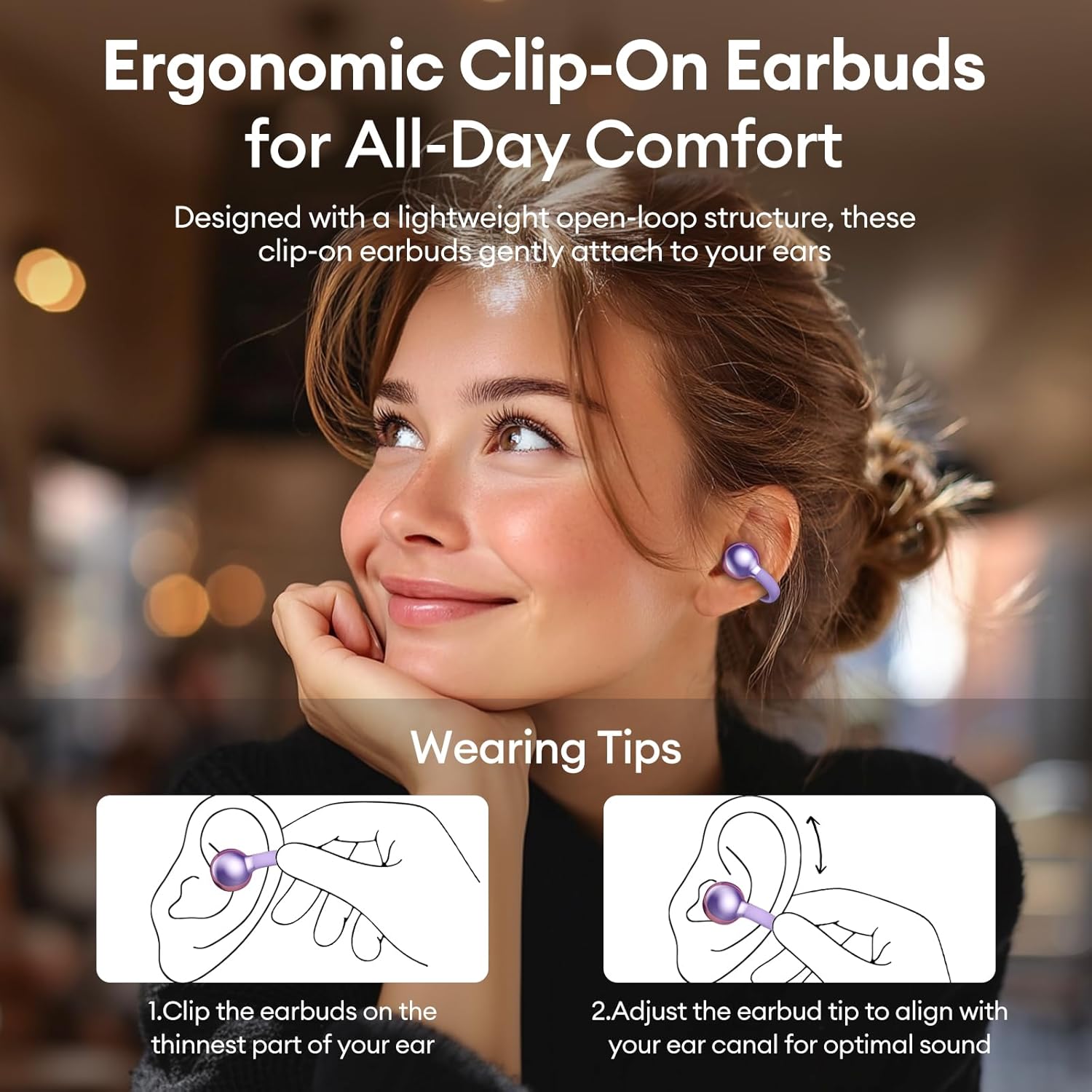
Image 2: The PAXA Clipbuds7 charging case connected to a charging cable, displaying the battery percentage on its LED screen.
3.2 Com posar-se els auriculars
The Clipbuds7 are designed for open-ear comfort. Follow these steps for proper fit:
- Clip the earbuds onto the thinnest part of your ear.
- Adjust the earbud tip to align with your ear canal for optimal sound delivery.
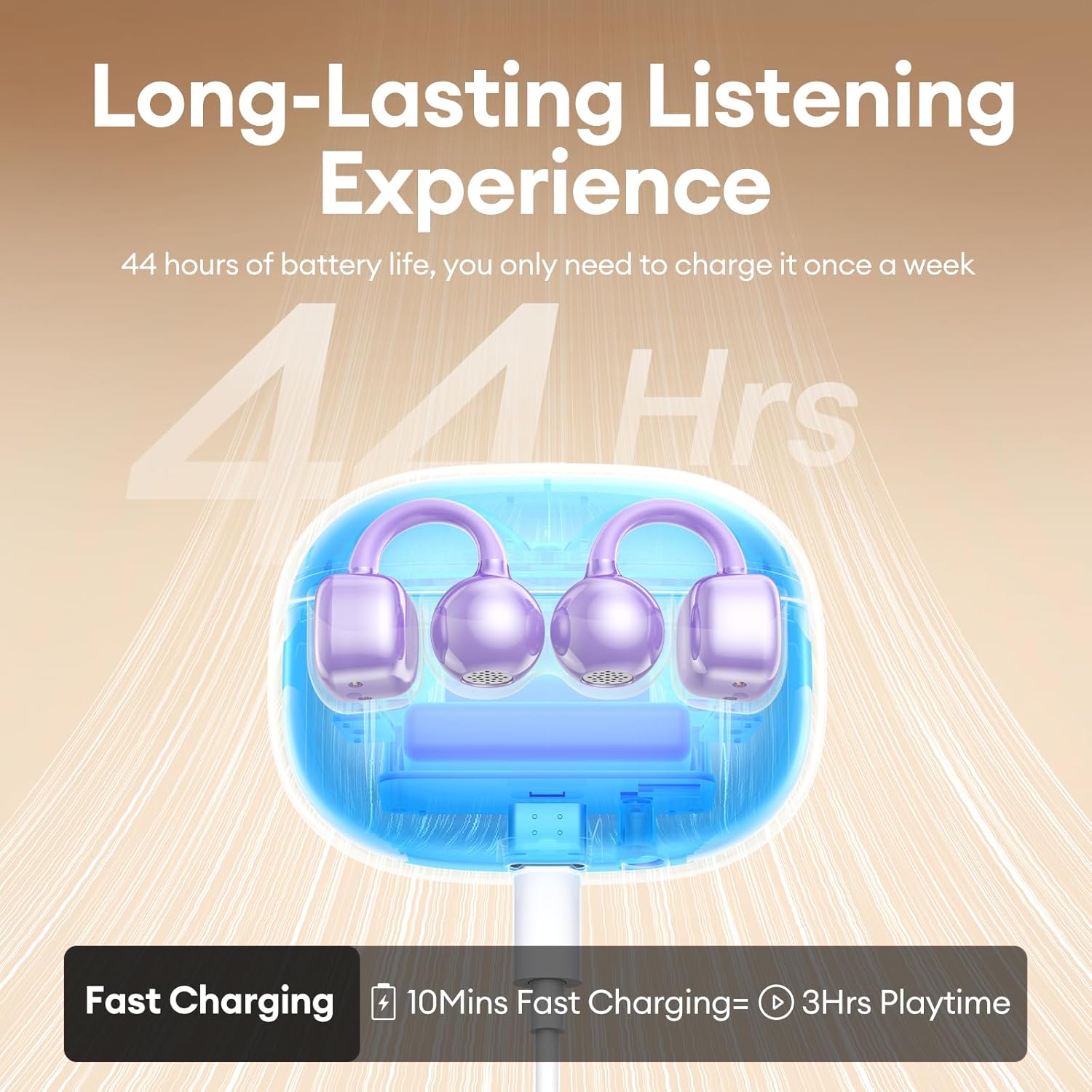
Image 3: A visual guide demonstrating the correct method for clipping the earbuds onto the ear and adjusting them for the best fit.
Video 1: This video demonstrates the unboxing and proper wearing technique for the PAXA Clipbuds7 earbuds, highlighting their comfortable and secure fit.
3.3 Vinculació Bluetooth
The earbuds utilize Bluetooth 5.4 for stable connections.
- Obre l'estoig de càrrega. Els auriculars entraran automàticament en mode d'emparellament.
- On your device (smartphone, tablet, laptop), enable Bluetooth and search for "PAXA Clipbuds7".
- Select "PAXA Clipbuds7" to connect. A voice prompt will confirm successful pairing.
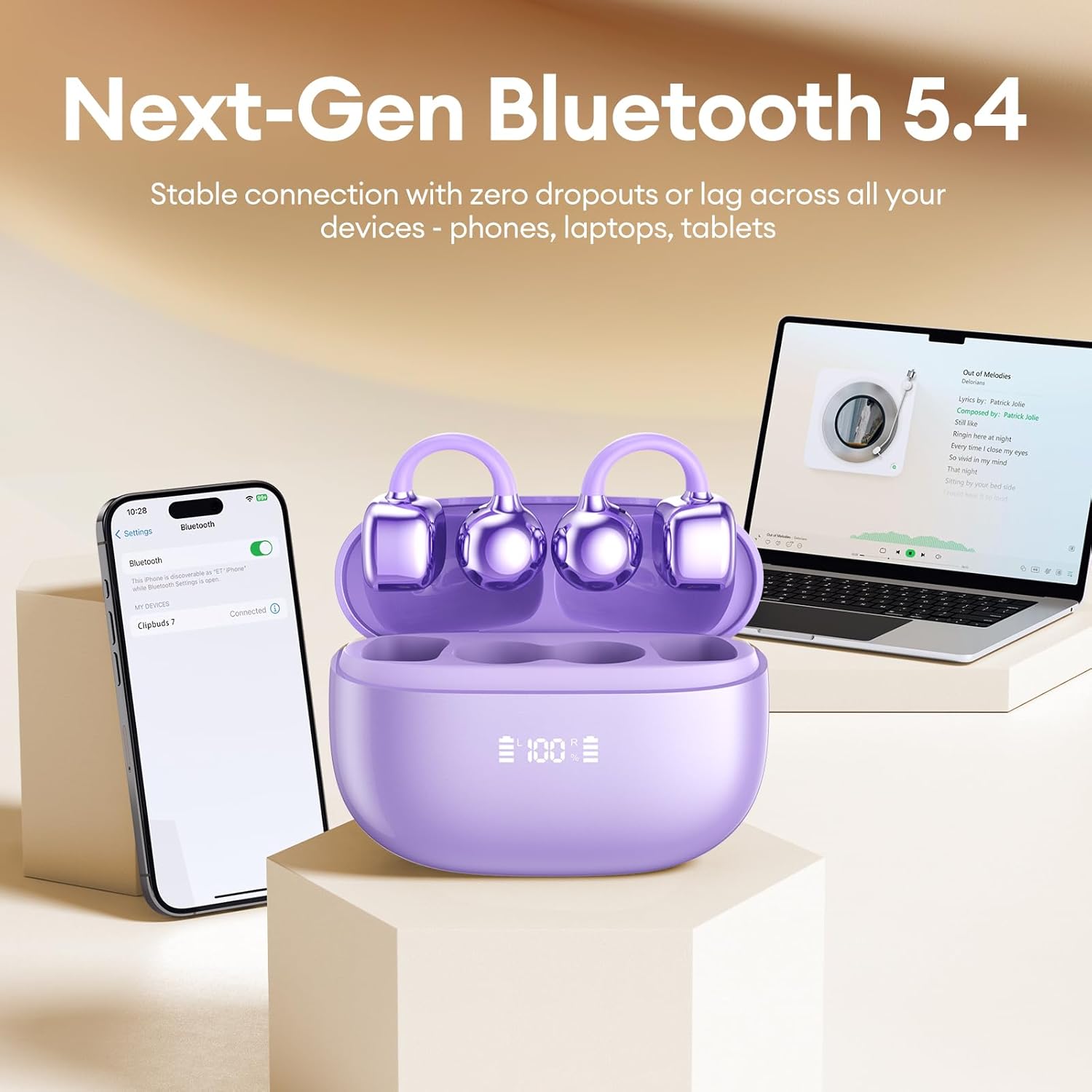
Image 4: A smartphone screen showing the PAXA Clipbuds7 successfully connected via Bluetooth, alongside the earbuds in their charging case.
4. Instruccions de funcionament
4.1 Controls tàctils
The PAXA Clipbuds7 feature intuitive touch controls:
| Acció | Funció |
|---|---|
| Double-click either earbud | Respondre/acabar la trucada, reproduir/pausar música |
| Manteniu premut qualsevol dels auriculars durant 2 segons | Rebutja la trucada |
| Triple-click the left (L) earbud | Previous song, Volume - |
| Triple-click the right (R) earbud | Next song, Volume + |
| Hold both earbuds | Activar l'assistent de veu (Siri, Google Assistant, etc.) |

Image 5: A detailed graphic illustrating the various touch control functions for the PAXA Clipbuds7 earbuds, including call management and music playback.
4.2 Encès/Apagat
- Encès: Obriu la funda de càrrega i els auriculars s'encendran automàticament.
- Apagar: Torneu a col·locar els auriculars a l'estoig de càrrega i tanqueu la tapa. S'apagaran automàticament i començaran a carregar-se.
4.3 Gestió de trucades
The earbuds feature ENC noise cancellation for clear calls. Use the touch controls as described above to manage calls.
4.4 Funcions d'àudio
Experience immersive stereo sound with directional audio technology, minimizing sound leakage while maintaining environmental awareness.
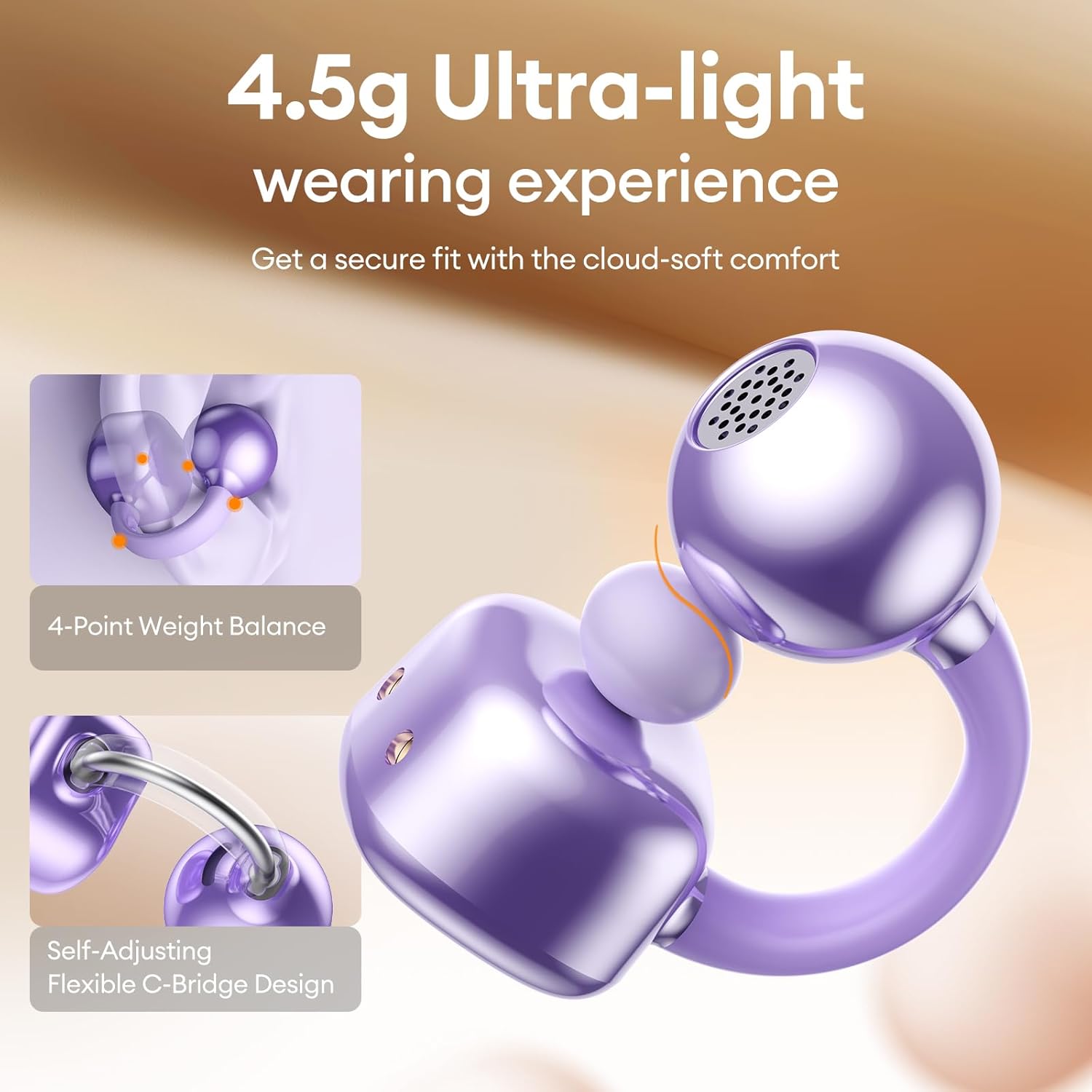
Image 6: A visual representation of the directional audio technology, showing how sound is delivered to the ear while minimizing leakage to the surroundings.
5. Manteniment
5.1 Neteja
Regularly clean your earbuds and charging case with a soft, dry cloth. Avoid using abrasive materials or harsh chemicals. Ensure charging contacts are free of dust and debris.
5.2 Emmagatzematge
When not in use, store the earbuds in their charging case to protect them and maintain battery life. Store in a cool, dry place away from direct sunlight and extreme temperatures.
5.3 Resistència a l'aigua i la pols
The earbuds are IP45 rated for dust and water resistance, meaning they can withstand splashes of water and sweat. They are not designed for submersion in water.
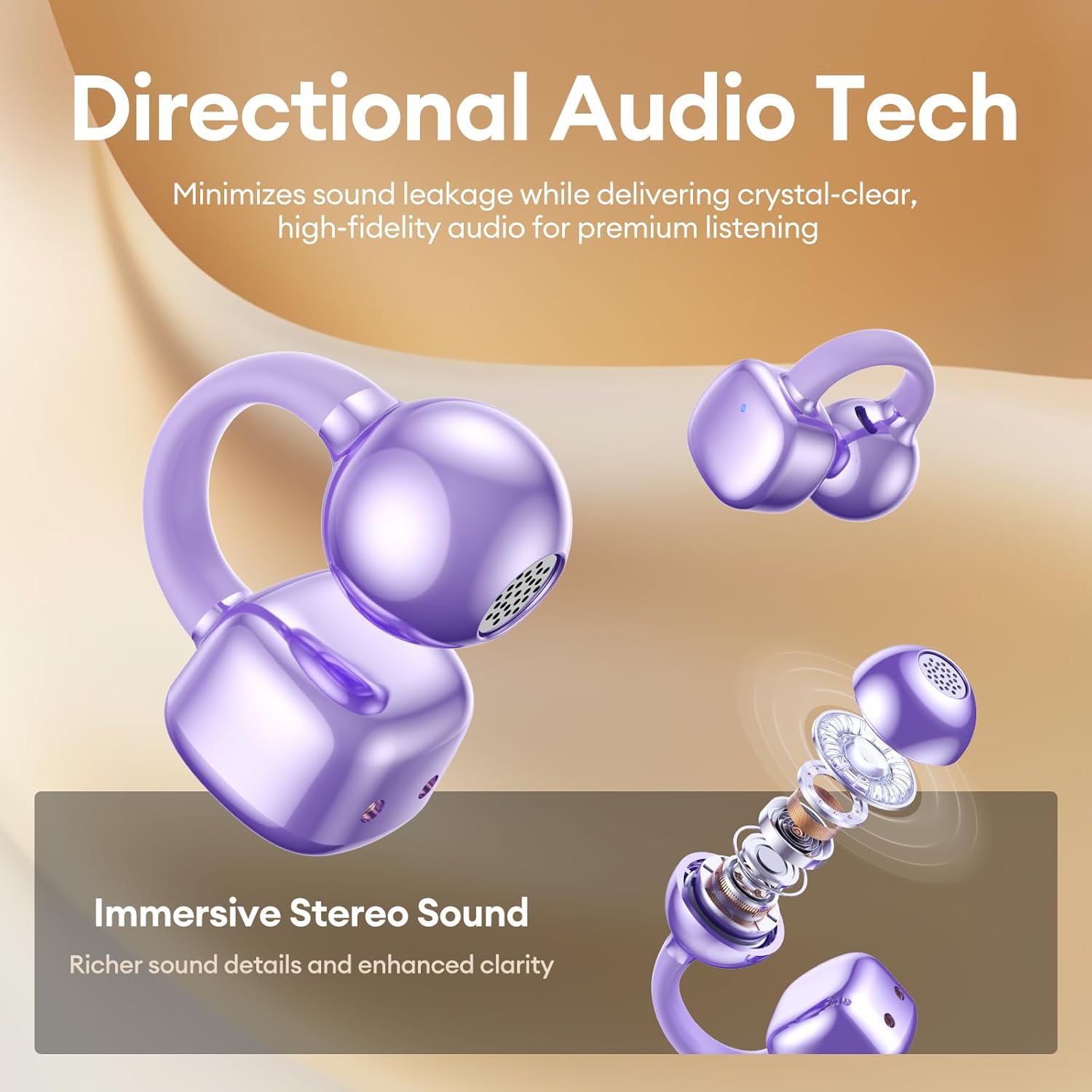
Image 7: A person wearing the PAXA Clipbuds7 earbuds while being exposed to light rain, demonstrating their IP45 water and dust resistance.
6. Solució De Problemes
| Problema | Possible solució |
|---|---|
| Els auriculars no s'aparellen | Assegura't que els auriculars estiguin carregats. Torna'ls a col·locar a la funda, tanca'ls i torna'ls a obrir per tornar a entrar al mode d'emparellament. Comprova la configuració de Bluetooth del dispositiu i intenta tornar-lo a connectar. |
| No hi ha so d'un auricular | Check battery level of both earbuds. Try resetting the earbuds (refer to manufacturer's website for specific reset instructions if not in manual). Re-pair with your device. |
| La funda de càrrega no es carrega | Verify the charging cable and power adapter are working. Ensure the Type-C cable is securely connected to both the case and the power source. |
| Mala qualitat del so | Ensure earbuds are properly seated in your ears. Check for debris blocking the speaker grilles. Move closer to your connected device to avoid interference. |
7. Especificacions
| Característica | Detall |
|---|---|
| Nom del model | Clipbuds 7 |
| Versió Bluetooth | 5.4 |
| Pes de l'auricular | 4.5 g (cadascun) |
| Durada de la bateria (càrrega única) | Fins a 8 hores |
| Durada total de la bateria (amb funda) | Fins a 44 hores |
| Port de càrrega | Tipus-C |
| Classificació de resistència a l'aigua | IP45 |
| Control de soroll | Hybrid Noise Cancellation (ENC for calls) |
| Tipus de control | Control tàctil |
| Material | Silicone Rubber + Plastic |
8. Garantia i Suport
PAXA products come with a standard manufacturer's warranty. For detailed warranty information, product support, or to contact customer service, please visit the official PAXA weblloc web o consulteu la targeta de garantia inclosa al paquet.
Assistència en línia: Visit the PAXA Store on Amazon
Ask a question about this manual
Ask about setup, troubleshooting, compatibility, parts, safety, or missing instructions. Manuals+ will review the question and use this page’s manual context to help answer it.