
Introducció
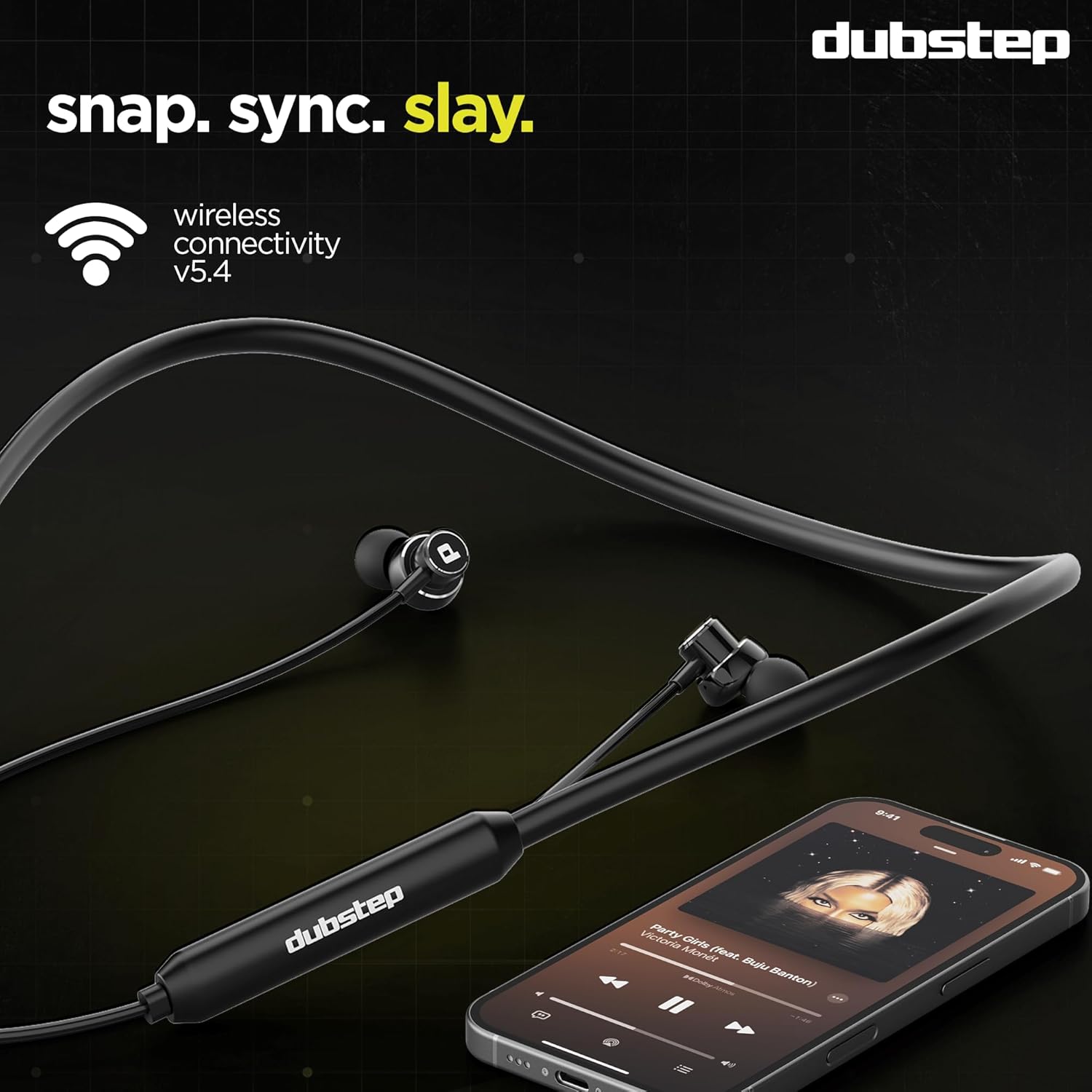
Welcome to the user manual for your Dubstep Jive J7 Bluetooth in-Ear Earphones. These earphones are designed to provide an immersive audio experience with advanced features such as X-Bass technology, 13mm drivers, Type-C fast charging, and Environmental Noise Cancellation (ENC) for clear calls. The Jive J7 also offers a dual mode for seamless switching between gaming and music. Please read this manual carefully to ensure proper use and maintenance of your device.
Què hi ha a la caixa
Upon unboxing your Dubstep Jive J7 earphones, please verify that all the following items are included:
- Dubstep Jive J7 Bluetooth Earphones (1 unit)
- Cable de càrrega tipus C.
- Manual d'usuari (aquest document)
- Multiple Ear Tip Sizes (for customized fit)

Producte acabatview
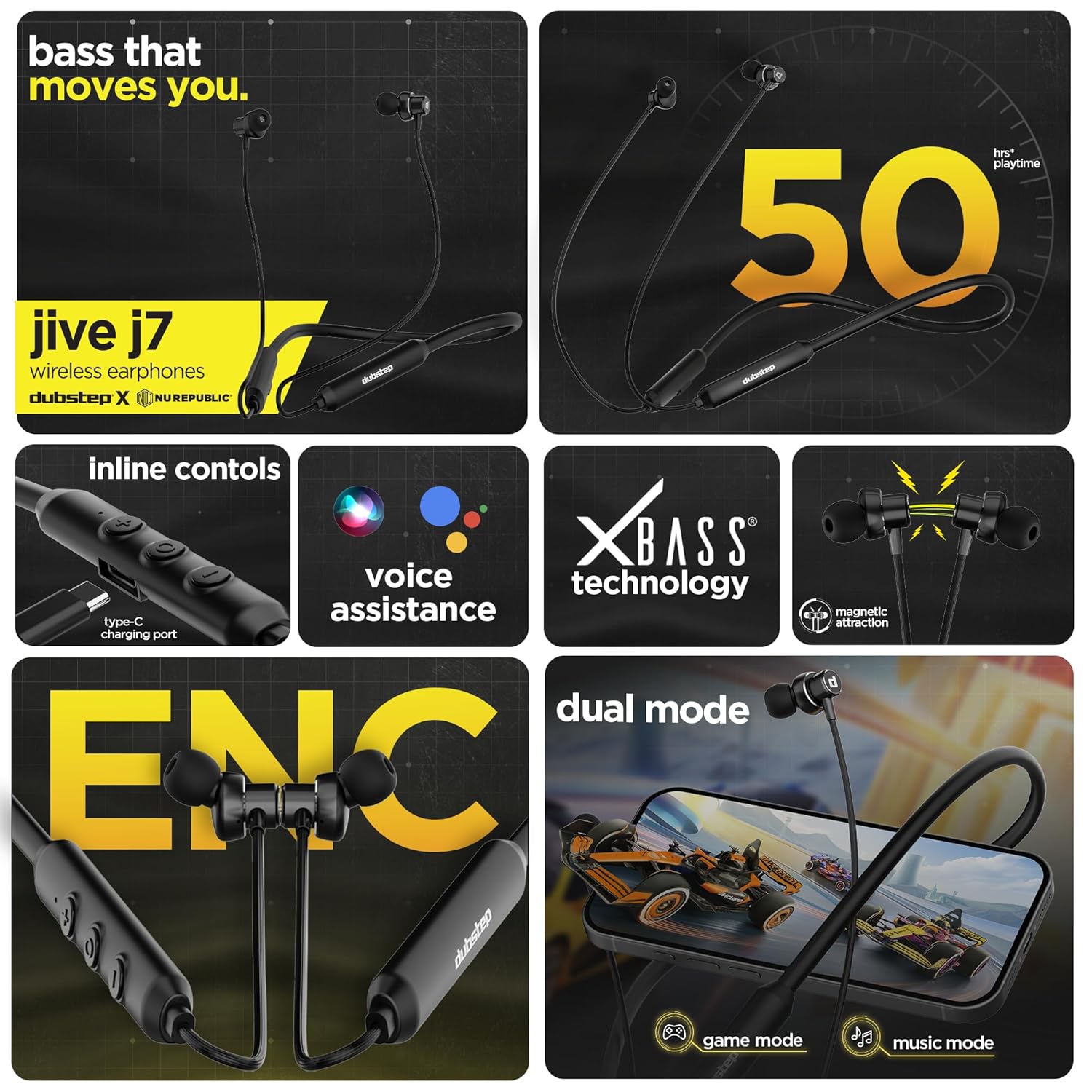
The Dubstep Jive J7 earphones are equipped with several features designed for superior audio and user convenience:
- X-Bass Technology: Delivers powerful, dynamic sound reproduction with deep bass.
- Controladors dinàmics de 13 mm: Ensures high-quality audio across all frequencies.
- Environmental Noise Cancellation (ENC) Mic: Provides crystal-clear voice calls by reducing ambient noise.
- Funcionalitat de mode dual: Seamlessly switch between Game Mode for ultra-low latency and Music Mode for enhanced audio.
- Wireless v5.4 Connectivity: Offers quick pairing and a stable connection up to 10 meters.
- Càrrega ràpida tipus C: Quick recharge for extended playtime.
- Auriculars magnètics: For secure storage around your neck when not in use.
- Controls en línia: Easy access to music playback, call management, and voice assistant.
- Resistent a l'aigua i a la suor: Durable design suitable for active lifestyles.
Configuració
1. Càrrega dels auriculars
Before first use, fully charge your Jive J7 earphones.
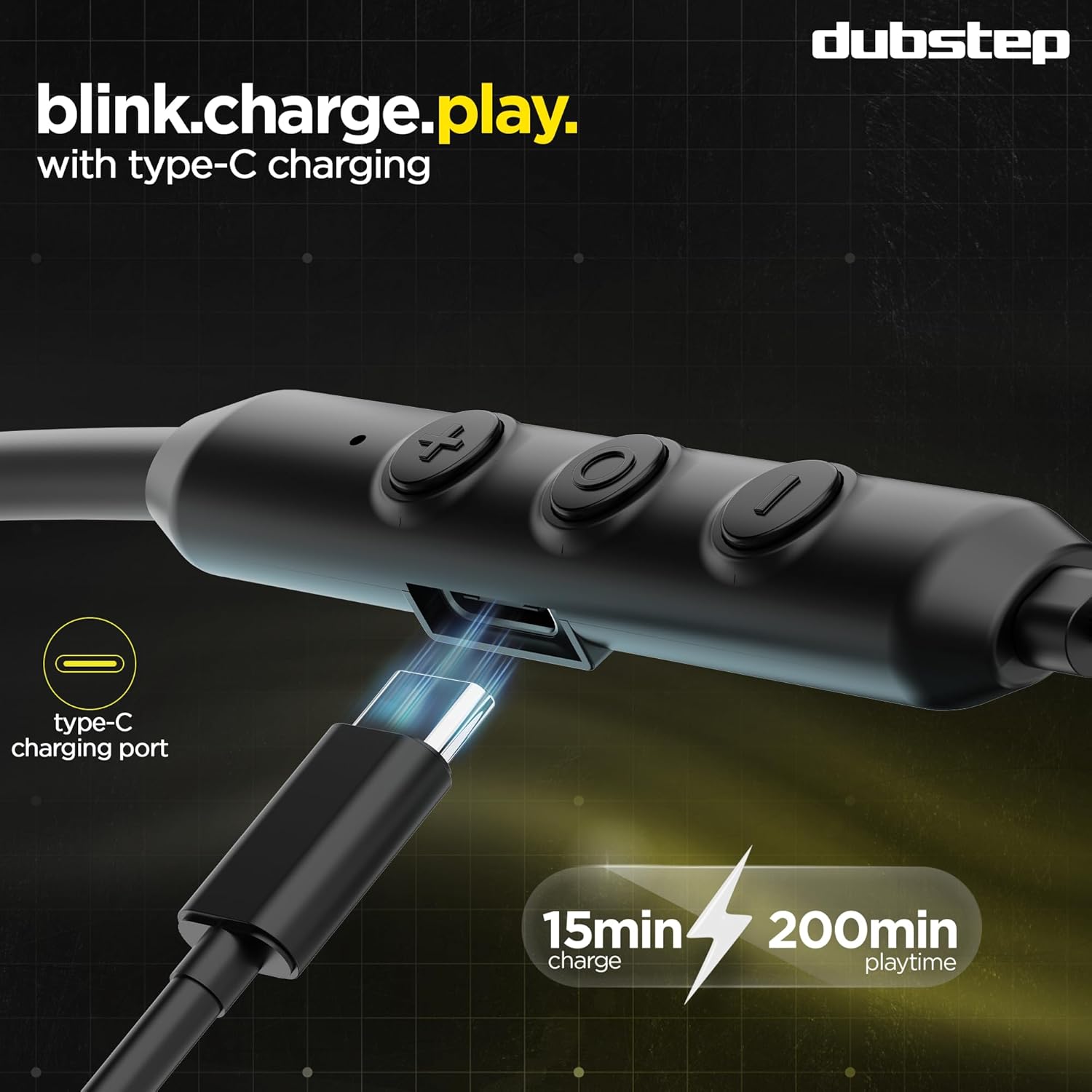
- Connect the provided Type-C charging cable to the charging port on the inline control module of the earphones.
- Connecteu l'altre extrem del cable a una font d'alimentació USB (per exemple, un adaptador de paret, un port USB de l'ordinador).
- The LED indicator will show charging status (refer to the LED indicator section for details, if available on device).
- A full charge takes approximately 60 minutes. A quick 15-minute charge provides up to 200 minutes of music playback.
- The earphones offer up to 50 hours of playtime on a full charge.
2. Vinculació amb un dispositiu Bluetooth
Follow these steps to pair your Jive J7 earphones with your smartphone, tablet, or other Bluetooth-enabled device.
- Assegureu-vos que els auriculars estiguin completament carregats i apagats.
- Press and hold the multi-function button (usually the center button on the inline control) for approximately 3-5 seconds until the LED indicator flashes red and blue alternately, indicating pairing mode.
- Al dispositiu, vés a la configuració de Bluetooth i activa el Bluetooth.
- Cerca available devices. You should see "Dubstep Jive J7" in the list.
- Select "Dubstep Jive J7" to connect. Once connected, the LED indicator on the earphones will typically flash blue slowly or turn off, and you will hear an audio prompt.
- The earphones will automatically reconnect to the last paired device when turned on, if the device's Bluetooth is active and within range.

Instruccions de funcionament
Controls en línia
The Jive J7 features an inline remote for easy control of your audio and calls:
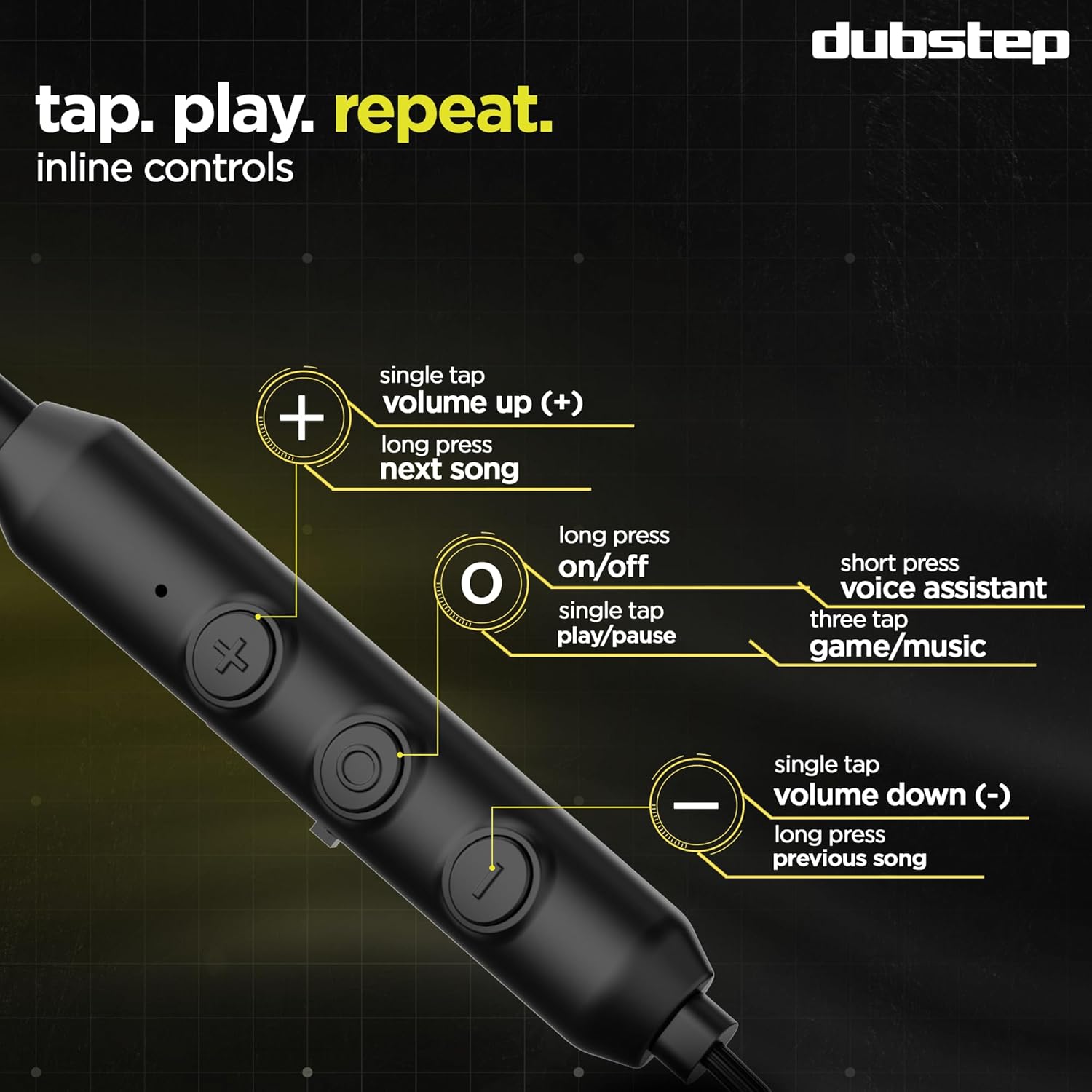
- Encès/apagat: Premeu llargament el botó multifunció.
- Reproduir/pausa: Single tap the multi-function button.
- Puja el volum (+): Single tap the '+' button.
- Baixar el volum (-): Single tap the '-' button.
- Següent cançó: Premeu llargament el botó '+'.
- Cançó anterior: Premeu llargament el botó '-'.
- Respondre/Finalitzar la trucada: Single tap the multi-function button.
- Rebutja la trucada: Premeu llargament el botó multifunció.
- Activa l'Assistent de veu: Premeu breument el botó multifunció.
- Switch Dual Mode (Game/Music): Triple tap the multi-function button.
Dual Mode Functionality (Game/Music)
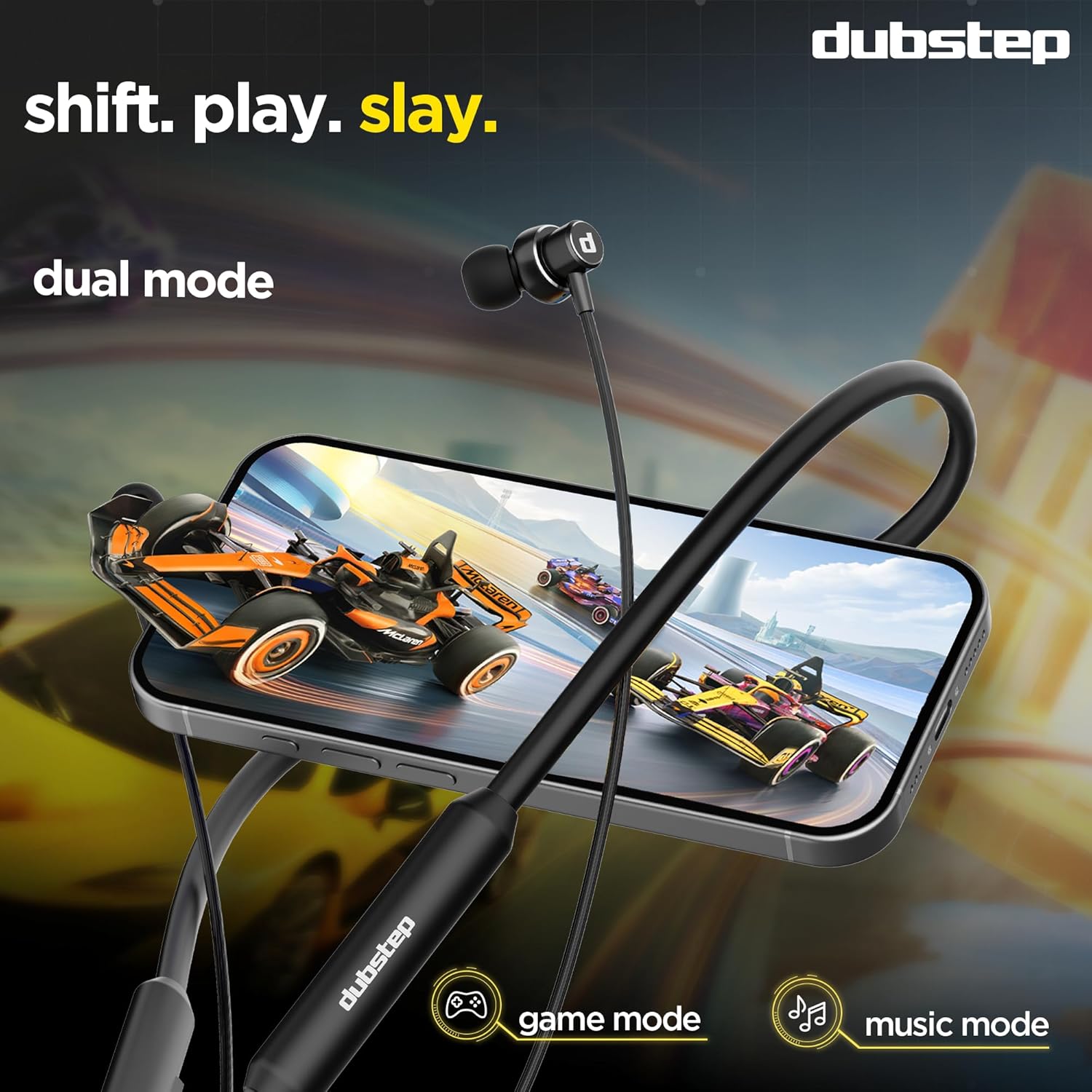
The Jive J7 earphones offer two distinct audio modes to optimize your experience:
- Mode de joc: Provides ultra-low latency audio, crucial for competitive gaming where sound synchronization is vital.
- Mode de música: Enhances audio quality for a richer, more immersive music listening experience.
To switch between modes, triple tap the multi-function button on the inline remote. You will hear an audio prompt confirming the mode change.
Environmental Noise Cancellation (ENC) for Calls
The built-in ENC microphone actively reduces ambient noise during calls, ensuring your voice is heard clearly even in noisy environments. This feature is automatically active during phone calls.
Manteniment
To ensure the longevity and optimal performance of your Dubstep Jive J7 earphones, follow these maintenance guidelines:
- Neteja: Regularly wipe the earphones and ear tips with a soft, dry, lint-free cloth. For ear tips, you can gently remove them and clean with a mild soap solution, then rinse and dry thoroughly before reattaching.
- Emmagatzematge: When not in use, store the earphones in a clean, dry place, away from extreme temperatures and direct sunlight. The magnetic earbuds help prevent tangling and secure them around your neck.
- Eviteu la humitat: While the earphones are water and sweat resistant, avoid prolonged exposure to water or submerging them. Ensure the charging port is dry before charging.
- Manejar amb cura: Do not pull on the cables forcefully or drop the earphones.

Resolució de problemes
If you encounter any issues with your Jive J7 earphones, refer to the following common problems and solutions:
| Problema | Possible solució |
|---|---|
| Els auriculars no s'encenen. | Ensure the earphones are fully charged. Press and hold the multi-function button for 3-5 seconds. |
| No es pot emparellar amb el dispositiu. |
|
| Sense so o amb un volum baix. |
|
| La qualitat de la trucada és deficient. |
|
| Earphones disconnect frequently. |
|
Especificacions
| Característica | Detall |
|---|---|
| Marca | Dubstep |
| Nom del model | Jive J7 |
| Col·locació de l'orella | A l'orella |
| Factor de forma | In Ear (Neckband) |
| Control de soroll | Cancel·lació de soroll ambiental (ENC) |
| Tipus de controlador d'àudio | Conductor dinàmic |
| Mida del controlador d'àudio | 13 Mil·límetres |
| Tecnologia sense fils | Bluetooth v5.4 |
| Interval Bluetooth | 10 metres |
| Durada mitjana de la bateria | 50 hores |
| Temps de càrrega de la bateria | 60 Minutes (Full Charge) |
| Càrrega ràpida | 15 Mins Charge = 200 Mins Music |
| Tipus de control | Inline Remote (Push Button) |
| Característiques del producte | X-Bass Technology, ENC Microphone, Dual Mode Functionality, Type-C Fast Charging |
| Dispositius compatibles | Ordinadors portàtils, telèfons intel·ligents, tauletes |
| Material | Acrilonitril butadiè estirè (ABS) |
| Pes de l'article | 34 grams |
| País d'origen | Xina |
Garantia i Suport
Your Dubstep Jive J7 earphones come with a 6 mesos de garantia.
To avail warranty or for any support inquiries, please contact the brand directly using the information below:
- Número de telèfon: +918826257630
- ID de correu electrònic: hello@Dubstepworld.com
- Fabricant: Nuworld Retail Private Limited
- Adreça del fabricant: Plot No.17-18, Pole No.9, PO Dhoolsiras, Dwarka, Sector-28, New Delhi - 110077
Si us plau, conserveu el rebut de compra com a comprovant de compra per a reclamacions de garantia.