
Introducció
This manual provides essential instructions for the setup, operation, maintenance, and troubleshooting of your Insignia 32-inch 1080p HD HDR LCD Fire TV Smart TV, model NS-32F401CA26. Please read this manual thoroughly before using your television to ensure proper and safe operation.
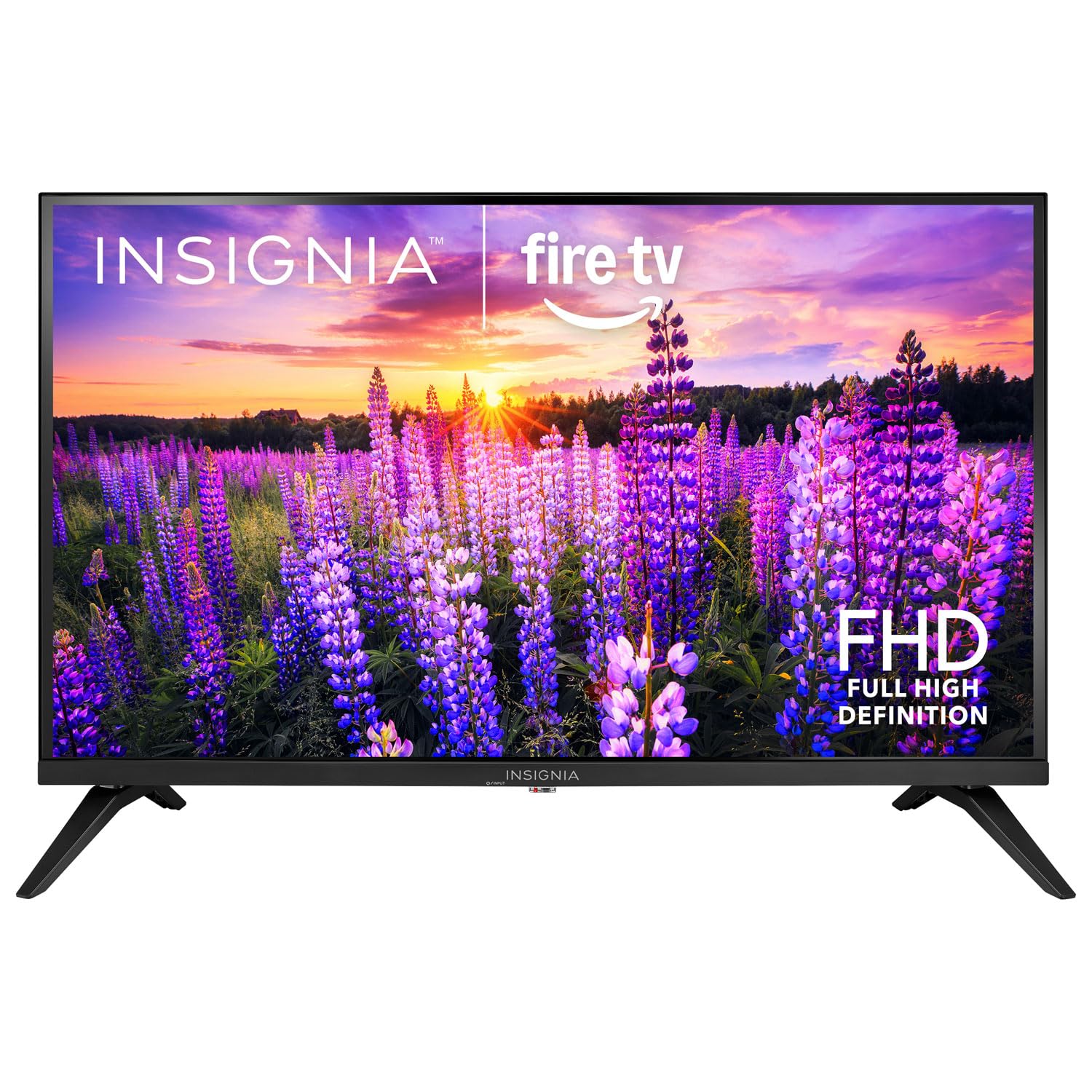
Imatge: Frontal view of the Insignia 32-inch Fire TV Smart TV, showing the screen and a remote control.
1. Configuració
1.1 Desembalatge
Traieu amb cura el televisor i tots els accessoris de l'embalatge. Conserveu els materials d'embalatge per a futurs transports o emmagatzematge.
1.2 Fixació del suport o del muntatge a la paret
Per a la instal·lació del suport:
- Col·loqueu el televisor cap per avall sobre una superfície suau i neta per evitar que es facin malbé la pantalla.
- Alineeu les bases del suport amb els forats dels cargols de la part inferior del televisor.
- Fixeu els suports amb els cargols proporcionats.
Per al muntatge a la paret:
- This TV supports a VESA Mount Standard of 200 x 200 mm.
- Use a compatible wall mount kit (sold separately) and follow its installation instructions.
- Ensure the wall can support the weight of the TV and the mount.
1.3 Connexió de potència
Connecteu el cable d'alimentació a l'entrada d'alimentació del televisor i, a continuació, connecteu l'altre extrem a una presa de corrent que funcioni.
1.4 Connexió de dispositius externs
Your TV includes multiple ports for external devices:
- HDMI Ports (Total 2): Connecteu reproductors de Blu-ray, consoles de jocs i descodificadors de cable/satèl·lit.
- USB 3.0 Port (Total 1): Connecteu dispositius d'emmagatzematge USB per a la reproducció de contingut multimèdia.
- Entrada d'antena/cable: Connecteu una antena per a emissions per aire o una connexió per cable.
1.5 Initial Setup (Fire TV OS)
Upon first power-on, the TV will guide you through the Fire TV setup process:
- Vinculació de control remot: Insert the included 2 AAA batteries into the remote. Follow on-screen instructions to pair the remote.
- Connexió de xarxa: Seleccioneu la vostra xarxa Wi-Fi i introduïu la contrasenya.
- Compte d'Amazon: Log in with your Amazon account or create a new one.
- Escaneig de canals: If using an antenna, the TV will scan for available channels.
- Actualitzacions de programari: The TV may download and install the latest software updates.
2. Funcionament del televisor
2.1 Encès/Apagat
Premeu el botó Poder botó del comandament a distància per encendre o apagar el televisor.
2.2 Navegació per la interfície de Fire TV
Feu servir el pad direccional i Seleccioneu button on your remote to browse the Fire TV home screen, access apps, and navigate menus.
2.3 Ús del comandament a distància per veu d'Alexa
Manteniu premut el botó Alexa button on your remote and speak into the microphone to:
- Cerca pel·lícules i programes de televisió.
- Launch applications (e.g., "Open Netflix").
- Control playback (e.g., "Pause", "Fast forward").
- Fer preguntes o obtenir informació.
2.4 Accés a les aplicacions
Popular streaming services like Amazon Prime Video, Netflix, and YouTube are pre-installed. You can download additional apps from the Amazon Appstore.
2.5 Adjusting Picture and Sound Settings
Accedeix al Configuració menu on the Fire TV home screen to adjust:
- Imatge: Brightness, contrast, color, aspect ratio (16:9).
- So: Volume, sound mode, DTS Virtual-X settings.
- Visualització: Resolution (1080p), refresh rate (120 Hz).
2.6 Controls parentals
The TV includes parental control features. Navigate to the Configuració menú i, a continuació, seleccioneu Preferències, i després Controls parentals to set restrictions on content, purchases, and app usage. A PIN is required to enable or disable these controls.
3. Manteniment
3.1 Neteja del televisor
- Pantalla: Netegeu suaument la pantalla amb un drap suau i sense borrissol. Per a marques difícils, netegeu lleugerament.ampNetegeu el drap amb aigua o amb un netejador de pantalles dissenyat específicament per a televisors. No ruixeu líquid directament sobre la pantalla.
- Cos: Netegeu el marc i el suport del televisor amb un drap suau i sec.
- Desendolla sempre el televisor abans de netejar-lo.
3.2 Actualitzacions de programari
Your Fire TV Smart TV automatically checks for and installs software updates when connected to the internet. You can manually check for updates in the Configuració menú a sota El meu Fire TV > Sobre > Comproveu si hi ha actualitzacions.
3.3 Substitució de la pila del comandament a distància
When the remote control's performance degrades, replace the two AAA batteries. Ensure correct polarity when inserting new batteries.
4. Solució De Problemes
| Problema | Causa possible | Solució |
|---|---|---|
| Sense poder | Cable d'alimentació no connectat; presa de corrent no funciona. | Ensure power cord is securely plugged into TV and a live outlet. Test outlet with another device. |
| Sense imatge ni so | Incorrect input source; external device off or disconnected. | Premeu el botó Entrada button on the remote to select the correct source. Check connections of external devices. Ensure devices are powered on. |
| El comandament a distància no funciona | Piles gastades; comandament a distància no emparellat. | Replace batteries (2 AAA). Re-pair remote by holding the Casa button for 10 seconds near the TV. |
| Problemes de connexió Wi-Fi | Contrasenya incorrecta; problemes amb el router; televisor massa lluny del router. | Verify Wi-Fi password. Restart your router and modem. Move TV closer to router or use a Wi-Fi extender. |
| Apps not loading or crashing | Temporary software glitch; insufficient memory. | Restart the TV. Clear app cache (Settings > Applications > Manage Installed Applications). Ensure sufficient storage. |
5. Especificacions
| Número de model | NS-32F401CA26 |
| Mida de la pantalla | 32 polzades |
| Tecnologia de visualització | LCD |
| Resolució | 1080p (Full HD) |
| Freqüència d'actualització | 120 Hz |
| Format HDR compatible | HDR10 |
| Relació d'aspecte | 16:9 |
| Tecnologia de connectivitat | Wi-Fi |
| Ports HDMI | 2 |
| Ports USB 3.0 | 1 |
| Serveis d'Internet compatibles | Amazon Prime Video, Netflix, YouTube, Alexa |
| Descripció del ponent | DTS Virtual-X virtual surround sound |
| Integrated Surround Sound Format | DTS Virtual-X |
| Mètode de control | Remote (with Alexa Voice) |
| Piles necessàries | 2 AAA (inclosos) |
| Dimensions del producte (P x A x A) | 47.3P x 17.1A x 71.9H centímetres |
| Estàndard de muntatge VESA | 200 x 200 mm |
| Característiques addicionals | Controls parentals |
6. Garantia i Suport
For warranty information, please refer to the warranty card included with your product or visit the official Insignia support website. For technical assistance, product registration, or service inquiries, please contact Insignia customer support through their official channels.
Note: Specific warranty terms and support contact details may vary by region and are subject to change.