
Insignia NS-24F201CA26
Insignia NS-24F201CA26 24-inch 720p HD HDR LED Fire TV Smart TV User Manual
Model: NS-24F201CA26
Introducció
Gràcies per la compraasing the Insignia NS-24F201CA26 24-inch 720p HD HDR LED Fire TV Smart TV. This manual provides essential information for the safe and efficient use of your television. Please read these instructions thoroughly before operating your new TV and retain them for future reference.
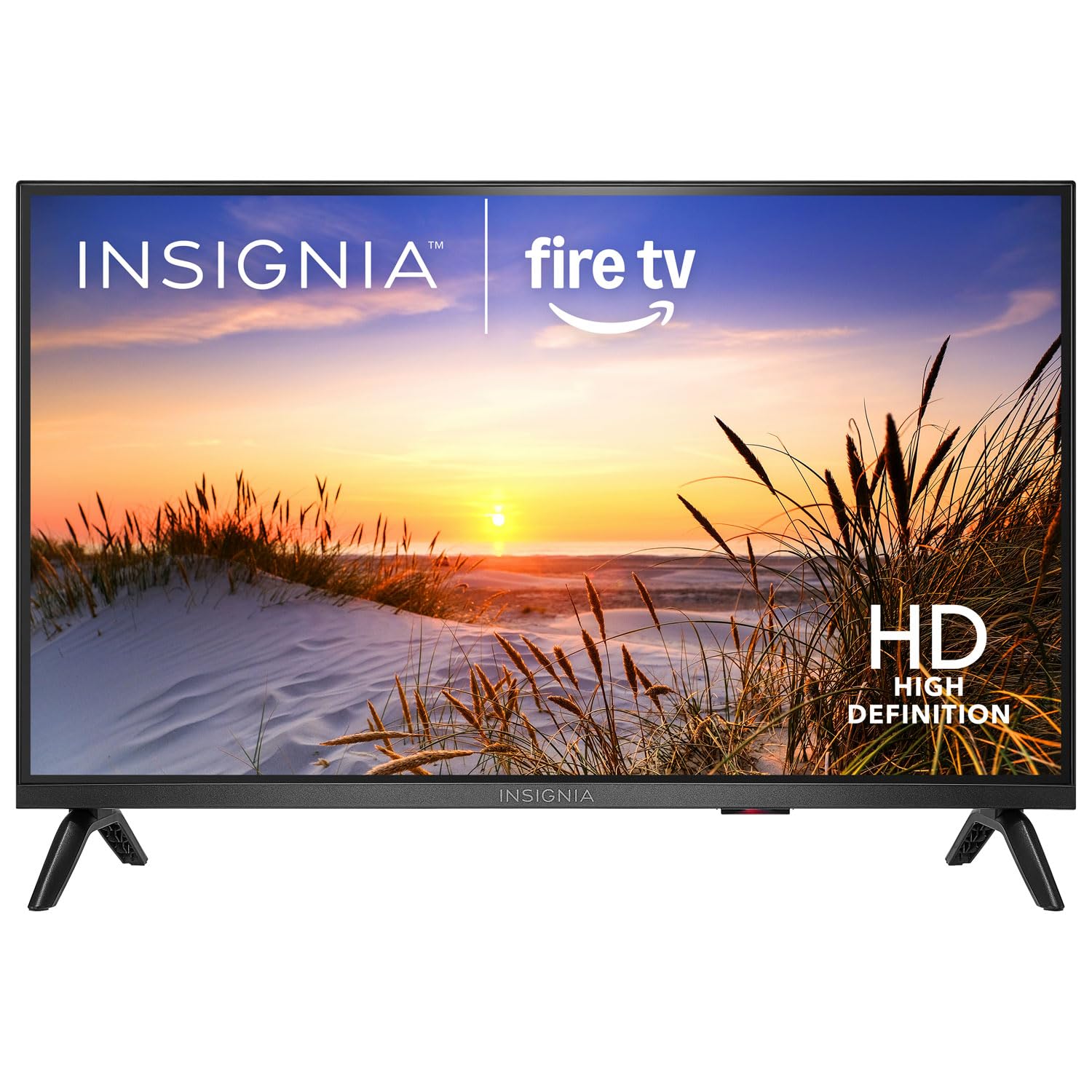
Imatge: Frontal view of the Insignia NS-24F201CA26 24-inch Fire TV Smart TV, showcasing its slim bezel and screen.
Informació important de seguretat
Always follow these basic safety precautions when using your television to reduce the risk of fire, electric shock, and injury:
- No exposeu el televisor a la pluja o la humitat.
- Do not open the TV cabinet. Refer all servicing to qualified service personnel.
- Assegureu-vos una ventilació adequada. No bloquegeu les obertures de ventilació.
- Eviteu que el cable d'alimentació sigui trepitjat o pessigat.
- Desendolleu el televisor durant tempestes o quan no l'utilitzeu durant períodes prolongats.
- Mantingueu el televisor allunyat de fonts de calor com ara radiadors, reixetes de calor, estufes o altres aparells que produeixin calor.
- Utilitzeu només accessoris/accessoris especificats pel fabricant.
Què hi ha a la caixa
Carefully unpack your new product and ensure all items are present:
- Insignia NS-24F201CA26 24-inch Fire TV Smart TV
- Comandament de veu amb Alexa
- Piles AAA (2)
- Cable d'alimentació
- Moble per a TV (2 peces)
- Cargols per a suport de TV
- Guia de configuració ràpida
- Important Safety Information Sheet
Configuració
1. Fixació del suport o del muntatge a la paret
You can either attach the included stand or mount the TV to a wall. If wall mounting, refer to the instructions provided with your wall mount kit. For stand attachment:
- Place the TV face-down on a clean, cushioned surface to prevent screen damage.
- Alineeu les peces del suport amb els forats dels cargols de la part inferior del televisor.
- Fixeu cada peça del suport amb els cargols proporcionats. Assegureu-vos que estiguin ben ajustats.
Image Description: An illustration showing the process of attaching the two stand feet to the bottom of the television using screws. (Specific image not available in provided data)
2. Dispositius de connexió
Connect your external devices (e.g., cable box, Blu-ray player, gaming console) to the TV's HDMI ports. The TV has 2 HDMI ports.
- HDMI: Per a vídeo i àudio d'alta definició.
- USB: Per connectar dispositius d'emmagatzematge USB.
- Antena/cable: Per connectar una antena o una connexió de televisió per cable.
- Sortida d'àudio digital òptica: Per connectar-lo a una barra de so o a un receptor d'àudio.
- Potència: Connecteu el cable d'alimentació al televisor i després a una presa de corrent.
Image Description: A diagram illustrating the various input/output ports on the back of the television, including HDMI, USB, and power connections. (Specific image not available in provided data)
3. Engegada inicial i configuració inicial
- Connecteu el cable d'alimentació a una presa de corrent.
- Premeu el botó PODER botó del comandament a distància.
- Follow the on-screen instructions to complete the initial setup, which includes selecting your language, connecting to a Wi-Fi network, and signing in to your Amazon account for Fire TV features.
Funcionament del televisor
Control remot acabatview
The included Voice Remote with Alexa allows you to navigate the Fire TV interface, control playback, and use voice commands.
Image Description: A detailed diagram of the Voice Remote with Alexa, highlighting each button and its function. (Specific image not available in provided data)
- Botó d'encesa: Encén o apaga el televisor.
- Botó de veu (Alexa): Mantingueu premut per activar les ordres de veu d'Alexa.
- Anell de navegació: S'utilitza per desplaçar-se pels menús i seleccionar elements.
- Botó d'inici: Torna a la pantalla d'inici del Fire TV.
- Botó enrere: Torna a la pantalla anterior.
- Pujar/baixar el volum: Ajusta el volum del televisor.
- Botó de silenci: Silencia o activa el so.
- Botons de l'aplicació: Quick access to popular streaming apps.
Funcions bàsiques
- Encès/apagat: Premeu el botó PODER botó del comandament a distància.
- Control de volum: Utilitza el VOL + or VOLUM - botons.
- Selecció d'entrada: From the Fire TV home screen, navigate to the "Inputs" section to switch between HDMI inputs, live TV, or other sources.
Smart TV Features (Fire TV)
Your Insignia Fire TV provides access to a vast library of streaming content, apps, and live TV options.
- Pantalla d'inici: Displays recommended content, recently used apps, and input options.
- Aplicacions: Download and manage streaming applications from the Amazon Appstore.
- Control de veu d'Alexa: Press and hold the Voice button on your remote and speak commands to search for content, launch apps, control smart home devices, and more.
Controls parentals
To manage content access for children, you can set up parental controls:
- From the Fire TV home screen, navigate to Configuració.
- Seleccioneu Preferències, doncs Controls parentals.
- Follow the on-screen prompts to enable parental controls and set a PIN. You can restrict purchases, app launches, and content based on ratings.
Manteniment
Neteja de la pantalla
- Desendolla sempre el televisor abans de netejar-lo.
- Utilitzeu un drap suau i sense pelusa dampnetejat amb aigua o amb un netejador de pantalles especialitzat.
- Wipe the screen gently. Do not apply excessive pressure.
- Never use abrasive cleaners, waxes, or solvents.
Atenció General
- Keep the TV in a well-ventilated area.
- Eviteu col·locar objectes a sobre del televisor.
- No exposeu el televisor a la llum solar directa ni a temperatures extremes.
Resolució de problemes
Abans de contactar amb el servei d'assistència, prova aquestes solucions habituals:
| Problema | Possible solució |
|---|---|
| Sense poder | Assegureu-vos que el cable d'alimentació estigui ben connectat al televisor i a una presa de corrent que funcioni. Proveu una altra presa de corrent. |
| No hi ha imatge, però hi ha so | Comproveu la font d'entrada. Assegureu-vos que el dispositiu connectat estigui encès i funcioni correctament. |
| No hi ha so, però hi ha imatge | Check the volume level and ensure the TV is not muted. Verify audio cables are connected correctly. |
| El comandament a distància no funciona | Replace the batteries (2 AAA batteries). Ensure there are no obstructions between the remote and the TV. |
| No es pot connectar a la Wi-Fi | Assegureu-vos que el vostre encaminador Wi-Fi estigui activat i dins del rang. Torneu a introduir la contrasenya del Wi-Fi. Reinicieu el televisor i l'encaminador. |
Especificacions
| Característica | Detall |
|---|---|
| Número de model | NS-24F201CA26 |
| Mida de la pantalla | 24 inches (Display Size Class) |
| Resolució | 720p HD |
| Tecnologia de visualització | LED |
| Freqüència d'actualització | 60 Hz |
| Picture Quality Enhancement | HDR |
| Sistema operatiu | FireOS |
| Tecnologia de connectivitat | Wi-Fi |
| Ports HDMI totals | 2 |
| Dimensions del producte (P x A x A) | 17.7D x 53.7W x 36.3H cm (with stand) |
| Wattage | 35 W |
| Piles necessàries | 2 piles AAA (incloses per al comandament a distància) |
| Característiques especials | Parental Controls, Smart Home Compatible |
Garantia i Suport
This Insignia product is covered by a limited warranty. For specific warranty terms and conditions, please refer to the warranty card included with your product or visit the official Insignia weblloc.
For technical support, troubleshooting assistance, or service inquiries, please contact Insignia Customer Support. Contact information can typically be found on the manufacturer's weblloc web o a la guia de configuració ràpida.
- Assistència en línia: Visita www.insigniaproducts.com/support (exampl'enllaç, l'enllaç real pot variar).
- Suport telefònic: Refer to your product documentation for regional phone numbers.
Ask a question about this manual
Ask about setup, troubleshooting, compatibility, parts, safety, or missing instructions. Manuals+ will review the question and use this page’s manual context to help answer it.