
1. Introducció
This manual provides essential information for setting up, operating, maintaining, and troubleshooting your FUNYET Mini Gaming PC, Model STA-CF-01. Please read this manual thoroughly before using the product to ensure optimal performance and longevity.
2. Producte acabatview i Característiques
The FUNYET Mini Gaming PC is a compact yet powerful desktop computer designed for high-performance tasks such as gaming, 3D rendering, and multitasking. It features advanced components and connectivity options to meet diverse user needs.
Característiques principals:
- Desktop-Level Performance: Equipped with an Intel i7-12700HK processor (up to 4.7GHz) and an NVIDIA GeForce RTX 3050 8GB GPU for demanding applications.
- Efficient Multitasking & Fast Storage: Features 32GB DDR4 RAM (expandable up to 64GB across 2 SODIMM slots) and a 1TB M.2 SSD (supporting PCIe 4.0/SATA3) for rapid boot times and smooth operation.
- Sistema de refrigeració avançat: Dual built-in fans ensure optimal temperature management during intensive use, contributing to stable performance and extended hardware lifespan.
- Connectivitat d'alta velocitat: Includes a 2.5Gbps and a Gigabit Ethernet port for reliable wired network connections, alongside WiFi 5 and Bluetooth 5.0 for wireless convenience.
- Versatile Port Selection: Offers 4x USB 3.2 Gen2, 2x USB 2.0, 2x HDMI 2.0, 1x DisplayPort 1.4, 1x Type-C (data+DP), and a 3.5mm audio jack for extensive peripheral and multi-monitor support.
- Compact and Upgradeable Design: A space-saving form factor with easily accessible slots for RAM and storage upgrades.
Visual Overview:

Figura 2.1: Frontal view of the FUNYET Mini Gaming PC, highlighting its compact design and RGB lighting.
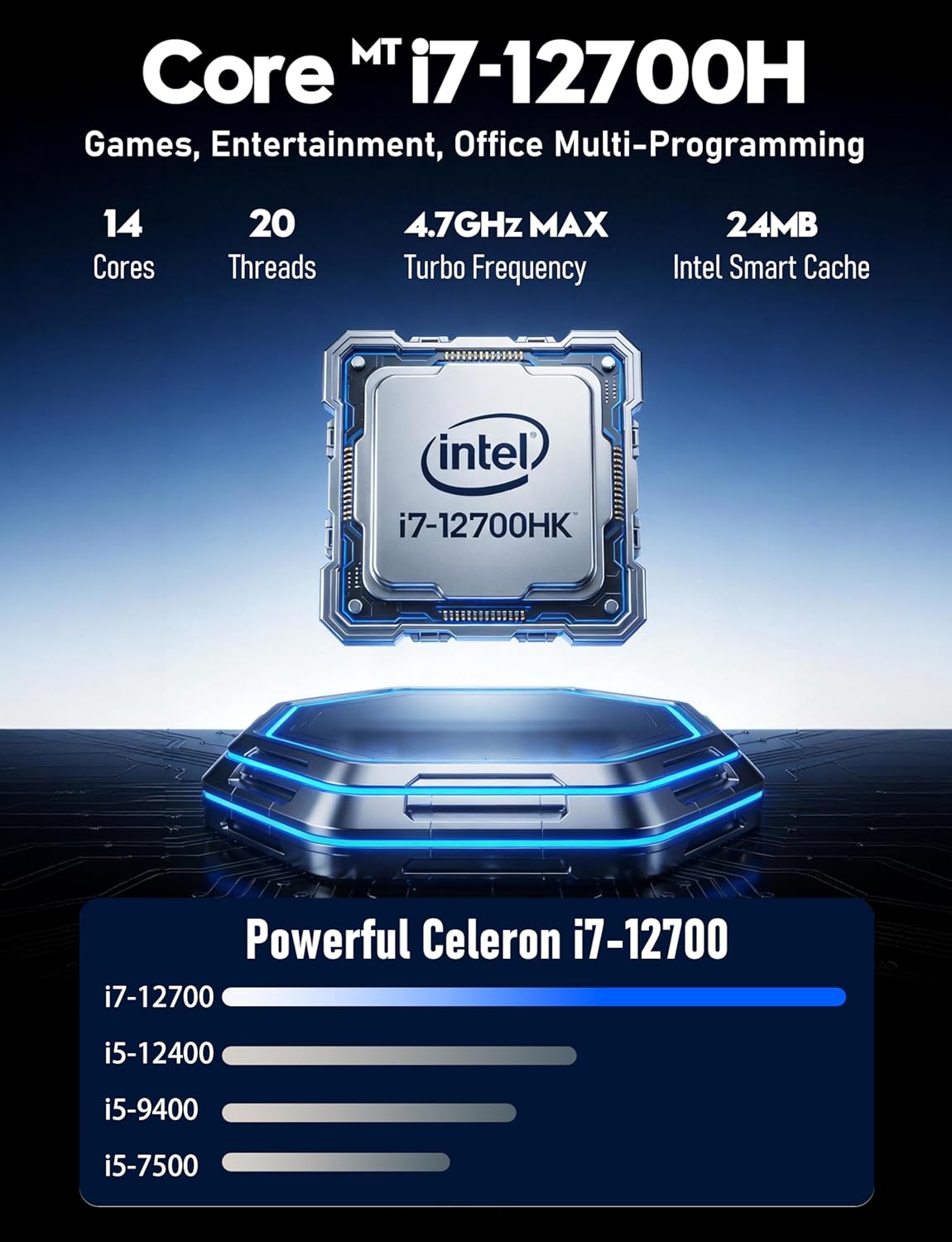
Figura 2.2: Detallada view of the Intel Core i7-12700HK processor, emphasizing its core count and turbo frequency.

Figure 2.3: Illustration of the NVIDIA GeForce RTX 3050 graphics card, noting its 8GB memory and raytracing capabilities.
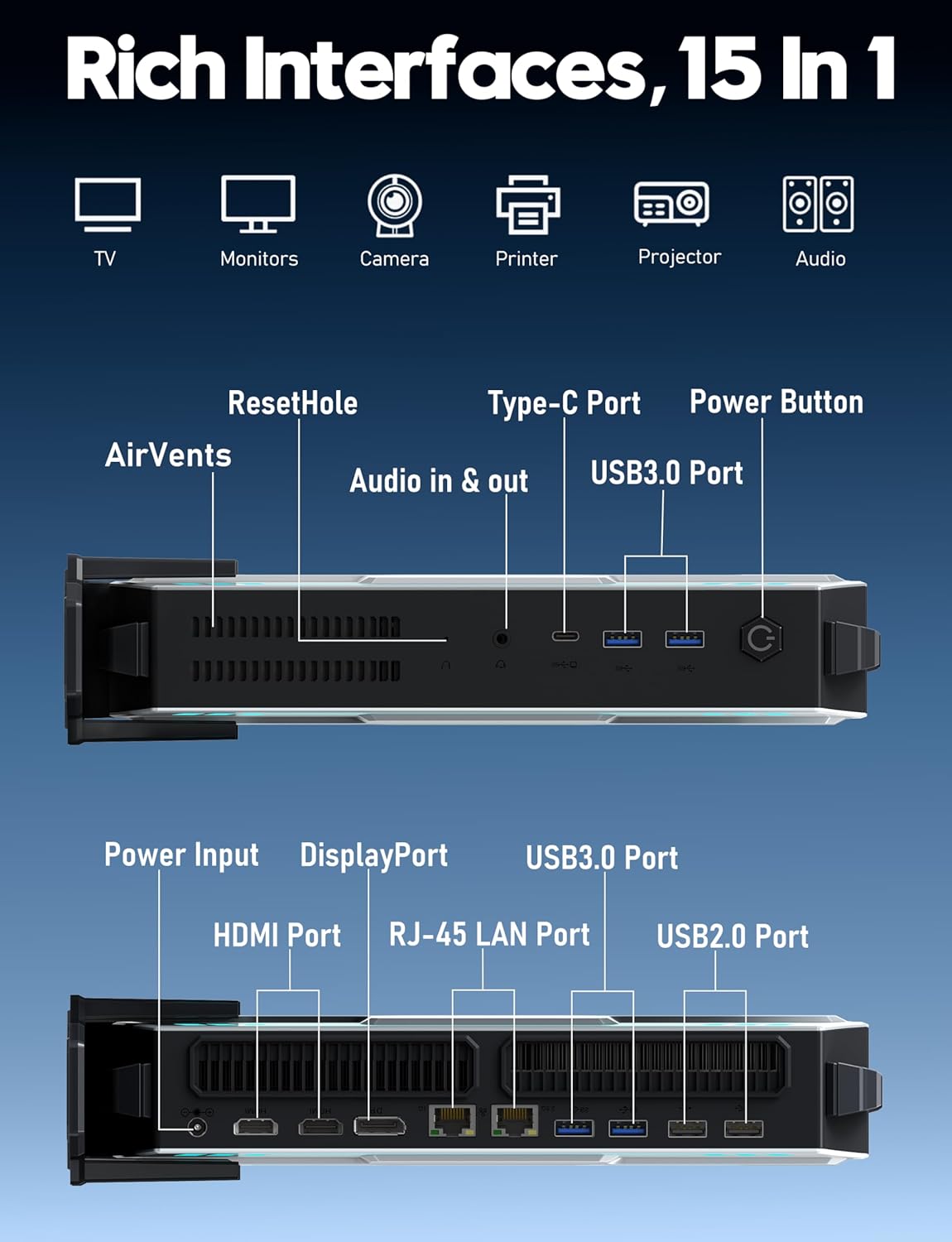
Figura 2.4: Mésview of the various input/output ports available on the FUNYET Mini Gaming PC, including USB, HDMI, DisplayPort, and LAN.
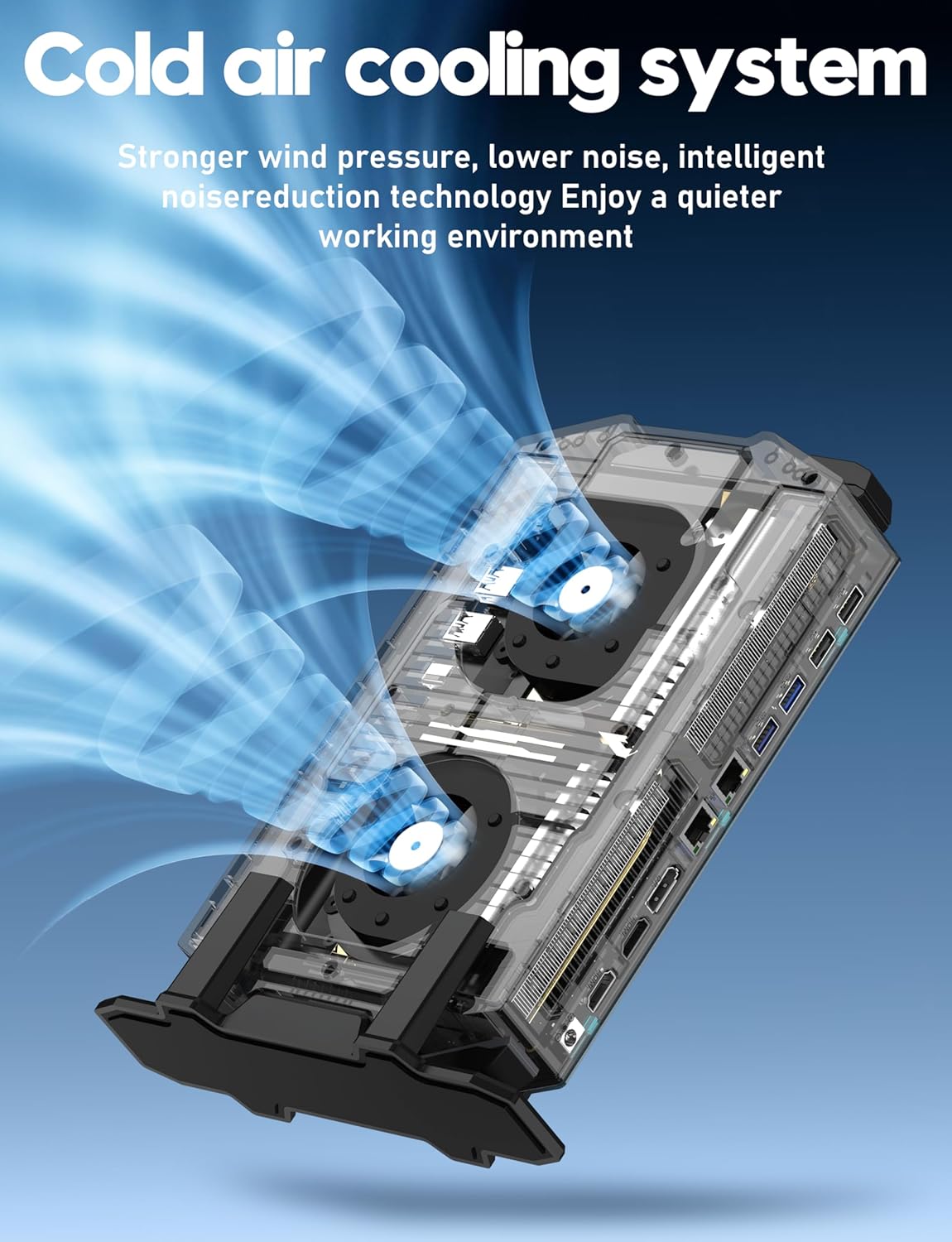
Figure 2.5: Diagram illustrating the cold air cooling system with dual fans, designed for efficient heat dissipation.
Vídeo del producte:
Vídeo 2.1: Presentació oficial del producte en vídeoasing the FUNYET Mini Gaming PC's features, design, and performance capabilities.
3. Guia de configuració
Follow these steps to set up your FUNYET Mini Gaming PC:
- Desempaquetar l'ordinador: Carefully remove the Mini PC and all accessories from the packaging.
- Connecta la pantalla: Connect your monitor(s) to the PC using the available HDMI, DisplayPort, or Type-C video outputs. The PC supports up to three 4K displays simultaneously.

Figura 3.1: Example setup with the Mini PC connected to multiple 4K displays.
- Connecteu els perifèrics: Plug in your USB keyboard, mouse, and any other desired peripherals into the available USB 2.0 or USB 3.2 Gen2 ports.
- Connecteu-vos a la xarxa: For a wired connection, plug an Ethernet cable into one of the RJ-45 LAN ports. For wireless, ensure the WiFi antenna (if external) is connected or that the internal WiFi is enabled.
- Connectar l'alimentació: Plug the power adapter into the DC-in port on the PC, then connect the power cord to an electrical outlet.
- Encès: Press the power button located on the front of the Mini PC. The RGB lighting will illuminate, indicating the PC is starting.
4. Instruccions de funcionament
Your FUNYET Mini Gaming PC comes with Windows 11 Pro pre-installed. Here are basic operating guidelines:
- Configuració inicial de Windows: On first boot, follow the on-screen instructions to complete the Windows 11 Pro setup, including language, region, network connection, and user account creation.
- Instal·lació del controlador: Essential drivers are pre-installed. However, it is recommended to check for and install the latest graphics drivers from NVIDIA's official website for optimal gaming and display performance.
- Actualitzacions de programari: Comproveu regularment si hi ha actualitzacions de Windows mitjançant Configuració > Actualització de Windows to ensure your system has the latest security patches and features.
- Connexió a WiFi: If not connected via Ethernet, click the network icon in the taskbar, select your desired WiFi network, enter the password, and click Connect.
- Dispositius Bluetooth: Per emparellar dispositius Bluetooth, aneu a Configuració > Bluetooth i dispositius, activeu el Bluetooth i seleccioneu "Afegeix dispositiu".
- Apagar/Reiniciar: To properly shut down or restart the PC, click the Start button, then the Power icon, and select "Shut down" or "Restart".
5. Manteniment
Proper maintenance ensures the longevity and performance of your Mini PC:
- Neteja:
- Netegeu regularment l'exterior de l'ordinador amb un drap suau i sec.
- Use compressed air to gently clear dust from the air vents to maintain efficient cooling. Ensure the PC is powered off before cleaning vents.
- Actualitzacions de programari: Keep Windows and all drivers updated. This includes graphics drivers, chipset drivers, and BIOS updates (if available from FUNYET support).
- Gestió d'emmagatzematge: Netegeu periòdicament allò innecessari files and applications to free up disk space. Consider using Windows' built-in Disk Cleanup tool.
- Dades de còpia de seguretat: Feu còpies de seguretat de les dades importants regularment en un disc dur extern o en un emmagatzematge al núvol per evitar la pèrdua de dades.
- Condicions ambientals: Operate the PC in a well-ventilated area, away from direct sunlight, excessive heat, humidity, and dust.
6. Solució De Problemes
Si teniu problemes, consulteu els següents problemes i solucions habituals:
| Problema | Possible solució |
|---|---|
| Sense poder |
|
| No es mostra al monitor |
|
| Rendiment lent |
|
| Problemes de connectivitat de xarxa |
|
7. Especificacions
Detailed technical specifications for the FUNYET Mini Gaming PC (Model STA-CF-01):
| Component | Detall |
|---|---|
| Número de model | STA-CF-01 |
| Sistema operatiu | Windows 11 Pro |
| Processador | Intel Core i7-12700HK (14 Cores/20 Threads, up to 4.7GHz) |
| Targeta gràfica | NVIDIA GeForce RTX 3050 (8 GB GDDR6 dedicat) |
| RAM | 32GB DDR4 (2x SODIMM slots, expandable up to 64GB) |
| Emmagatzematge | 1TB M.2 SSD (Supports PCIe 4.0/SATA 3.0) |
| Resolució de pantalla màxima | 3840 x 2160 (4K) |
| Sortides de vídeo | 2x HDMI 2.0, 1x DisplayPort 1.4, 1x Type-C (DisplayPort Alt Mode) |
| Ports USB | 4x USB 3.2 Gen2, 2x USB 2.0, 1x Type-C (Data) |
| Xarxa | 2.5Gbps Ethernet, Gigabit Ethernet, WiFi 5, Bluetooth 5.0 |
| Àudio | 3.5mm Àudio Jack |
| Dimensions (LxWxH) | 6 x 1.6 x 10 polzades |
| Pes de l'article | 2.8 lliures |
| Color | Gris |
8. Garantia i Suport
FUNYET is committed to providing quality products and customer service.
- Garantia: All FUNYET products come with a 2-year free repair warranty.
- Exchanges/Returns: A 6-month free exchange and return policy is offered.
- Contacte amb l'assistència: For any questions or assistance with your product, please contact FUNYET support.
- Telèfon: +1 800-986-9631 (4 AM - 10 PM PT, per business day)
- Correu electrònic: funyetstore@outlook.com
FUNYET support aims to reply within 24 hours.