
1. Producte acabatview
The Kiprim LD100 is a high-precision green laser distance meter designed for accurate and efficient measurement tasks. It features a bright green laser for enhanced visibility, multiple measurement modes, and a rechargeable battery for extended use. This manual provides detailed instructions for safe and effective operation of your device.
Característiques principals:
- Green Laser Beam: Up to 4 times brighter than standard red lasers for better visibility.
- Interval de mesura: Fins a 328 peus (100 metres).
- Alta precisió: ±1/16 inch (±2mm).
- Sensor d'angle electrònic: For intuitive and faster angle measurements.
- Múltiples modes de mesura: Single, Continuous, Area, Volume, Pythagorean (1, 2, 3).
- Emmagatzematge de dades: Stores up to 99 data sets.
- Bateria recarregable: 700mAh Lithium-Ion battery with USB Type-C charging.
- Durabilitat: Classificació IP54 impermeable i resistent a la pols.
2. Informació de seguretat
ADVERTIMENT: This device uses a Class II laser. Do not stare directly into the laser beam. Avoid direct eye exposure. Do not aim the laser at people or animals. Use only as described in this manual.
- Mantingueu el dispositiu fora de l'abast dels nens.
- No intenteu modificar o desmuntar el dispositiu.
- Eviteu utilitzar el dispositiu en ambients explosius o a prop de materials inflamables.
- Protect the device from extreme temperatures and moisture.
3. Controls i pantalla
Familiarize yourself with the buttons and display indicators of your Kiprim LD100.
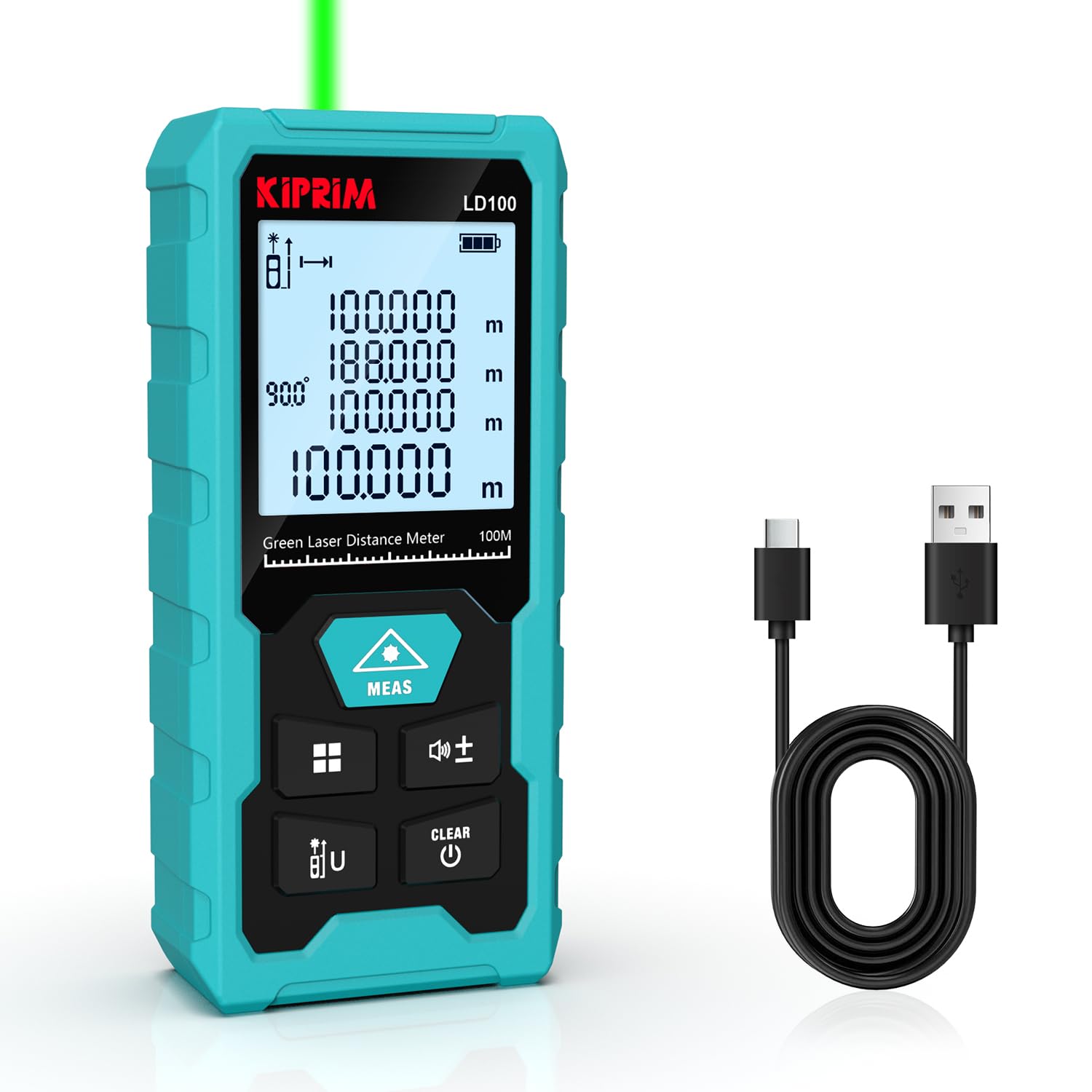
Figura 3.1: Kiprim LD100 device with labeled buttons and display elements. This image illustrates the location and function of each button and the various indicators on the screen, including measurement benchmark, laser emission, angle display, storage symbols, battery status, and different display rows for measurement results and units.
Funcions del botó:
- Botó MEAS: Power On / Initiate Measurement.
- Function Key / Data Storage: Short press to cycle through measurement modes. Long press to enter data storage.
- Benchmark Switch / Unit Switch: Short press to switch measurement units (m, ft, in, ft+in). Long press to switch measurement benchmark (front/rear).
- Addition and Subtraction Keys: Perform addition or subtraction of measurements.
- Botó de silenci: Press and hold to turn the buzzer on or off.
- CLEAR / Power Off Button: Premeu curtament per esborrar l'última mesura. Premeu llargament per apagar el dispositiu.
4. Configuració
4.1 Desembalatge
En obrir el paquet, assegureu-vos que hi hagi tots els components:
- Kiprim LD100 Laser Distance Meter
- Cable de càrrega USB tipus C
- Placa reflectora
- Manual d'usuari
- Bossa de transport

Figura 4.1: Contents of the Kiprim LD100 package. This image displays the laser distance meter, its USB-C charging cable, a small reflector plate, the user manual, and a black carrying pouch.
4.2 Càrrega de la bateria
The LD100 is equipped with a built-in 700mAh Lithium-Ion rechargeable battery. Before first use, fully charge the device.
- Connect the USB Type-C charging cable to the charging port on the side of the device.
- Connecteu l'altre extrem del cable a un adaptador de corrent USB estàndard (no inclòs) o a un port USB de l'ordinador.
- The battery indicator on the display will show charging status. A full charge typically takes about 3 hours and provides approximately 5000 measurements.

Figura 4.2: The Kiprim LD100 connected to a USB Type-C charging cable. This image highlights the charging port and the Type-C fast charging capability, indicating a 700mAh rechargeable battery, 5000 measurements per charge, and 3 hours for a full charge.
4.3 Encès/Apagat
- Per encendre: Premeu el botó MEAS botó. El làser s'activarà.
- Per apagar: Premeu llargament el botó CLAR button. The device will also automatically power off after 180 seconds of inactivity.
5. Instruccions de funcionament
5.1 Mesura bàsica
- Assegureu-vos que el dispositiu estigui encès.
- Point the laser beam at the target object.
- Premeu el botó MEAS button once. The measured distance will appear on the main display line.
5.2 Unitats de commutació
Premeu breument Benchmark Switch / Unit Switch button to cycle through available units: meters (m), feet (ft), inches (in), and feet+inches (ft+in).

Figura 5.1: The Kiprim LD100 displaying measurements in various units. This image shows the device's ability to quickly switch between meters, feet, inches, and feet+inches, along with its accuracy of ±1/16 inch and storage capacity for up to 99 data sets.
5.3 Measurement Benchmark
Premeu llargament el botó Benchmark Switch / Unit Switch button to toggle between front-edge and rear-edge measurement benchmarks. An icon on the display will indicate the active benchmark.
5.4 Modes de mesura
Premeu breument Tecla de funció to cycle through the following measurement modes:
- Mesura única: Mesura de distància estàndard.
- Mesura contínua (seguiment): Displays real-time distance as you move the device. The maximum and minimum values are also shown.
- Area Calculation: Mesura dos costats (longitud i amplada) per calcular l'àrea.
- Volume Calculation: Mesura tres costats (llargada, amplada i alçada) per calcular el volum.
- Mesura pitagòrica (mesura indirecta): Use the Pythagorean theorem to calculate inaccessible heights or distances. There are three types:
- Pythagorean-1: Calculates one side of a right triangle from two other measured sides.
- Pythagorean-2: Calculates height from two measurements to the top and one to the bottom, forming two right triangles.
- Pythagorean-3: Calculates height from three measurements, useful for complex scenarios.

Figura 5.2: Visual representation of the 7 measurement modes available on the Kiprim LD100. This image shows examples for Single Measurement, Continuous Measurement, Area Calculation, Volume Calculation, and three types of Pythagorean functions.
5.5 Electronic Angle Measurement
The LD100 features an electronic angle sensor that replaces traditional bubble levels, providing more intuitive and faster angle measurements. The angle will be displayed on the screen automatically when the device is tilted.

Figura 5.3: The Kiprim LD100 performing an electronic angle measurement. The device is shown tilted on a wooden surface, displaying a 30-degree angle on its screen, demonstrating its capability to replace traditional bubble levels for quicker measurements.
5.6 Suma i resta
Després de prendre una mesura, premeu el botó + or - button to add or subtract subsequent measurements. The result will be displayed on the main line.
5.7 Emmagatzematge de dades
The device can store up to 99 data sets. Long press the Tecla de funció to enter the data storage interface. Use the + i - buttons to navigate through stored measurements.

Figura 5.4: The Kiprim LD100 demonstrating its automatic storage feature. The image shows multiple measurement data sets appearing as if stored within the device, indicating its capacity to save up to 99 data sets.
5.8 Funció de silenci
To turn the buzzer sound on or off, press and hold the Botó de silenci (often combined with the addition/subtraction keys, refer to Figure 3.1).

Figura 5.5: The Kiprim LD100 being used in a quiet environment, with a mute icon displayed. This image highlights the mute button feature, allowing the user to silence the device's operational sounds.
6. Manteniment
6.1 Neteja
- Netegeu el dispositiu amb un suau, damp tela. No utilitzeu netejadors abrasius ni dissolvents.
- Regularly clean the laser lens with a soft cloth, similar to cleaning camera lenses.
6.2 Emmagatzematge
- Guardeu el dispositiu en un lloc sec i fresc, allunyat de la llum solar directa i de temperatures extremes.
- Si l'emmagatzemeu durant un període prolongat, assegureu-vos que la bateria estigui parcialment carregada (al voltant del 50%) i recarregueu-la cada pocs mesos per mantenir-la en bon estat.
6.3 Durabilitat
The Kiprim LD100 is rated IP54, meaning it is protected against dust ingress and splashing water from any direction. However, it is not designed for submersion in water.

Figura 6.1: The Kiprim LD100 demonstrating its IP54 waterproof and dustproof capabilities. The image shows the device in sandy and wet conditions, highlighting its resilience against environmental elements.
7. Solució De Problemes
If you encounter issues with your Kiprim LD100, refer to the following common problems and solutions:
| Problema | Causa possible | Solució |
|---|---|---|
| El dispositiu no s'encén | Bateria baixa | Carregueu el dispositiu amb el cable USB tipus C. |
| Mesures inexactes |
|
|
| El raig làser no és visible | Llum ambient forta | Use the reflector plate or perform measurements in lower light conditions. |
| Device freezes or malfunctions | Error temporal de programari | Power off the device by long pressing the CLEAR button, then power it back on. |
If the problem persists, please contact Kiprim customer support for assistance.
8. Especificacions
| Característica | Especificació |
|---|---|
| Número de model | LD100 |
| Interval de mesura | 100.08 metres (328 peus) |
| Precisió | ±1/16 de polzada (±2 mm) |
| Classe làser | Classe II |
| Tipus làser | Làser verd |
| Velocitat de mesura | Fins a 0.25 segons |
| Tipus de bateria | Lithium-Ion, 3.7V, 700mAh |
| Port de càrrega | USB tipus C |
| Emmagatzematge de dades | Fins a 99 conjunts de dades |
| Unitats de mesura | m, ft, in, ft+in |
| Apagat automàtic | 180 segons d'inactivitat |
| Classificació IP | IP54 (impermeable i a prova de pols) |
| Material | Plàstic |
| Pes de l'article | 80 grams |
| Dimensions (LxWxH) | 115 x 50 x 25 mil·límetres |
| País d'origen | Xina |
9. Aplicacions
The Kiprim LD100 is suitable for a wide range of applications, including:
- Remodeling & Renovations
- Decorating Projects
- Surveying & Inspections
- Enginyeria
- Projectes de bricolatge
- House Inspections
- Road Section Distance Measurement
- Disseny d'interiors
- Viaduct Measurements
- Parking Layout Planning
- Crane Height Measurement

Figura 9.1: Examples of multiple applications for the Kiprim LD100. This image shows the device being utilized in different scenarios such as remodeling, decorating, surveying, engineering, and various DIY projects.
10. Garantia i Suport
Kiprim products are designed for reliability and performance. For warranty information or technical support, please refer to the contact details provided with your purchase documentation or visit the official Kiprim website. Please have your model number (LD100) and purchase date ready when contacting support.


