
EONON GMX7
Eonon GMX7 Android 14 Car Stereo User Manual
Compatible with GMC, Chevrolet, and Buick Vehicles
1. Introducció
This manual provides comprehensive instructions for the installation, operation, and maintenance of your Eonon GMX7 Android 14 Car Stereo. Please read this manual thoroughly before using the product to ensure proper function and to maximize your user experience. Keep this manual for future reference.

Image 1.1: Eonon GMX7 Car Stereo displaying the Apple CarPlay interface.
2. Compatibilitat del producte
The Eonon GMX7 car stereo is designed for specific Chevrolet, GMC, and Buick models. Ensure your vehicle is listed below for proper fitment and functionality.
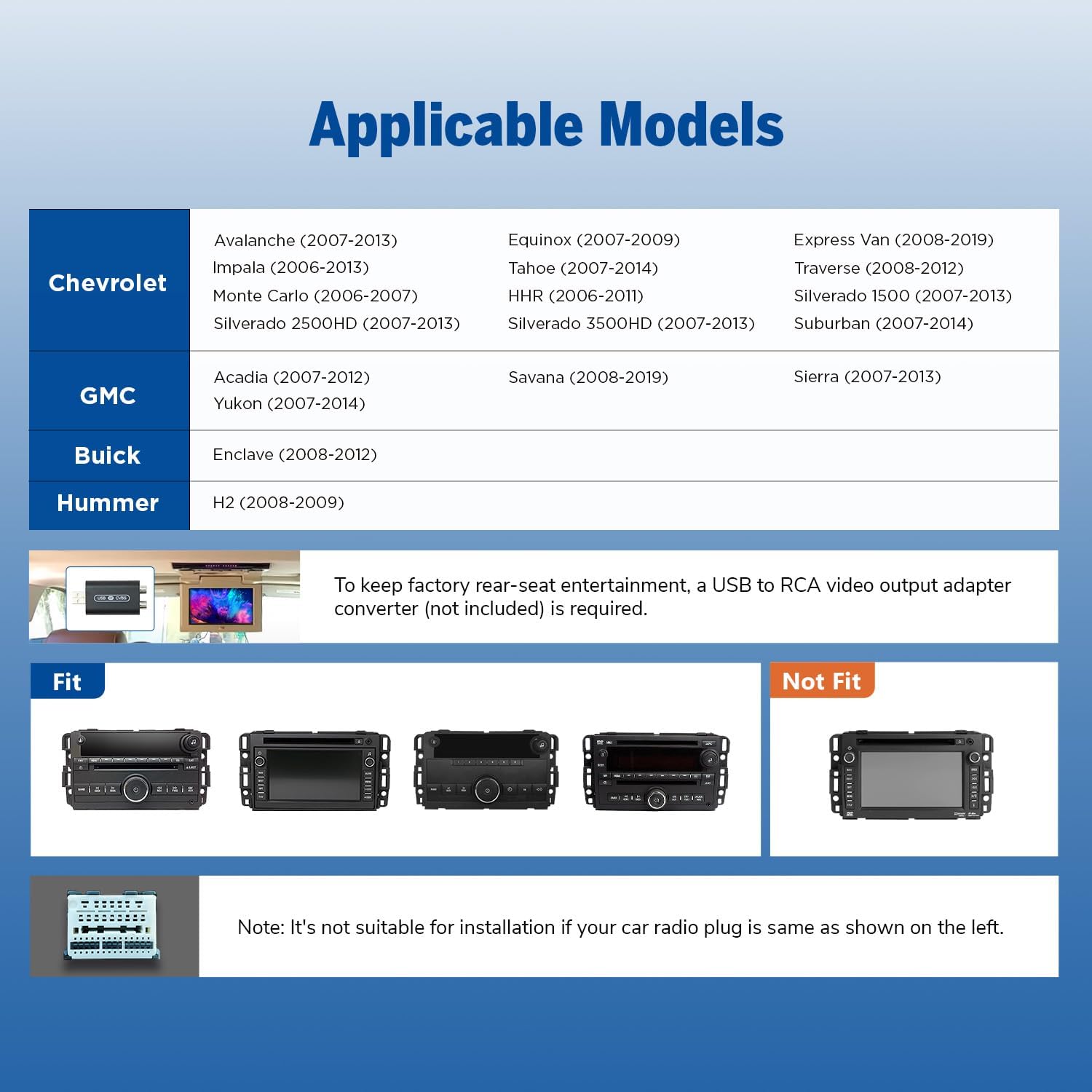
Image 2.1: Applicable vehicle models and years for the Eonon GMX7.
2.1 Models compatibles
- Chevrolet: Silverado/Avalanche (2007-2013), Tahoe (2007-2014), Impala (2006-2013), Traverse (2008-2012), Suburban (2007-2012), Express Van (2008-2019), Equinox (2007-2009), Monte Carlo (2006-2007), HHR (2006-2011), Silverado 1500 (2007-2013), Silverado 2500HD (2007-2013), Silverado 3500HD (2007-2013).
- GMC: Sierra (2007-2013), Yukon (2007-2014), Acadia (2007-2012), Savana (2008-2019).
- Buick: Enclave (2008-2012).
- Hummer: H2 (2008-2009).
Nota: To retain the factory rear-seat entertainment system, a USB to RCA video output adapter converter (not included) may be required. Please verify your vehicle's original radio plug type. If your car radio plug matches the 'Not Fit' example shown in Image 2.2, this unit is not suitable for installation.

Imatge 2.2: Ex.amples of compatible and incompatible car radio plug types.
3. Què hi ha a la caixa
Verify that all components listed below are included in your package before beginning installation.

Image 3.1: Contents of the Eonon GMX7 package.
- Eonon GMX7 Head Unit
- A0125 Reversing Camera
- Cable d'alimentació
- Antena GPS
- USB Adapter Cable (x2)
- Audio/Video Adapter Cable (x2)
- Reverse Video Input Cable
- Fusible de 15 A
- Micròfon extern
- CANBUS Decoder
- Manual d'usuari
- Double-sided Adhesive Sticker
- Adaptador d'antena de ràdio
- Altaveu
4. Configuració i instal·lació
The Eonon GMX7 is designed for plug-and-play installation, retaining many original vehicle features. Professional installation is recommended if you are unfamiliar with car audio systems.
4.1 Esquema de cablejat
Refer to the wiring diagram below for correct connections. Ensure all cables are properly connected to avoid issues with steering wheel controls or the backup camera.

Image 4.1: Eonon GMX7 Wiring Diagram with numbered connections.
4.2 Retained OEM Features
The CANBUS system ensures compatibility with your vehicle's original functions:
- Controls del volant (SWC)
- Bose Audio System
- OnStar
- Door Information Display
- Factory Reverse Camera Support

Image 4.2: Visual representation of retained factory features.
4.3 Dimensions
Ensure the dimensions of the head unit are suitable for your vehicle's dashboard opening.

Image 4.3: Eonon GMX7 unit dimensions.
5. Instruccions de funcionament
5.1 Interfície d'usuari i pantalla
The GMX7 features an 8-inch IPS display with 1280x720 resolution, offering a 178° viewing angle and precise capacitive touch response.
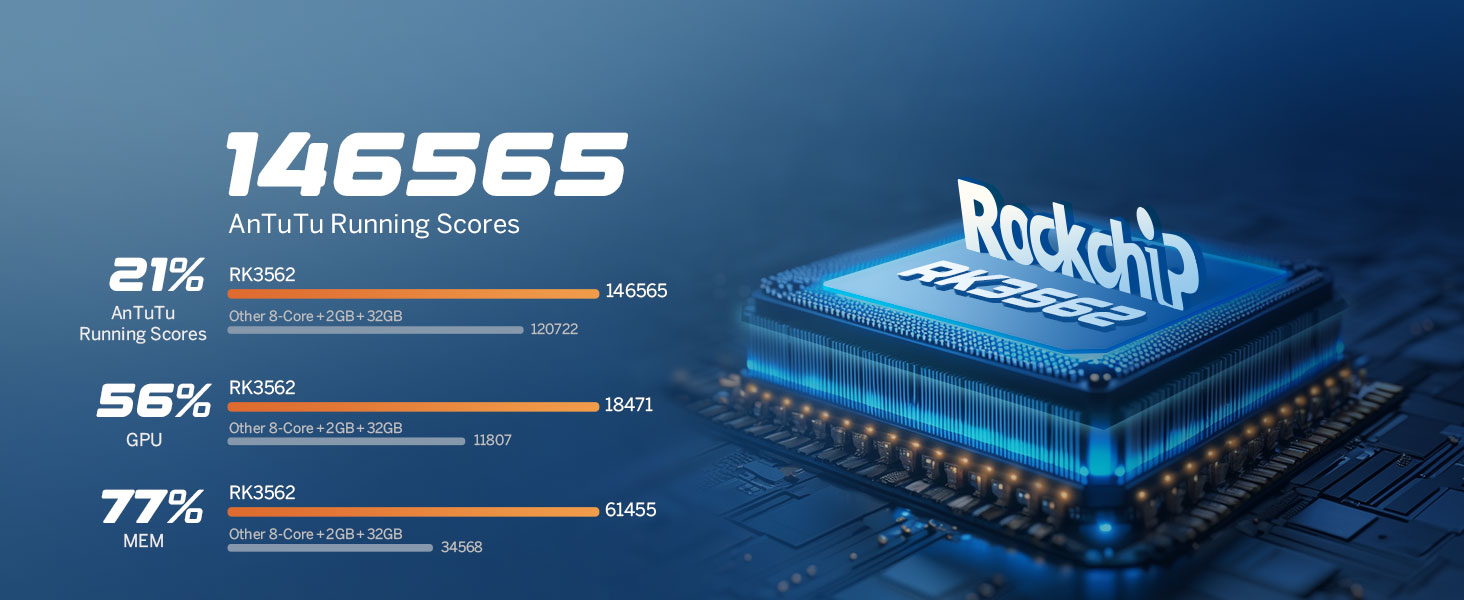
Image 5.1: Display features of the Eonon GMX7.
5.2 Android 14 System
The unit operates on the Android 14 system, providing access to various applications and features. Firmware updates are available online without requiring a USB stick.

Image 5.2: Android 14 interface and system performance details.
5.3 CarPlay sense fil i Android Auto
Connect your smartphone wirelessly for Apple CarPlay or Android Auto functionality. Use voice commands for navigation, calls, messages, and music.

Image 5.3: Wireless CarPlay and Android Auto in operation.
5.3.1 Connexió sense fil d'Apple CarPlay
- Click the Zlink5 app on the car stereo.
- Turn on Wi-Fi and Bluetooth on your iPhone.
- Find 'EONON' in your phone's Bluetooth device list and enter '0000' to pair.
- Once connected, tap 'Use CarPlay'.
- Wait a few seconds for the connection to complete.

Image 5.4: Wireless Apple CarPlay connection steps.
5.3.2 Connexió sense fil d'Android Auto
- Click the Zlink5 app on the car stereo.
- Turn on Wi-Fi and Bluetooth on your Android phone.
- Find 'EONON' in your phone's Bluetooth device list, enter '0000' to pair, and click 'OK'.
- Wait a few seconds for the connection to complete.

Image 5.5: Wireless Android Auto connection steps.
5.4 Connectivitat Bluetooth
The built-in Bluetooth 5.4 system supports hands-free calls, contact synchronization, and music playback. An external microphone is included for clear call quality.
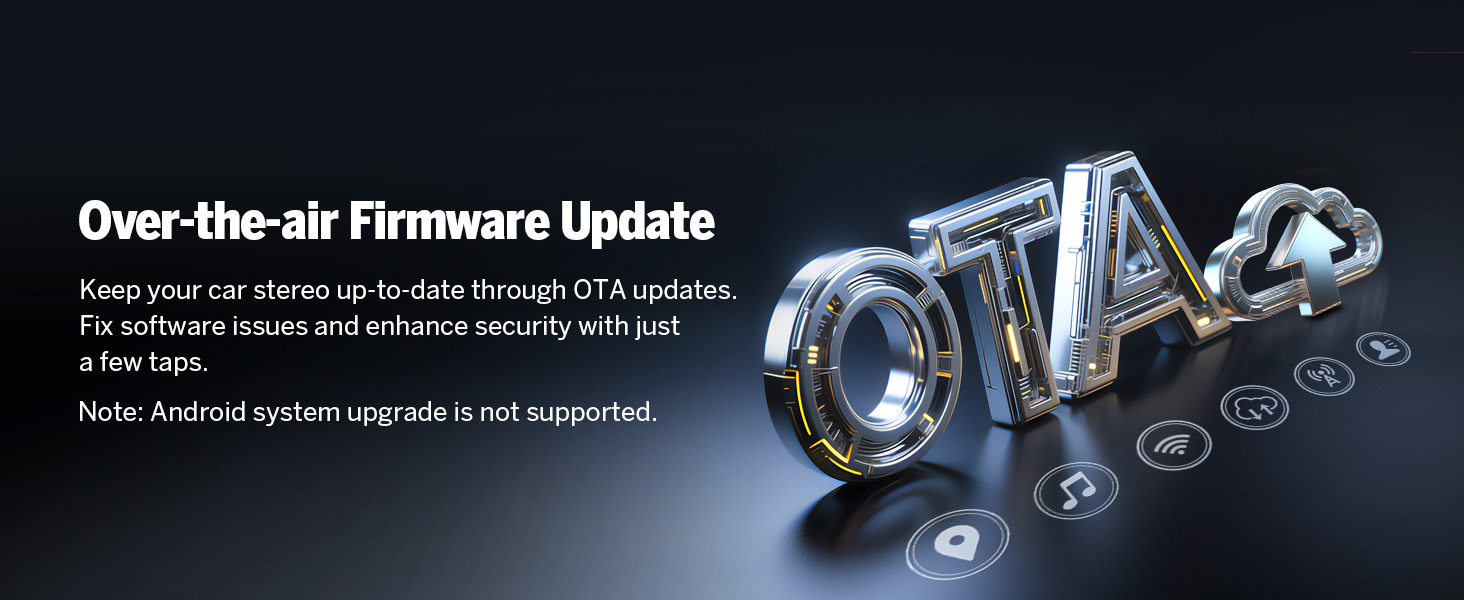
Image 5.6: Bluetooth features and benefits.
5.5 Funcionament de la ràdio
The unit includes a high-quality FM/AM radio with RDS support, powered by a Silicon Labs SI4755 radio module.

Image 5.7: FM Radio interface.
5.6 Mirall de pantalla
Mirror your smartphone's screen onto the car stereo display.
5.6.1 Screen Mirroring for iOS
- Click the Zlink5 app on the car stereo. Set the car stereo to iPhone wireless screen mirroring mode.
- Turn on the iPhone hotspot and connect to the car stereo.
- Turn on the iPhone screen mirroring function and select "zj-airplay".

Image 5.8: iOS Screen Mirroring connection steps.
5.6.2 Screen Mirroring for Android
- Click the Zlink5 app on the car stereo. Set the car stereo to Android wireless screen mirroring mode.
- Turn on your phone's Bluetooth. Find 'EONON' in your phone's Bluetooth device list, enter '0000' to pair.
- Turn on your phone's hotspot and connect to the car stereo.
- Install the Zplus app on your phone. Turn on the app and select "wireless connection".

Image 5.9: Android Screen Mirroring connection steps.
Processador de so digital 5.7 (DSP)
The built-in DSP allows for precise audio adjustments, including a 36-band equalizer and 4x45W output, to optimize sound quality within your vehicle.

Image 5.10: Built-in DSP features.
5.8 Navegació
The unit supports online and offline maps, offering a full-view navigation mode. Compatible with popular navigation apps like Google Maps, Apple Maps, Waze, and Sygic.

Image 5.11: Navigation interface with various map options.
5.9 Personalització
Personalize your stereo's appearance by changing the boot logo, button colors, and wallpaper.

Image 5.12: Customization options for the user interface.
5.10 Altres funcions
- Arrencada ràpida: 1-second quick boot-up.
- Ports USB: Three USB ports for flash drive use.
- Wi-Fi: 5GHz Wi-Fi connectivity.
- Sortida RCA: For external audio/video connections.
- Entrada de càmera de marxa enrere: Supports HD 720P/1080P backup cameras. The A0125 reversing camera is included.
- Entrada de càmera frontal: For optional front camera connectivity (camera not included).
- OBD Scanner Connectivity: Supports OBD2 scanners for vehicle fault diagnosis and real-time status (scanner not included).

Image 5.13: Included A0125 Backup Camera features.
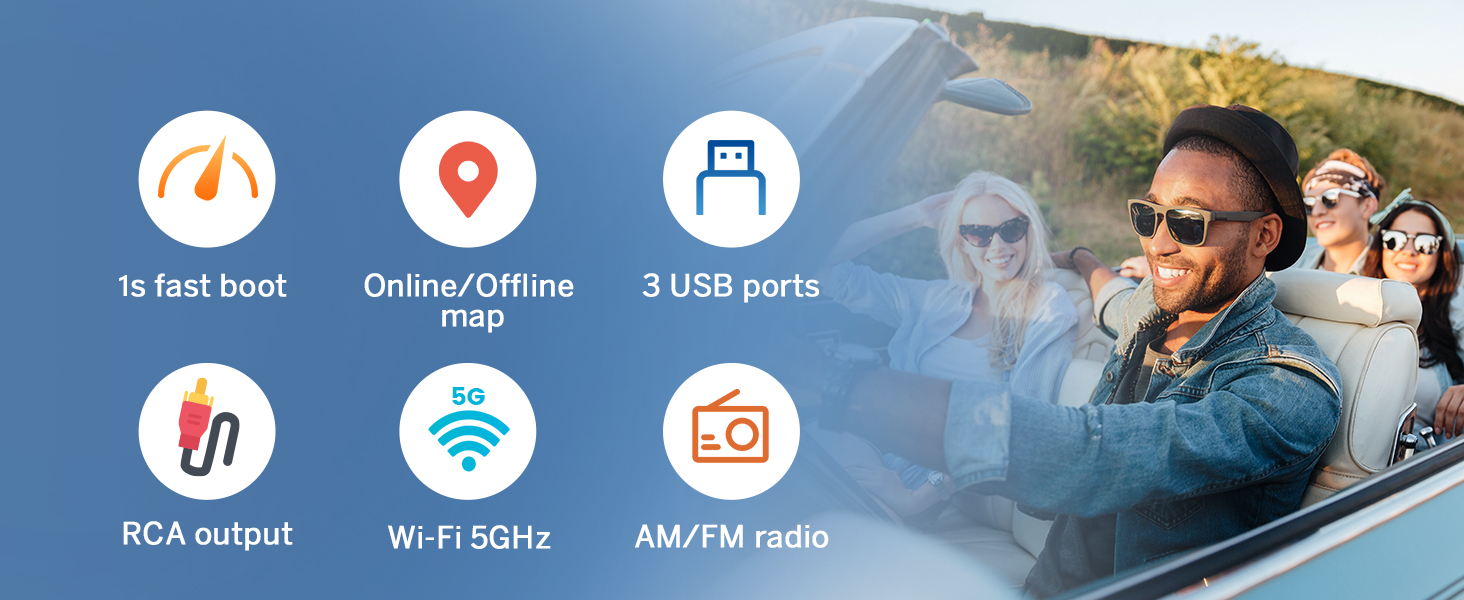
Image 5.14: OBD2 Scanner connectivity for vehicle diagnostics.
6. Manteniment
To ensure the longevity and optimal performance of your Eonon GMX7 car stereo, follow these maintenance guidelines:
- Neteja: Feu servir un drap suau i sec per netejar la pantalla i l'exterior. Eviteu productes de neteja o dissolvents abrasius.
- Actualitzacions de programari: Regularly check for and install online firmware updates provided by Eonon to ensure the system is running the latest software and security patches. Note that Android system upgrades are not supported via OTA.
- Condicions ambientals: Eviteu exposar la unitat a temperatures extremes, a la llum solar directa durant períodes prolongats o a una humitat excessiva.
- Connexions de cable: Comproveu periòdicament totes les connexions dels cables per assegurar-vos que estiguin ben fixades i que no estiguin danyats.

Image 6.1: Over-the-air firmware update process.
7. Solució De Problemes
If you encounter issues with your Eonon GMX7, refer to the following common troubleshooting steps:
- Sense energia: Check all power connections and the 15A fuse. Ensure the vehicle's ignition is on.
- Sense so: Verify speaker connections, volume levels, and audio output settings. Check if the mute function is active.
- Pantalla tàctil que no respon: Perform a soft reset by pressing the RST button (if available) or power cycle the unit.
- CarPlay/Android Auto no es connecta: Ensure Wi-Fi and Bluetooth are enabled on your phone and the stereo. Re-pair the devices. Check the Zlink5 app settings.
- Els comandaments del volant no funcionen: Confirm the CANBUS decoder is correctly installed and connected.
- Càmera de marxa enrere no es mostra: Check the reverse video input cable connection. Ensure the camera is powered and functioning.
- Problemes amb el senyal GPS: Assegureu-vos que l'antena GPS estigui instal·lada correctament i que tingui una vista clara view del cel.
If problems persist after attempting these steps, contact Eonon customer support for further assistance.
8. Especificacions
| Característica | Especificació |
|---|---|
| Nom del model | GMX7 |
| Sistema operatiu | Android 14 |
| Mida de la pantalla | 8 polzades |
| Resolució de pantalla | IPS de 1280 x 720 |
| Processador | Rockchip (8-core) |
| RAM | 3 GB |
| Emmagatzematge intern | 32 GB |
| CarPlay/Android Auto | Sense fil/per cable |
| Versió Bluetooth | 5.4 |
| Wi-Fi | 5 GHz |
| Potència de sortida d'àudio | 4x45W |
| Equalitzador | 36-band (DSP) |
| Ports USB | 3 |
| Entrada de càmera de marxa enrere | HD 720P/1080P |
| Pes de l'article | 4.4 lliures |
| Dimensions del paquet | 11.34 x 6.93 x 6.46 polzades |
9. Informació de la garantia
The Eonon GMX7 car stereo comes with a 2 any de garantia. For warranty claims or service, please retain your proof of purchase and contact Eonon customer support.
10. Suport
For additional support, technical assistance, or inquiries, please visit the official Eonon website or contact their customer service department. Refer to the contact information provided with your product packaging or on the Eonon brand store page.
Ask a question about this manual
Ask about setup, troubleshooting, compatibility, parts, safety, or missing instructions. Manuals+ will review the question and use this page’s manual context to help answer it.