
Introducció
This manual provides detailed instructions for the setup, operation, and maintenance of your LEOBOG AMG65 Mechanical Gaming Keyboard. Please read this manual thoroughly before using the product to ensure proper functionality and longevity.
Contingut del paquet
Verifiqueu que tots els elements siguin presents al paquet:
- AMG65 Gaming Keyboard (1 unit)
- LEOBOG Linear Switches (2 units, for replacement)
- Cable USB (1 unitat)
- Extractor de tecles (1 unitat)
- Manual d'usuari (1 unitat)
- Dust Cover (1 unit)
Producte acabatview
The LEOBOG AMG65 is a 65% layout mechanical gaming keyboard featuring a dual-screen design, tri-mode connectivity, hot-swappable switches, and dynamic RGB backlighting. It is designed for versatility and customization across various platforms.
Característiques principals:
- Pantalla dual: Includes a 10-inch pixel display for custom animations and a smart status screen for real-time information like battery level and connection status.
- Connectivitat trimodal: Supports Bluetooth 5.0, 2.4GHz wireless, and USB Type-C wired connections, allowing connection to up to 5 devices.
- Interruptors intercanviables en calent: Equipped with pre-lubricated LEOBOG linear switches and a PCB that supports 3-pin or 5-pin switches for easy customization.
- Disseny compacte al 65%: A 67-key design that saves desk space while retaining essential functionality.
- Retroil·luminació RGB dinàmica: Features 16.8 million RGB colors and 20 lighting effects, customizable via FN key combinations or software.
- Double-Shot PBT Keycaps: Durable Cherry-profile keycaps with music-themed designs for wear resistance and aesthetic appeal.
- Estructura de la junta: Incorporates 5 sound and shock-absorbing layers for a softer typing feel and reduced cavity noise.
- Bateria de 8000 mAh: Proporciona un ús sense fil ampliat.
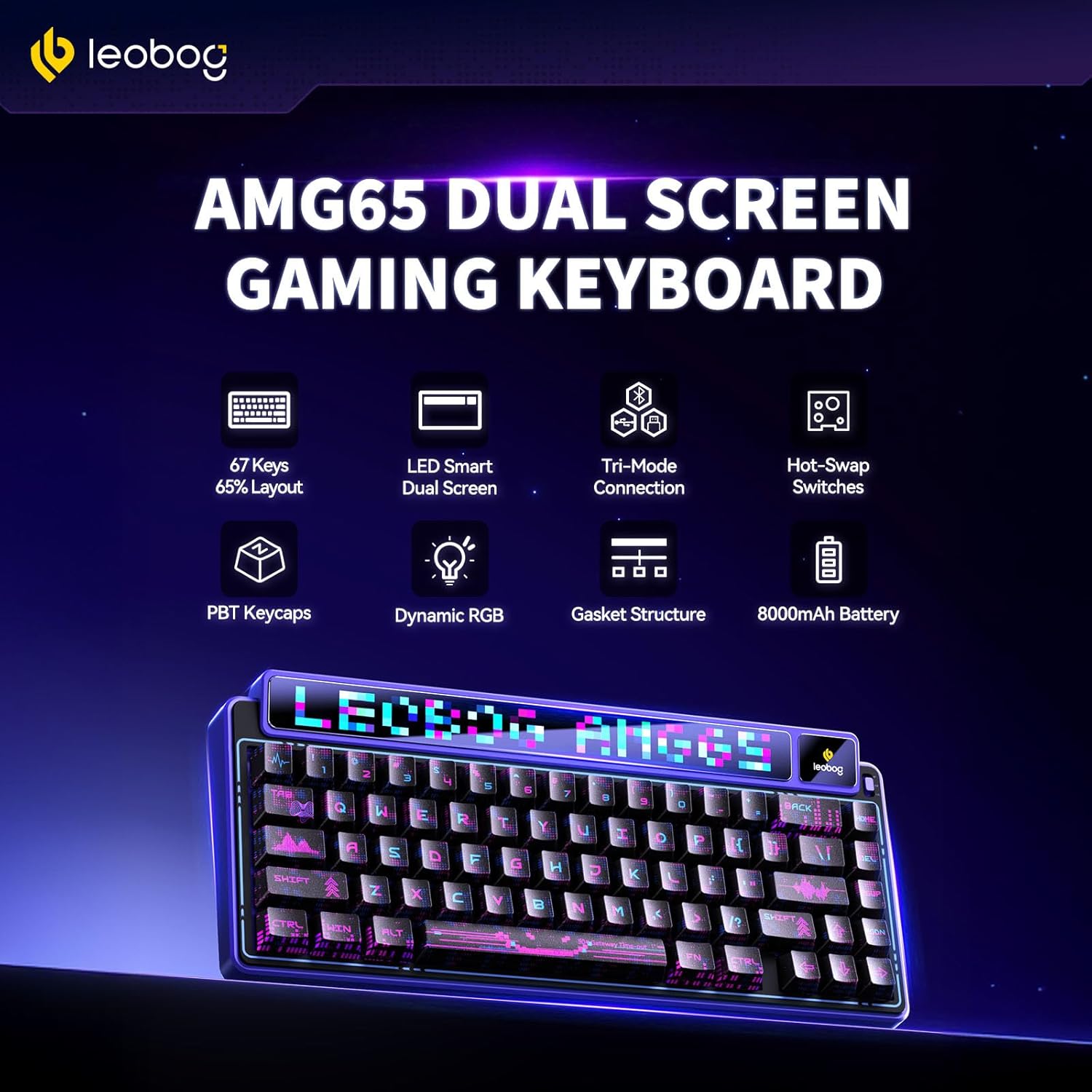
Image: LEOBOG AMG65 Keyboard highlighting its key features including 67 keys, LED smart dual screen, tri-mode connection, hot-swap switches, PBT keycaps, dynamic RGB, gasket structure, and 8000mAh battery.
Guia de configuració
1. Càrrega inicial
Before first use, connect the keyboard to a USB power source using the provided USB Type-C cable. The keyboard will charge automatically. The smart status screen will indicate the battery level.
2. Connexió del teclat
The AMG65 supports three connection modes: Wired (USB Type-C), 2.4GHz Wireless, and Bluetooth 5.0.
Connexió per cable:
- Connect the USB Type-C end of the cable to the keyboard's port.
- Connecteu l'extrem USB-A del cable a un port USB disponible de l'ordinador.
- El teclat es reconeixerà automàticament i estarà llest per al seu ús.
Connexió sense fil de 2.4 GHz:
- Locate the 2.4GHz USB receiver (dongle) usually stored in a compartment on the keyboard.
- Connecteu el receptor de 2.4 GHz a un port USB disponible de l'ordinador.
- Switch the keyboard's mode selector to 2.4GHz mode (refer to keyboard layout for switch location).
- The keyboard should connect automatically. The smart screen will display the connection status.
Connexió Bluetooth:
- Canvieu el selector de mode del teclat al mode Bluetooth.
- Al dispositiu (ordinador, portàtil, tauleta, telèfon intel·ligent), navegueu fins a la configuració de Bluetooth.
- Activa el Bluetooth i cerca dispositius nous.
- Select "LEOBOG AMG65" from the list of available devices to pair.
- The keyboard can store up to 5 Bluetooth profiles. Use FN + Q/W/E/R/T to switch between paired devices.
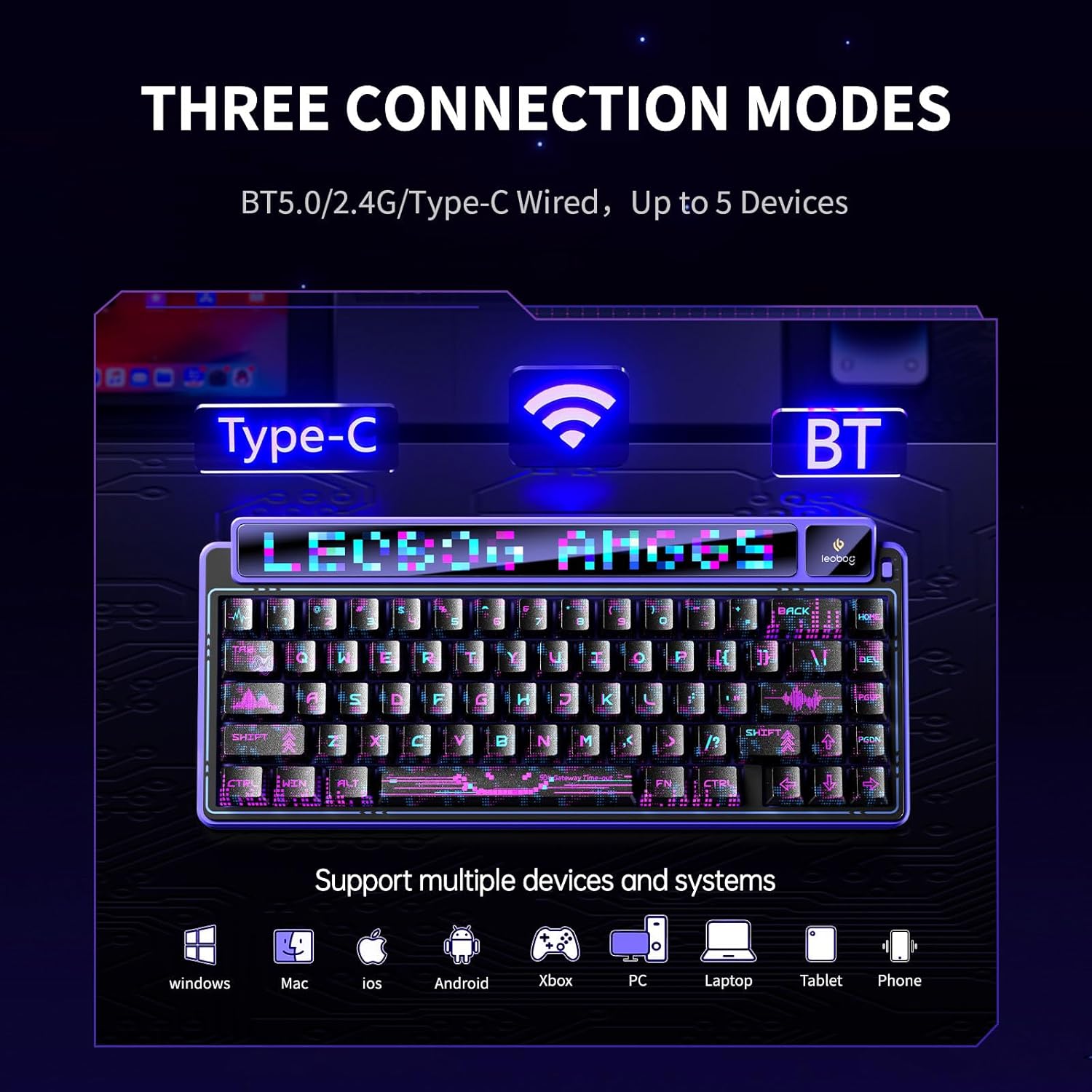
Image: Diagram illustrating the three connection modes (Type-C, 2.4GHz, Bluetooth) supported by the LEOBOG AMG65 keyboard, compatible with Windows, Mac, iOS, Android, Xbox, PC, Laptop, Tablet, and Phone.
3. Instal·lació de programari (opcional)
To unlock full customization for lighting, macros, and performance, download the official driver software. This software is compatible with Windows operating systems only and functions when the keyboard is in wired mode.
- Visit the official LEOBOG weblloc (per exemple, aulastar.com) i navegueu a la secció de suport o descàrregues.
- Locate the driver for the AMG65 model (e.g., "Driver-AULA International-AMG65 Driver-1.0.3.1.exe").
- Baixeu i instal·leu el programari. Note: Some users have reported security warnings during download/installation. Exercise caution and ensure you download from the official source.
- Connect the keyboard via USB Type-C cable to your computer before launching the software.
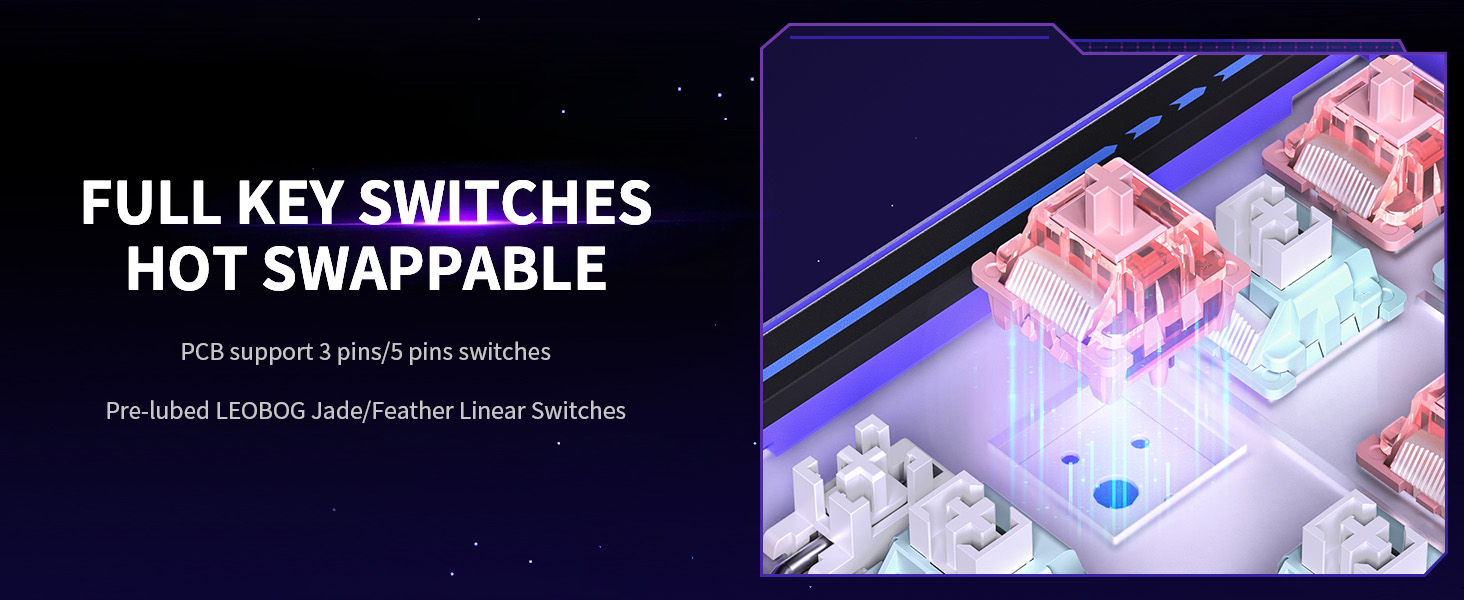
Image: Screenshot of the LEOBOG AMG65 driver software interface, showing options for customizing animations, lighting effects, and importing/exporting settings.
Instruccions de funcionament
1. Funcions bàsiques del teclat
The AMG65 operates as a standard 65% mechanical keyboard. All keys perform their labeled functions. Use the FN key in combination with other keys for secondary functions, as indicated on the keycaps.
2. Dual Screen Operation
The keyboard features two distinct display screens:
10-inch LED Strip Display:
This display shows animated pixel graphics. It comes with 8 preset animations.
- Toggle Animations: Premeu FN + Maj dreta to cycle through preset animated pixel graphics.
- Brighten Display: Premeu FN + >
- Brillantor inferior: Premeu FN +
- Speed Up Animation: Premeu FN + [
- Slow Down Animation: Premeu FN +]
Custom animations and real-time music visualizations can be configured via the software.
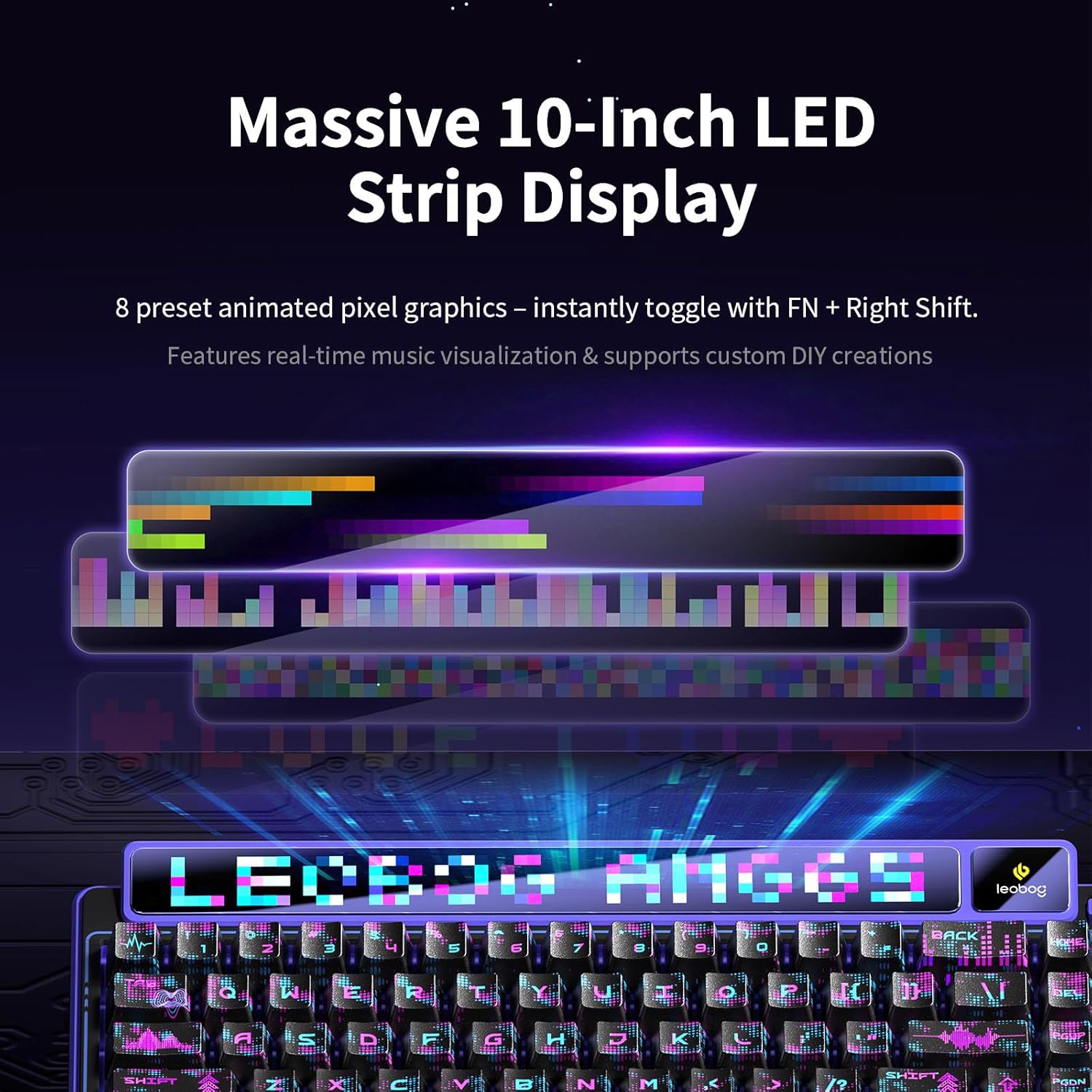
Image: The LEOBOG AMG65 keyboard's 10-inch LED strip display showcasing various animated pixel graphics and music visualization capabilities.
Smart Digital Screen:
This smaller screen provides real-time status updates and allows for on-the-fly adjustments.
- Estat en temps real: Displays connection mode, battery level, date, and time.
- Ajustaments sobre la marxa: Toggle settings like backlight or volume without software.
- Navega per la configuració: Ús FN + - i FN + = to select settings (e.g., lighting, volume).
- Confirm Choice: Premeu FN + Intro per confirmar una selecció.
Custom GIFs can be uploaded to this screen via the software.
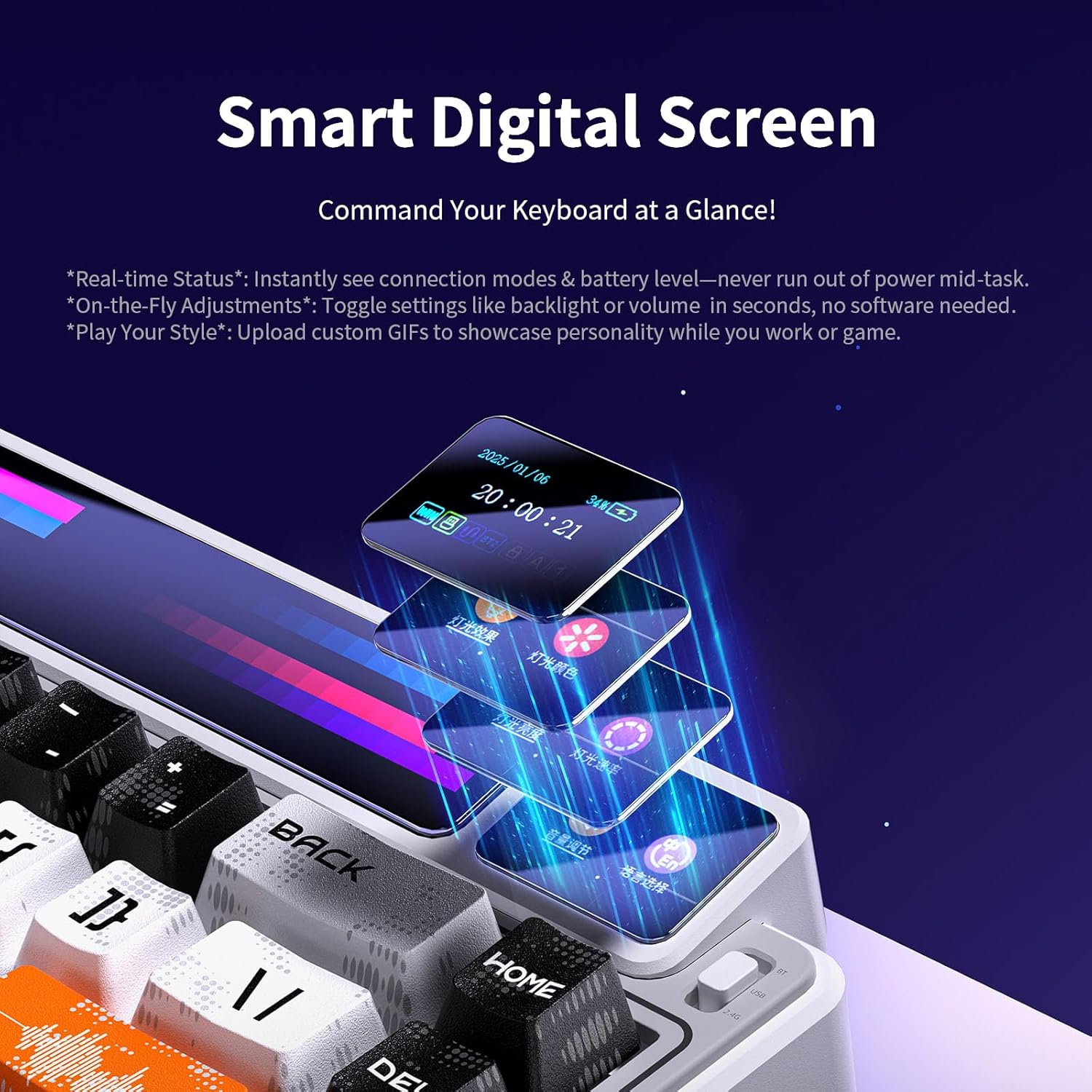
Image: Close-up of the LEOBOG AMG65's smart digital screen showing options for real-time status, on-the-fly adjustments, and custom GIF uploads.
3. Control de la il·luminació RGB
The keyboard features 16.8 million RGB lighting colors and 20 lighting effects.
- Change Lighting Effects: Ús FN + [Key] combinations (refer to the keyboard's secondary key legends for specific functions).
- Ajusta la brillantor/la velocitat: Use dedicated FN key combinations as indicated on the keycaps or through the smart digital screen.
Further customization of RGB lighting is available through the official driver software.
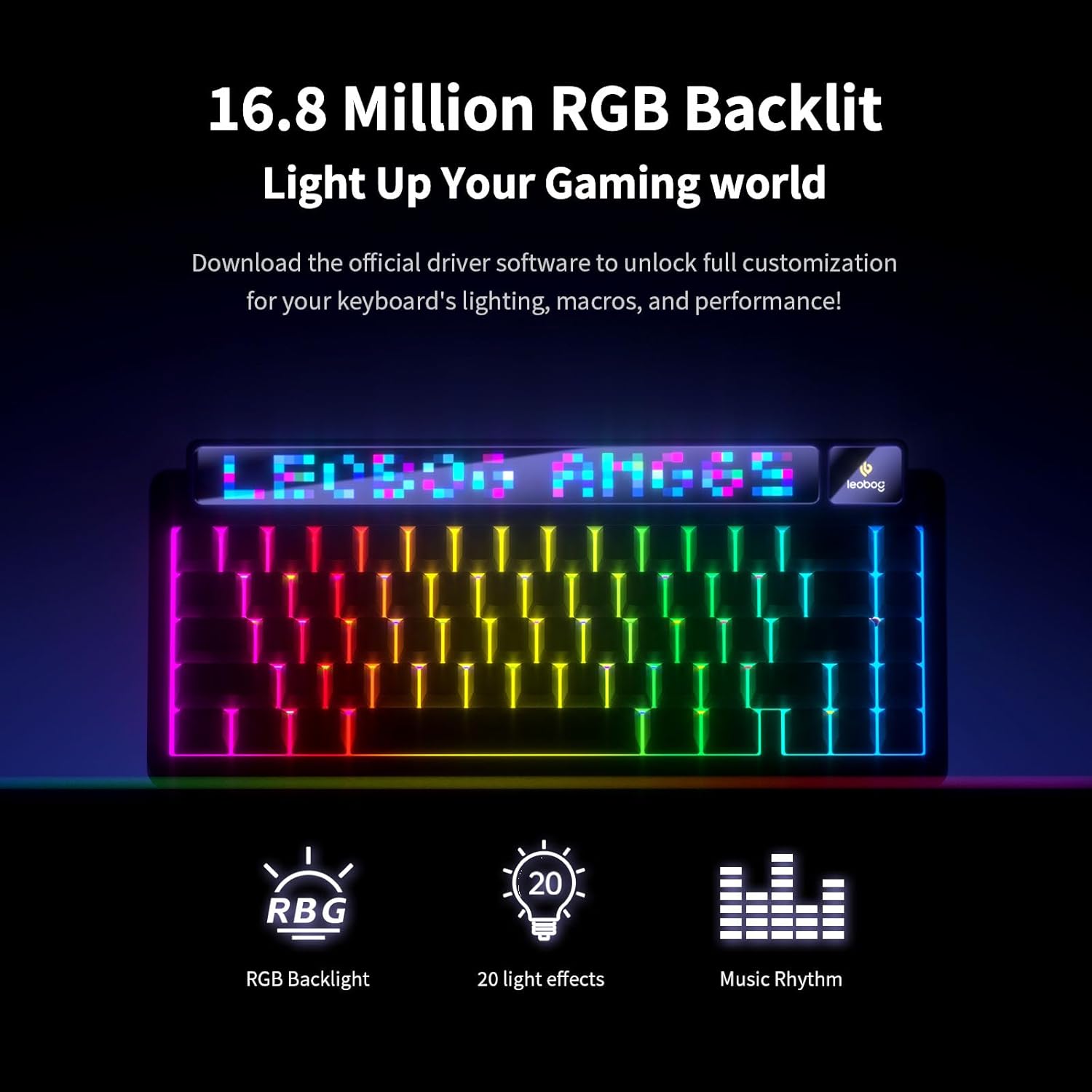
Image: The LEOBOG AMG65 keyboard illuminated with dynamic RGB backlighting, showcasing various color effects.
4. Customization via Software
The dedicated driver software allows for advanced customization:
- Reassignació de tecles: Customize the function of individual keys or key combinations.
- Creació de macros: Record and assign macros to enhance workflow or gaming.
- Personalització de la pantalla: Design pixel animations, upload GIFs to the 10-inch LED strip and smart digital screen, and set sleep timers.
- Efectes d'il·luminació: Fine-tune RGB lighting colors, patterns, and speeds.
Important: Do not unplug the USB cable or force quit the driver during animation uploads to prevent data corruption.
Manteniment
1. Neteja
- Tecles de tecles: Use the provided keycap puller to carefully remove keycaps. Clean them with a mild soap solution and a soft cloth, then dry thoroughly before reattaching.
- Cos del teclat: Use a soft, dry cloth to wipe down the keyboard. For stubborn dirt, a slightly damp es pot utilitzar un drap, assegurant-se que no entri humitat als components interns.
- Pols: Feu servir aire comprimit per eliminar la pols i les restes que hi hagi entre les tecles i els interruptors.
2. Interruptors d'intercanvi en calent
The AMG65 supports hot-swappable 3-pin or 5-pin mechanical switches, allowing you to change switches without soldering.
- Using a switch puller (not included, but often comes with replacement switches), carefully grip the switch and pull it straight up.
- Alineeu els pins del nou interruptor amb els forats de la placa de circuit imprès. Assegureu-vos que els pins estiguin rectes.
- Gently press the new switch into place until it clicks. Do not force it.
- Proveu el nou interruptor per assegurar-vos que funciona correctament.
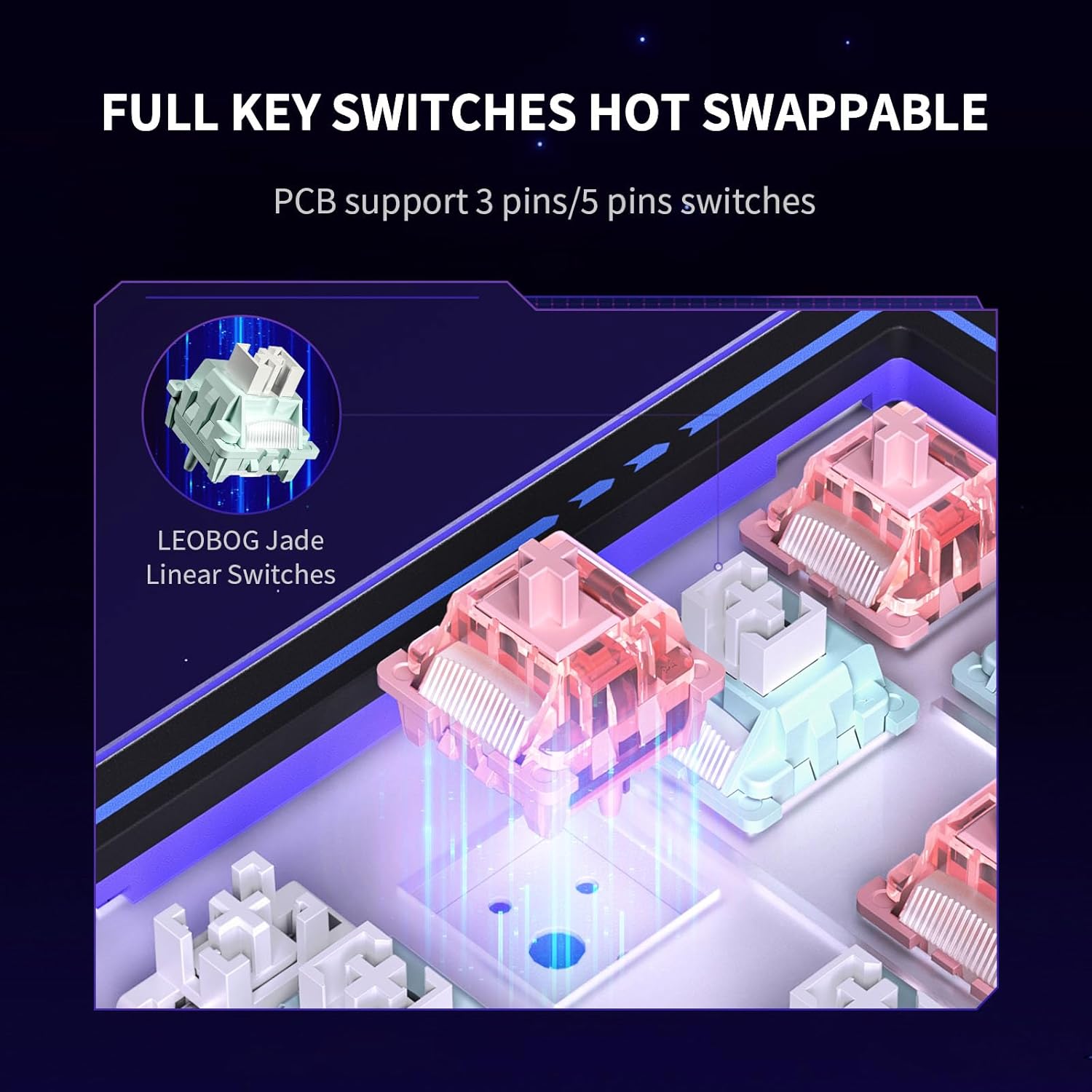
Image: Diagram illustrating the hot-swappable switch mechanism of the LEOBOG AMG65 keyboard, showing PCB support for 3-pin and 5-pin switches and LEOBOG Jade Linear Switches.
Resolució de problemes
El teclat no respon:
- Ensure the keyboard is charged or connected via USB cable.
- Check the connection mode (Wired, 2.4GHz, Bluetooth) matches your setup.
- Per a 2.4 GHz, assegureu-vos que el receptor USB estigui ben connectat.
- For Bluetooth, ensure the keyboard is paired and selected on your device. Try re-pairing if issues persist.
- Reinicieu l'ordinador i el teclat.
Display Screens Not Working/Dim:
- Ensure the keyboard is sufficiently charged.
- Ajusta la brillantor amb FN + > or FN +.
- If using custom GIFs/animations, ensure they were uploaded correctly via the software and are compatible. Some users report custom content appearing dim.
- The 10-inch LED strip is removable; ensure it is securely seated to avoid partial disconnections.
Software Issues/Security Warnings:
- Download software only from the official LEOBOG weblloc.
- If your antivirus flags the software, it may be a false positive, but proceed with caution. You can use online tools like VirusTotal to scan the file.
- The software only works in wired mode on Windows. Ensure these conditions are met.
- If security concerns persist, customize settings once and then uninstall the software, as the keyboard has on-board memory.
Keycaps Falling Off/Loose:
- Carefully re-seat the keycaps onto the switches.
- If switches are loose, ensure they are fully pressed into the PCB.
Especificacions
| Característica | Detall |
|---|---|
| Model | AMG65 |
| Disseny | 65% (67 tecles) |
| Connectivitat | Bluetooth 5.0, 2.4GHz Wireless, USB Type-C Wired |
| Interruptors | LEOBOG Linear (Hot-swappable, supports 3-pin/5-pin) |
| Taps de claus | Double-Shot PBT, Cherry Profile, Music-Themed |
| Il·luminació de fons | 16.8 Million RGB, 20 Effects |
| Capacitat de la bateria | 8000 mAh |
| Dimensions del producte | 12.8 x 5.64 x 1.74 polzades |
| Pes de l'article | 2.24 lliures |
| Dispositius compatibles | Consola de jocs, ordinador portàtil, PC, telèfon intel·ligent, tauleta |
| Fabricant | LEOBOG |
Suport i garantia
For technical support, warranty information, or further assistance, please visit the official LEOBOG website or contact their customer service department. Details can typically be found on the manufacturer's weblloc o l'embalatge del producte.
Note: Specific warranty terms and conditions may vary by region and retailer. Please retain your proof of purchase for warranty claims.


