
GOBOULT B0FCSBLK42
GOBOULT Crown Smart Watch User Manual
Model: B0FCSBLK42
1. Introducció
Thank you for choosing the GOBOULT Crown Smart Watch. This manual provides essential information for setting up, operating, and maintaining your device. The GOBOULT Crown Smart Watch features a 1.95-inch HD display, Bluetooth calling, a functional rotating crown, and comprehensive health monitoring capabilities.
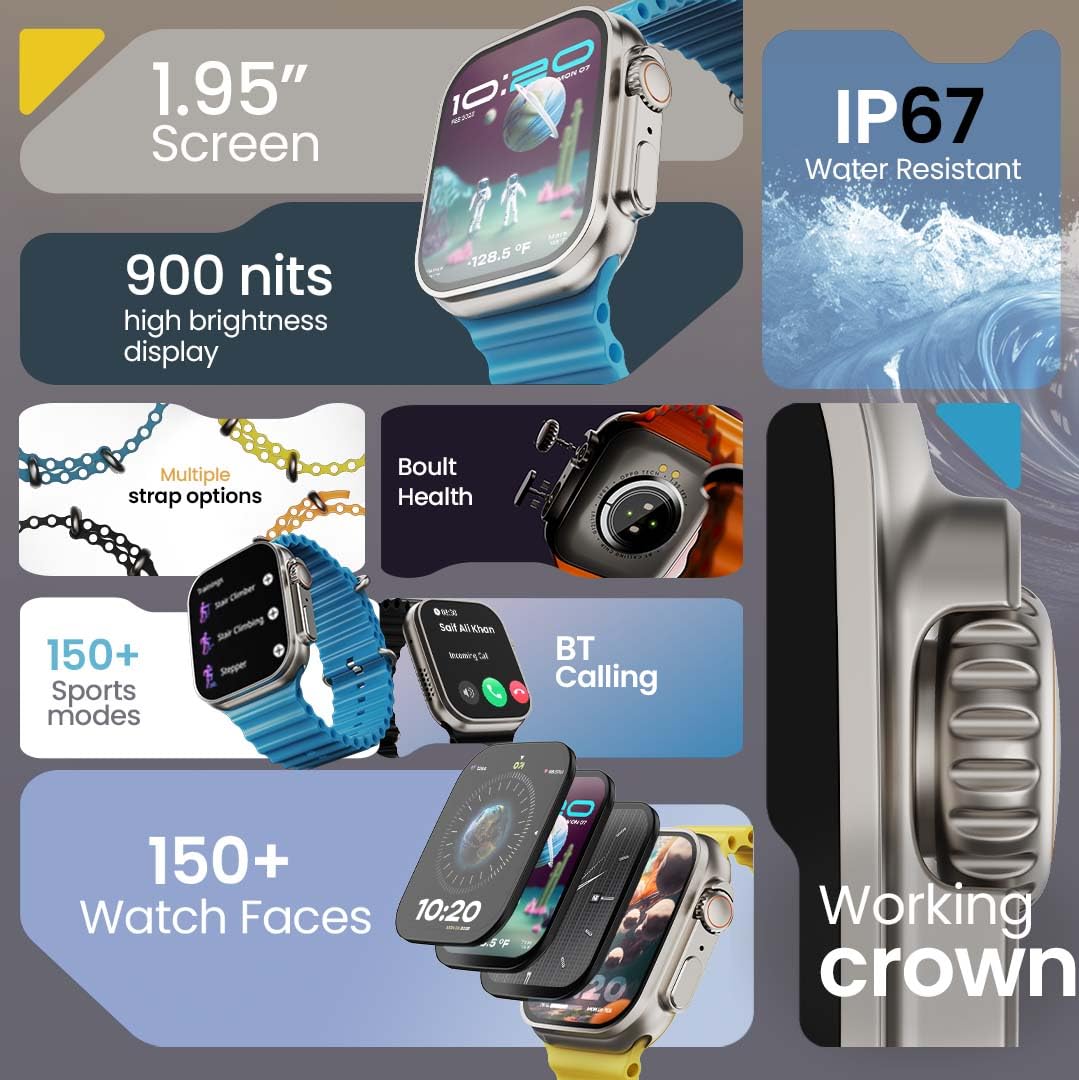
Imatge 1.1: acabatview of the GOBOULT Crown Smart Watch highlighting its 1.95-inch screen, 900 nits brightness, IP67 rating, multiple strap options, Boult Health features, Bluetooth calling, 150+ sports modes, 150+ watch faces, and working crown.
2. Què hi ha a la caixa
Assegureu-vos que tots els elements següents estiguin presents a l'embalatge del producte:
- GOBOULT Crown Smart Watch
- Cable de càrrega
- Manual d'usuari
- Targeta de garantia
3. Producte acabatview
The GOBOULT Crown Smart Watch is designed with a premium zinc alloy frame and a vibrant 1.95-inch HD display. It features a functional rotating crown for intuitive navigation and a dedicated button for sports modes.
3.1 Components clau
- Pantalla HD de 1.95 polzades: Offers clear visuals with up to 900 nits brightness for excellent outdoor visibility.
- Working Rotating Crown: Used for scrolling, zooming, and navigating menus.
- Botó lateral: Often dedicated for quick access to sports modes or other functions.
- Zinc Alloy Frame: Proporciona durabilitat i una sensació premium.
- Sensors: Located on the back for heart rate, SpO2, and other health monitoring.
- Micròfon i altaveu: Integrated for Bluetooth calling and voice assistant functions.
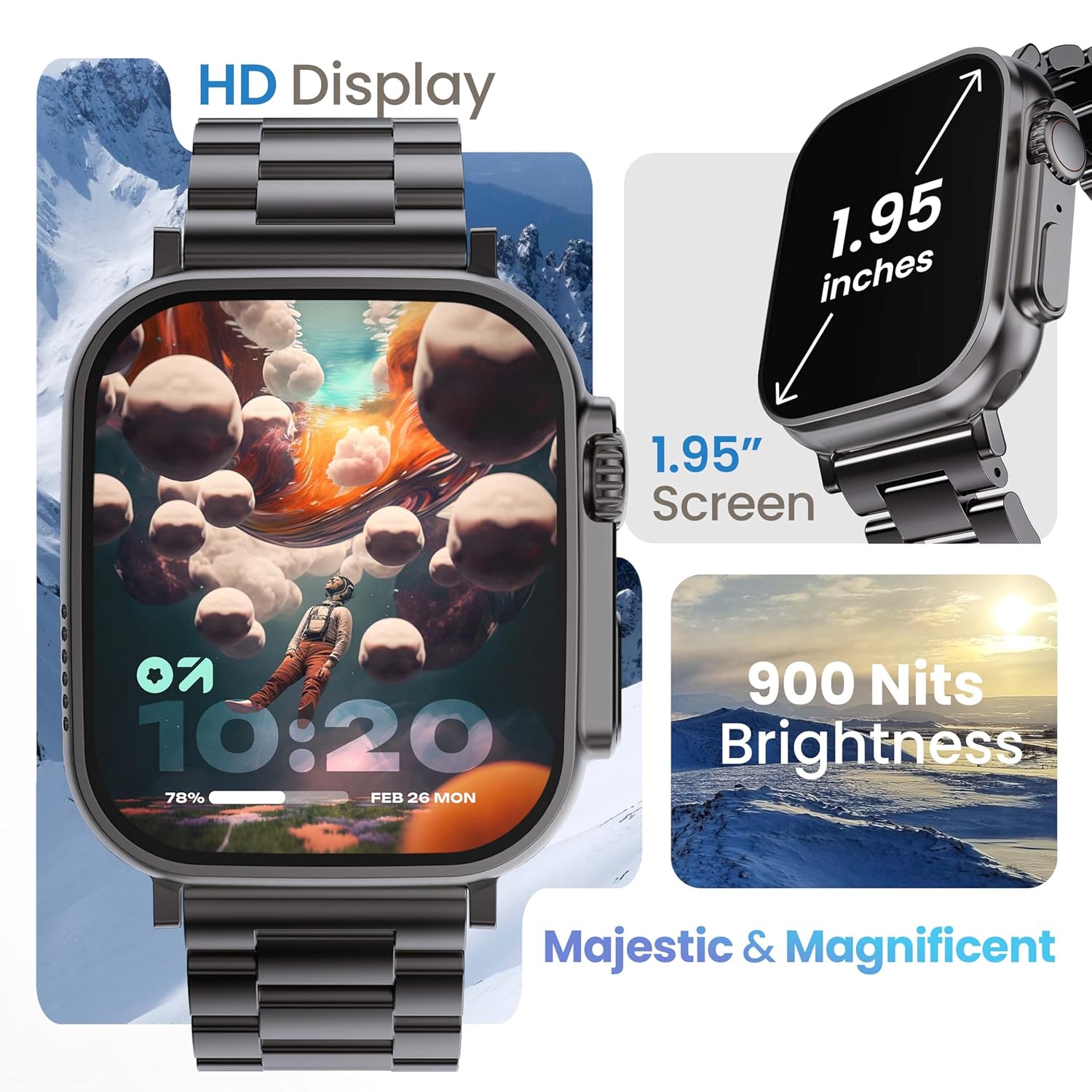
Image 3.1: The 1.95-inch HD display of the GOBOULT Crown Smart Watch, emphasizing its size and 900 Nits brightness for clear visibility.
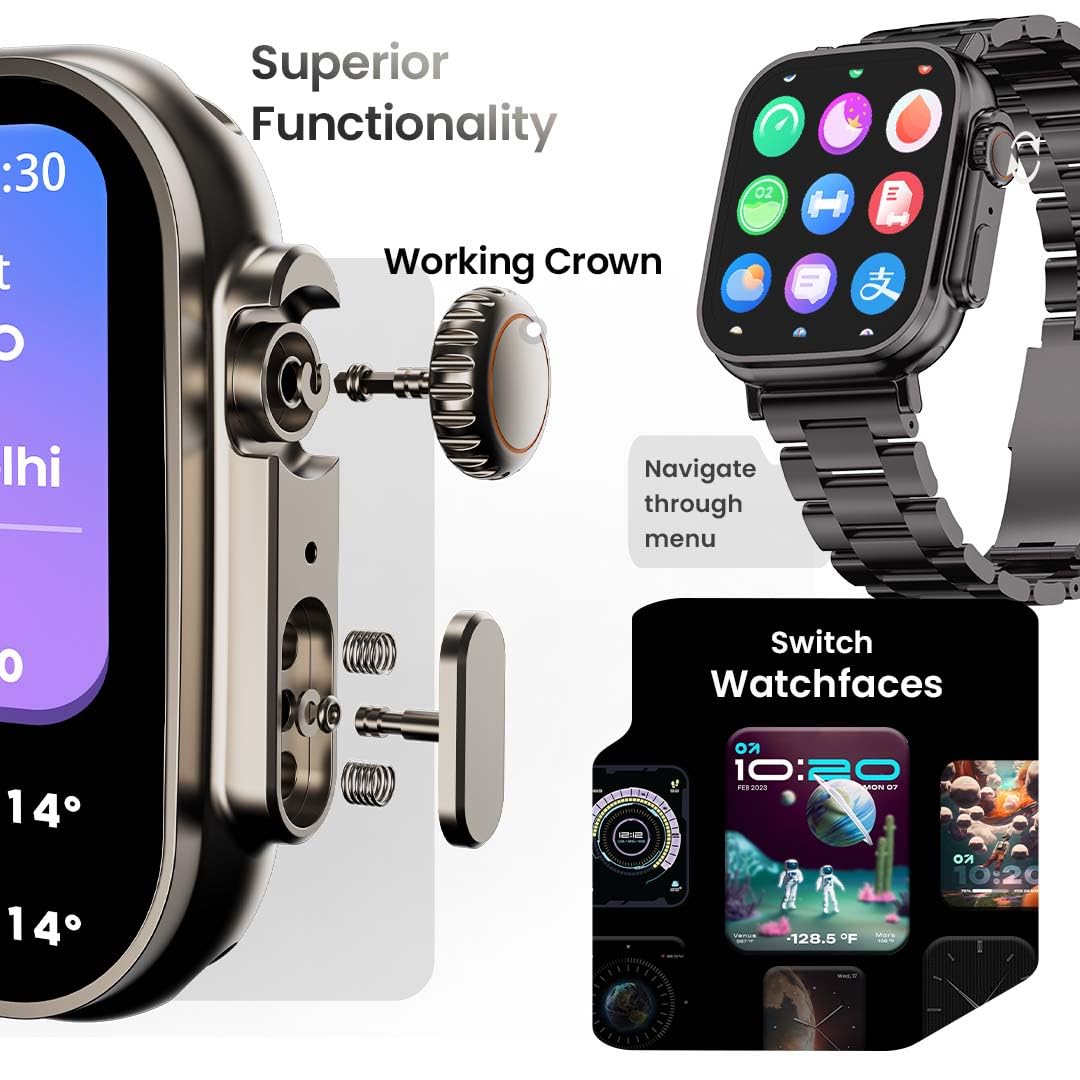
Imatge 3.2: Detallada view of the working crown on the GOBOULT Crown Smart Watch, illustrating its use for navigating menus and switching watch faces.
4. Configuració
4.1 Càrrega del rellotge intel·ligent
- Connect the magnetic charging cable to the charging pins on the back of the watch.
- Connecteu l'extrem USB del cable a un adaptador de corrent USB estàndard (no inclòs) o al port USB d'un ordinador.
- The watch display will indicate charging status. A full charge takes approximately 150 minutes.
Nota: Ensure the charging pins are clean and dry before charging to prevent corrosion.
4.2 Emparellament amb el telèfon intel·ligent
To unlock all features, pair your GOBOULT Crown Smart Watch with the companion app on your smartphone.
- Download the official GOBOULT companion app from your smartphone's app store (compatible with iOS and Android devices).
- Assegureu-vos que el Bluetooth estigui habilitat al vostre telèfon intel·ligent.
- Open the GOBOULT app and follow the on-screen instructions to create an account or log in.
- Select 'Add Device' or 'Pair New Device' within the app.
- The app will search for available devices. Select 'GOBOULT Crown' from the list.
- Confirma la sol·licitud d'emparellament tant al rellotge com al telèfon intel·ligent.
Un cop emparellat, el rellotge sincronitzarà les dades amb el telèfon i podràs personalitzar la configuració a través de l'aplicació.
5. Instruccions de funcionament
5.1 Navegació bàsica
- Pantalla tàctil: Llisca cap a l'esquerra, la dreta, amunt o avall per navegar pels menús i les notificacions. Toca per seleccionar elements.
- Corona de treball: Rotate the crown to scroll through lists, zoom in/out, or switch watch faces. Press the crown to return to the home screen or access the app menu.
- Botó lateral: Press to quickly access the sports mode menu.
Trucades Bluetooth 5.2
The GOBOULT Crown Smart Watch supports Bluetooth calling (BT 5.2) with a built-in speaker and microphone.
- Ensure your watch is paired with your smartphone via Bluetooth.
- To make a call, access the dial pad on your watch or select a contact from your synchronized phonebook.
- To answer an incoming call, tap the green icon on the watch screen. To reject, tap the red icon.
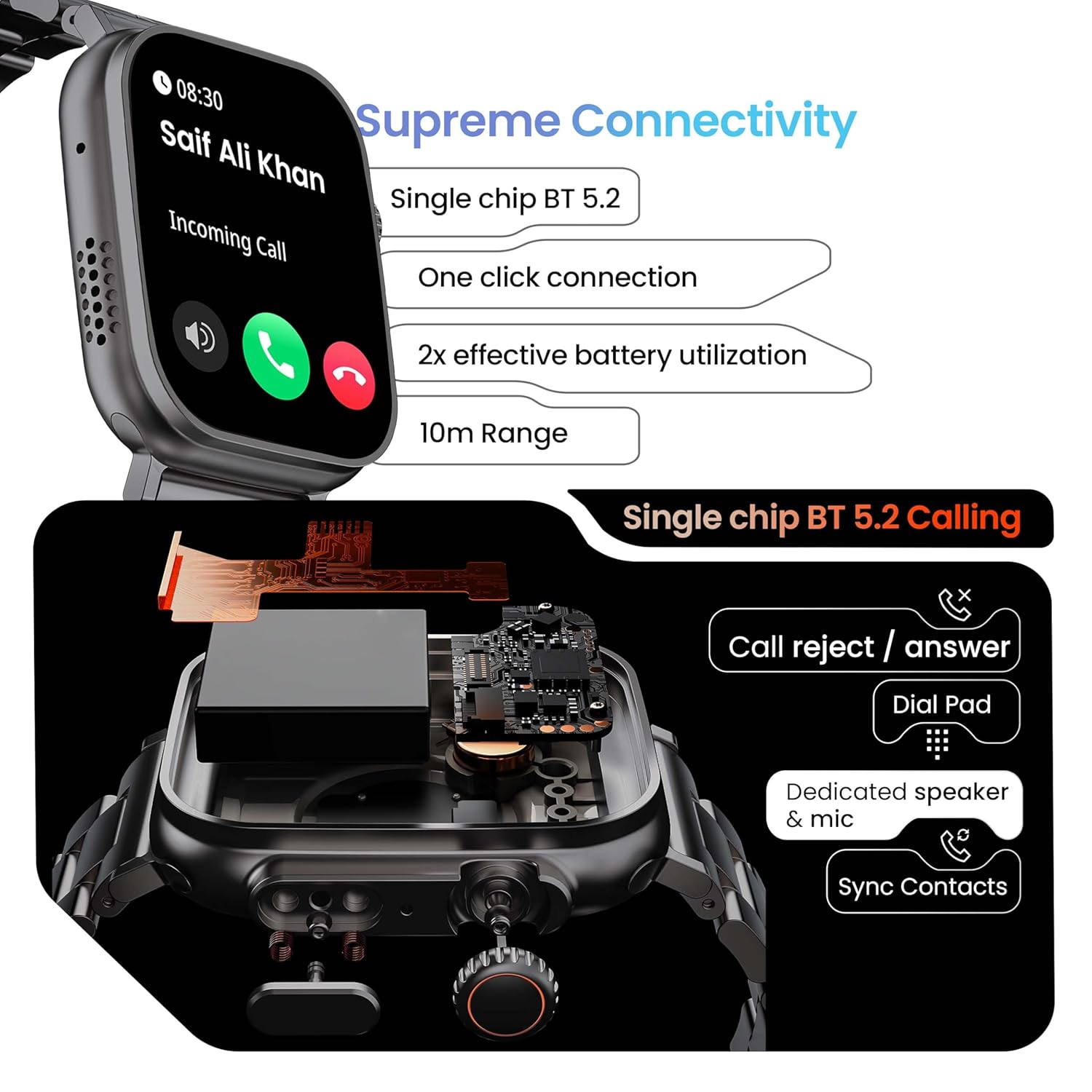
Image 5.1: Illustration of the Bluetooth 5.2 calling functionality on the GOBOULT Crown Smart Watch, including call reject/answer, dial pad, dedicated speaker & mic, and contact synchronization.
5.3 modes esportius
El rellotge ofereix més de 120 modes esportius per fer un seguiment de diverses activitats físiques.
- Press the dedicated side button or navigate through the app menu to access 'Sports Modes'.
- Select your desired activity (e.g., Running, Cycling, Yoga, HIIT).
- The watch will begin tracking metrics such as duration, heart rate, calories burned, and steps.
- End the workout by following the on-screen prompts. Data will be synchronized with the app.

Image 5.2: The GOBOULT Crown Smart Watch actively tracking a workout, showing real-time data for heart rate, calories, and steps, with a dedicated button for sports modes.
5.4 Vigilància de la salut
El rellotge ofereix funcions de seguiment continu de la salut.
- Monitorització de la freqüència cardíaca: Registra la teva freqüència cardíaca les 24 hores del dia, els 7 dies de la setmana.
- Monitorització de la SpO2: Mesura els nivells de saturació d'oxigen a la sang.
- Anàlisi del son: Monitoritza els patrons i la qualitat del son.
- Seguiment d'activitats: Registra els passos, la distància i les calories cremades al llarg del dia.
- Alertes de sedentarisme: Et recorda que has de moure't després de períodes d'inactivitat.
- Seguiment del cicle menstrual femení: Available through the companion app.
- Entrenament de la respiració: Exercicis de respiració guiats per a la relaxació.
Access detailed health data and trends in the GOBOULT companion app.
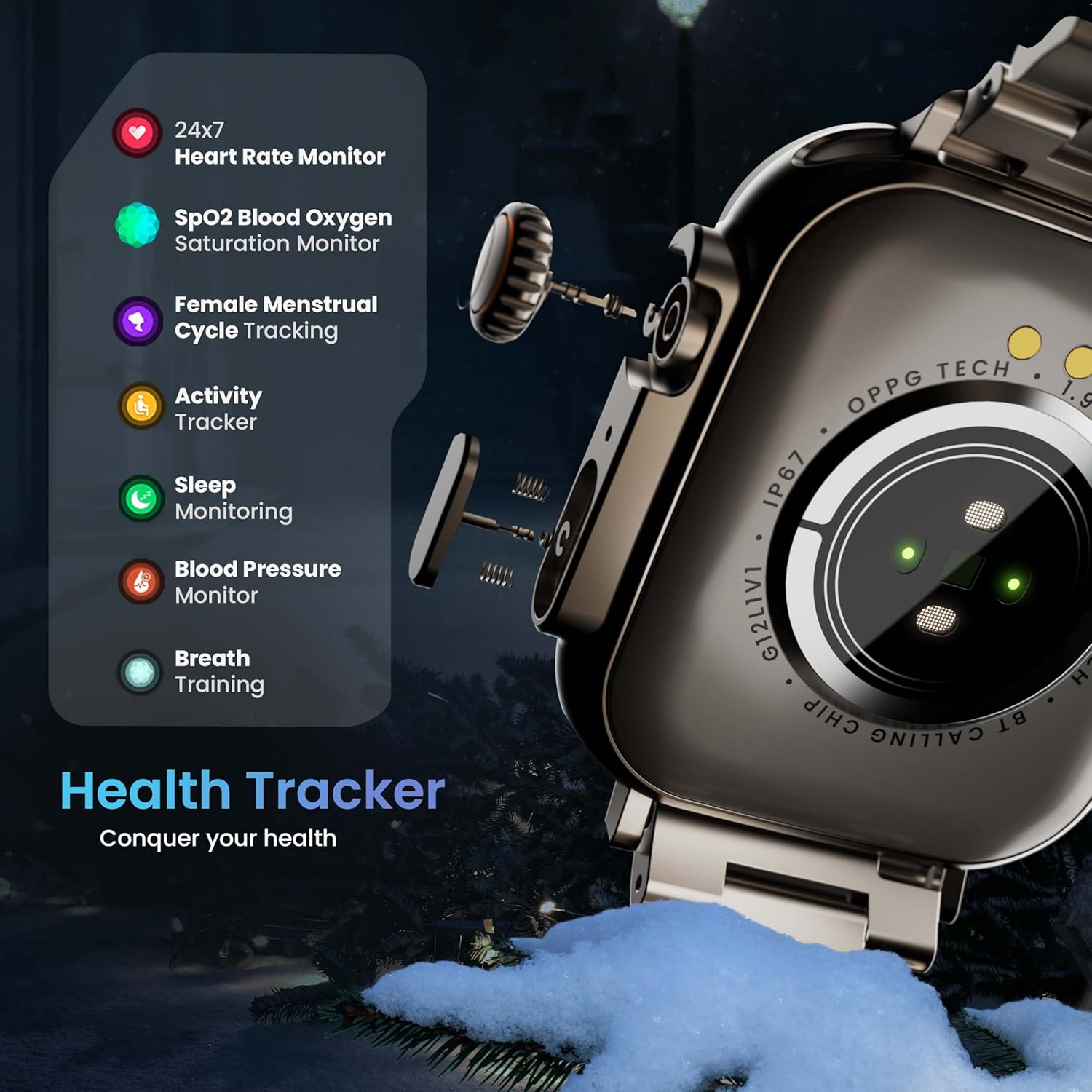
Image 5.3: The GOBOULT Crown Smart Watch highlighting its comprehensive health tracker capabilities, including 24x7 Heart Rate Monitor, SpO2 Blood Oxygen Saturation Monitor, Female Menstrual Cycle Tracking, Activity Tracker, Sleep Monitoring, Blood Pressure Monitor, and Breath Training.
5.5 Assistent de veu d'IA
Interact with your watch using voice commands for quick tasks.
- Activate the AI Voice Assistant by a specific gesture or button press (refer to in-app settings for configuration).
- Speak your command clearly, such as "Hey Siri" or "Ok Google" (if connected to a compatible phone).
- The watch will process your request, allowing you to set reminders, check weather, or control smart home devices.
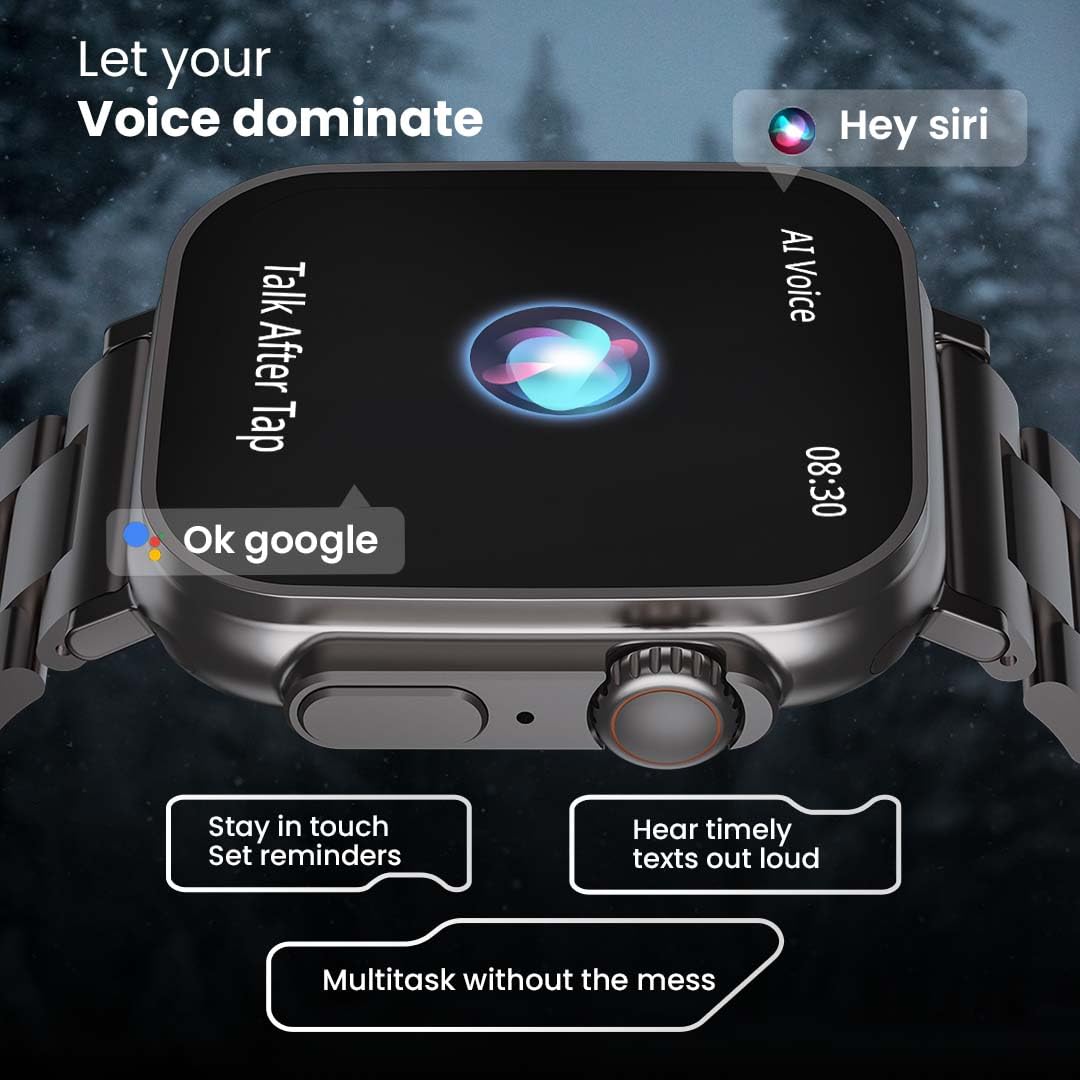
Image 5.4: The GOBOULT Crown Smart Watch interacting with AI Voice Assistants like Hey Siri and Ok Google, enabling users to stay in touch, set reminders, and hear timely texts aloud.
5.6 Watch Faces & Customization
Personalize your watch with over 100 cloud-based watch faces.
- Long-press the watch face on the home screen to quickly switch between pre-loaded faces.
- For more options, open the GOBOULT app and browse the 'Watch Faces' library.
- Download and apply new watch faces directly from the app.
5.7 Mini Games
The watch includes several mini-games for entertainment.
- Navigate to the 'Games' section in the app menu.
- Select a game (e.g., Young Bird, Hamster, Battleships, 2048) and follow the on-screen instructions to play.
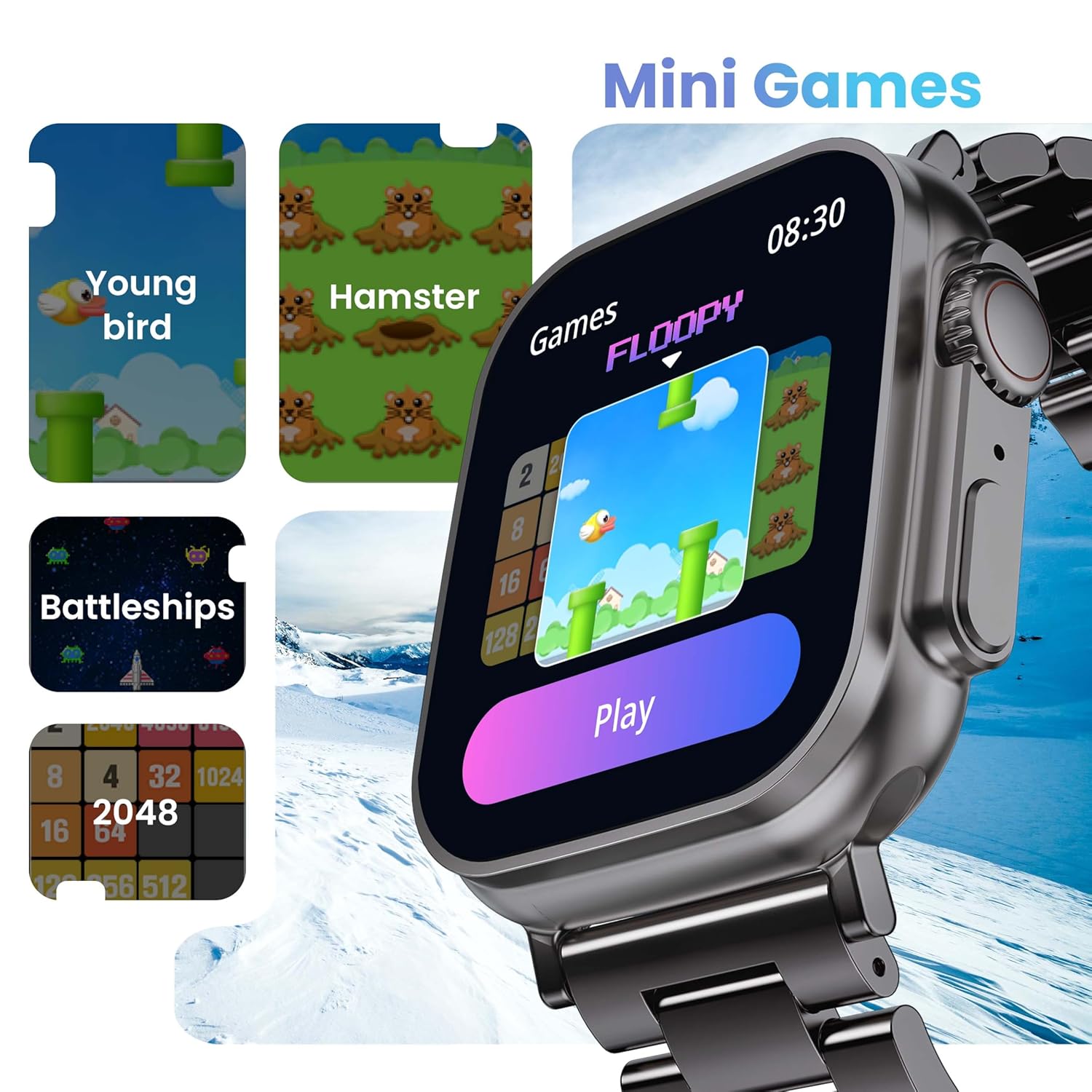
Image 5.5: The GOBOULT Crown Smart Watch showcasing its mini-games feature, including 'Young bird', 'Hamster', 'Battleships', and '2048'.
5.8 Cerca el meu telèfon
Localitza el teu telèfon intel·ligent emparellat amb el rellotge.
- Go to the watch menu.
- Select the "Find Phone" option.
- The connected phone will ring or vibrate, helping you locate it.
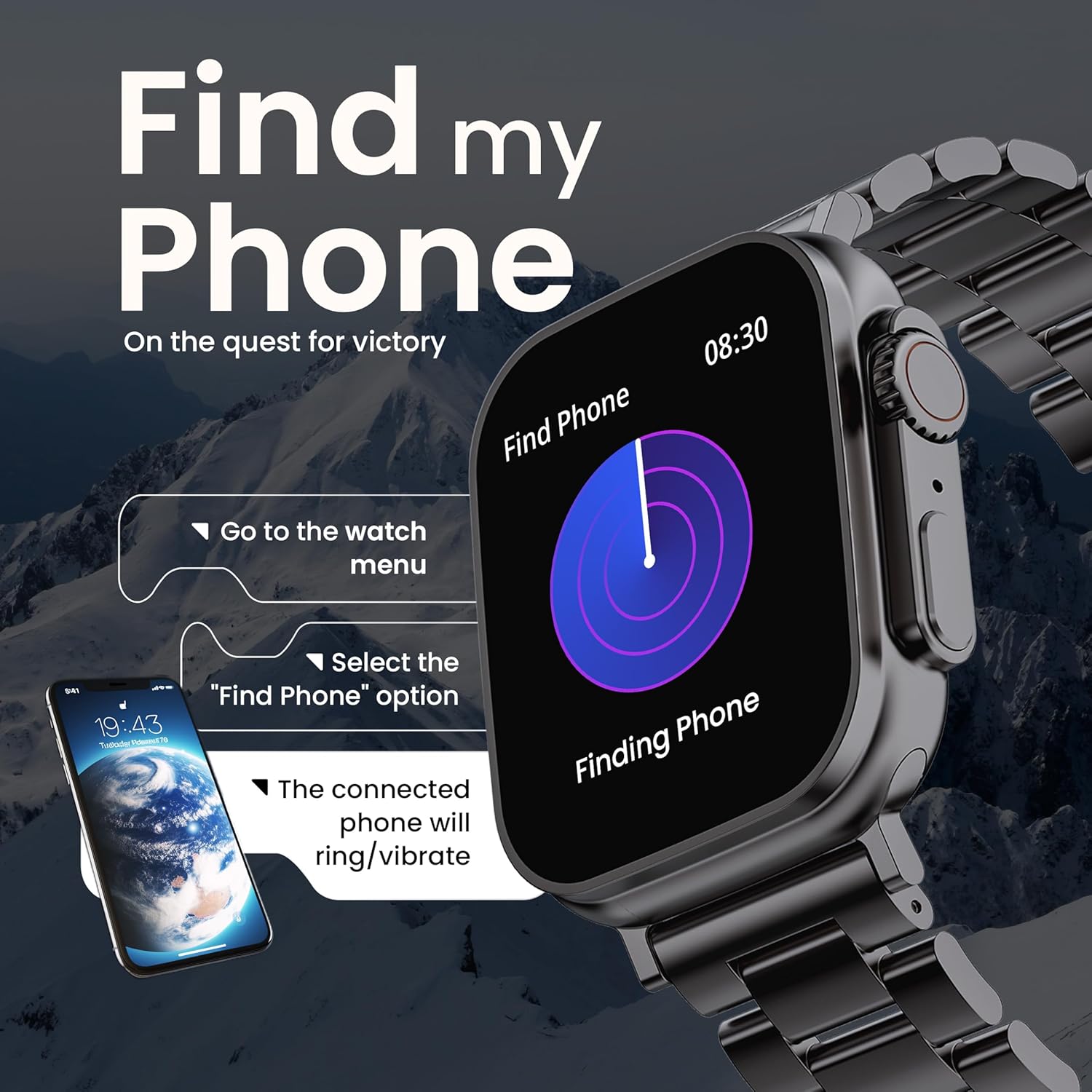
Image 5.6: The GOBOULT Crown Smart Watch illustrating the 'Find my Phone' feature, showing the steps to activate it and how the connected phone will respond.
6. Manteniment
6.1 Neteja del rellotge intel·ligent
- Netegeu la pantalla i la carcassa del rellotge amb un drap suau i sense borrissol.
- Per a taques persistents, dampEsbandiu lleugerament el drap amb aigua. Eviteu utilitzar productes químics agressius o materials abrasius.
- Clean the charging pins regularly to ensure proper connection.
- If your watch has a stainless steel band, use the provided strap adjustment tool for any modifications.
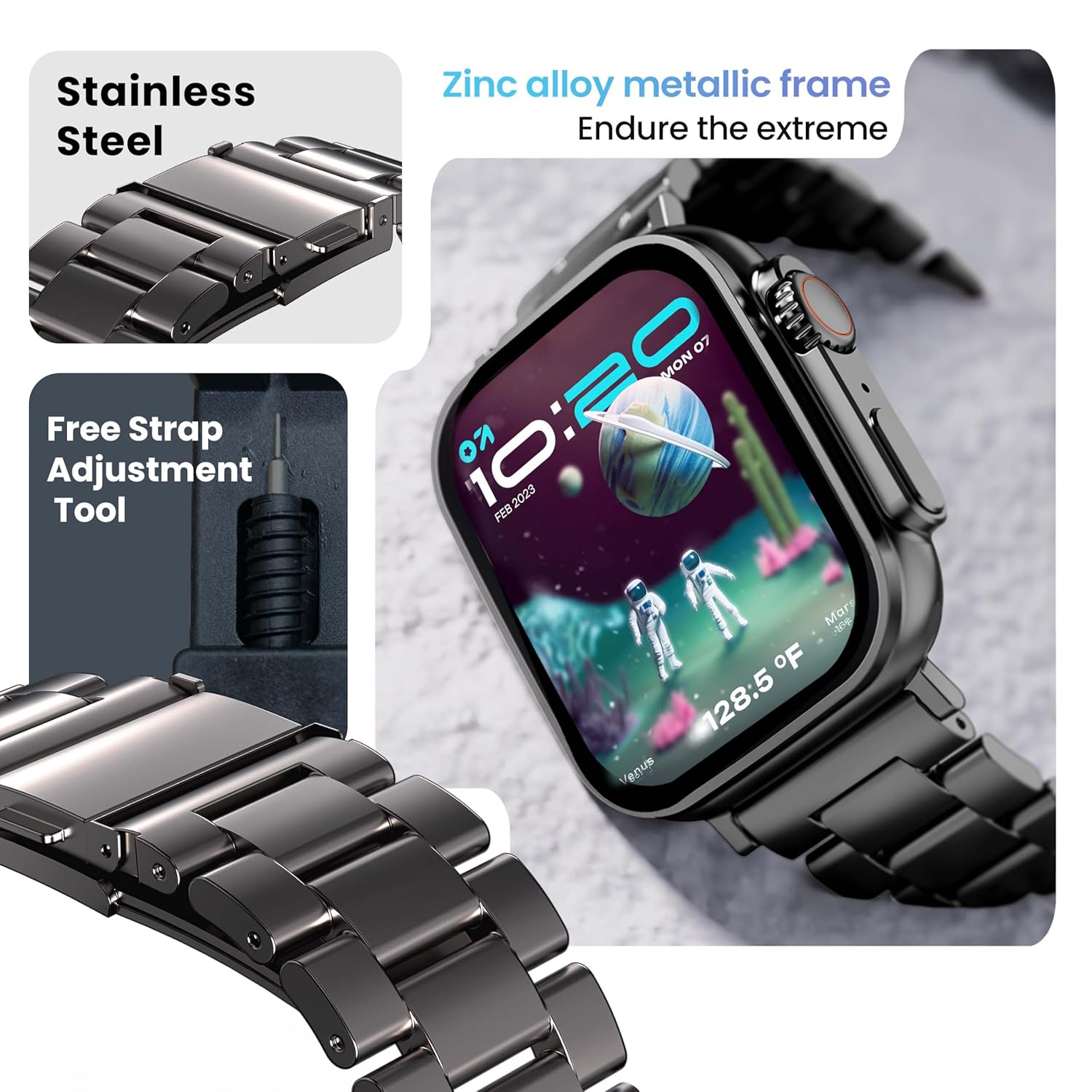
Image 6.1: The GOBOULT Crown Smart Watch featuring its stainless steel band and the included free strap adjustment tool for maintenance.
6.2 Resistència a l'aigua
The GOBOULT Crown Smart Watch has an IP67 waterproof rating.
- Classificació IP67: This means the watch is dust-proof and can withstand submersion in water up to 1.5 meters for 30 minutes.
- It is suitable for daily use, such as washing hands or light rain.
- Avoid using the watch during swimming, diving, or in hot water (e.g., showers, saunas) as steam and high pressure can compromise the seal.
- No premeu botons sota l'aigua.
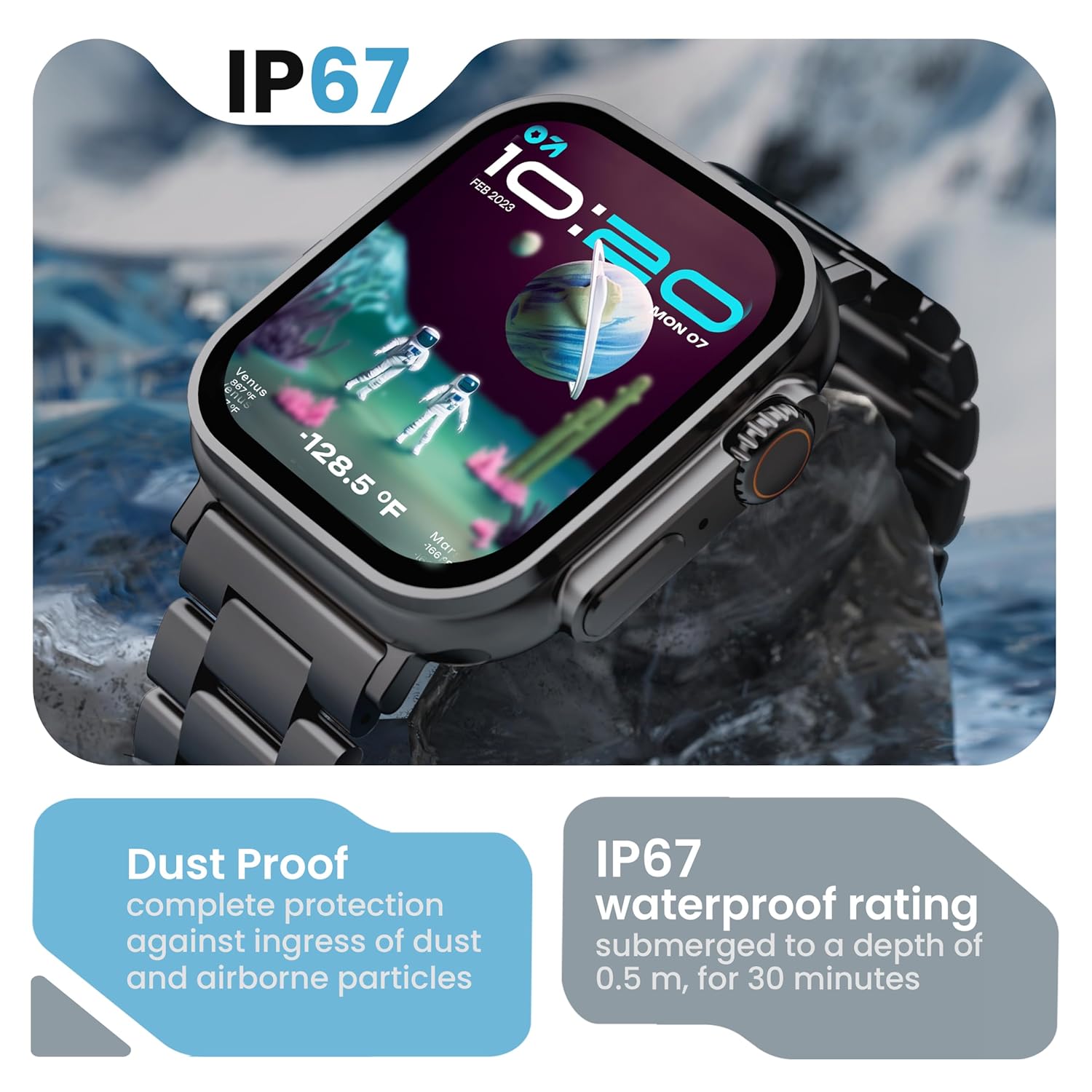
Image 6.2: The GOBOULT Crown Smart Watch emphasizing its IP67 rating, indicating complete protection against dust ingress and water submersion up to 0.5 meters for 30 minutes.
7. Solució De Problemes
If you encounter issues with your GOBOULT Crown Smart Watch, refer to the following common solutions:
| Problema | Possible solució |
|---|---|
| El rellotge no s'encén | Assegura't que el rellotge estigui completament carregat. Connecta'l al carregador durant almenys 30 minuts. |
| No es pot emparellar amb el telèfon intel·ligent | Ensure Bluetooth is enabled on your phone. Restart both the watch and phone. Make sure the watch is within Bluetooth range. Check the app for pairing instructions. |
| Dades de salut inexactes | Assegureu-vos que el rellotge estigui ben ajustat al canell, ni massa ajustat ni massa fluix. Netegeu la zona del sensor a la part posterior del rellotge. |
| Problemes amb les trucades per Bluetooth | Verify the watch is connected for both data and call audio in your phone's Bluetooth settings. Ensure microphone and speaker are not obstructed. |
| La pantalla no respon | Reinicia el rellotge. Si el problema persisteix, assegura't que la pantalla estigui neta i seca. |
| Durada de la bateria curta | Redueix la brillantor de la pantalla, desactiva les notificacions innecessàries i limita el control continu de la freqüència cardíaca si no és necessari. |
Si el problema persisteix després de provar aquestes solucions, poseu-vos en contacte amb l'atenció al client.
8. Especificacions
Below are the technical specifications for the GOBOULT Crown Smart Watch (Model: B0FCSBLK42):
| Característica | Detall |
|---|---|
| Número de model | B0FCSBLK42 |
| Mida de la pantalla | 1.95 polzades |
| Tipus de visualització | TFT |
| Maximum Display Brightness | 900 Nit |
| Tecnologia de connectivitat | Bluetooth 5.2 |
| Compatibilitat de sistemes operatius | Android Wear 1.0, iOS |
| Capacitat de la bateria | 300 milionsamp Hores (polímer de liti) |
| Durada mitjana de la bateria | Fins a 7 dies |
| Temps de càrrega de la bateria | 150 minuts |
| Classificació de resistència a l'aigua | IP67 (Water Resistant up to 1.5 meters depth) |
| Tipus de material de la banda | Acer inoxidable |
| Pes de l'article | 40 grams |
| Dimensions de l'article (D x W x H) | 40P x 38A x 6H mil·límetres |
| Mètriques mesurades | Blood Oxygen (SpO2), Distance, Heart Rate, Step Count |
| Aplicacions compatibles | Voice Assistant, Communication, Notifications |
| Tipus de controlador | Assistent de Google, Siri |
9. Garantia i Suport
9.1 Informació de la garantia
The GOBOULT Crown Smart Watch comes with a 1 anys de garantia del fabricant des de la data de compra. Aquesta garantia cobreix els defectes de fabricació. Si us plau, conserveu el rebut de compra per a reclamacions de garantia.
9.2 Atenció al client
For technical assistance, warranty claims, or any other inquiries, please contact:
- Fabricant: Boult Audio
- Importador: Exotic Mile Pvt. Ltd.
- Importer Contact Information: B67 Zona Industrial de Wazirpur, Nova Delhi 110052
Please refer to the warranty card included in your box for specific terms and conditions.
Ask a question about this manual
Ask about setup, troubleshooting, compatibility, parts, safety, or missing instructions. Manuals+ will review the question and use this page’s manual context to help answer it.