
Introducció
Aquest manual proporciona instruccions completes per a la configuració, el funcionament i el manteniment de la vostra base d'acoblament USB 3.0 de doble badia V7. Aquest dispositiu està dissenyat per proporcionar un accés convenient a unitats de disc dur (HDD) SATA de 2.5 i 3.5 polzades i unitats d'estat sòlid (SSD), oferint transferència de dades d'alta velocitat i una funció de clonació independent.
Si us plau, llegiu aquest manual detingudament abans d'utilitzar el producte per garantir-ne el funcionament correcte i evitar danys.
Contingut del paquet

Imatge: El lateral de l'embalatge de l'estació d'acoblament de doble badia V7, amb detalls dels elements inclosos.
Verifiqueu que tots els elements que s'enumeren a continuació siguin presents al vostre paquet:
- 1x Estació d'acoblament de doble badia V7
- 1x Cable USB 3.0 A a B
- 1 adaptador de corrent CC de 12 V/3 A
- 1x Manual d'usuari (aquest document)
Producte acabatview
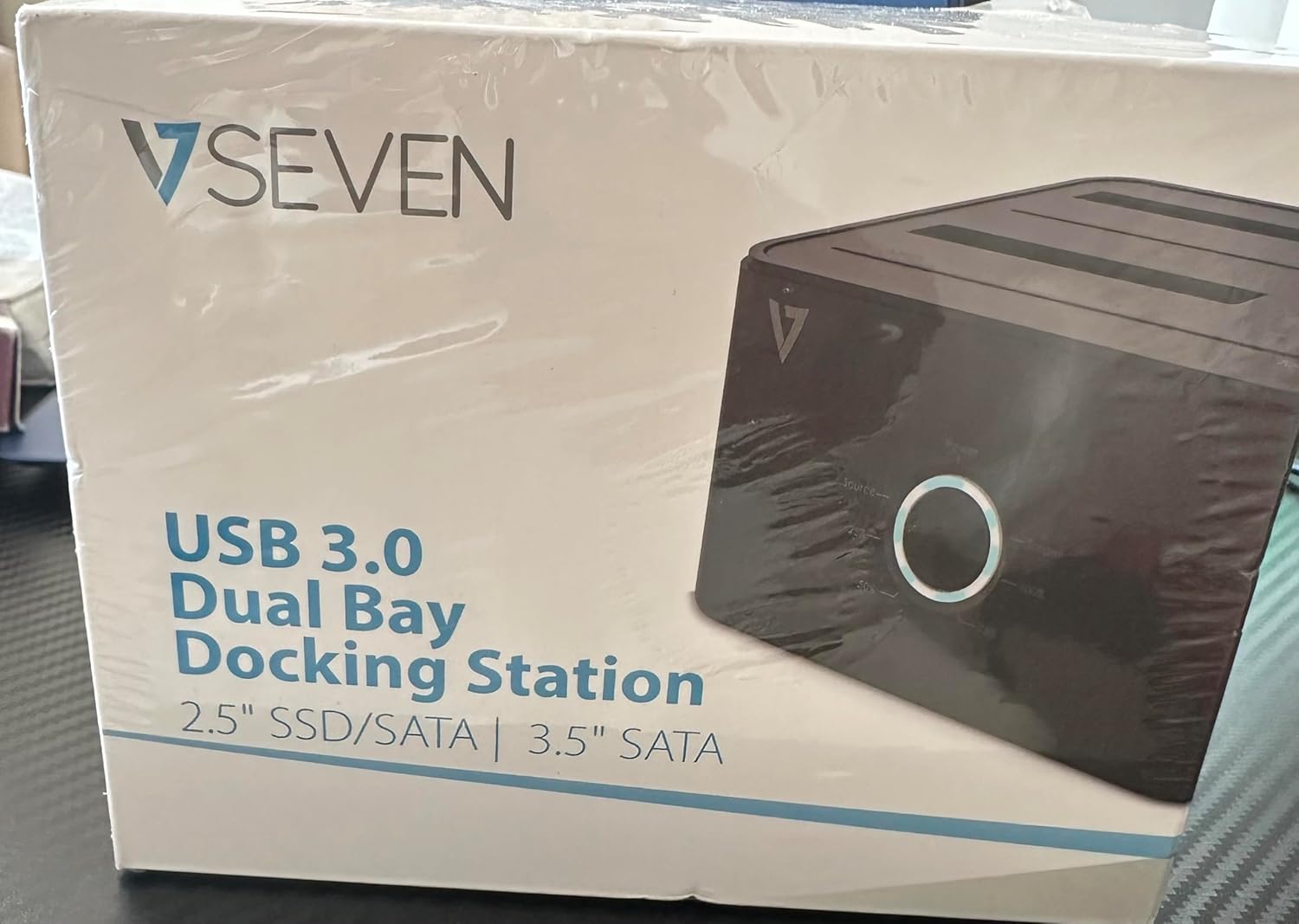
Imatge: La part frontal de l'embalatge de l'estació d'acoblament de doble badia V7, on es mostra el producte i el seu nom.
L'estació d'acoblament de doble badia V7 ofereix una solució versàtil per gestionar les unitats SATA de 2.5 i 3.5 polzades. Les característiques principals inclouen:
- Transferència de dades de supervelocitat USB 3.0: Aconsegueix velocitats de fins a 5 Gbps, significativament més ràpid que l'USB 2.0.
- Disseny de doble badia: Admet dos discs durs o SSD SATA I/II/III simultàniament.
- Funció de clonació independent: Permet la clonació directa d'un disc a un altre sense necessitat d'un ordinador.
- Pantalla LED: Proporciona indicació d'estat durant el funcionament, especialment per a la clonació.
- Materials reciclats: Construït amb materials reciclats, contribuint a la sostenibilitat mediambiental.

Imatge: La part posterior de l'embalatge de l'estació d'acoblament de doble badia V7, que il·lustra les característiques i els avantatges clau, inclòs l'ús de materials reciclats.
Ports i indicadors:
- Port USB-B (1x): Connecta l'estació d'acoblament a l'ordinador.
- Badies per a unitats SATA (2x): Per inserir discs durs/SSD SATA de 2.5 o 3.5 polzades.
- Entrada d'alimentació de CC (1x): Per connectar l'adaptador de corrent de 12V/3A.
- Botó/LED d'engegada: Controla l'alimentació i indica l'estat de funcionament.
- Botó/LED de clonació: Inicia el procés de clonació i indica el progrés.
Configuració
- Connectar l'alimentació: Introduïu l'adaptador d'alimentació de CC de 12 V/3 A al port "Entrada d'alimentació de CC" de l'estació d'acoblament i, a continuació, connecteu l'adaptador a una presa de corrent.
- Inserir unitats:
- Feu lliscar suaument el disc dur/SSD SATA de 2.5 o 3.5 polzades a la/les badia/es d'unitat fins que quedi ben col·locat. Assegureu-vos que el connector SATA estigui alineat correctament.
- Per clonar, inseriu la unitat d'origen a la badia 1 (Origen) i la unitat de destinació a la badia 2 (Destinació). La unitat de destinació ha de tenir una capacitat igual o superior a la de la unitat d'origen.
- Connexió a l'ordinador (per a la transferència de dades): Si teniu la intenció d'utilitzar l'estació d'acoblament per transferir dades amb un ordinador, connecteu un extrem del cable USB 3.0 A a B al port USB-B de l'estació d'acoblament i l'altre extrem a un port USB 3.0 disponible de l'ordinador.
- Encès: Premeu el botó d'engegada de l'estació d'acoblament. El LED d'engegada s'hauria d'il·luminar.
Instruccions de funcionament
A. Mode de transferència de dades (connectat a l'ordinador)
- Assegureu-vos que l'estació d'acoblament estigui engegada i connectada a l'ordinador mitjançant el cable USB 3.0.
- Inseriu una o dues unitats SATA a les ranures.
- El sistema operatiu hauria de detectar les unitats com a emmagatzematge extern. És possible que hàgiu d'inicialitzar i formatar les unitats noves mitjançant la Gestió de discos (Windows) o la Utilitat de discos (macOS) abans d'utilitzar-les.
- Ara podeu accedir, llegir i escriure dades a les unitats inserides com ho faríeu amb qualsevol dispositiu d'emmagatzematge extern.
- Expulseu sempre les unitats del sistema operatiu de manera segura abans d'apagar la base d'acoblament o de treure les unitats.
B. Funció de clonació autònoma (sense ordinador)
La funció de clonació permet duplicar una unitat d'origen a una unitat de destinació sense connexió a l'ordinador. La unitat de destinació ha de tenir una capacitat igual o superior a la unitat d'origen.
- Preparació:
- Assegureu-vos que l'estació d'acoblament estigui desconnectada de qualsevol ordinador.
- Inseriu el Unitat font (la unitat DES de la qual voleu copiar) a Badia 1.
- Inseriu el target Drive (la unitat a la qual voleu copiar) Badia 2.
- Avís: Totes les dades de la unitat de destinació s'esborraran durant el procés de clonació. Feu una còpia de seguretat de totes les dades importants de la unitat de destinació abans de continuar.
- Iniciar clon:
- Enceneu l'estació d'acoblament.
- Premeu i manteniu premut el botó "Clone" durant aproximadament 3-5 segons fins que els LED de progrés de clonació comencin a parpellejar.
- Confirmar clonació:
- Deixeu anar el botó "Clonar". El LED de progrés del 25% hauria de començar a parpellejar.
- Premeu breument el botó "Clonar" de nou per confirmar i iniciar el procés de clonació.
- Supervisar el progrés: Els LED de progrés (25%, 50%, 75%, 100%) s'il·luminaran seqüencialment per indicar l'estat de clonació.
- Finalització: Quan el LED del 100% roman fix, el procés de clonació s'ha completat.
- Apagar i desconnectar: Apagueu l'estació d'acoblament abans de treure les unitats.
Manteniment
- Mantingueu l'estació d'acoblament neta i sense pols. Feu servir un drap suau i sec per netejar-la.
- Eviteu exposar el dispositiu a temperatures extremes, humitat o llum solar directa.
- No intenteu desmuntar ni reparar el dispositiu vosaltres mateixos. Això anul·larà la garantia.
- Assegureu-vos que hi hagi una ventilació adequada al voltant del dispositiu durant el funcionament.
Resolució de problemes
| Problema | Causa possible | Solució |
|---|---|---|
| El dispositiu no s'encén. | L'adaptador de corrent no està connectat o està defectuós. | Assegureu-vos que l'adaptador de corrent estigui connectat correctament tant a l'estació d'acoblament com a una presa de corrent que funcioni. Proveu una altra presa de corrent. |
| Unitats no detectades per l'ordinador. | Cable USB no connectat correctament; unitat no col·locada correctament; unitat no inicialitzada/sense formatar. | Comproveu la connexió del cable USB. Torneu a col·locar la unitat o unitats. Per a les unitats noves, inicialitzeu-les i formateu-les mitjançant l'Administració de discos (Windows) o la Utilitat de discos (macOS). Proveu un port USB diferent de l'ordinador. |
| La funció de clonació no s'inicia. | Col·locació incorrecta de la unitat; unitat de destí massa petita; botó de clonació no premut prou estona. | Assegureu-vos que la unitat d'origen estigui a la badia 1 i la unitat de destinació a la badia 2. Verifiqueu que la capacitat de la unitat de destinació sigui igual o superior a la de l'origen. Mantingueu premut el botó de clonació durant 3-5 segons fins que els LED parpellegin. |
| Velocitats de transferència de dades lentes. | Connectat al port USB 2.0; cable USB defectuós. | Assegureu-vos que l'estació d'acoblament estigui connectada a un port USB 3.0 de l'ordinador. Proveu un altre cable USB 3.0. |
Especificacions
- Model: 9UDBBS-BLK
- Interfície de maquinari: USB 3.0 (compatible enrere amb USB 2.0)
- Velocitat de transferència de dades: Fins a 5 Gbps (USB 3.0 de supervelocitat)
- Compatibilitat amb la unitat: Discs durs i SSD SATA I/II/III de 2.5" i 3.5"
- Baies en cotxe: 2
- Ports: 1 USB-B (amfitrió), 2 SATA (intern), 1 entrada d'alimentació de CC
- Entrada d'alimentació: CC 12V/3A (12 watts)
- UPC: 662919116557
- Fabricant: Ingram Micro Inc.
- Material: Fet amb materials reciclats
Garantia i Suport
Per obtenir informació sobre la garantia i assistència tècnica, consulteu la guia oficial de V7. weblloc web o poseu-vos en contacte amb el vostre distribuïdor. Conserveu el comprovant de compra per a reclamacions de garantia.
Per obtenir més ajuda, visiteu: www.v7world.com/support (Exampl'enllaç, l'enllaç real pot variar)