
1. Introducció
This manual provides essential information for the safe and efficient use of your Doro Leva E20 4G Flip Phone. Designed with seniors in mind, this phone features a large 2.8-inch display, contrasting keys, loud and clear sound, HD voice, a camera, and a dedicated assistance button. Please read these instructions carefully before using your new phone.

Image 1: Doro Leva E20 highlighting key features such as 4G connectivity, large display, clear sound, and hearing aid compatibility.
2. Configuració
2.1. Inserció de la targeta SIM i la bateria
Before using your phone, you must insert a SIM card (provided by your mobile network operator) and the battery.
- Open the phone: Gently open the flip phone to access the battery compartment.
- Traieu la tapa de la bateria: Locate the notch on the back cover and carefully lift it off.
- Insereix la targeta SIM: Slide the SIM card into the designated slot with the gold contacts facing down and the cut corner aligned as shown in the diagram (refer to your quick start guide for a visual).
- Insereix la bateria: Place the battery into its compartment, ensuring the contacts align with those in the phone.
- Substituïu la coberta: Snap the battery cover back into place until it clicks.
2.2. Carregant el telèfon
Your phone's battery may not be fully charged upon purchase. It is recommended to fully charge the battery before first use.
- Connecteu el carregador: Plug the USB Type-C cable into the charging port on the phone.
- Connecteu-vos a l'alimentació: Connecteu l'altre extrem del carregador a una presa de corrent.
- Indicador de càrrega: The charging indicator on the screen will show the charging status. The phone is fully charged when the indicator shows a full battery icon.
2.3. Encès / apagat
- Per encendre: Manteniu premut el vermell Finalitzar trucada/Engegar button until the Doro logo appears.
- Per apagar: Manteniu premut el vermell Finalitzar trucada/Engegar button, then select 'Power off' from the options on the screen.
3. Instruccions de funcionament
3.1. Funcions bàsiques
- Fer una trucada:
- Introduïu el número de telèfon amb el teclat.
- Premeu el verd Truca botó per iniciar la trucada.
- Respondre una trucada: Simply open the flip phone to answer an incoming call. Alternatively, press the green Truca botó.
- Finalització d'una trucada: Close the flip phone or press the red Finalitzar la trucada botó.
- Ajust de volum: Use the volume buttons located on the side of the phone during a call or when playing media.
3.2. Sending and Receiving Messages (SMS)
- Des del menú principal, navegueu fins a Missatges.
- Seleccioneu Missatge nou.
- Introduïu el número de telèfon del destinatari o seleccioneu-lo dels vostres contactes.
- Escriviu el vostre missatge amb el teclat.
- Premeu Enviar.
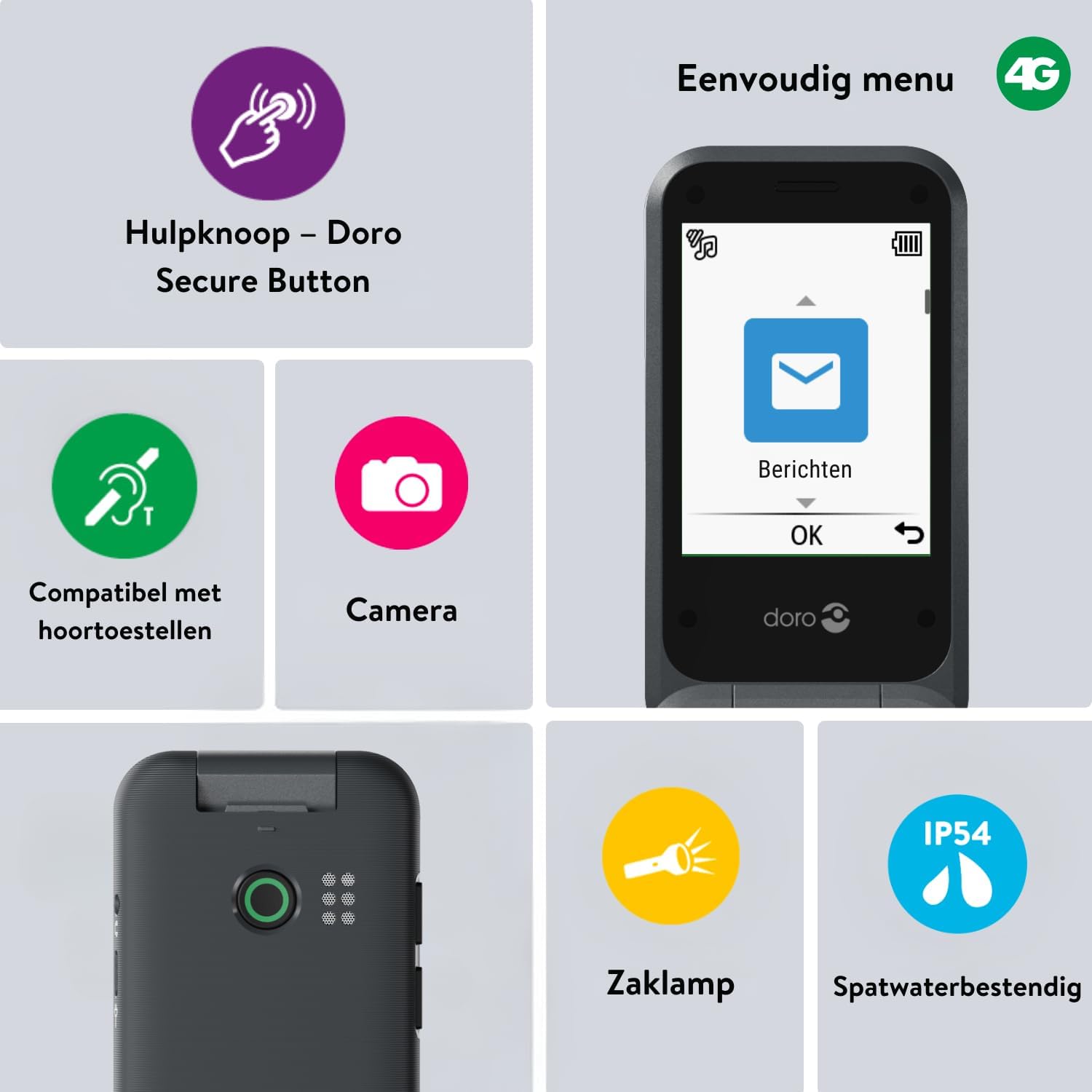
Image 2: The Doro Leva E20's simple menu interface, showing the 'Messages' icon, along with other features like the assistance button, camera, flashlight, and IP54 splash resistance.
3.3. Càmera
The Doro Leva E20 includes a basic camera for capturing photos.
- Al menú principal, seleccioneu Càmera.
- Enquadra la teva foto utilitzant la pantalla com a viewcercador.
- Premeu el botó OK botó per fer una foto.
3.4. Assistance Button (Doro Secure Button)
The dedicated assistance button is a key safety feature, allowing you to quickly contact pre-set emergency numbers.
- Preparant: Refer to the phone's settings menu under 'Assistance' to program emergency contacts.
- Activació: Press and hold the assistance button (located on the back of the phone) for a few seconds. The phone will automatically call and send an SMS to your pre-programmed emergency contacts.

Image 3: The Doro Leva E20's Doro Secure Button, designed for quick access to emergency contacts.
3.5. Llanterna
To activate the built-in flashlight:
- Locate the flashlight icon or dedicated button (if available) on the phone or in the quick settings menu.
- Press the corresponding key or navigate to the option to turn the flashlight on/off.
3.6. Botons d'accés ràpid
The Doro Leva E20 features quick access buttons for frequently used functions.
- Contactes preferits: Assign frequently called numbers to speed dial keys.
- Càmera: A dedicated button or menu option for quick camera access.
- Missatges: A dedicated button or menu option for quick message access.

Image 4: The Doro Leva E20 in hand, showcasing the keypad with quick access buttons for favorite contacts, camera, and messages.
4. Manteniment
4.1. Neteja del dispositiu
Per mantenir el telèfon en condicions òptimes:
- Use a soft, dry, lint-free cloth to clean the screen and body of the phone.
- Eviteu utilitzar productes químics durs, dissolvents de neteja o detergents forts.
- No exposeu el telèfon a una humitat excessiva.
4.2. Cura de la bateria
The Doro Leva E20 is powered by a rechargeable battery. To maximize battery life and performance:
- Charge the phone regularly. Avoid letting the battery drain completely before recharging.
- No exposeu la bateria a temperatures extremes.
- Si no feu servir el telèfon durant un període prolongat, carregueu-lo al 50% aproximadament abans de guardar-lo.
4.3. Resistència a l'aigua
The Doro Leva E20 has an IP54 rating, meaning it is protected against dust ingress and splashing water from any direction. It is not designed to be submerged in water.
5. Solució De Problemes
Si teniu problemes amb el vostre Doro Leva E20, proveu les solucions següents:
| Problema | Possible solució |
|---|---|
| El telèfon no s'encén | Ensure the battery is charged. Connect the charger and try again. Check if the battery is correctly inserted. |
| No puc fer ni rebre trucades | Check if the SIM card is correctly inserted. Ensure you have network coverage. Contact your service provider if the issue persists. |
| Mala qualitat del so | Adjust the volume. Ensure the speaker/microphone is not blocked. If using a hearing aid, ensure compatibility settings are correct. |
| La bateria s'esgota ràpidament | Reduce screen brightness. Close unused applications. Limit background data usage. Ensure the phone is not in an area with poor network signal, which can increase battery consumption. |
If these steps do not resolve the issue, please contact Doro customer support.
6. Especificacions
- Nom del model: Leva E20
- Sistema operatiu: Mocor OS
- Model de CPU: Còrtex A7
- Mida de la pantalla: 2.8 polzades
- Resolució: 320 x 240
- Tecnologia cel·lular: 4G
- Connectivitat: USB tipus C
- Capacitat d'emmagatzematge de memòria: 17 GB
- Color: Negre
- Resistència a l'aigua: IP54 (resistent a les esquitxades)
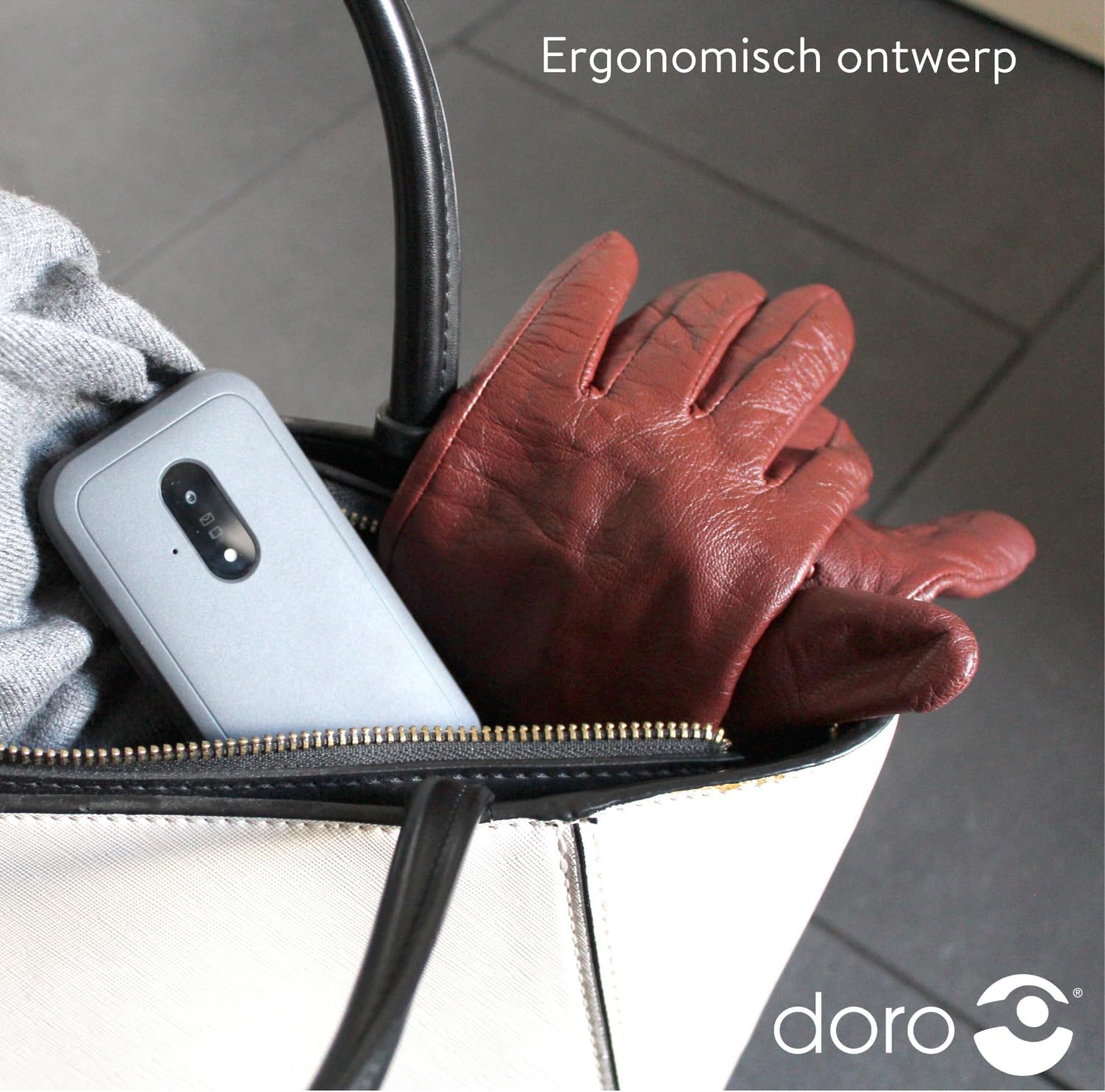
Image 5: The Doro Leva E20's ergonomic design allows for easy portability, fitting comfortably in a bag.
7. Garantia i Suport
Your Doro Leva E20 is manufactured by Doro. For specific warranty information, including terms and conditions, please refer to the warranty card included with your product or visit the official Doro website. For technical support, troubleshooting assistance beyond this manual, or service inquiries, please contact Doro customer support directly.
Fabricant: Doro
Weblloc: www.doro.com (Please check your regional Doro website for local support contact details.)