
1. Introducció
Welcome to the user manual for your new FASTWD Android 15 Tablet 11-inch. This guide provides essential information for setting up, operating, and maintaining your device. Please read this manual thoroughly to ensure optimal performance and longevity of your tablet.
The FASTWD Android 15 Tablet features an 11-inch 2K QHD display, an Octa-Core T615 processor, 36GB RAM, 256GB ROM, and an 8000mAh battery. It supports 5G WiFi, 4G LTE, and includes AI-enhanced cameras, Gemini AI, and Widevine L1 for high-quality streaming.
2. Contingut del paquet
Upon unboxing, please verify that all items listed below are present in your package:
- FASTWD Android 15 Tablet (11-inch)
- Ratolí
- Teclat
- Feu clic a Bolígraf
- Estoig de pell
- Carregador
- Data Cable (USB Type-C)
- Manual d'usuari de la tauleta

Figura 2.1: Included accessories with the FASTWD Android 15 Tablet.
3. Dispositiu acabatview
The FASTWD Android 15 Tablet features a sleek, lightweight metal body with a slim profile and straight edges. The display bezel measures 7.8mm, contributing to an immersive viewexperiència.
Característiques físiques
- Visualització: 11-inch 2K QHD (2560x1440) In-cell Display with 90Hz refresh rate and Wide Viewangle ing.
- Cos: Metal construction, weighing approximately 568g.
- Ports: USB Type-C for charging and data transfer, SIM/MicroSD card slot.
- Càmeres: Rear 13MP + 3MP with autofocus and Low Light LED Flash; Front 8MP with autofocus.
- Àudio: Quatre Amplitude Speakers with Artificial Intelligence Noise Cancellation technology.

Figura 3.1: Acabatview del disseny i les característiques principals de la tauleta.

Figura 3.2: Detail of the tablet's connectivity ports and speaker placement.
4. Configuració
4.1 Càrrega inicial
Before first use, fully charge your tablet using the provided USB Type-C cable and charger. Connect the cable to the tablet's USB-C port and the charger to a power outlet. The battery indicator on the screen will show charging progress.
4.2 Engegada/apagada
- Per encendre: Press and hold the Power button until the FASTWD logo appears on the screen.
- Per apagar: Mantingueu premut el botó d'engegada i, a continuació, seleccioneu "Apagar" de les opcions que apareixen a la pantalla.
- Per reiniciar: Mantingueu premut el botó d'engegada i, a continuació, seleccioneu "Reiniciar" de les opcions.
4.3 Assistent de configuració inicial
Upon first power-on, the tablet will guide you through an initial setup process. This includes selecting your language, connecting to a Wi-Fi network, setting up your Google account, and configuring basic security settings.
4.4 SIM and MicroSD Card Installation
Locate the SIM/MicroSD card tray on the side of the tablet. Use the provided SIM ejector tool to open the tray. Insert your Nano-SIM card (for 4G LTE connectivity) and/or a MicroSD card (for expanded storage) into the designated slots, ensuring correct orientation. Gently push the tray back into the tablet.
4.5 Bluetooth Device Pairing
To connect Bluetooth accessories like the included keyboard or mouse:
- Vés a Configuració > Dispositius connectats > Bluetooth.
- Commuta el Bluetooth On.
- Assegureu-vos que el dispositiu Bluetooth estigui en mode d'emparellament.
- Seleccioneu "Emparella un dispositiu nou" i trieu el vostre dispositiu de la llista.
- Seguiu les indicacions de la pantalla per completar l'aparellament.

Figura 4.1: Bluetooth device connection interface.
4.6 Face Recognition Unlock
For convenient and secure unlocking, you can set up Face Recognition:
- Vés a Configuració > Seguretat i privadesa > Desbloqueig del dispositiu > Desbloqueig facial.
- Follow the on-screen instructions to register your face. Ensure you are in a well-lit environment.
Figura 4.2: Face Recognition Unlock setup.
5. Instruccions de funcionament
5.1 Navegació bàsica
The tablet uses standard Android touch gestures:
- Toca: Selecciona un element o obre una aplicació.
- Llisca: Desplaça't per pàgines o llistes.
- Pessiga per fer zoom: Apropar o allunyar les imatges i web pàgines.
- Premsa llarga: Accediu als menús contextuals o moveu les icones de les aplicacions.
5.2 Wi-Fi and 4G LTE Connectivity
- Wi-Fi: Vés a Configuració > Xarxa i Internet > Internet. Select your desired Wi-Fi network and enter the password if required. The tablet supports 2.4G/5G dual-band Wi-Fi.
- 4G LTE: If a SIM card is installed, go to Configuració > Xarxa i Internet > SIM to manage mobile data settings. The tablet supports 4G LTE TDD+FDD and VoLTE.

Figura 5.1: Connectivity features of the tablet.
5.3 Gestió d'aplicacions
Per gestionar les vostres aplicacions:
- Instal·leu aplicacions: Feu servir la Google Play Store per descarregar i instal·lar noves aplicacions.
- Desinstal·lar aplicacions: Long-press an app icon on the home screen or app drawer, then drag it to 'Uninstall' or select 'App info' and choose 'Uninstall'.
- Free Up Storage Space: Vés a Configuració > Aplicacions > Veure totes les aplicacions. Select an app, then choose 'Storage & cache' to clear cache or data, or 'Force stop' to temporarily halt its operation.
Figura 5.2: App management options.
5.4 Controls parentals
Manage and monitor tablet usage for children using parental controls:
- Vés a Configuració > Benestar digital i controls parentals.
- Set up screen time limits, app restrictions, and content filters.
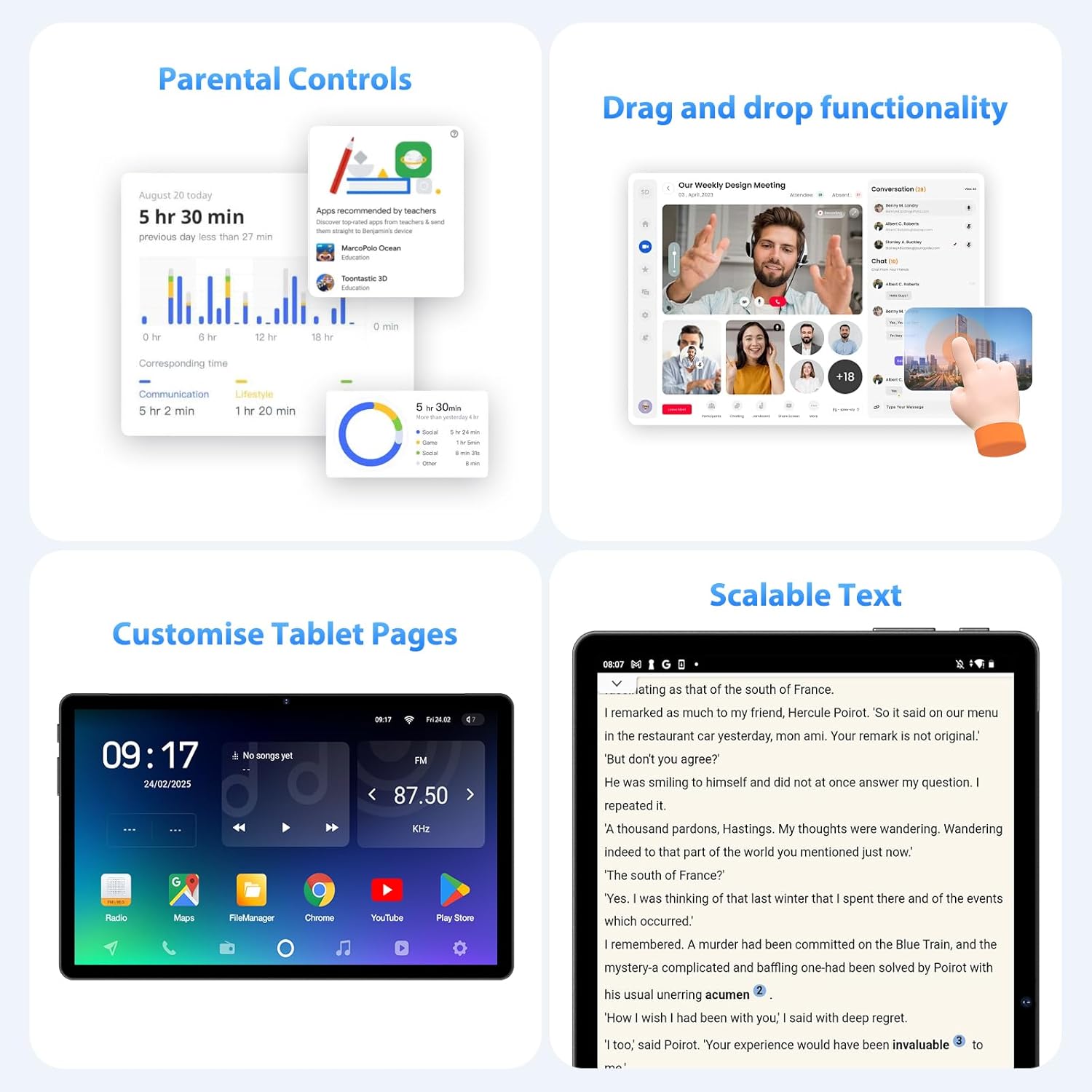
Figura 5.3: Parental control settings.
5.5 Double-tap to Wake
To quickly wake the screen without pressing the power button, simply double-tap the display. This feature can usually be enabled or disabled in Configuració > Mostra > Lock screen display.
Figura 5.4: Double-tap to wake functionality.
5.6 Customizing Tablet Pages
Personalize your tablet's home screens by long-pressing on an empty area to access wallpaper, widgets, and home screen settings. You can also rearrange app icons and create folders.
Figura 5.5: Example of a customized tablet page.
6. Funcions avançades
6.1 Display and Multimedia
- 2K QHD 90Hz Display: Enjoy smooth visuals and vibrant colors on the 11-inch 2560x1440 resolution display. The 90Hz refresh rate enhances scrolling and gaming experiences.
- Widevine L1 DRM: Supports Widevine L1 Digital Rights Management, enabling high-definition (1080P) streaming from services like Netflix.
- DP HD Screen Throwing: Allows for high-definition screen mirroring or extension to compatible external displays.
- Scalable Text: Adjust text size for improved readability via display settings.
Figura 6.1: Scalable text feature for enhanced readability.
6.2 Performance and AI
- Octa-Core T615 Processor: Equipped with a powerful 12nm Octa-Core T615 processor (4x A73 + 4x A53) and Mali-G72 GPU for efficient multitasking and smooth application performance.
- Gemini AI Integration: Leverages Gemini AI for enhanced smart features and optimized user experience.
- Detecció intel·ligent per IA: The tablet incorporates AI for various smart detection functionalities, improving user interaction and device efficiency.
Figura 6.2: Octa-core processor specifications.
6.3 Característiques de la càmera
The tablet is equipped with AI-enhanced cameras:
- Càmeres posteriors: 13MP + 3MP with HD Video Call support, autofocus, and Low Light LED Flash.
- Càmera frontal: 8MP with autofocus.
- Capture Unlock Face: Utilize the front camera for face recognition to unlock the device.
6.4 Sistema d'àudio
Experience clear audio with the tablet's advanced sound system:
- Quatre Amplitude Speakers: Delivers rich and immersive sound.
- Cancel·lació de soroll per IA: Artificial Intelligence Noise Cancellation technology automatically filters out ambient noise for clearer audio output.
7. Manteniment i cura
7.1 Neteja de la tauleta
Use a soft, lint-free cloth to gently wipe the screen and body of the tablet. For stubborn smudges, slightly dampNetegeu el drap amb aigua o una solució netejadora de pantalles. Eviteu utilitzar productes químics agressius o materials abrasius.
7.2 Cura de la bateria
The tablet is equipped with an 8000mAh battery, providing approximately 8 hours of usage. To prolong battery life:
- Eviteu temperatures extremes.
- No deixeu que la bateria es descarregui completament amb freqüència.
- Feu servir el carregador proporcionat per a una càrrega òptima.
- Reduce screen brightness and disable unnecessary features (Wi-Fi, Bluetooth, GPS) when not in use.
7.3 Actualitzacions de programari
Comproveu i instal·leu regularment si hi ha actualitzacions de programari per assegurar-vos que la tauleta tingui les darreres funcions, pegats de seguretat i millores de rendiment. Aneu a Configuració > Sistema > Actualització del sistema per comprovar si hi ha actualitzacions disponibles.
7.4 Gestió d'emmagatzematge
The tablet comes with 256GB of internal storage, expandable up to 1TB via MicroSD card. To manage storage:
- Elimina regularment els innecessaris files i aplicacions.
- Moure en gran files (photos, videos) to the MicroSD card or cloud storage.
- Clear app cache periodically via Configuració > Emmagatzematge.
8. Solució De Problemes
Aquesta secció tracta problemes habituals que podeu trobar amb la vostra tauleta.
La tauleta 8.1 no s'encén
- Assegureu-vos que la bateria estigui carregada. Connecteu la tauleta al carregador durant almenys 30 minuts.
- Mantingueu premut el botó d'engegada durant 10-15 segons per realitzar un reinici forçat.
8.2 Problemes de connexió Wi-Fi
- Reinicieu el router Wi-Fi i la tauleta.
- Assegureu-vos que esteu dins de l'abast del senyal Wi-Fi.
- Verifiqueu que la contrasenya del Wi-Fi sigui correcta.
- Oblida't de la xarxa a la configuració del Wi-Fi i torna a connectar-te.
8.3 Rendiment lent
- Tanca les aplicacions que no s'utilitzen i que s'executen en segon pla.
- Clear app caches and free up storage space.
- Reinicieu la tauleta periòdicament.
- Consider performing a factory reset if performance issues persist (Nota: This will erase all data on the tablet. Back up important data first).
8.4 La pantalla no respon
- Feu un reinici forçat mantenint premut el botó d'engegada.
- Assegureu-vos que la pantalla estigui neta i lliure d'humitat o brutícia.
9. Especificacions
| Característica | Especificació |
|---|---|
| Marca | FASTWD |
| Nom del model | FASTWD Android 15 Tablet 11-inch |
| Sistema operatiu | Android 15 |
| Processador | Octa-Core T615 (4x A73, 4x A53, 12nm) |
| GPU | Mali-G72 |
| RAM | 36 GB (12 GB + 24 GB virtual) |
| Emmagatzematge intern | 256 GB |
| Emmagatzematge ampliable | Up to 1TB MicroSD |
| Mida de la pantalla | 11 polzades |
| Resolució de visualització | 2560 x 1440 (2K QHD) |
| Freqüència d'actualització | 90 Hz |
| Capacitat de la bateria | 8000 mAh |
| Durada de la bateria | Aproximadament 8 hores |
| Càmera posterior | 13MP + 3MP with Autofocus and LED Flash |
| Càmera frontal | 8MP with Autofocus |
| Wi-Fi | 802.11ac (2.4G/5G Dual-band) |
| Connectivitat cel·lular | 4G LTE (TDD+FDD), VoLTE |
| Bluetooth | Sí |
| Ports | USB tipus C |
| Dimensions (producte) | 26L x 16W x 0.8H cm |
| Pes | Aproximadament 568 g |
| Suport DRM | Widevine L1 |
| Altres característiques | Gemini AI, GPS, TÜV Certified (implied from product title) |
10. Garantia i Suport
For detailed warranty information, please refer to the warranty card included in your product packaging or contact your point of purchase. Warranty terms and conditions may vary by region and retailer.
If you encounter issues not covered in this manual or require further assistance, please contact FASTWD customer support through the contact information provided with your product or on the official FASTWD weblloc.