
Introducció
This manual provides essential information for setting up, operating, and maintaining your Amazon Echo Dot Kids (5th Gen) with Alexa. Designed specifically for children, this smart speaker offers a blend of entertainment and educational content within a safe, controlled environment. It features an improved speaker for clearer audio and vibrant sound, making it ideal for music, stories, and interactive learning.

Image: The Amazon Echo Dot Kids (5th Gen) in Stardust design, showcasing its primary function for music, stories, and skills tailored for children.
Configuració
- Encès: Connect the included power adapter to your Echo Dot Kids and then to a power outlet. The light ring will turn blue, then orange, indicating it is ready for setup.
- Descarrega l'aplicació Alexa: On your mobile device (Fire OS, Android, or iOS), download and install the Amazon Alexa app.
- Connecta't a Wi-Fi: Open the Alexa app and follow the on-screen instructions to connect your Echo Dot Kids to your dual-band Wi-Fi network (supports 802.11a/b/g/n/ac on 2.4 and 5 GHz). Ensure your device is within range of your home Wi-Fi.
- Registra el dispositiu: If not automatically registered, follow the app prompts to register the device to your Amazon account.
- Parent Profile Configuració: Within the Alexa app, navigate to the Amazon Kids section to set up child profiles and enable parental controls.
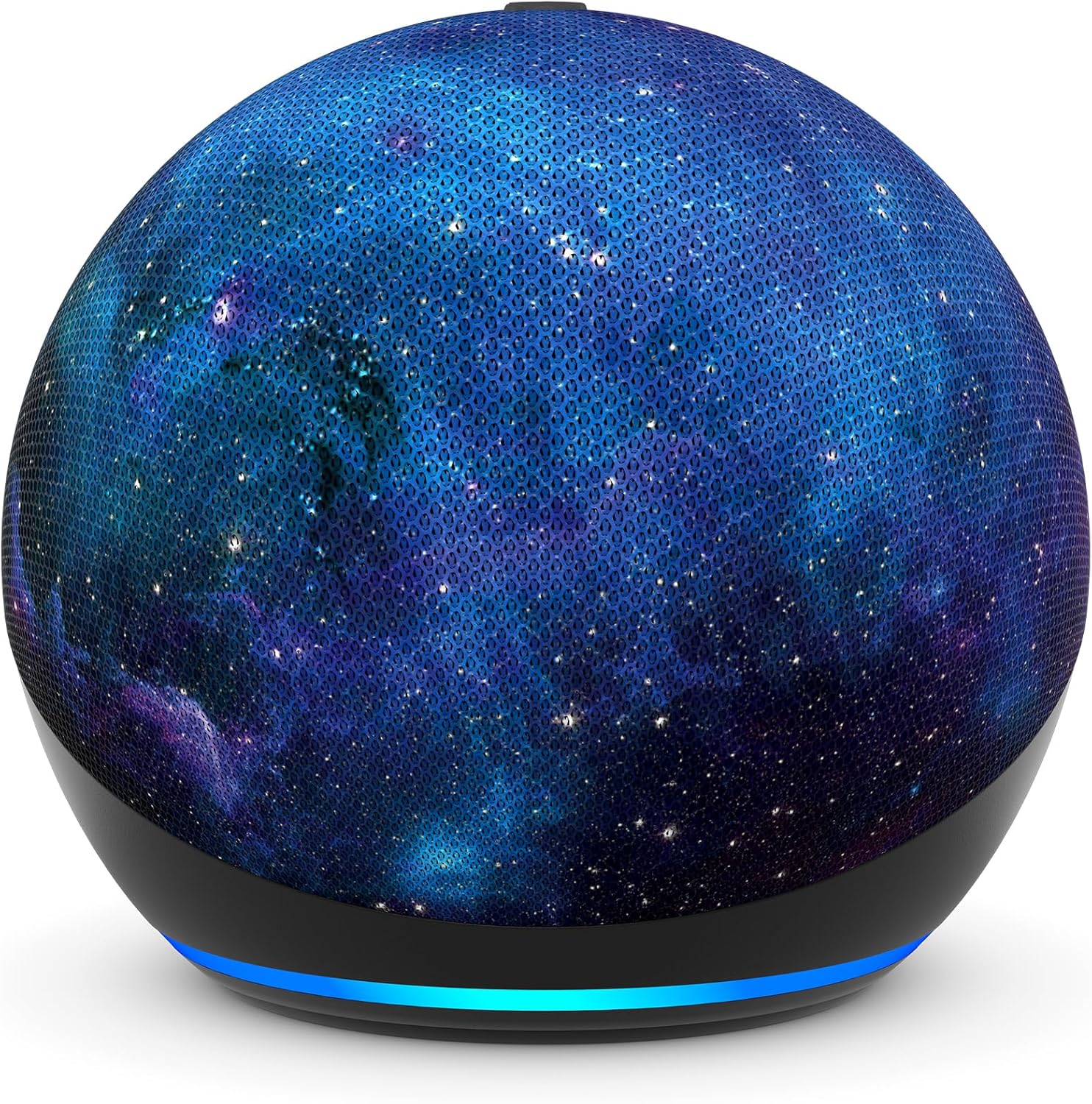
Imatge: Un primer pla view of the Amazon Echo Dot Kids (5th Gen) in Stardust design, illustrating its compact form factor and illuminated light ring.
Instruccions de funcionament
Comandaments de veu
Your Echo Dot Kids responds to voice commands using the wake word "Alexa."
- Music and Stories: Say, "Alexa, play music for kids" or "Alexa, tell me a bedtime story."
- Questions and Homework Help: Ask, "Alexa, how far away is the sun?" or "Alexa, what's 5 plus 7?"
- Alarmes i rutines: Kids can set their own alarms by saying, "Alexa, set an alarm for 7 AM." Parents can set up Morning Routines via the Alexa app.
- Character Voices: Alexa can respond in fun character voices like owl, dragon, tiger, or panda.
- Hey Disney! Integration: Use the Hey Disney! voice assistant for Disney-themed interactions, such as weather updates with Mickey or setting timers with Dory.

Image: An Echo Dot Kids with a dragon design, illustrating a child's interaction with Alexa to play music.

Image: The Stardust Echo Dot Kids on a nightstand, demonstrating its use for bedtime routines with the 'Hey Disney!' feature.
Parental Controls and Amazon Kids+
The Echo Dot Kids is designed with robust parental controls to ensure a safe and age-appropriate experience for children.
Controls parentals
- Kid-Friendly Responses: Alexa automatically provides responses suitable for children and filters explicit lyrics from music.
- Límits de temps: Set daily time limits for device usage through the Amazon Parent Dashboard.
- Activity Review: Monitor your child's activity and usage patterns in the Amazon Parent Dashboard.
- Privadesa: The device includes a microphone off button and options to view and delete voice recordings, protecting your family's privacy.
Amazon Kids+
Your Echo Dot Kids includes a 1-year subscription to Amazon Kids+, offering a curated library of content for children aged 3-12.
- Contingut: Access kid-friendly Audible books, interactive games, and educational Alexa skills.
- Adequat a l'edat: Content is curated by age range, adapting as your child grows.
- Gestió: Manage Amazon Kids+ content and settings via the Amazon Parent Dashboard.

Image: A visual representation of the diverse content available through Amazon Kids+, featuring popular children's brands and educational materials.

Image: A screenshot of the Amazon Parent Dashboard interface, demonstrating how parents can customize age ranges and review their child's digital experience.
Manteniment
To ensure the longevity and optimal performance of your Echo Dot Kids, follow these simple maintenance guidelines:
- Neteja: Use a soft, dry, lint-free cloth to gently wipe the exterior of the device. Avoid using abrasive cleaners, solvents, or aerosol sprays.
- Col·locació: Place the device on a stable, flat surface away from direct sunlight, heat sources, and moisture. Ensure proper ventilation around the device.
- Adaptador d'alimentació: Only use the power adapter included with your Echo Dot Kids.
- Emmagatzematge: Si guardeu el dispositiu durant un període prolongat, desconnecteu-lo de l'alimentació i guardeu-lo en un lloc fresc i sec.
Resolució de problemes
If you encounter issues with your Echo Dot Kids, try the following troubleshooting steps:
- Sense energia: Assegureu-vos que l'adaptador de corrent estigui connectat correctament tant al dispositiu com a una presa de corrent que funcioni. Proveu una altra presa de corrent.
- Sense connexió Wi-Fi: Check if your home Wi-Fi network is active. Restart your Wi-Fi router. In the Alexa app, go to Device Settings and attempt to reconnect to Wi-Fi.
- Alexa no respon: Ensure the microphone is not muted (the light ring will be red). Try saying the wake word "Alexa" clearly and at a normal volume. Restart the device by unplugging it for 30 seconds and plugging it back in.
- Mala qualitat d'àudio: Ensure the device is not obstructed. Adjust the volume using voice commands or the Alexa app.
- Parental Control Issues: Verify settings in the Amazon Parent Dashboard within the Alexa app. Ensure child profiles are correctly configured.
Especificacions
| Característica | Detall |
|---|---|
| Mida | 3.9” x 3.9” x 3.5” (100 mm x 100mm x 89 mm) |
| Pes | 10.7 oz (304g) |
| Àudio | 1.73” (44 mm) front-firing speaker, Lossless High Definition |
| Connectivitat Wi-Fi | Dual-band Wi-Fi supports 802.11a/b/g/n/ac (2.4 and 5 GHz) networks. Does not support ad-hoc networks. |
| Connectivitat Bluetooth | A2DP support for audio streaming, AVRCP for voice control of connected mobile devices. Bluetooth speakers requiring PIN codes are not supported. |
| Smart Home Protocols | Wi-Fi, Bluetooth Low Energy Mesh |
| Requisits del sistema | Alexa app compatible with Fire OS, Android, iOS devices, and web navegadors. |
| Inclòs a la Caixa | Echo Dot (5th Gen) Kids, glacier white power adapter (15W), Quick Start Guide, Alexa Guide for kids. |
| Generació | Echo Dot (5th Gen) Kids - 2022 release |
| Franja d'edat | A partir de 3 anys. ADVERTÈNCIA: PERILL D'ASFIXIA: peces petites. No apte per a nens menors de 3 anys. |
| Subscripció | Includes 1 year of Amazon Kids+. |
Garantia i Suport
Garantia
Your Amazon Echo Dot Kids (5th Gen) comes with a 2-year worry-free guarantee. If the device breaks, you can return it for a free replacement. Use of the Echo Dot Kids is subject to the terms found on the Amazon weblloc.
Actualitzacions de seguretat del programari
This device receives guaranteed software security updates for at least four years after its last availability for purchase as a new unit on Amazon webllocs.
Atenció al client
For further assistance, visit the Amazon support website or contact Amazon Customer Service. You can also manage your device and content by visiting the 'Manage Your Content and Devices' section on Amazon.