
Introducció
This manual provides detailed instructions for the Wisoqu M109 Wireless Mouse with TF Card Reader. Please read it carefully before use to ensure proper operation and longevity of your device. This product combines the functionality of a wireless mouse with a versatile TF card reader, offering convenience and expanded utility.
Producte acabatview
The Wisoqu M109 is a compact and ergonomic wireless mouse designed for portability and efficient use. It features Bluetooth 5.1 connectivity for stable and fast pairing, an integrated TF card reader supporting up to 2TB for data transfer, and a rechargeable lithium battery for extended use. Its lightweight design and quiet clicks enhance the user experience.
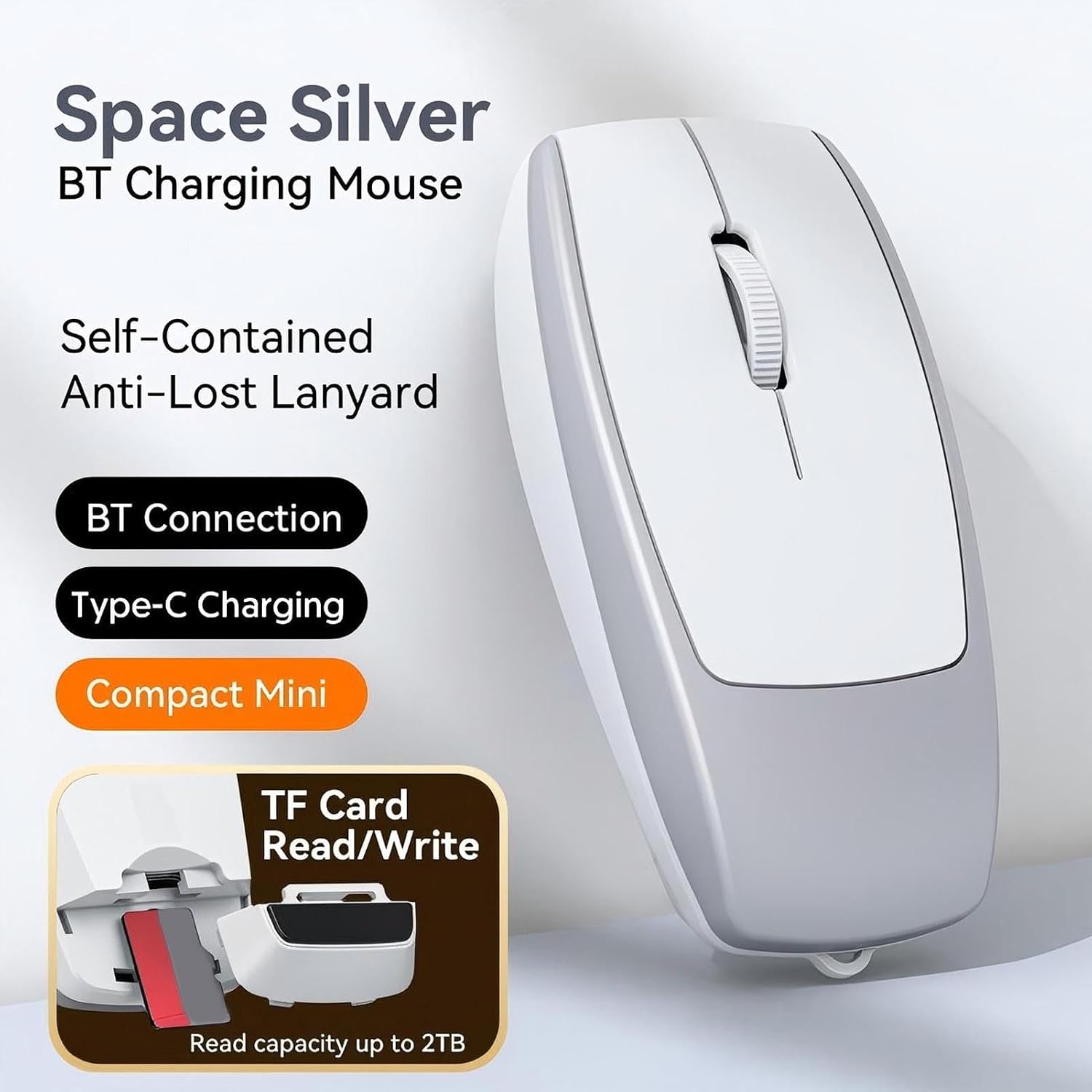
Image: Wisoqu M109 Wireless Mouse in Space Silver, highlighting its Bluetooth charging and TF card read/write capabilities.

Image: The Wisoqu M109 Wireless Mouse shown in a hand, illustrating its compact and portable design.
Contingut del paquet
Verifiqueu que tots els elements siguin presents al paquet:
- 1 x Wisoqu M109 Wireless Mouse
- 1 x Type-C Cable (also functions as an anti-lost rope)
- 1 x Manual d'usuari

Image: The Wisoqu M109 Wireless Mouse, Type-C charging cable, and instruction manual as included in the product package.
Especificacions
The following table outlines the technical specifications of the Wisoqu M109 Wireless Mouse:
| Característica | Detall |
|---|---|
| Model | M109 |
| Mode de funcionament | Mode de connexió BT5.1 |
| Freqüència | 250 Hz |
| Velocitat | 28 polzades/segon |
| Freqüència d'actualització | 3000 fotogrames per segon |
| Acceleració | 10G |
| Resolució (DPI) | 800/1200/1600 |
| Nombre de botons | 4 botons |
| Vida útil de la clau | 3 million clicks (silent switch) |
| Material d’estructura | ABS |
| Actual | 500 mA |
| Distància d'operació | 10 m |
| Tipus de bateria | Lithium battery, 120mAh (built-in) |
| Longitud del cable de càrrega | 20 cm |
| Mida de l'article | 7.8 x 3.8 x 2.2 cm / 3.07 x 1.5 x 0.87 polzades |
| Pes de l'article | 27 g / 0.95 oz |
| TF Card Reader Capacity | Fins a 2 TB |

Image: Visual representation of the Wisoqu M109's key specifications.

Image: Dimensional diagram of the Wisoqu M109 Wireless Mouse.
Configuració
Follow these steps to set up your Wisoqu M109 Wireless Mouse:
- Encès: Locate the power switch at the bottom of the mouse and slide it to the 'ON' position.
- Activa el Bluetooth: On your computer, laptop, or tablet, ensure Bluetooth is enabled.
- Maridatge: Cerca available Bluetooth devices. The mouse will appear as "BT5.1Mouse". Select it to initiate pairing.
- Confirmació de connexió: Once successfully paired, the mouse is ready for use. The LED indicator on the mouse may change to a steady light or turn off, depending on the model.

Image: The Wisoqu M109 mouse demonstrating wireless Bluetooth connectivity with various devices.
Instruccions de funcionament
Basic Mouse Functionality
- Clic esquerre: Selecció i activació primàries.
- Clic dret: Accedeix als menús contextuals.
- Roda de desplaçament: Navega verticalment pels documents i web pages. Pressing the scroll wheel may activate middle-click functions depending on your operating system settings.
- Botó DPI: Adjusts the mouse sensitivity (800/1200/1600 DPI). Press the button to cycle through the settings.
TF Card Reader Function
The Wisoqu M109 mouse includes an integrated TF (Micro SD) card reader:
- Inseriu la targeta TF: Locate the TF card slot on the mouse. Gently insert your TF card into the slot until it clicks into place.
- Dades d'accés: Your computer will recognize the TF card as a removable storage device. You can now transfer files to and from the card.
- Remove TF Card: To remove, gently push the TF card further into the slot until it springs out. Always safely eject the device from your computer's operating system before physical removal to prevent data corruption.
Carregant el ratolí
The mouse is equipped with a rechargeable lithium battery:
- Connecta el carregador: Use the provided Type-C cable to connect the mouse to a USB power source (e.g., computer USB port, wall adapter).
- Indicador de càrrega: A clear LED alert will indicate the charging status. The LED will typically be red while charging and turn off or change color when fully charged.
- Temps de càrrega: A full charge typically takes 2-3 hours and provides over 30 hours of continuous use.

Image: The Wisoqu M109 mouse connected for charging via its Type-C port, indicating battery status.
Anti-Lost Rope Function
The included Type-C cable can also serve as an anti-lost rope. Attach it to the designated loop on the mouse for added security during travel or when moving between workstations.

Image: The Wisoqu M109 mouse with its anti-lost rope, emphasizing portability and secure handling.
Manteniment
To ensure optimal performance and extend the lifespan of your Wisoqu M109 mouse, follow these maintenance guidelines:
- Neteja: Use a soft, dry, lint-free cloth to clean the exterior of the mouse. Avoid using harsh chemicals, solvents, or abrasive materials.
- Emmagatzematge: Quan no l'utilitzeu, guardeu el ratolí en un lloc fresc i sec, allunyat de la llum solar directa i de temperatures extremes.
- Cura de la bateria: Do not expose the battery to excessive heat or cold. For long-term storage, it is recommended to charge the mouse to about 50% capacity.
- Eviteu les gotes: Protect the mouse from drops and impacts, which can damage internal components.
Resolució de problemes
If you encounter issues with your Wisoqu M109 mouse, refer to the following common problems and solutions:
- El ratolí no es connecta per Bluetooth:
- Assegureu-vos que el ratolí estigui encès.
- Check that Bluetooth is enabled on your host device (computer, laptop, etc.).
- Prova de desvincular i tornar a vincular el ratolí des de la configuració de Bluetooth del dispositiu.
- Assegureu-vos que la bateria del ratolí tingui prou càrrega.
- TF card not recognized:
- Ensure the TF card is inserted correctly and fully into the slot.
- Try the TF card in another device to check if the card itself is faulty.
- Check your computer's disk management or file explorer to see if the drive appears.
- El ratolí no carrega:
- Verify that the Type-C cable is securely connected to both the mouse and the power source.
- Proveu un altre port USB o adaptador de corrent.
- Assegureu-vos que el cable de càrrega no estigui danyat.
- Mouse cursor erratic or unresponsive:
- Clean the optical sensor at the bottom of the mouse.
- Assegureu-vos que feu servir el ratolí sobre una superfície adequada (no gaire reflectant ni transparent).
- Recarrega la bateria del ratolí.
Informació de la garantia
The Wisoqu M109 Wireless Mouse is covered by a manufacturer's warranty for 90 days from the date of purchase. This warranty covers defects in materials and workmanship under normal use. It does not cover damage caused by misuse, accidents, unauthorized modifications, or normal wear and tear. Please retain your proof of purchase for warranty claims.
Atenció al client
For any questions, technical support, or warranty inquiries regarding your Wisoqu M109 Wireless Mouse, please refer to the manufacturer's contact information provided with your product packaging. You may also visit the official Wisoqu store on Amazon for additional resources and support.