
Introducció
The Bose QuietComfort Ultra Headphones (2nd Gen) are engineered to provide an immersive audio experience with advanced noise cancellation and spatialized audio. Designed for comfort and superior sound, these wireless Bluetooth headphones feature CustomTune technology for personalized audio and up to 30 hours of battery life. This manual provides essential information for setup, operation, maintenance, and troubleshooting to ensure optimal use of your headphones.
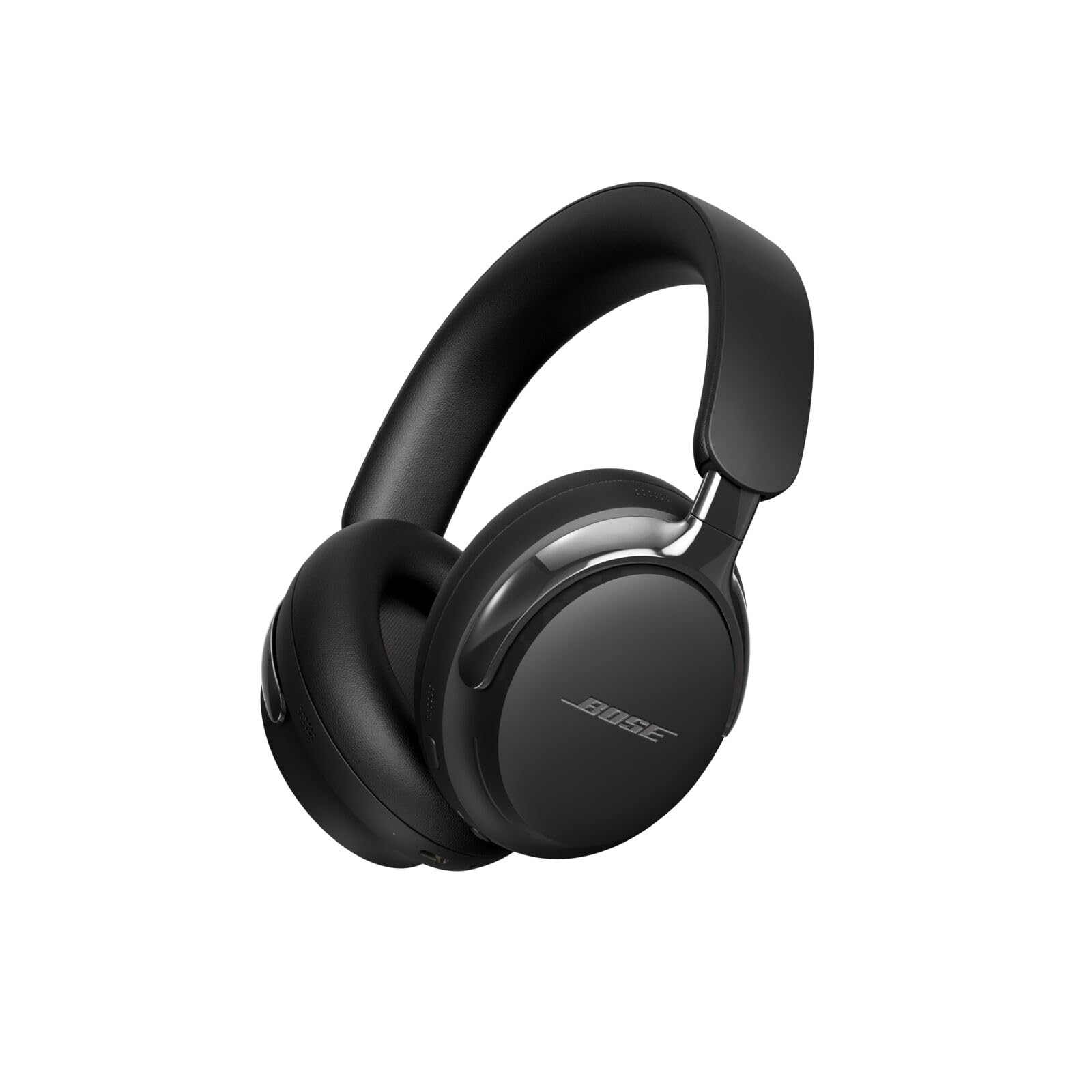
Image: Bose QuietComfort Ultra Headphones (2nd Gen) in Black, showcasing el seu disseny elegant.
Què hi ha a la caixa
Your Bose QuietComfort Ultra Headphones (2nd Gen) package includes:
- Bose QuietComfort Ultra Headphones (2nd Gen)
- Funda protectora
- USB-C to USB-C Cable (for charging and wired audio)
- 2.5mm to 3.5mm Audio Cable (for analog listening)
- Full de seguretat
Video: A short unboxing of the Bose QuietComfort Ultra Headphones (2nd Gen), showing the contents of the package.
Producte acabatview
Disseny i comoditat
The headphones feature plush earcups and a refined metal headband that evenly distributes pressure for a comfortable fit during extended listening sessions. The arms holding the earcups are made with polished metal, adding to the stylish design.

Imatge: Lateral view of the Bose QuietComfort Ultra Headphones (2nd Gen), highlighting the polished metal arms and earcup design.
Controls i Ports
The right earcup houses the primary controls:
- Botó d'encesa/emparellament: Used to power the headphones on/off and initiate Bluetooth pairing.
- Botó multifunció: For various controls depending on context (e.g., play/pause, answer calls).
- Touch-Sensitive Strip: Located on the backside of the right earcup, drag your finger up or down to adjust volume.
Connectivity ports include:
- Port USB-C: For charging and high-quality lossless wired audio connection to compatible devices.
- Conector d'àudio de 2.5 mm: For analog audio connection using the included 2.5mm to 3.5mm cable.
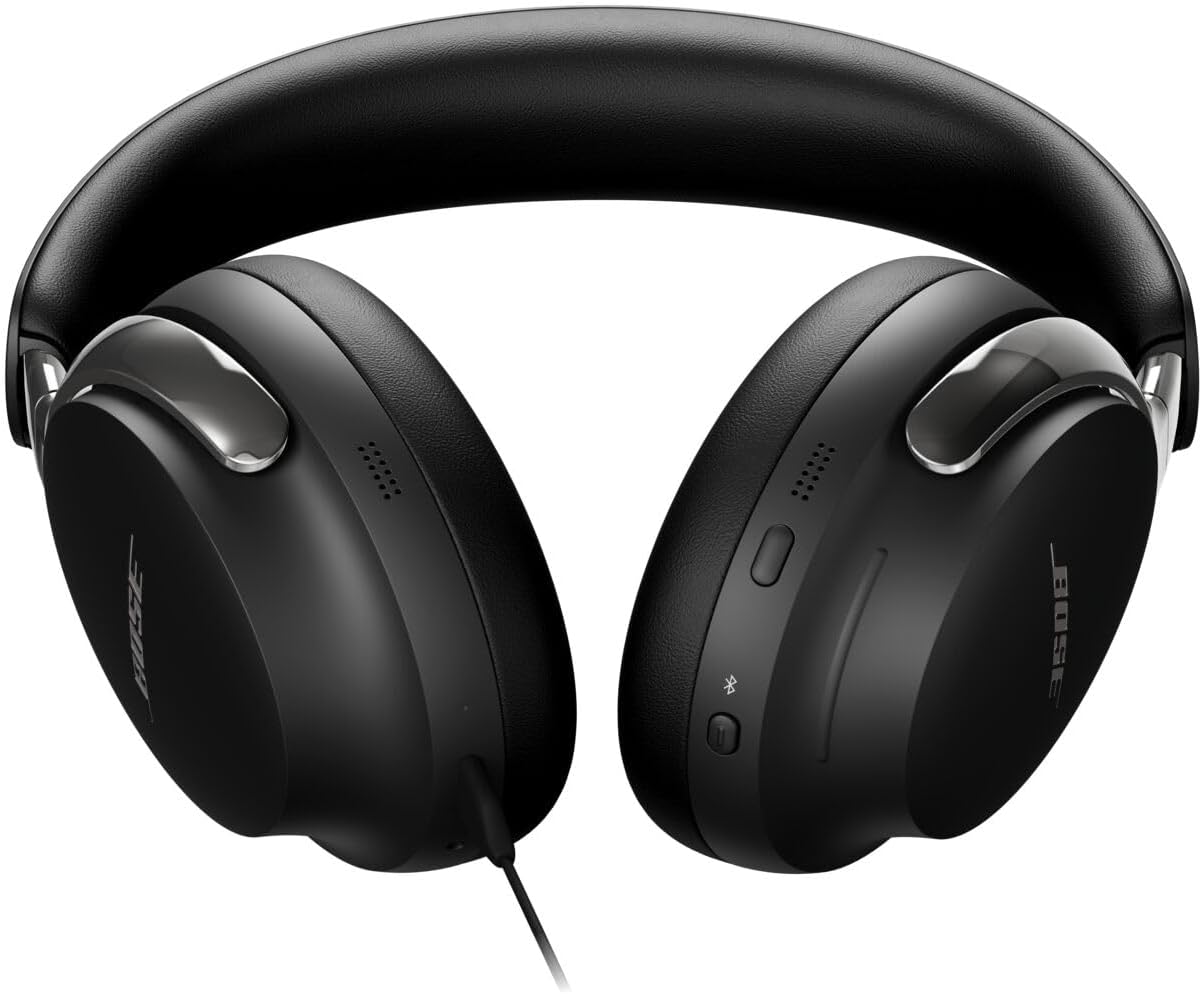
Image: Close-up of the right earcup showing the power button, multi-function button, and touch-sensitive volume strip.
Configuració
Maridatge inicial
- To power on your headphones, press and hold the Power/Pairing button until the indicator light illuminates.
- To enter pairing mode, continue holding the Power/Pairing button until the indicator light blinks blue.
- On your device, enable Bluetooth and select "Bose QuietComfort Ultra Headphones" from the list of available devices.
Aplicació de música Bose
For full functionality, including software updates, sound customization (EQ), and access to all features, download the Bose Music app from your device's app store. The app allows you to manage connections, adjust noise cancellation modes, and personalize your audio experience.
En funcionament
Modes de cancel·lació de soroll
The headphones offer several listening modes:
- Mode silenciós: Bose's best noise cancellation to minimize distractions.
- Mode conscient: Allows you to hear your surroundings while enjoying your audio.
- Mode d'immersió: Combines noise cancellation with Bose Immersive Audio for an expanded sound experience.
- Mode cinema: A new feature that spatializes and balances background sound and effects for a cinematic audio experience.
Video: Demonstration of Ambient Mode functionality on the Bose QuietComfort Ultra Headphones (2nd Gen).
Bose Immersive Audio
This technology spatializes audio, moving the sound out of your head and placing it in front of you for a more natural and expansive listening experience. CustomTune technology further personalizes this by adapting the sound to the unique shape of your ears.
Càrrega i durada de la bateria
The Bose QuietComfort Ultra Headphones (2nd Gen) offer:
- Fins a 30 hores of play time with Active Noise Cancellation (ANC) on.
- Fins a 23 hores of play time with Immersive Audio enabled.
- Full recharge time is approximately 3 hores mitjançant el port USB-C.
You can listen to high-quality lossless audio while charging by connecting the included USB-C to USB-C cable to a compatible device.
Truca Qualitat
These headphones are equipped with noise-rejecting microphones that focus on your voice, while AI-based background noise suppression filters out ambient sounds and wind for clear phone calls and video conferencing. The USB-C connection also supports high-quality two-way communication.
Video: Microphone test comparing Bose QuietComfort Ultra Headphones (2nd Gen) with Sennheiser HDB 630.
Especificacions
| Característica | Detall |
|---|---|
| Marca | Bose |
| Nom del model | Bose QuietComfort Ultra Headphones (2nd Gen) |
| Número de model | 890101-0100 |
| Col·locació de l'orella | Sobre l'orella |
| Control de soroll | Cancel·lació activa del soroll |
| Tecnologia de connectivitat | Wireless (Bluetooth 5.4), Wired (USB-C, 2.5mm Jack) |
| Interval Bluetooth | Fins a 30 peus |
| Durada mitjana de la bateria | 30 Hours (23 with Immersive Audio) |
| Temps de càrrega de la bateria | 3 hores |
| Tipus de control | Button Control, App, Touch Strip |
| Pes de l'article | 0.48 quilos |
| Nivell de resistència a l'aigua | No resistent a l'aigua |
Manteniment
To ensure the longevity and optimal performance of your Bose QuietComfort Ultra Headphones (2nd Gen), follow these maintenance guidelines:
- Neteja: Feu servir un drap suau i sec per netejar els auriculars i la diadema. Eviteu utilitzar productes químics agressius o materials abrasius.
- Emmagatzematge: Guardeu els auriculars a la seva funda protectora quan no els feu servir per evitar que es facin malbé.
- Eviteu la humitat: The headphones are not water resistant. Avoid exposure to water, sweat, or high humidity.
- Cura del cable: Handle the USB-C and audio cables gently to prevent fraying or damage.
Resolució de problemes
If you encounter issues with your headphones, try the following steps:
- Sense energia: Assegureu-vos que els auriculars estiguin completament carregats. Connecteu-los a una font d'alimentació amb el cable USB-C.
- Problemes d'aparellament: Make sure Bluetooth is enabled on your device and the headphones are in pairing mode (blinking blue light). Try forgetting the device on your phone and re-pairing.
- Qualitat del so: Check the audio source and ensure the volume is adjusted correctly on both the headphones and your device. If using wired connection, ensure cables are securely connected.
- Cancel·lació de soroll: Verify that the desired noise cancellation mode is selected in the Bose Music app.
- Connectivitat de l'aplicació: Ensure the Bose Music app is up to date and your device's operating system is compatible.
Per obtenir una resolució de problemes més detallada, consulteu l'aplicació Bose Music o el servei d'assistència oficial de Bose. weblloc.
Garantia i Suport
Your Bose QuietComfort Ultra Headphones (2nd Gen) come with a 1 any de garantia del fabricant. For warranty claims, technical support, or additional product information, please visit the official Bose support weblloc o poseu-vos en contacte amb el seu servei d'atenció al client.
The Bose Music app is also a valuable resource for accessing the latest software updates, ensuring optimal functionality, and exploring cutting-edge features.