
1. Instruccions de seguretat importants
Si us plau, llegiu atentament totes les instruccions abans d'utilitzar la trituradora. Conserveu aquest manual per a futures consultes.
- Mantenir fora de l'abast dels nens i mascotes: The shredder has sharp blades and moving parts that can cause injury.
- Avoid loose clothing and jewelry: Keep ties, necklaces, hair, and loose clothing away from the shredder's openings.
- Desconnecteu quan no estigui en ús: Desendolleu sempre la trituradora abans de moure, netejar o buidar el contenidor d'escombraries.
- Do not shred wet paper: Humit o damp paper can cause jams and damage the shredder.
- Do not spray aerosols: Never spray any flammable products or lubricants into or around the shredder.
- Use only as intended: This shredder is designed for paper, staples, paper clips, credit cards, and CDs/DVDs. Do not attempt to shred other materials.
- No sobrecarregueu: Adhere to the specified sheet capacities for both auto-feed and manual feed to prevent jams and motor strain.
- Ventilació adequada: Ensure the shredder is placed in a well-ventilated area.
2. Producte acabatview
The BONSEN 300-Sheet Autofeed Paper Shredder is designed for efficient and secure document disposal. It features both an auto-feed tray for large batches and a manual feed slot for smaller quantities and other media. The included lubricant sheets help maintain optimal performance.

Figure 2.1: BONSEN 300-Sheet Autofeed Paper Shredder with Lubricant Sheets packaging.
2.1 Components
- Shredder Head (with control panel)
- Auto-Feed Tray
- Ranura d'alimentació manual
- Paperera
- Casters (for mobility)
- Cable d'alimentació
- BONSEN Lubricant Sheets (50-pack)
3. Configuració
Follow these steps to set up your shredder for first use.
- Desembalar: Carefully remove all components from the packaging. Retain packaging for potential future transport or warranty claims.
- Posicioneu la trituradora: Place the shredder on a flat, stable surface. Ensure it is near a standard electrical outlet and has adequate space around it for ventilation and waste bin access.
- Inserir el contenidor d'escombraries: Feu lliscar el contenidor de residus de manera segura dins del gabinet de la trituradora. Assegureu-vos que estigui completament col·locat per permetre que la trituradora funcioni.
- Connectar l'alimentació: Plug the power cord into the shredder's power inlet, then plug the other end into a grounded electrical outlet.

Figure 3.1: The shredder with its waste bin pulled out, showing the internal structure and casters.
4. Instruccions de funcionament
4.1 Tauler de control
The control panel is located on top of the shredder head and includes the following functions:
- Botó d'encesa: Turns the shredder ON/OFF.
- Reverse (REV): Used to clear paper jams by reversing the shredding direction.
- Auto (AUTO): The standard operating mode. The shredder will automatically start when paper is detected and stop when shredding is complete.
- Endavant (FWD): Forces the shredder to run continuously forward, useful for clearing stubborn jams or for specific shredding tasks.
4.2 Auto-Feed Shredding
For shredding large quantities of paper:
- Ensure the shredder is plugged in and the power is ON.
- Lift the auto-feed tray cover.
- Stack up to 300 sheets of letter-sized paper neatly into the auto-feed tray. Ensure there are no staples, paper clips, or other non-paper items in the stack.
- Close the auto-feed tray cover. The shredder will automatically begin shredding.
- The shredder can operate continuously in auto-feed mode for up to 60 minutes. Allow a cool-down period if the shredder overheats.
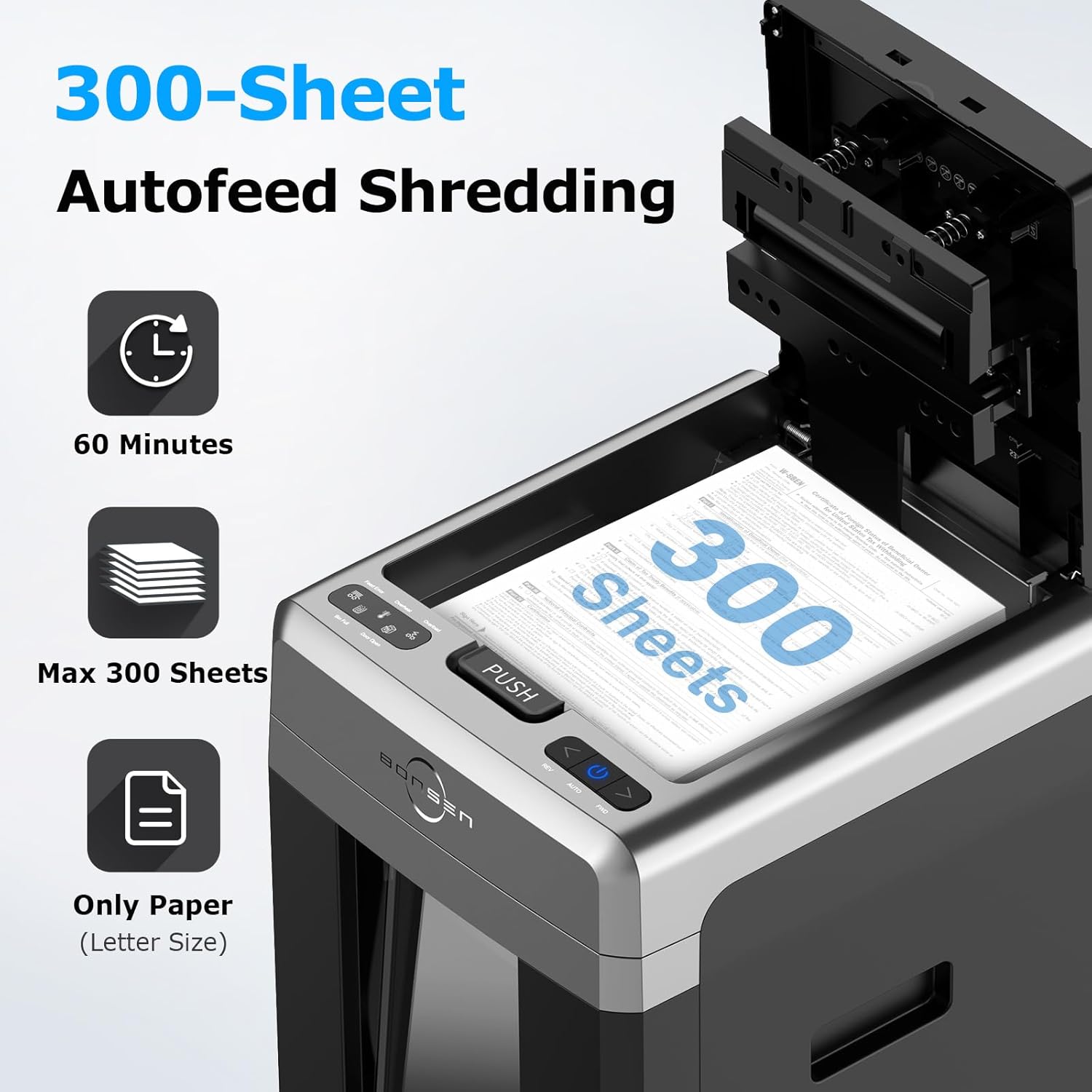
Figure 4.1: The auto-feed tray loaded with a stack of 300 sheets for automatic shredding.
4.3 Manual Feed Shredding
For shredding smaller amounts of paper or other media:
- Ensure the shredder is plugged in and the power is ON.
- Insert up to 12 sheets of paper, a credit card, CD/DVD, or paper with staples/paper clips into the manual feed slot.
- The shredder will automatically detect the item and begin shredding.
- The shredder can operate continuously in manual feed mode for up to 30 minutes.

Figure 4.2: The manual feed slot accepting multiple sheets of paper, a credit card, and showing icons for staples and paper clips.
4.4 Funcionament continu i refredament
The shredder is designed for heavy-duty use with extended run times:
- Mode d'alimentació automàtica: Up to 60 minutes of continuous shredding.
- Mode d'alimentació manual: Up to 30 minutes of continuous shredding.
- If the shredder reaches its maximum continuous run time or overheats, it will automatically shut off to prevent damage. Allow it to cool down for approximately 30-45 minutes before resuming operation.

Figure 4.3: Comparison of continuous shredding times: 60 minutes for auto-feed mode and 30 minutes for manual feed mode.
4.5 Buidatge de la paperera
The shredder features an 8.1-gallon waste bin, capable of holding approximately 700 shredded sheets.
- When the bin is full, the shredder's bin full indicator will illuminate, and the shredder will stop operating.
- Desendolleu la trituradora de la presa de corrent.
- Traieu la paperera.
- Empty the shredded material into a suitable receptacle.
- Slide the waste bin back into the shredder until it is fully seated.
- Plug the shredder back in. The bin full indicator should turn off, and the shredder will be ready for use.

Figure 4.4: The shredder highlighting its 8.1-gallon waste bin capacity and the bin full indicator.
5. Manteniment
5.1 Neteja general
- Desendolleu sempre la trituradora abans de netejar-la.
- Netegeu l'exterior de la trituradora amb un drap suau i sec. No utilitzeu productes de neteja abrasius ni dissolvents.
- Gently clean the paper entry sensors (located inside the feed slots) with a cotton swab to ensure proper paper detection.
5.2 Lubricating Shredder Blades
Regular lubrication of the shredder blades is essential for maintaining optimal performance, reducing static dust, and extending the life of your shredder. Use the BONSEN Lubricant Sheets provided.

Figure 5.1: Packaging for the BONSEN Shredder Lubricant Sheet 50-Pack, Model LS50.
Directions for Use (Lubricant Sheets):
- Feed one lubricant sheet directly into the shredder feed entrance to shred it just like a piece of paper. Do not tear or fold the lubricant sheet before shredding.
- After the sheet has been completely shredded, set the shredder to reverse (REV) for 10 seconds to complete the lubrication process.
- If the shredder feed entrance is wider than the lubricant sheet, use additional sheets to ensure the entire blades are covered and therefore lubricated.
- The shredder is now ready for use again.
Freqüència: Lubricate your shredder after every 30 minutes of accumulated shredding time, or at least twice a month for regular use.

Figure 5.2: A BONSEN lubricant sheet displaying detailed instructions for use and its dimensions (6.10" x 8.74").
6. Solució De Problemes
If you encounter issues with your shredder, refer to the table below for common problems and solutions.
| Problema | Causa possible | Solució |
|---|---|---|
| La trituradora no s'encén. | No power, waste bin not fully inserted, overheat protection activated. | Check power connection. Ensure waste bin is fully seated. Allow shredder to cool down if it has been running continuously. |
| Emballament de paper. | Overloaded, paper inserted incorrectly, foreign object. | Press the REV button to reverse the blades and clear the jam. If unsuccessful, unplug, carefully remove paper from the feed slot. Lubricate blades after clearing. |
| La trituradora s'atura durant el funcionament. | Overheat protection, waste bin full, paper jam. | Allow shredder to cool. Empty waste bin. Clear any paper jams. |
| Bin full indicator remains on after emptying. | Els sensors estan bruts o obstruïts. | Unplug the shredder. Gently clean the bin full sensors (usually located on the shredder head or inside the bin area) with a soft cloth. |
7. Especificacions
- Tipus de trituració: Micro-tall
- Mida de la trituració: 5/32" x 15/32" (4 x 12 mm)
- Capacitat d'alimentació automàtica: Up to 300 sheets (20lb bond paper)
- Capacitat d'alimentació manual: Up to 12 sheets (20lb bond paper)
- Triturats: Paper, staples, paper clips, credit cards, CDs/DVDs
- Continuous Run Time (Auto-Feed): Fins a 60 minuts
- Continuous Run Time (Manual Feed): Fins a 30 minuts
- Temps de refredament: 30-45 minuts
- Nivell de soroll: ≤ 58 dB
- Capacitat de la paperera: 8.1 Gallons (approx. 700 sheets)
- Lubricant Sheet Size: 6.10 cm x 8.74 cm
- ASIN: B0FDQSDMYC
8. Garantia i Suport
BONSEN products are manufactured to high-quality standards. For specific warranty details, please refer to the warranty card included with your product or visit the official BONSEN weblloc.
If you require technical assistance or have questions regarding your BONSEN shredder, please contact BONSEN customer support through the retailer where the product was purchased or via the contact information provided on the BONSEN official weblloc.


