
1. Introducció
This manual provides detailed instructions for the Amazon Basics Pro Series Gamepad, Model AB-C83. This gamepad offers versatile connectivity options including Bluetooth 5.3, 2.4GHz wireless, and USB Type-C wired modes. It is compatible with Nintendo Switch, Android devices, PlayStation 3 (PS3), and Windows operating systems. Key features include dual vibration motors, a 6-axis gyroscope, RGB LED indicators, customizable macro buttons, and a Turbo function.
2. Contingut del paquet
Verifiqueu que tots els elements siguin presents al paquet:
- Amazon Basics Pro Series Gamepad
- USB Type-C Charging Cable (1.5m)
- Dongle sense fil de 2.4 GHz
- Manual d'usuari (aquest document)
3. Producte acabatview
Familiarize yourself with the buttons and components of your gamepad.
Davant View

Imatge: Frontal view of the gamepad with labels for Left Function Button (LB), Back Button, Joysticks, Direction Pad, Turbo Button, Start Button, Right Function Button (RB), and Function Control Buttons (A, B, X, Y).
- Left Function Button (LB) / Right Function Button (RB): Botons a l'espatlla.
- Botó enrere: Used for system functions or menu navigation.
- Botó d'inici: Used for system functions or menu navigation.
- Joysticks (1 & 2): 360-degree analog sticks for movement and camera control.
- Coixinet de direcció: Per a una entrada direccional precisa.
- Botó Turbo: Activates/deactivates turbo function for assigned buttons.
- Function Control Buttons (A, B, X, Y): Botons d'acció estàndard.
- Botó d'inici: Torna a la pantalla d'inici del sistema.
posterior View

Imatge: Part posterior view of the gamepad with labels for RT (Right Trigger), K2, K1, LT (Left Trigger), M2, ML, MR, and P key.
- LT (Left Trigger) / RT (Right Trigger): Analog triggers for precise input.
- K1 / K2: Botons personalitzables addicionals.
- ML / MR / M2: Macro buttons for advanced customization.
- Clau P: Power/Pairing button.
4. Càrrega del GamePad
The gamepad features a built-in 800mAh rechargeable battery.
- Connect the supplied USB Type-C cable to the charging port on the gamepad.
- Connecteu l'altre extrem del cable a una font d'alimentació USB (per exemple, un port USB de l'ordinador o un adaptador de paret USB).
- The RGB LED indicators will show the charging status. Refer to the LED indicator section for details.
- Una càrrega completa sol trigar aproximadament 2-3 hores.

Image: Gamepad illustrating its 800mAh battery for long-lasting power and up to 10m wireless range.
5. Modes de connectivitat
The gamepad supports three connectivity modes: Bluetooth, 2.4GHz Wireless, and Wired (USB Type-C).
5.1. Mode Bluetooth
Ideal for connecting to Android devices and Nintendo Switch.
- Assegureu-vos que el gamepad estigui prou carregat.
- Manteniu premut el botó Tecla P (Power/Pairing button) for 3 seconds until the RGB indicators flash rapidly, indicating pairing mode.
- On your device (Android/Switch), go to Bluetooth settings and search for new devices.
- Select "Amazon Basics Gamepad" from the list of available devices.
- Once connected, the RGB indicators will stop flashing and remain solid.
5.2. Mode sense fil de 2.4 GHz
Recommended for Windows PCs and PS3 for a stable wireless connection using the included dongle.
- Insert the 2.4GHz wireless dongle into an available USB port on your PC or PS3.
- Assegureu-vos que el gamepad estigui encès.
- The gamepad should automatically connect to the dongle. The RGB indicators will become solid once connected.
- If connection fails, press the Tecla P briefly to initiate reconnection.
5.3. Mode amb cable
For a direct and lag-free connection to Windows PCs or PS3.
- Connect the USB Type-C cable to the gamepad's charging port.
- Connect the USB-A end of the cable to an available USB port on your PC or PS3.
- The gamepad will be recognized automatically by the system. The RGB indicators will show a solid light.

Image: Diagram illustrating the three connectivity modes: Bluetooth, 2.4GHz Wireless (USB Dongle), and Type-C Wired.
6. Compatibilitat de la plataforma
The Amazon Basics Pro Series Gamepad is designed for broad compatibility:
- Nintendo Switch: Connect via Bluetooth for wireless gameplay.
- Android: Connect via Bluetooth for mobile gaming.
- PlayStation 3 (PS3): Connect via 2.4GHz wireless dongle or USB wired mode.
- Windows (8/10/11): Connect via 2.4GHz wireless dongle or USB wired mode. Supports X-Input and D-Input.
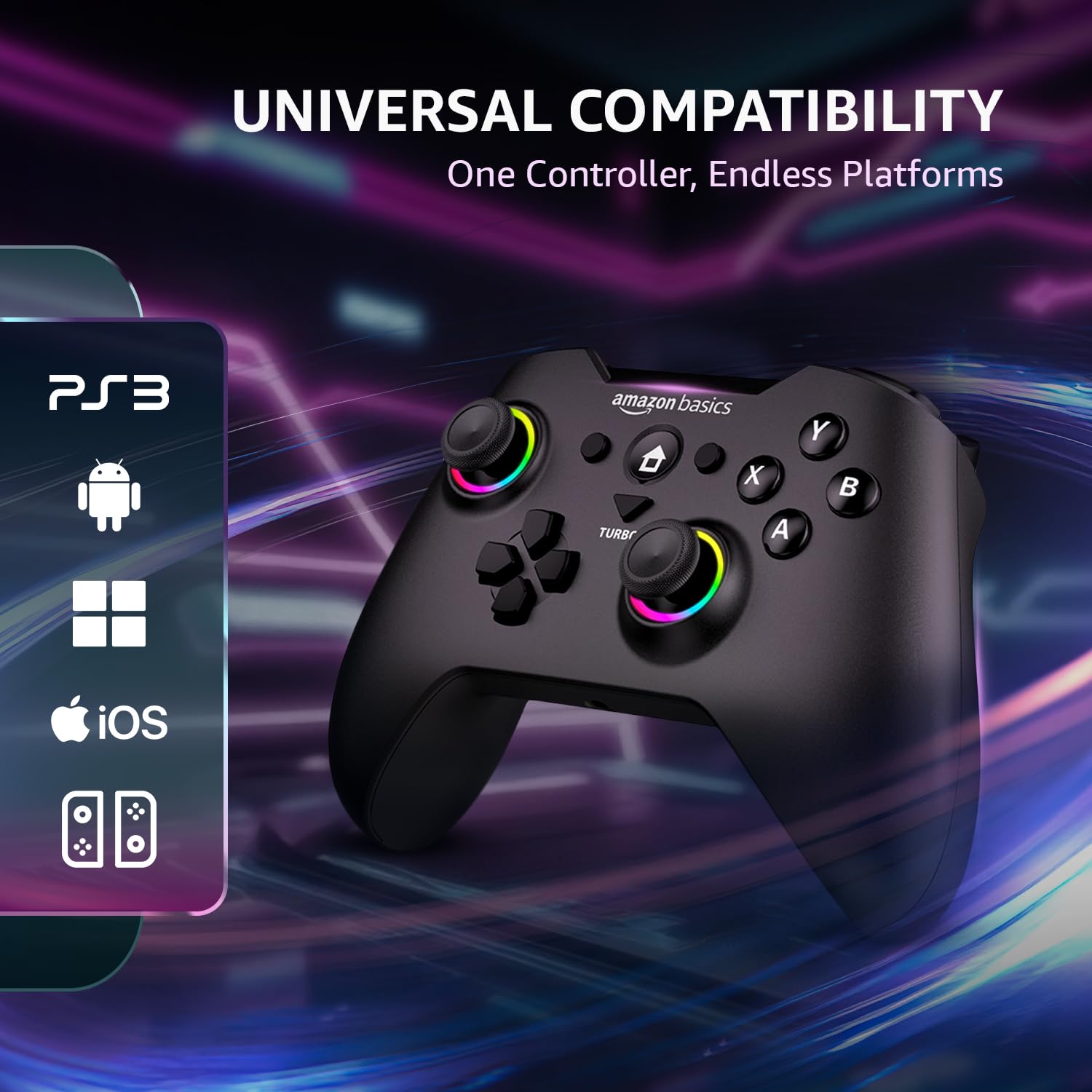
Image: Gamepad displaying icons for compatible platforms: PS3, Android, Windows, iOS, and Nintendo Switch.
7. Característiques operatives
7.1. Motors de doble vibració
Experience immersive feedback with dual vibration motors. The intensity can be adjusted to up to 4 levels through system settings or specific game options.

Image: Gamepad with visual cues indicating the presence and function of dual vibration motors.
7.2. Giroscopi de 6 eixos
The built-in 6-axis gyroscope provides precise motion control, enhancing gameplay in compatible titles, especially on Nintendo Switch.
7.3. Funció Turbo
The Turbo function allows a button to be pressed repeatedly with a single hold, useful for rapid-fire actions in games.
- Manteniu premut el botó Turbo botó.
- While holding Turbo, press the desired action button (e.g., A, B, X, Y, LB, RB, LT, RT).
- Deixeu anar els dos botons. El botó assignat ara té la funcionalitat Turbo.
- To disable Turbo for a button, repeat the process.

Image: Gamepad in use, highlighting the Turbo button and its benefits for FPS and action games, reducing thumb fatigue.
7.4. Customizable Macro Buttons
The ML, MR, and M2 buttons on the rear of the gamepad can be programmed with custom macros to execute complex sequences of commands with a single press. Refer to the detailed macro programming instructions in the full digital manual for specific steps.
7.5. RGB LED Indicators
The RGB LEDs around the joysticks and other areas provide visual feedback for connection status, charging status, and other operational modes.
- Parpelleig ràpid: Mode de sincronització.
- Llum sòlida: Connected/Fully charged.
- Parpelleig lent: Bateria baixa.
7.6. Precision Analog Controls
The gamepad features 360-degree dual analog sticks and responsive triggers for accurate and smooth control in various game genres.

Image: Close-up of the gamepad's analog sticks, emphasizing 360-degree precision control.
8. Cura i Manteniment
- Neteja: Feu servir un drap suau i sec per netejar el gamepad. No utilitzeu productes de neteja abrasius ni dissolvents.
- Emmagatzematge: Guardeu el gamepad en un lloc fresc i sec, allunyat de la llum solar directa i de temperatures extremes.
- Eviteu les gotes: No deixeu caure el gamepad ni el sotmeteu a impactes forts, ja que això pot danyar els components interns.
- Exposició líquida: Keep the gamepad away from liquids. If it comes into contact with liquid, power it off immediately and allow it to dry completely before use.
9. Solució De Problemes
Si teniu problemes amb el vostre gamepad, consulteu les solucions habituals següents:
| Problema | Possible solució |
|---|---|
| El gamepad no s'encén. | Ensure the gamepad is fully charged. Connect it to a power source using the USB Type-C cable. |
| No es pot connectar per Bluetooth. | Ensure the gamepad is in pairing mode (rapidly flashing RGB LEDs). Check your device's Bluetooth settings and try re-pairing. Ensure no other devices are interfering. |
| 2.4GHz wireless connection issues. | Ensure the 2.4GHz dongle is securely inserted into a USB port. Try a different USB port. Briefly press the P Key on the gamepad to re-initiate connection. |
| Els botons o els joysticks no responen. | Ensure the gamepad is properly connected. Try restarting the gamepad and your device. If using wireless, try wired mode to rule out connection issues. |
| La resposta per vibració no funciona. | Check in-game settings to ensure vibration is enabled. Some games may not support vibration. Verify vibration intensity settings. |
| El gamepad es desconnecta sovint. | Ensure the gamepad is fully charged. Reduce distance between gamepad and receiver/device. Avoid sources of wireless interference. Try wired mode for stability. |
10. Especificacions
| Característica | Detall |
|---|---|
| Marca | conceptes bàsics d'Amazon |
| Número de model | AB-C83 |
| Tecnologia de connectivitat | Bluetooth 5.3, 2.4GHz Wireless, USB Type-C Wired |
| Dispositius compatibles | Nintendo Switch, Android, PS3, Windows (8/10/11) |
| Capacitat de la bateria | 800 mAh d'ions de liti |
| abast sense fils | Fins a 8 metres |
| Sensors | Giroscopi de 6 eixos |
| Vibració | Dual Vibration Motors (4 levels adjustable) |
| Port de càrrega | USB tipus C |
| Dimensions de l'article (LxWxH) | 15.6 x 10.6 x 0.1 cm |
| Pes de l'article | 209 g |
| Components inclosos | Gamepad, USB Type-C Cable, 2.4GHz Dongle, User Manual |
11. Informació sobre garantia i assistència
This Amazon Basics Pro Series Gamepad is covered by a standard warranty. For specific warranty terms and conditions, please refer to the warranty card included in your package or visit the official Amazon Basics support weblloc.
For technical support, troubleshooting assistance, or to inquire about replacement parts, please contact Amazon Basics customer service through their official channels. You may also find additional resources and FAQs on the Amazon Basics product support page.
An optional 1-year extended warranty by OneAssist may be available for purchase. Please check product listing details for availability and terms.