
1. Introducció
The CNBRO Smart Bracelet Fitness Tracker is a screenless wearable device designed to monitor various health and fitness metrics. This manual provides essential information for setting up, operating, and maintaining your device to ensure optimal performance.
Què hi ha a la caixa?
- 1 x Smart Bracelet
- 1 x Caixa de producte
- 1 x Manual d'usuari
- 1 x Charging Line
Característiques clau
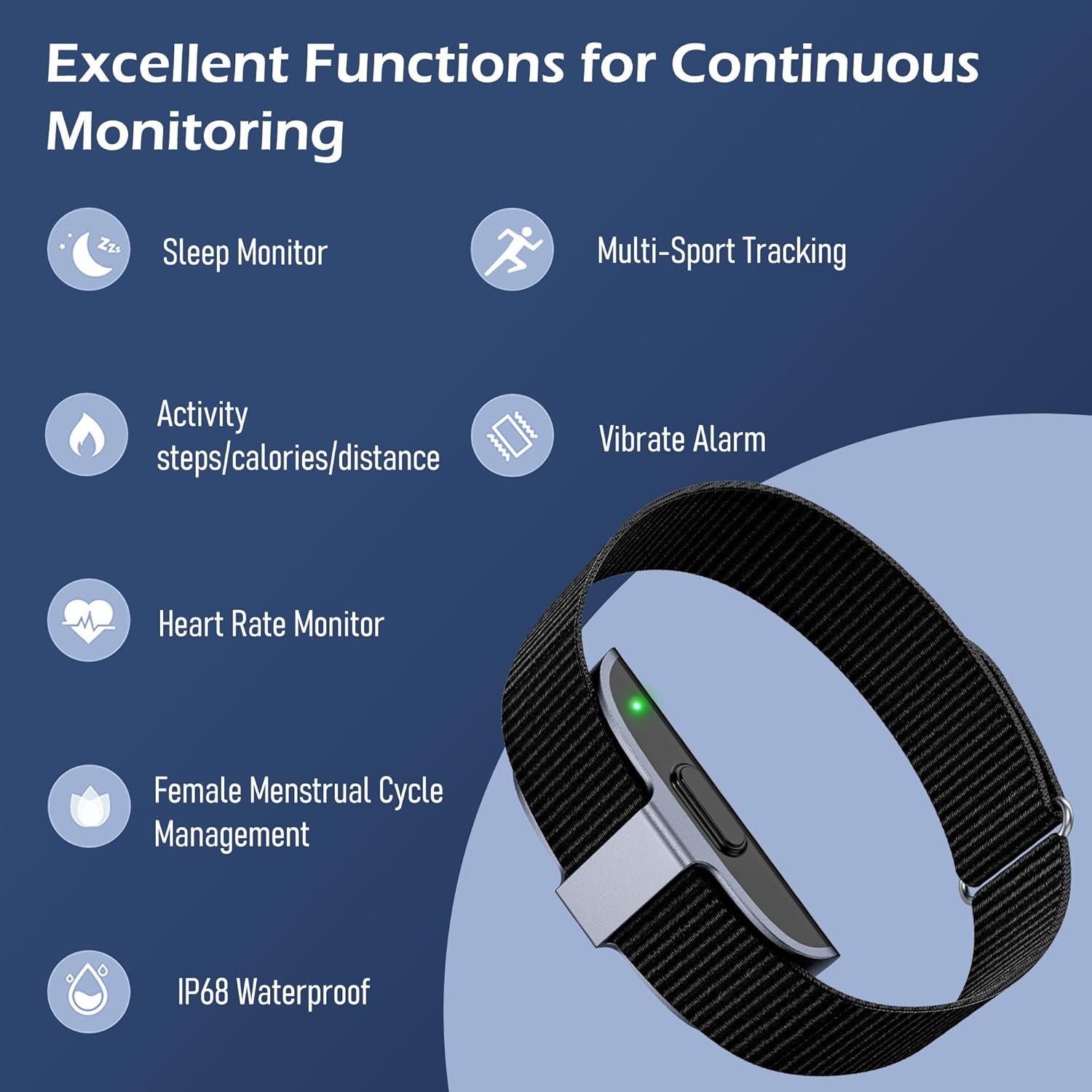
This image illustrates the primary functions of the smart bracelet, including sleep monitoring, multi-sport tracking, activity data (steps, calories, distance), vibrate alarm, heart rate monitoring, female menstrual cycle management, and IP68 waterproofing.
- Monitor de freqüència cardíaca: Continuous heart rate tracking and alerts for irregular patterns.
- Monitor de son: Fa un seguiment del sontages (awake, REM, light, deep) and analyzes sleep quality.
- Seguiment d'activitats: Records steps, calories burned, and distance covered.
- Múltiples modes esportius: Supports over 50 sports modes for detailed exercise tracking.
- Vibrate Alarm: Silent alarms for reminders.
- Female Menstrual Cycle Management: Tracks and predicts menstrual and ovulation periods.
- Impermeable IP68: Resistant to dust and water immersion up to 1.5 meters for 30 minutes.
- Disseny sense pantalla: Minimalist design for 24/7 wear with low power consumption.
2. Informació de seguretat
Please read the following safety guidelines carefully before using your smart bracelet.
- Resistència a l'aigua: The device is IP68 waterproof, suitable for hand washing, sweating, and rain. Do not use it for swimming, diving, or in hot water (e.g., hot showers or saunas), as this may damage the device.
- Avís de dispositius mèdics: This device is not a medical device. Data provided is for reference only and should not be used for medical diagnosis or treatment. Consult a healthcare professional for any health concerns.
- Càrrega: Use only the provided charging cable. Do not attempt to disassemble or modify the device.
- Irritació de la pell: If you experience any skin irritation or discomfort, discontinue use and consult a doctor. Ensure the bracelet is worn comfortably, not too tight or too loose.
3. Configuració
3.1 Càrrega del dispositiu
Before first use, fully charge your smart bracelet. A full charge typically takes about 2 hours.
- Connect the charging cable to the charging port on the smart bracelet.
- Connecteu l'extrem USB del cable de càrrega a un adaptador de corrent USB estàndard (no inclòs) o al port USB d'un ordinador.
- The device will indicate charging status (e.g., a light indicator).

This image displays the charging process of the smart bracelet and its IP68 waterproof capability during hand washing.
3.2 Descarregar i instal·lar l'aplicació
The smart bracelet requires the JCWear app to function and display data. Ensure your smartphone meets the system requirements:
- iOS: Versió 10.0 o superior
- Android: Versió 5.1 o superior
The app is not compatible with PCs, iPads, or tablets.
- Scan the QR code provided in the product packaging or search for "JCWear" in your smartphone's app store (Apple App Store for iOS, Google Play Store for Android).
- Baixeu i instal·leu l'aplicació.
- Segueix les instruccions que apareixen a la pantalla per crear un compte i configurar el teu profile.

This image displays the JCWear app interface, highlighting its capabilities for tracking stress, daily activity, heart rate, sleep, and exercise, as well as women's health features.
3.3 Emparellament amb el telèfon intel·ligent
Assegureu-vos que el Bluetooth estigui habilitat al vostre telèfon intel·ligent.
- Open the JCWear app on your smartphone.
- Navigate to the device pairing section (usually found in settings or a dedicated 'Device' tab).
- The app will search for available devices. Select your smart bracelet from the list.
- Confirm the pairing request on both the app and, if prompted, on your phone's Bluetooth settings.
- Once paired, the app will synchronize data with your bracelet.
4. Instruccions de funcionament
Since the CNBRO Smart Bracelet is screenless, all data viewing and most settings adjustments are performed through the JCWear app.
4.1 Monitorització de la freqüència cardíaca
The bracelet continuously monitors your heart rate. Data is automatically synced to the JCWear app.
- Wear the bracelet snugly on your wrist.
- Open the JCWear app and navigate to the 'Heart Rate' section to view real-time data, historical trends, and receive alerts for irregular heartbeats.
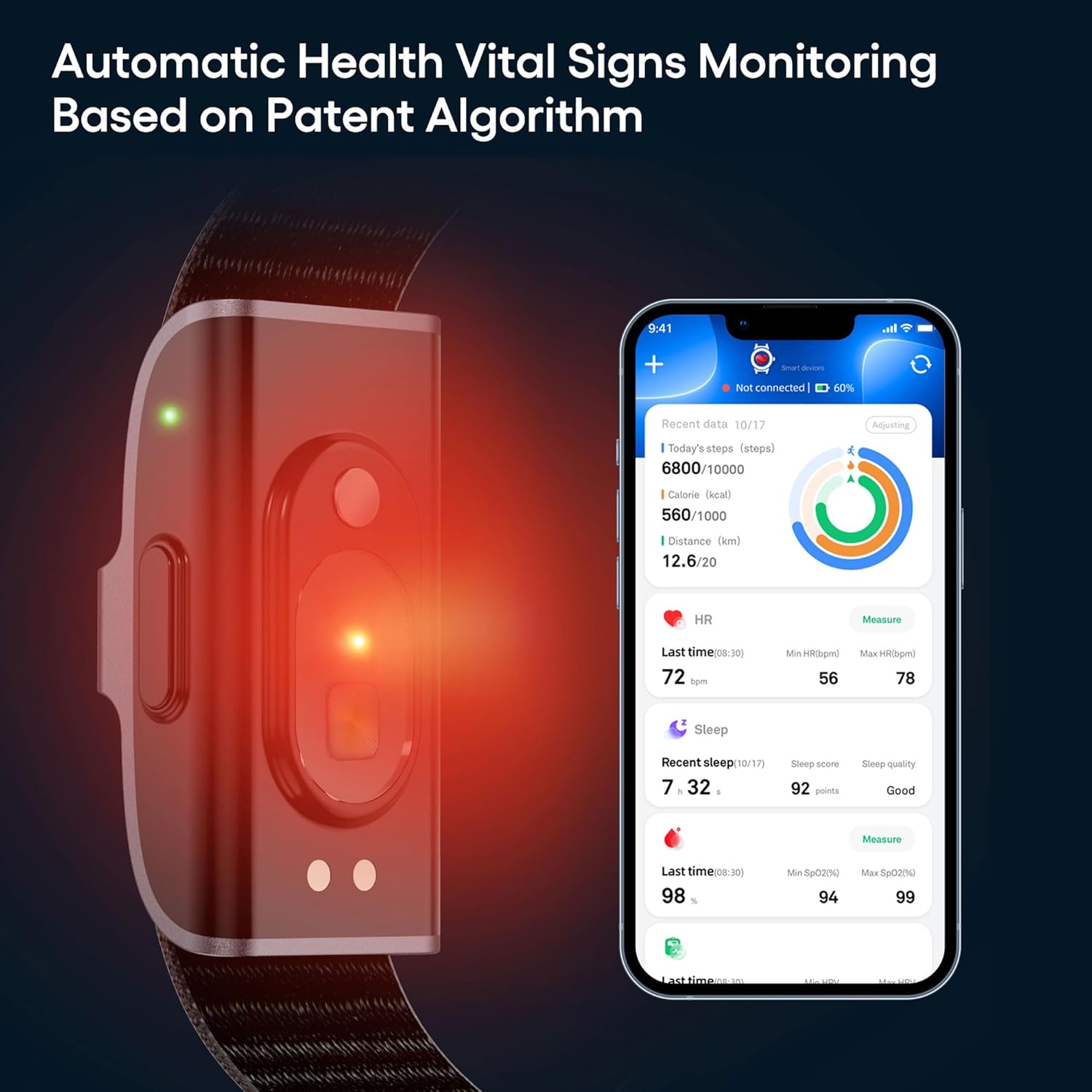
This image shows the smart bracelet actively monitoring vital signs, with the corresponding data for steps, calories, distance, heart rate, sleep, and SpO2 displayed on the JCWear app interface.
4.2 Monitorització del son
The bracelet automatically tracks your sleep patterns when worn during sleep.
- Wear the bracelet to bed.
- In the JCWear app, access the 'Sleep' section to view your sleep duration, quality analysis (awake, REM, light, deep sleep stages), and sleep scores.
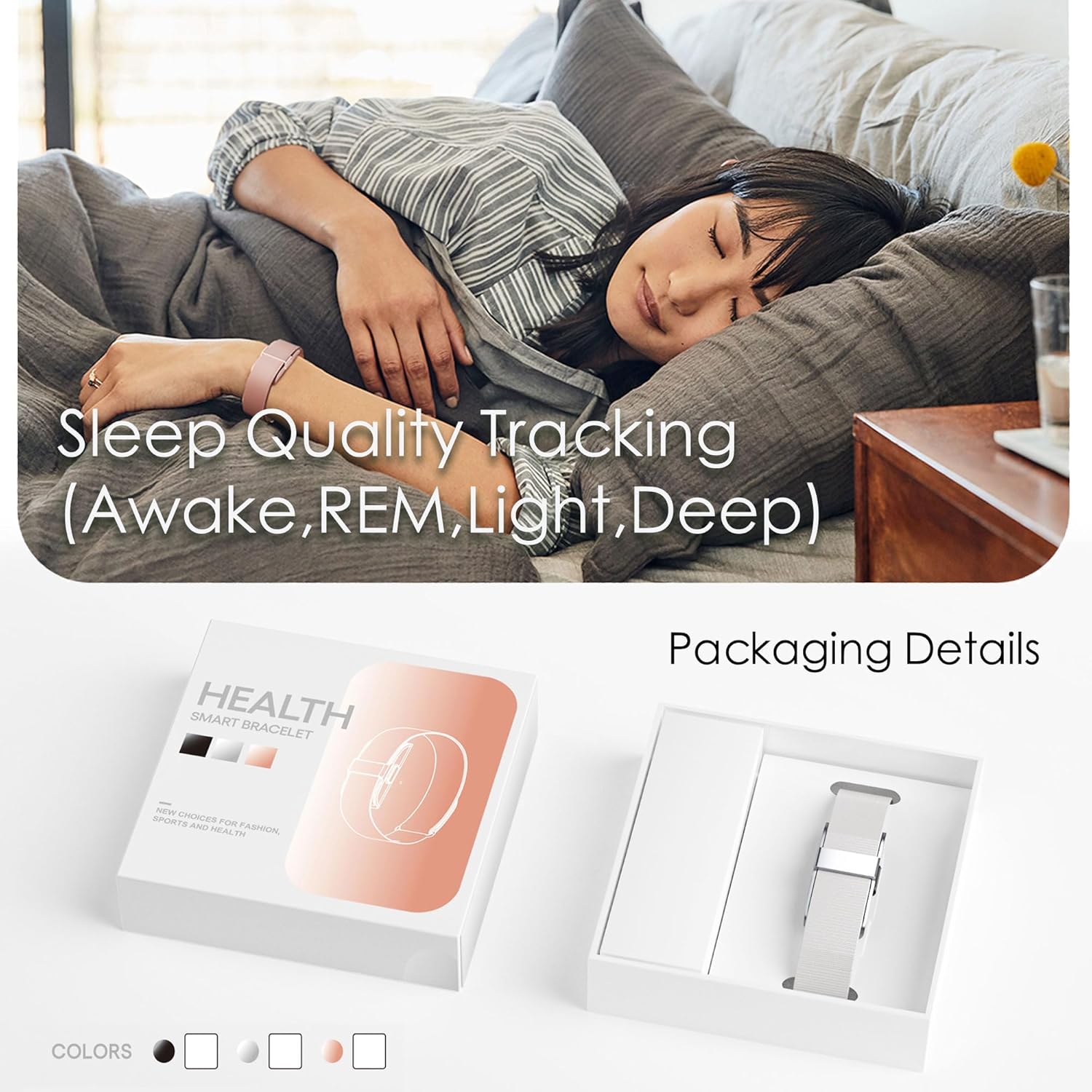
This image depicts the smart bracelet's sleep tracking function while a person is asleep, along with a view of the product's packaging.
4.3 Activity Tracking (Pedometer, Calories, Distance)
The bracelet continuously tracks your daily activity.
- Wear the bracelet throughout the day.
- Open the JCWear app to view your steps, calories burned, and distance covered in the 'Activity' or 'Dashboard' section.
4.4 Múltiples modes esportius
The bracelet supports over 50 sports modes for detailed exercise tracking.
- In the JCWear app, navigate to the 'Exercise' or 'Sports' section.
- Select your desired sport (e.g., running, cycling, hiking).
- Start the activity tracking from the app. The bracelet will record relevant data such as exercise time, heart rate, and mileage.
- End the activity in the app to save the workout data.

This image illustrates the multi-sport tracking feature, showing a person exercising and the JCWear app interface with icons for over 50 different sports modes.
4.5 Vibrate Alarm
Set silent alarms through the JCWear app.
- Open the JCWear app and go to 'Settings' or 'Device'.
- Select 'Alarm' and set your desired time. The bracelet will vibrate at the set time.
4.6 Female Menstrual Cycle Management
This feature helps track and predict menstrual cycles and ovulation periods.
- In the JCWear app, navigate to the 'Women's Health' or 'Physiological Cycle' section.
- Input your menstrual cycle data as prompted.
- The app will provide predictions and reminders for menstrual cycles, pregnancy preparation, and pregnancy periods.
5. Manteniment
5.1 Neteja del dispositiu
Regular cleaning helps maintain hygiene and device performance.
- Wipe the bracelet and band with a soft, damp tela.
- Eviteu utilitzar productes químics aggressivs o netejadors abrasius.
- Assegureu-vos que els contactes de càrrega estiguin nets i secs abans de carregar.
5.2 Cura de la bateria
Per maximitzar la durada de la bateria:
- Charge the device fully when the battery is low.
- Eviteu les temperatures extremes, que poden afectar el rendiment de la bateria.
- The 95mAh battery provides approximately 7-10 days of working time and up to 15-20 days of standby time on a full charge.
6. Solució De Problemes
If you encounter issues with your smart bracelet, try the following solutions:
| Problema | Possible solució |
|---|---|
| El dispositiu no s'encén/no es carrega |
|
| No es pot emparellar amb el telèfon intel·ligent |
|
| Lectures de dades inexactes |
|
| L'aplicació no sincronitza les dades |
|
7. Especificacions
| Característica | Detall |
|---|---|
| Número de model | JYYH2208FS |
| Connectivitat | Bluetooth 5.0 |
| Capacitat de la bateria | Polímer de liti de 95 mAh |
| Temps de càrrega complet | Aproximadament 2 hores |
| Temps de treball | 7-10 dies (ús típic) |
| Temps d'espera | Fins a 15-20 dies |
| Nom de l'aplicació | JCWear |
| Requisits del sistema | iOS 10.0 o superior, Android 5.1 o superior |
| Classificació impermeable | IP68 |
| Material de la caixa | Aliatge de zinc |
| Material de la banda | Silicona |
| Tipus de tancament | Sivella |
| Pes de l'article | 3.52 unces (0.1 quilograms) |
| Característiques especials | Alarm Clock, Calorie Counter, Distance Tracker, Pedometer, Water Resistance |
8. Garantia i Suport
For any questions, technical support, or warranty inquiries regarding your CNBRO Smart Bracelet Fitness Tracker, please contact the manufacturer or your retailer. Refer to your purchase documentation for specific warranty terms and contact information.