
1. Producte acabatview
The Anona Pano 4K UHD Indoor Camera is a versatile security solution designed for monitoring pets, babies, and general indoor surveillance. It features 4K Ultra HD resolution, 360° pan and 110° tilt capabilities, dual-band Wi-Fi 6 connectivity, and advanced AI detection for persons, pets, and baby crying. This manual provides detailed instructions for setting up, operating, and maintaining your Anona Pano camera.
1.1 Característiques clau
- Stunning 4K UHD & 8x Zoom: Captures ultra-clear videos with professional-grade lens and 8X digital zoom.
- AI Person/Pet/Crying Detection: Advanced algorithms detect and notify for human presence, pet activity, and baby crying.
- Ultra-Smooth 360° Pan & 110° Tilt: Provides comprehensive coverage with remote-controlled pan and tilt, including auto-tracking.
- Faster Dual-Band Wi-Fi 6: Ensures stable and smooth data transmission with support for both 2.4 GHz and 5 GHz Wi-Fi networks.
- Safer Local or Cloud Storage: Offers flexible storage options with support for up to 512 GB microSD card (not included) and encrypted cloud storage.
- Àudio bidireccional: Enables communication through the camera.
- Mode de privadesa: Allows instant cessation of recording and live view per a la privacitat.
- Funciona amb Alexa i Google Assistant: Integrates with smart home ecosystems for voice control and streaming.
1.2 Contingut del paquet
Assegureu-vos que tots els elements siguin presents al paquet:
- Anona Pano Camera
- 5V2A Power Adapter (3m power cable)
- Placa de muntatge
- Screws & Anchors Kit
- Guia d'inici ràpid

Image: Anona Pano 4K UHD Indoor Camera with a smartphone showing its live feed.
2. Guia de configuració
2.1 Abans de començar
- Ensure your Wi-Fi network is available (supports 2.4 GHz and 5 GHz).
- Tingueu a punt el nom de la xarxa Wi-Fi (SSID) i la contrasenya.
- Download the Anona App from your smartphone's app store (iOS or Android).
2.2 Engegar la càmera
- Connect the provided 5V2A power adapter to the camera's power port.
- Connecteu l'adaptador de corrent a una presa de corrent.
- The camera will power on, and its indicator light will begin to flash, indicating it's ready for setup.
2.3 Connecting to Wi-Fi via Anona App
- Open the Anona App on your smartphone.
- Creeu un compte o inicieu sessió si ja en teniu un.
- Toqueu la icona "+" per afegir un dispositiu nou.
- Follow the on-screen instructions to select your camera model and connect it to your Wi-Fi network. This typically involves scanning a QR code displayed on your phone with the camera, or entering Wi-Fi credentials.
- Once connected, the camera's indicator light will turn solid, and you will see the live feed in the app.
2.4 Muntatge de la càmera
The Anona Pano camera can be placed on a flat surface (tabletop) or mounted to a ceiling.
Col·locació de la taula:
- Place the camera on a stable, flat surface within range of your Wi-Fi signal.
- Assegureu-vos que la càmera tingui una línia de visió clara cap a la zona que voleu monitoritzar.
Muntatge al sostre:
- Trieu una ubicació adequada al sostre.
- Use the provided mounting plate as a template to mark drill holes.
- Drill holes and insert the anchors if necessary.
- Fixeu la placa de muntatge al sostre amb els cargols proporcionats.
- Attach the camera to the mounting plate by twisting it until it locks into place.
- In the Anona App settings, enable "Image Rotation" if the camera is mounted upside down.
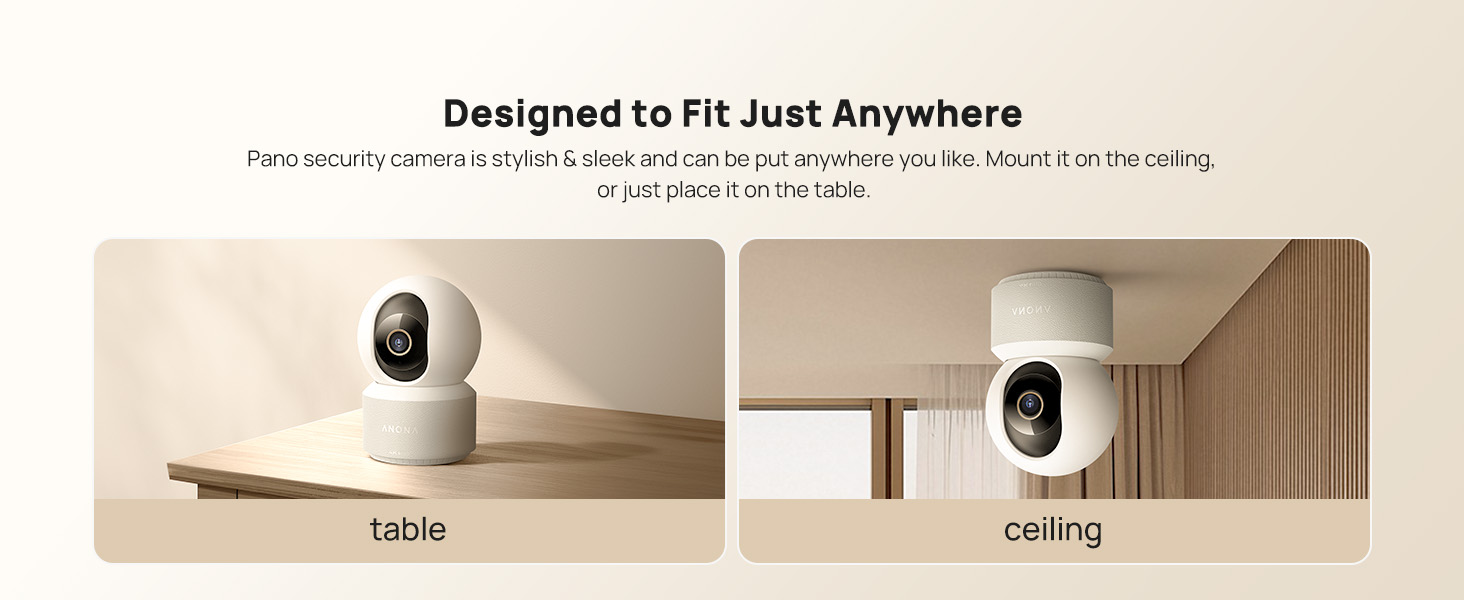
Image: The Anona Pano camera can be placed on a table or mounted to a ceiling.
3. Funcionament de la càmera
3.1 Viu View i control de panoràmica/inclinació
- Open the Anona App and select your camera to view el feed en directe.
- Use the directional controls within the app to pan the camera horizontally (360°) and tilt it vertically (110°) to adjust the viewangle de ing.

Image: The Anona Pano camera offers 360° pan and 110° tilt for full room coverage.
3.2 Seguiment automàtic
Enable auto-tracking in the app settings. The camera will automatically detect and follow moving objects within its field of view, ensuring continuous recording of activity.
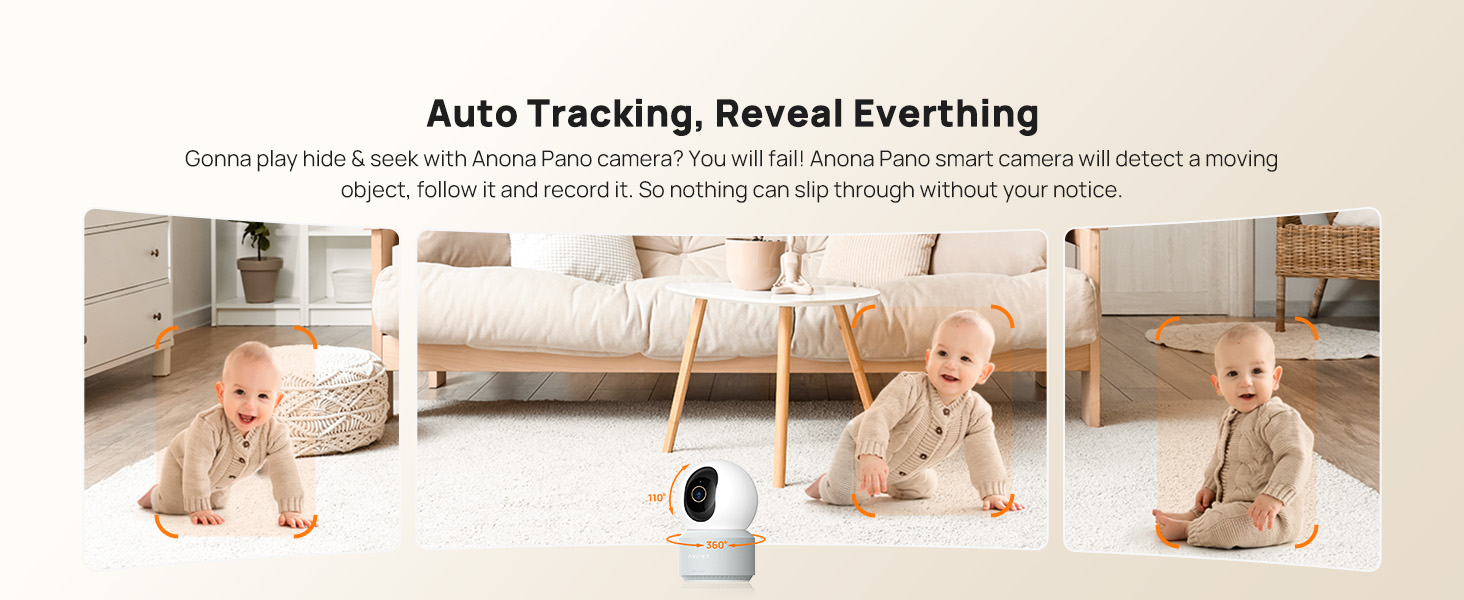
Image: The camera's auto-tracking feature follows moving subjects like a crawling baby.
3.3 Detecció i alertes d'IA
The Anona Pano camera utilizes AI algorithms for intelligent detection:
- Detecció de persones: Identifies human shapes and movements, sending real-time alerts.
- Detecció d'animals de companyia: Recognizes cats and dogs, alerting you to their activity.
- Detecció de plors del nadó: Detects the sound of a baby crying and sends immediate notifications.
Configure alert settings and notification preferences within the Anona App.
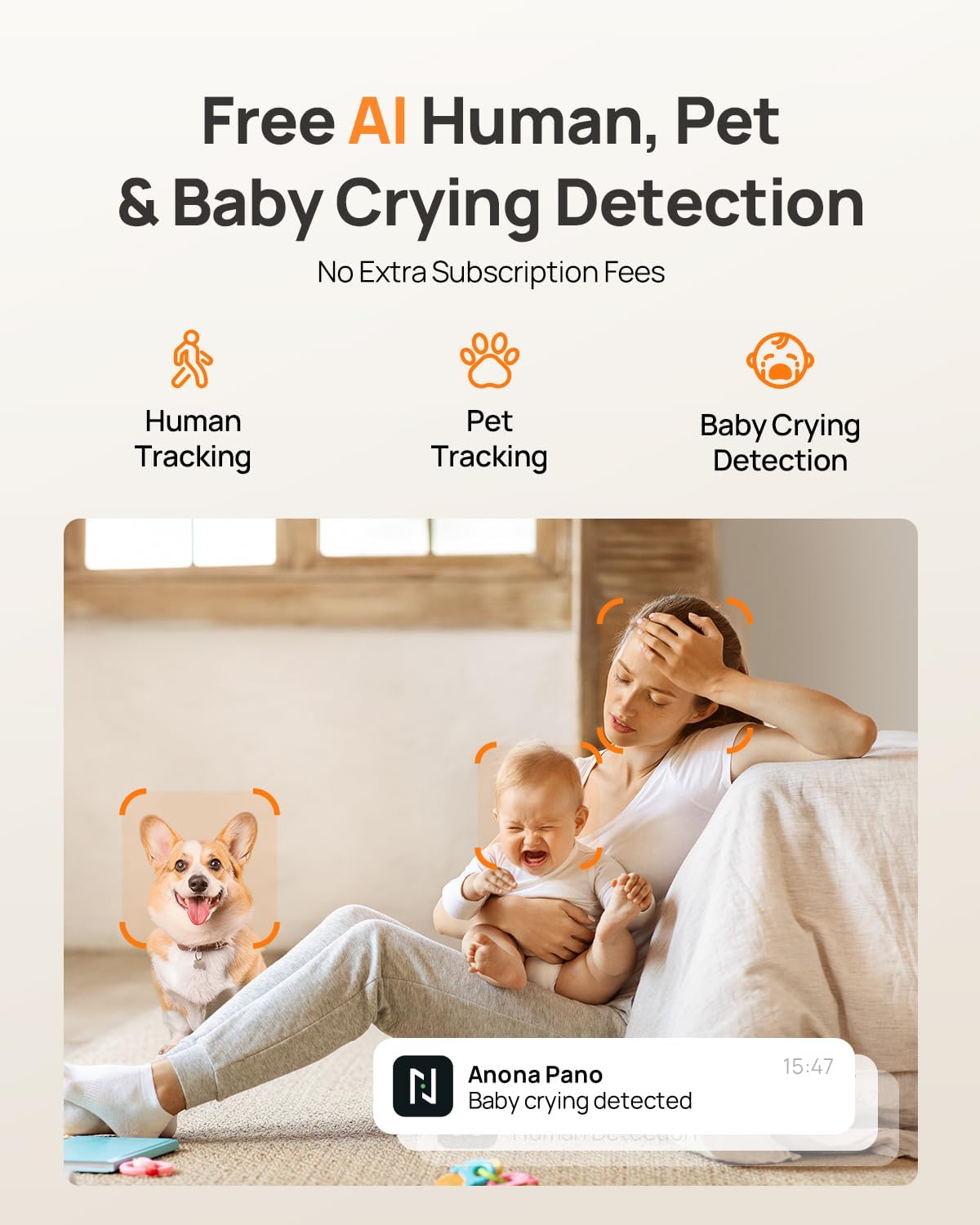
Image: AI detection for human, pet, and baby crying events, with app notification example.
3.4 Àudio bidireccional
Use the two-way audio feature to communicate with individuals near the camera. Tap the microphone icon in the live view interface of the Anona App to speak, and listen through the camera's speaker.
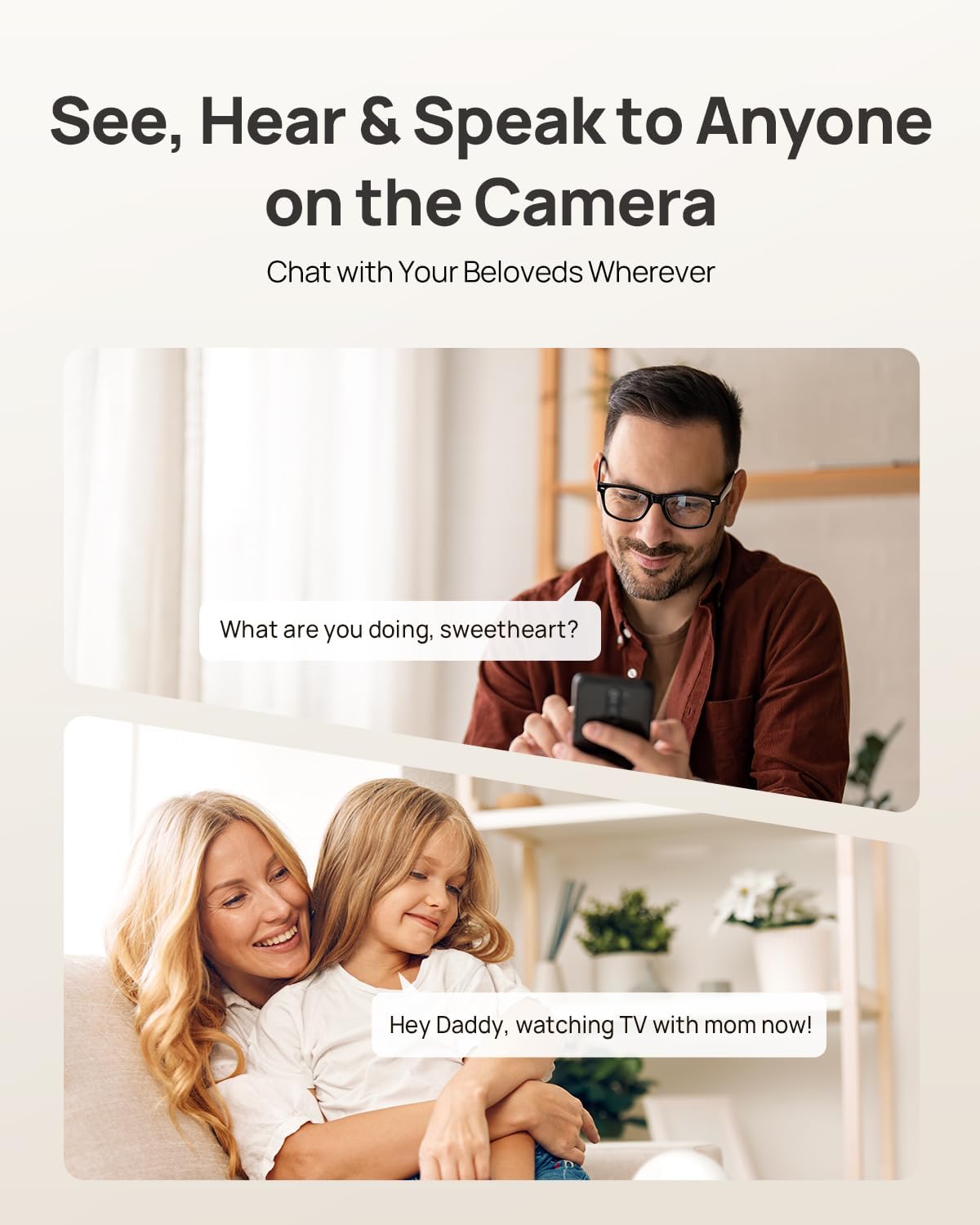
Image: Two-way audio allows communication with family members or pets via the camera.
3.5 Mode de privadesa
Activate Privacy Mode via a single tap in the Anona App. This feature instantly stops live view and recording, providing privacy without needing to unplug the camera.

Image: Privacy Mode can be activated with one tap in the app, stopping recording and live view.
3.6 Opcions d'emmagatzematge
The Anona Pano camera supports two storage methods:
- Local Storage (MicroSD Card): Insert a microSD card (up to 512 GB, not included) into the camera's designated slot for local recording. This allows saving up to 150 days of motion-triggered videos or 14 days of 24/7 recordings.
- Emmagatzematge al núvol: Opt for Anona Cloud service to save videos securely with AES-128 encryption. Subscription may be required for cloud services.
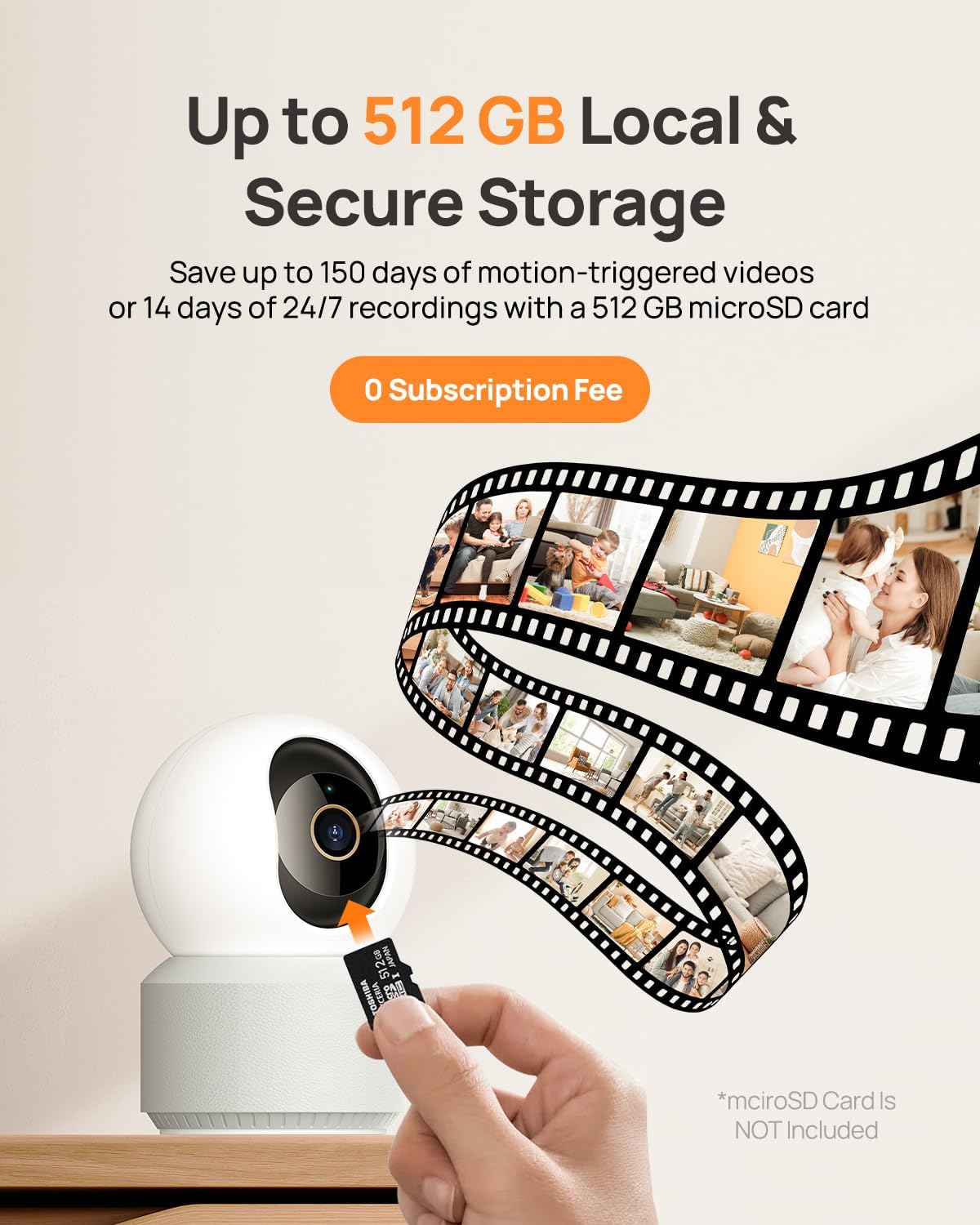
Image: The camera supports local storage via a microSD card (up to 512 GB).
3.7 Visió nocturna
The camera features F1.6 aperture and powerful IR LEDs for enhanced night vision, allowing clear 4K UHD footage even in low-light or pitch-black conditions up to 30 feet.
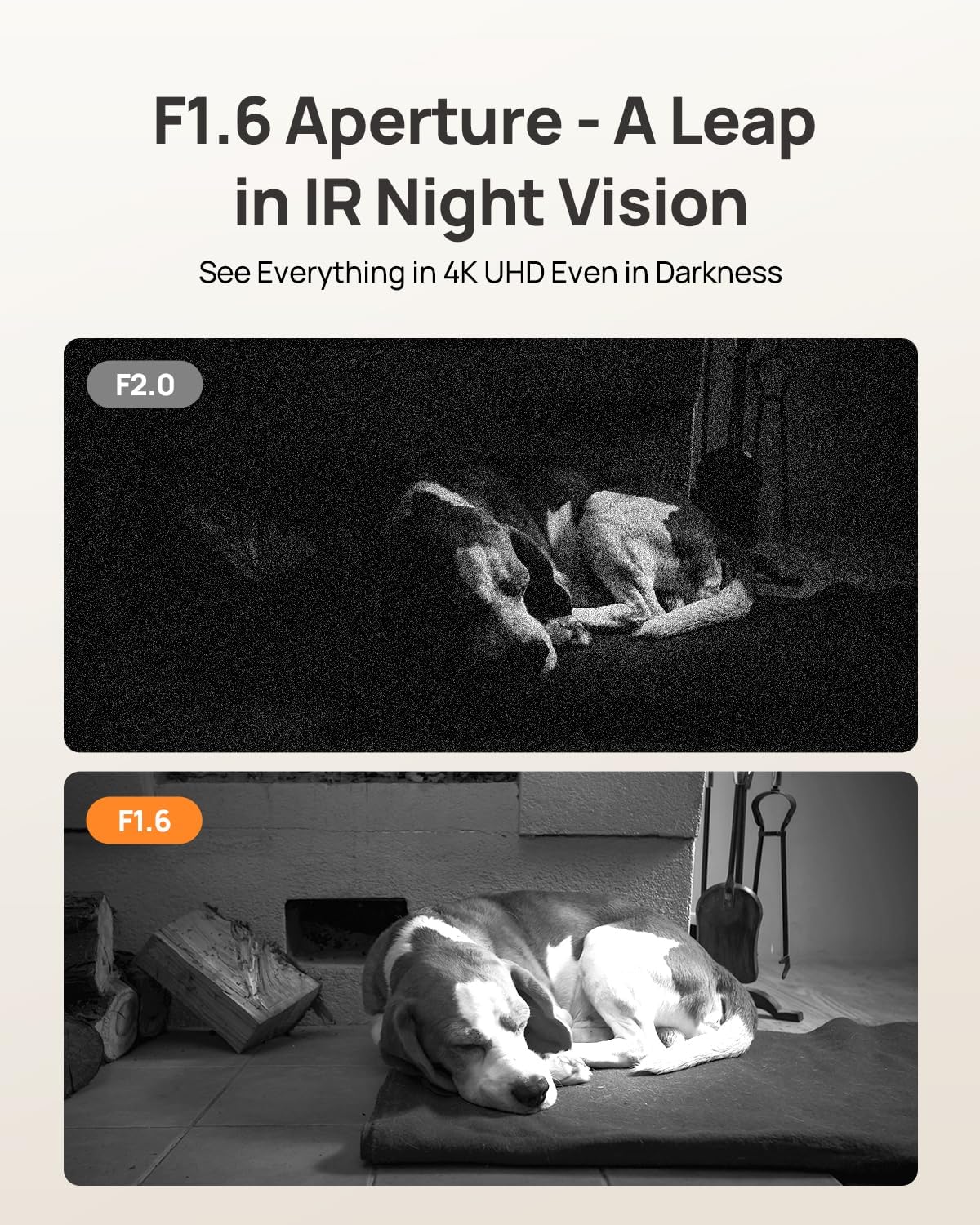
Image: F1.6 aperture provides superior night vision clarity compared to F2.0.
3.8 Integració de la llar intel·ligent
The Anona Pano camera is compatible with Amazon Alexa and Google Assistant. Link your camera through the respective smart home apps to enable voice commands and stream live video to compatible smart displays.
- Example command: "Hey Alexa, show me the Anona Pano camera!"
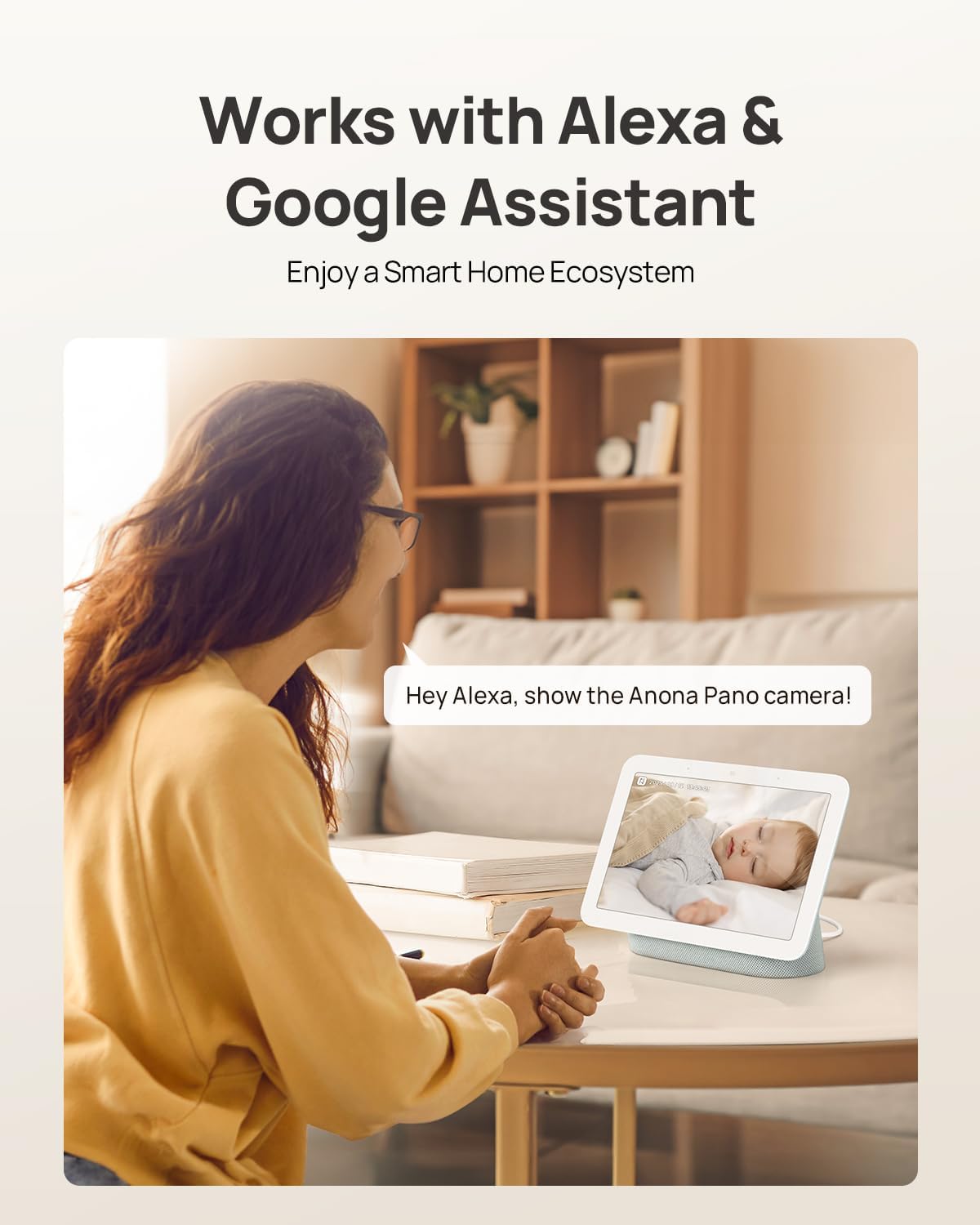
Image: The camera integrates with smart home devices like Amazon Echo Show or Google Nest Hub.
4. Manteniment
4.1 Neteja de la càmera
- Assegureu-vos que la càmera estigui apagada abans de netejar-la.
- Feu servir un drap suau i sec per netejar el cos de la càmera.
- Per a la lent, feu servir un drap de neteja de lents dissenyat específicament per a òptiques per evitar ratllades. No utilitzeu productes químics agressius ni netejadors abrasius.
4.2 actualitzacions de microprogramari
Regularly check for firmware updates through the Anona App. Updates often include performance improvements, new features, and security enhancements. The app will typically notify you when an update is available and guide you through the process.
4.3 Gestió d'emmagatzematge
- Targeta MicroSD: Periòdicament review and back up important recordings from your microSD card. When the card is full, older footage will typically be overwritten.
- Emmagatzematge al núvol: Manage your cloud storage subscription and review foo emmagatzemattage directly through the Anona App.
5. Solució De Problemes
5.1 Problemes comuns i solucions
| Problema | Causa possible | Solució |
|---|---|---|
| La càmera no s'encén | L'adaptador de corrent no està connectat o la presa de corrent està defectuosa. | Ensure power adapter is securely connected and try a different power outlet. |
| No es pot connectar a la Wi-Fi | Contrasenya Wi-Fi incorrecta, càmera massa lluny del router o interferències de xarxa. | Verify Wi-Fi password, move camera closer to router, ensure router supports 2.4/5 GHz, and restart router. |
| Poca qualitat de vídeo | Weak Wi-Fi signal, dirty lens, or insufficient lighting. | Improve Wi-Fi signal strength, clean the camera lens, ensure adequate lighting or rely on night vision. |
| AI detection not working | Detection settings disabled in app, or objects are out of detection range/angle. | Check and enable detection settings in the Anona App. Adjust camera position for optimal coverage. |
| Problemes d'àudio bidireccional | Micròfon/altaveu silenciat a l'aplicació o latència de la xarxa. | Ensure audio settings are enabled in the app. Check network connection for stability. |
| La targeta microSD no grava | Card not inserted correctly, card full, or card not formatted. | Reinsert card, check storage status in app, format card via app if necessary. Ensure card is compatible (up to 512 GB). |
For further assistance, refer to the Anona App's help section or contact customer support.
6. Especificacions del producte
| Característica | Detall |
|---|---|
| Nom del model | Anona Pano |
| Ús interior/exterior | Interior |
| Resolució de captura de vídeo | 4K (8MP) |
| Zoom òptic | 8x |
| Angle de panoràmica | 360 graus |
| Angle d'inclinació | 110 graus |
| Tecnologia de connectivitat | Sense fil (Wi-Fi) |
| Tecnologia de comunicació sense fils | Bluetooth, Wi-Fi (Dual-Band 2.4/5 GHz Wi-Fi 6) |
| Font d'alimentació | Elèctric amb cable (5 V) |
| Tipus de controlador | App, Remote, Voice (Amazon Alexa, Google Assistant) |
| Tipus de muntatge | Tabletop Mount, Freestanding, Ceiling Mount |
| Gamma de visió nocturna | 30 peus |
| Velocitat de fotogrames | 15 fotogrames per segon |
| Material | Plàstic |
| Dimensions de l'article (L x A x A) | 3.23 x 3.11 x 4.77 polzades |
| Pes de l'article | 14.9 unces (0.93 lliures) |
| Mida màxima admesa de la memòria flash | 512 GB (Micro SD) |
| Característiques especials | 2-Way Talk, 2.4/5G WiFi, 355° Pan & 110° Tilt, 4K 8MP Resolution, AI Person/Pet/Cry Detection |
7. Garantia i Suport
7.1 Garantia del producte
Anona products typically come with a manufacturer's warranty. Please refer to the warranty card included in your product packaging or visit the official Anona website for detailed warranty terms and conditions. Protection plans may also be available for extended coverage.
- Optional 2-Year Protection Plan
- Optional 3-Year Protection Plan
7.2 Atenció al client
If you encounter any issues or have questions regarding your Anona Pano camera, please contact Anona Customer Support. You can usually find contact information (email, phone, or support portal) on the official Anona website or within the Anona App's help section.
Per obtenir la informació i els recursos de suport més recents, visiteu la Anona Store on Amazon.