
Introducció
This manual provides detailed instructions for setting up, operating, and maintaining your Rainbuvvy 4G Smart Watch Phone. Please read this manual thoroughly to ensure proper usage and to maximize the device's capabilities. This smartwatch runs on Android 11, features 4G connectivity, a 2.64-inch display, dual cameras, and 128GB of internal storage.
1. Configuració
1.1 Desembalatge i inspecció inicial
En obrir el paquet, comproveu que tots els components hi són i no estan danyats:
- Rainbuvvy 4G Smart Watch Phone
- Cable de càrrega (USB tipus C)
- SIM Card Tray Ejector Tool
- Protector de pantalla
- Manual d'instruccions
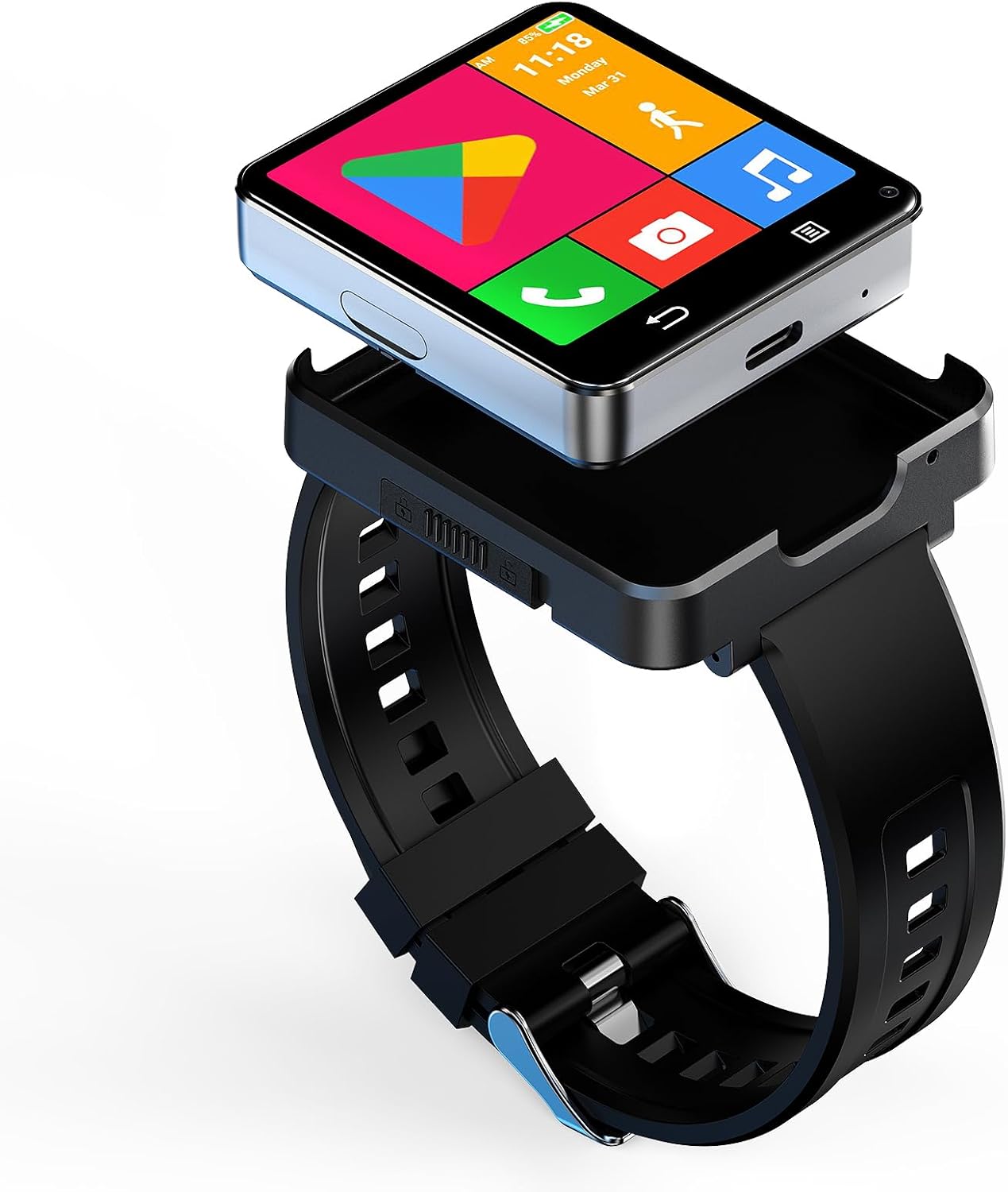
Image: The Rainbuvvy 4G Smart Watch Phone with its sleek design and large display.
1.2 Càrrega del dispositiu
Before first use, fully charge your smartwatch. Connect the charging cable to the Type-C port on the watch and plug the other end into a compatible USB power adapter (not included). The battery indicator on the screen will show charging progress.

Image: The smartwatch connected to its Type-C charging cable, illustrating the charging process.
1.3 Inserció de la targeta SIM
The smartwatch supports a Nano SIM card for 4G cellular connectivity. Use the provided SIM card tray ejector tool to open the SIM card slot on the side of the watch. Carefully place the Nano SIM card into the tray with the gold contacts facing down, then reinsert the tray into the watch.
Video: This video demonstrates the correct procedure for inserting a Nano SIM card into the smartwatch, ensuring proper cellular connectivity.
1.4 Attaching and Detaching the Watch Band
The watch module can be detached from its band, allowing it to function as a standalone mini-phone. To detach, locate the release mechanism on the band and carefully separate the watch module. To reattach, align the module with the band and press firmly until it clicks into place.
Video: This video illustrates how to install and remove the smartwatch band, showcasing the modular design.

Image: The smartwatch module shown detached from its wristband, highlighting its versatility as a compact device.
1.5 Engegada inicial i selecció d'idioma
Press and hold the power button on the side of the watch to turn it on. Follow the on-screen prompts to select your preferred language and complete the initial setup steps.
1.6 Connecting to a Smartphone (Optional)
While the smartwatch can operate independently with a SIM card, it can also be paired with your smartphone via Bluetooth for notifications and data synchronization. Download the recommended companion app (if specified by the manufacturer) from the Google Play Store or Apple App Store and follow the in-app instructions to pair your devices.
Video: This video demonstrates how to enable notifications for the companion app on an iOS device, ensuring you receive alerts on your smartwatch.
2. Funcionament del rellotge intel·ligent
2.1 Navegació i interfície d'usuari
The smartwatch features a responsive touchscreen. Swipe left, right, up, or down to navigate through menus, apps, and notifications. Tap on icons to open applications or select options. The watch also supports various personalized dials, allowing you to customize its appearance.

Image: The smartwatch display showcasing a variety of personalized watch faces and app icons.
Video: This video demonstrates how to change the menu interface on the smartwatch, allowing for customization of the app layout.
2.2 Característiques de comunicació
With a Nano SIM card inserted, you can make and receive phone calls directly from your wrist. The smartwatch also supports SMS messaging, contacts management, and HD video calls using its dual cameras and 4G/WiFi connectivity.

Image: The smartwatch screen showing an active video call, highlighting its communication capabilities.
2.3 App Management and Usage
The smartwatch runs on Android 11, providing access to the Google Play Store. You can download and install a wide range of third-party applications, including social media, productivity tools, and entertainment apps. The device comes with 128GB of storage for your apps and media.

Image: The smartwatch screen filled with various application icons, demonstrating its Android app compatibility.
2.4 Seguiment de l'aptitud física i la salut
The Rainbuvvy Smart Watch Phone includes comprehensive fitness tracking features. It can monitor your step count, sleep duration, and heart rate. Built-in GPS allows for accurate tracking of outdoor activities like running and walking. Supported applications include Pedometer, Heart Rate Monitor, and Sleep tracking.

Image: The smartwatch displaying a map and navigation during an outdoor activity, illustrating its built-in GPS functionality.
Funcionalitat de càmera 2.5
Equipped with dual cameras (5.0MP), the smartwatch allows you to capture photos and videos directly from your wrist. The cameras can be used for quick snapshots or for video calls.

Image: A close-up of the smartwatch highlighting its dual camera setup, capable of capturing photos and videos.
2.6 File Transferència
Per transferir files to and from your smartwatch, connect it to a computer using the provided USB cable. Once connected, select "File Transfer" from the USB Preferences menu on the watch to access its internal storage.
Video: This video guides you through establishing a connection for file transferència entre el rellotge intel·ligent i un altre dispositiu.
3. Manteniment
3.1 Neteja del rellotge intel·ligent
Regularly clean your smartwatch to maintain its appearance and functionality. Use a soft, lint-free cloth to wipe the screen and body. For stubborn smudges, slightly dampRenta el drap amb aigua. Evita utilitzar productes químics agressius o materials abrasius.
3.2 Cura de la bateria
To prolong battery life, avoid extreme temperatures and do not allow the battery to fully discharge frequently. Charge the device using only the provided cable. The smartwatch has a 1200mAh Lithium Polymer battery.
3.3 Screen Protector Application
Apply the included screen protector to prevent scratches and damage to the display. Ensure the screen is clean and dust-free before application for best results.
4. Solució De Problemes
4.1 Problemes comuns i solucions
- El dispositiu no s'encén: Assegureu-vos que la bateria estigui carregada. Connecteu-la al carregador durant almenys 20 minuts abans d'intentar tornar-la a encendre.
- SIM card not recognized: Verify the SIM card is correctly inserted and is a Nano SIM. Check with your network provider for compatibility.
- Poca durada de la bateria: Reduce screen brightness, close unused apps, and disable unnecessary features like GPS or Wi-Fi when not in use.
- Sobreescalfament: If the device overheats during extended use, especially with high-power applications, close background apps and allow it to cool down. Avoid using it while charging if overheating occurs.
- Sense notificacions: Ensure Bluetooth is connected (if paired with a phone) and that app notifications are enabled in both the smartwatch settings and your phone's companion app settings.
4.2 Restabliment de fàbrica
If you experience persistent issues, a factory reset may resolve them. Navigate to Configuració > Sistema > Opcions de restabliment > Esborra totes les dades (restabliment de fàbrica). Be aware that this will erase all data on your device, so back up important information beforehand.
5. Especificacions
| Característica | Detall |
|---|---|
| Sistema operatiu | Android 11 |
| Capacitat d'emmagatzematge de memòria | 128 GB |
| Memòria RAM instal·lada | 4 GB |
| Capacitat de la bateria | 1200 milionsamp Hores (polímer de liti) |
| Mida de la pantalla | 2.64 polzades |
| Tipus de visualització | LCD (480 x 480 Resolution) |
| Tecnologia cel·lular | 4G (Nano SIM) |
| Tecnologia de connectivitat | Bluetooth, WiFi, GPS |
| Funcionalitat GPS | Built-in GPS (GLONASS, GPS) |
| Càmeres | Dual 5.0MP (Front and Rear) |
| Nivell de resistència a l'aigua | Resistent a l'aigua |
| Models de telèfon compatibles | Android 10 and above (except iOS) |
6. Garantia
This Rainbuvvy Smart Watch Phone comes with a standard manufacturer's warranty. Please refer to the warranty card included in your package or contact Rainbuvvy customer service for detailed terms and conditions.
7. Suport
For further assistance, technical support, or inquiries regarding your Rainbuvvy Smart Watch Phone, please visit the official Rainbuvvy weblloc web o poseu-vos en contacte amb el seu departament d'atenció al client. Normalment, la informació de contacte es pot trobar a l'embalatge del producte o a la botiga en línia oficial de la marca.