
1. Introducció
Thank you for choosing the Eonon UX7 Car Stereo. This manual provides detailed instructions for the installation, setup, and operation of your new car stereo. Please read this manual thoroughly before using the product to ensure proper functionality and safety.
The Eonon UX7 is a 7-inch double DIN car stereo featuring the latest Android 14 system, a QLED touchscreen, and advanced connectivity options like Wireless CarPlay and Android Auto. It is designed to enhance your in-car entertainment and navigation experience.
2. Producte acabatview i Característiques
2.1 Característiques clau
- Sistema Android 14: Built-in with the latest Android 14 system for superior performance and energy efficiency.
- 7-inch QLED Touchscreen: 1024*600 HD resolution QLED display providing vivid colors and wide viewangles d'ajust.
- CarPlay sense fil i Android Auto: Seamless integration with your smartphone for navigation, music, calls, and messages.
- Fast Type-C PD/QC Charging: Equipped with a high-speed Type-C port for efficient device charging.
- Digital Sound Processor (DSP): Built-in DSP with 48-band graphic equalizer and six preset EQ modes for optimized audio experience.
- Control del volant: Supports analog SWC signal for convenient control.
- Bluetooth 5.4: For hands-free calls, contact synchronization, and high-quality music streaming.
- Actualitzacions de l'OTA: Over-the-air firmware updates to fix software issues and enhance security.
- Replica de pantalla: Mirror apps from your phone onto the car stereo display.
2.2 Components del producte

Figura 2.2.1: Frontal view of the Eonon UX7 Car Stereo, showing the 7-inch QLED touchscreen display with various app icons, volume knob, and USB/AUX ports.

Figure 2.2.2: Diagram illustrating the internal components of the Eonon X7 series, including the ST 4x45W Amp, Wi-Fi 6 & Bluetooth 5.4 Module, Silicon Labs Si4755 Tuner, Samsung & Micron Memory, and Rockchip processor on a 4-layer automotive PCB.

Figure 2.2.3: Image highlighting the DSP features of the Eonon UX7, including professional 32-bit DSP with FFT Acceleration, 48-Band EQ with 3D Surround & Virtual Bass, and optimization for car acoustics.
3. Guia d'instal·lació
The Eonon UX7 is a double DIN car stereo. Ensure your vehicle's dashboard opening is compatible with the specified dimensions. If not, additional accessories may be required.
3.1 Applicable Models and Dimensions
The UX7 features a 7-inch adjustable panel that supports vertical movement and angle adjustments. It is designed for double DIN car stereo installations.
- Compatible Mounting Size: Width from 170-178 mm (6.69-7.01 inches), height from 96-100 mm (3.78-3.94 inches).
- ISO Power Cord: If your original car radio has an ISO power cord, direct installation is possible.
- Single DIN Incompatibility: This unit will not fit if your factory car radio is single DIN.

Figure 3.1.1: Diagram showing the compatible dimensions for the Eonon UX7 installation (170-178mm width, 96-100mm height) and illustrating that it is a double DIN unit, not suitable for single DIN openings.
If your car's center console dimensions do not match the specified range, an extra installation kit (not included) will be required. You may need to search for "Car make & model & year + ISO harness" or "Car make & model & year + 2 din kit" online to find suitable accessories.

Figure 3.1.2: Visual guide demonstrating when an installation kit is needed for the Eonon UX7, showing examples of compatible and incompatible dashboard sizes and the importance of an ISO harness.
3.2 Esquema de cablejat
Consulteu el diagrama següent per a les connexions de cablejat correctes. Assegureu-vos que totes les connexions estiguin ben connectades abans d'encendre la unitat.

Figure 3.2.1: Detailed wiring diagram for the Eonon UX7, labeling various ports such as ISO Port, Illumination Wire, SWC Wires, Reverse Trigger Wire, GND Wire, AMP, Audio Outputs, AUX Audio Inputs, External Microphone, Video Input, Front Camera Input, Subwoofer Output, Center Audio Out, USB Ports, Backup Camera Input, Brake Shift Control, GPS Antenna, ANT, WiFi Antenna, and Bluetooth Antenna.
| No. | Connexió | No. | Connexió |
|---|---|---|---|
| 1. | Port ISO | 16. | Center Audio Out |
| 2. | Illumination Wire | 17. | Audio Output RL |
| 3. | SWC Wire 1 | 18. | Audio Output RR |
| 4. | Reverse Trigger Wire | 19. | RX/TX Input |
| 5. | SWC Wire 2 | 20. | USB Port for CarPlay |
| 6. | GND Wire | 21. | Port USB |
| 7. | AMP | 22. | Port USB |
| 8. | Audio Output FR | 23. | GND Wire |
| 9. | Audio Output FL | 24. | Entrada de càmera de marxa enrere |
| 10. | AUX Audio In R | 25. | Brake Shift Control |
| 11. | AUX Audio In L | 26. | Antena GPS |
| 12. | Micròfon extern | 27. | ANT |
| 13. | Entrada de vídeo | 28. | Antena WiFi |
| 14. | Entrada de càmera frontal | 29. | Antena Bluetooth |
| 15. | Sortida de subwoofer |
4. Initial Setup and Connectivity
4.1 User-Focused Panel Design
The UX7 features an intuitive panel design for ease of use.
- Pom de volum: Easily and intuitively adjust the volume.
- Ports USB: Charge your phone or transfer music and movies.
- Entrada AUX: Connecteu dispositius d'àudio externs.
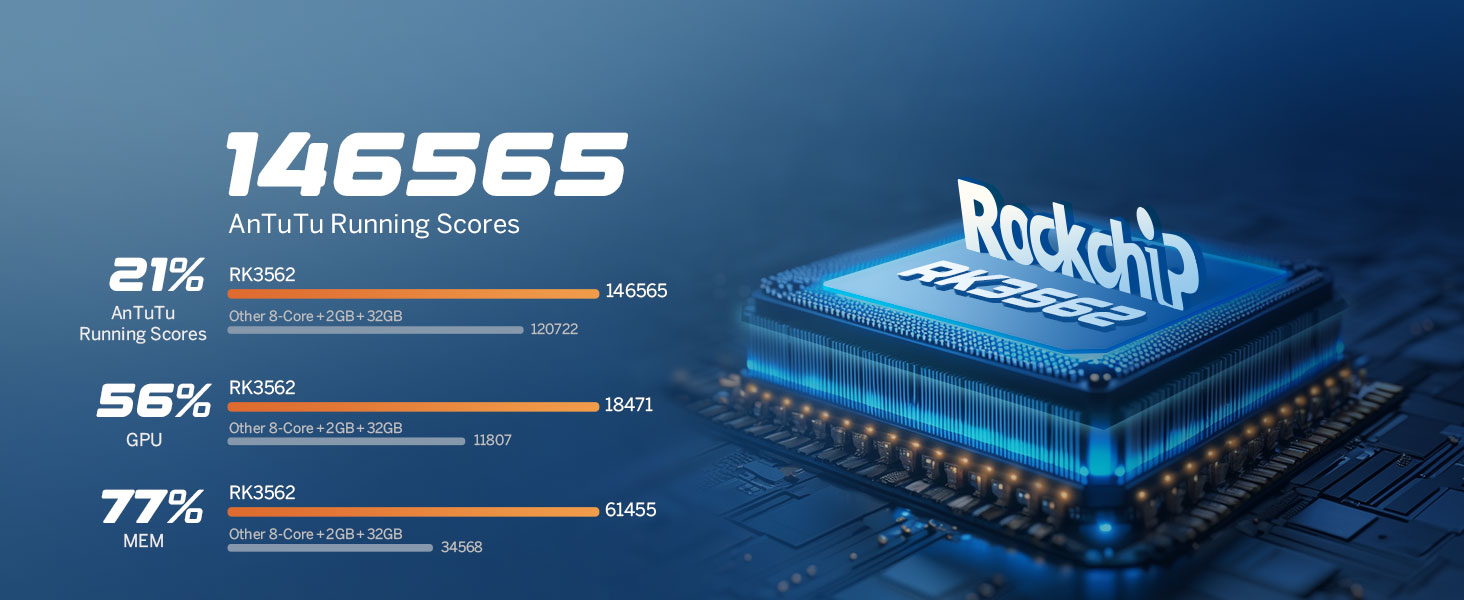
Figure 4.1.1: Illustration of the Eonon UX7's user-focused panel design, highlighting the volume knob, USB ports, and AUX input for easy access and control.
4.2 Connexió CarPlay sense fil
- Feu clic a Zlink5 app on the car stereo.
- Enceneu el WiFi i Bluetooth del teu iPhone.
- Find 'EONON' in your phone's Bluetooth device list and pair it.
- Once connected, tap 'Use CarPlay' and wait a few seconds to complete the connection.

Figure 4.2.1: Step-by-step guide for connecting Wireless Apple CarPlay to the Eonon UX7, showing the Zlink5 app, iPhone WiFi/Bluetooth settings, Bluetooth pairing, and the final CarPlay interface.
4.3 Connexió sense fil d'Android Auto
- Feu clic a Zlink5 app on the car stereo.
- Enceneu el WiFi i Bluetooth of your Android phone.
- Find 'EONON' in your phone's Bluetooth device list and pair it.
- Espereu uns segons per completar la connexió.

Figure 4.3.1: Step-by-step guide for connecting Wireless Android Auto to the Eonon UX7, showing the Zlink5 app, Android phone WiFi/Bluetooth settings, Bluetooth pairing, and the final Android Auto interface.
4.4 Mirall de pantalla
The UX7 supports screen mirroring for both iOS and Android devices.
4.4.1 Screen Mirroring for iOS
- Feu clic a Zlink5 app on the car stereo. Set the car stereo to iPhone wireless screen mirroring mode.
- Turn on the iPhone hotspot and connect to the car stereo.
- Turn on the iPhone screen mirroring function and select "zj-airplay".

Figure 4.4.1: Instructions for setting up screen mirroring from an iOS device to the Eonon UX7, detailing the Zlink5 app, iPhone hotspot connection, and AirPlay selection.
4.4.2 Screen Mirroring for Android
- Feu clic a Zlink5 app on the car stereo. Set the car stereo to Android wireless screen mirroring mode.
- Find 'EONON' in your phone's Bluetooth device list and pair it.
- Turn on the phone's hotspot and connect to the car stereo.
- Install the Zplus app on your phone. Turn on the app and select "wireless connection".

Figure 4.4.2: Instructions for setting up screen mirroring from an Android device to the Eonon UX7, detailing the Zlink5 app, Bluetooth pairing, Android hotspot connection, and Zplus app usage.
4.5 Connectivitat Bluetooth
The upgraded built-in Bluetooth system supports hands-free calls, contact synchronization, and music playback.
- Equipped with an external microphone for clear call quality.
- Features an independent Bluetooth module and extra Bluetooth antenna for quick and stable connection with noise reduction.

Figure 4.5.1: Image illustrating the independent Bluetooth module and extra Bluetooth antenna of the Eonon UX7, emphasizing quick and stable connection, noise reduction, crystal-clear call quality, and high-quality Bluetooth music.
5. Funcionament
5.1 Audio Settings and DSP
The built-in DSP and 4*45W max output power provide a rich sound experience. Utilize the 48-band graphic equalizer and six preset EQ modes to customize your audio.
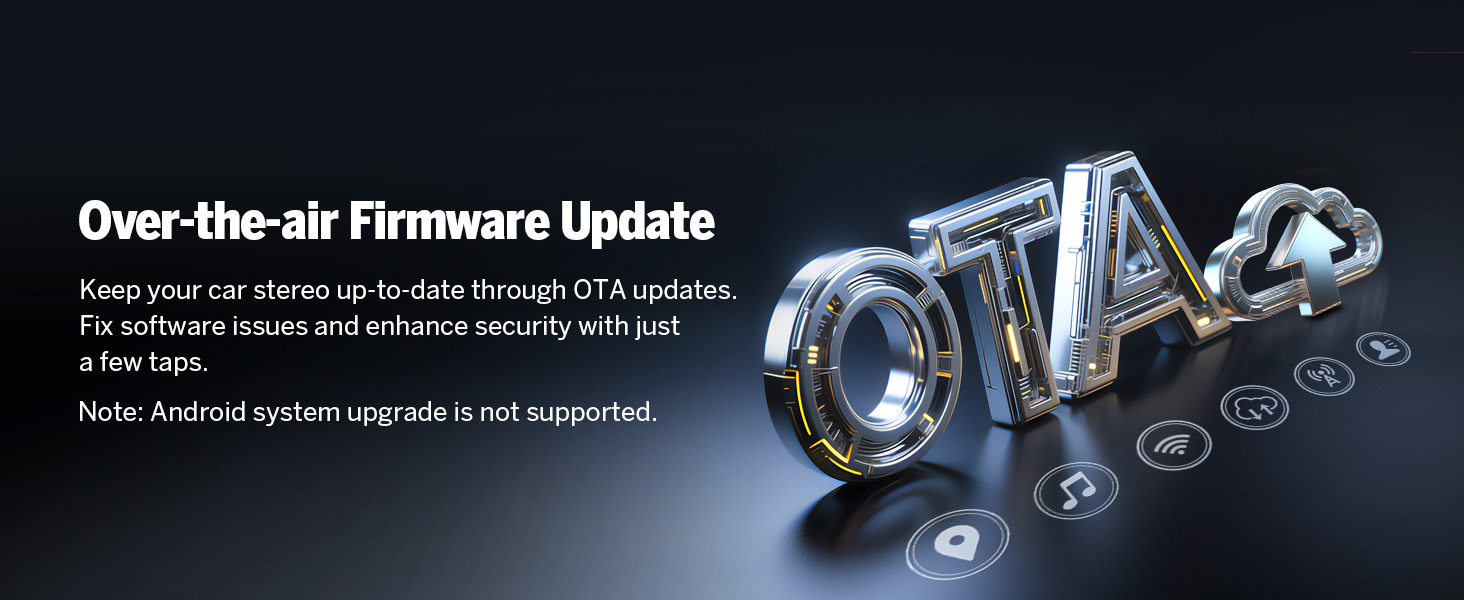
Figure 5.1.1: Screenshot of the Eonon UX7's audio equalizer interface, showing the 36-band graphic equalizer and various EQ modes for sound customization.
5.2 Comandaments al volant
The unit supports analog Steering Wheel Control (SWC) signals, allowing you to control various functions directly from your steering wheel.

Figure 5.2.1: Image demonstrating the steering wheel control learning interface on the Eonon UX7, allowing users to map functions to their vehicle's steering wheel buttons.
5.3 Display and UI Themes
The 7-inch QLED touch screen offers 1024*600 HD resolution with true-to-life colors. The UX7 Car Radio comes with 3 built-in UI themes that you can choose from.
New 3 Brightness Modes (Light, Dark, and Auto) provide a safer and more comfortable driving experience, especially at night.
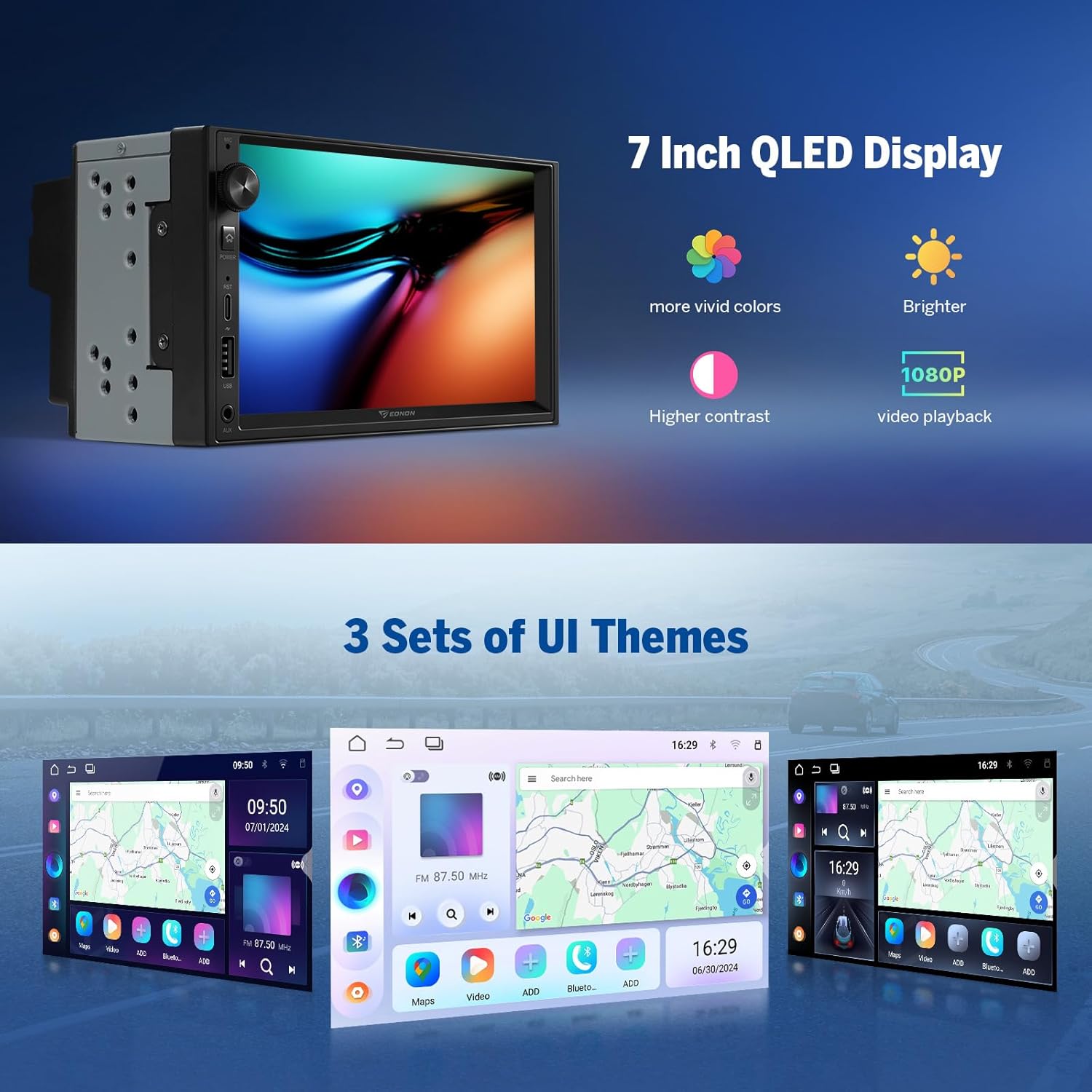
Figure 5.3.1: Image showcasing the 7-inch QLED display of the Eonon UX7, highlighting its vivid colors, brightness, and 1080P video playback capability, along with examples of the three customizable UI themes.
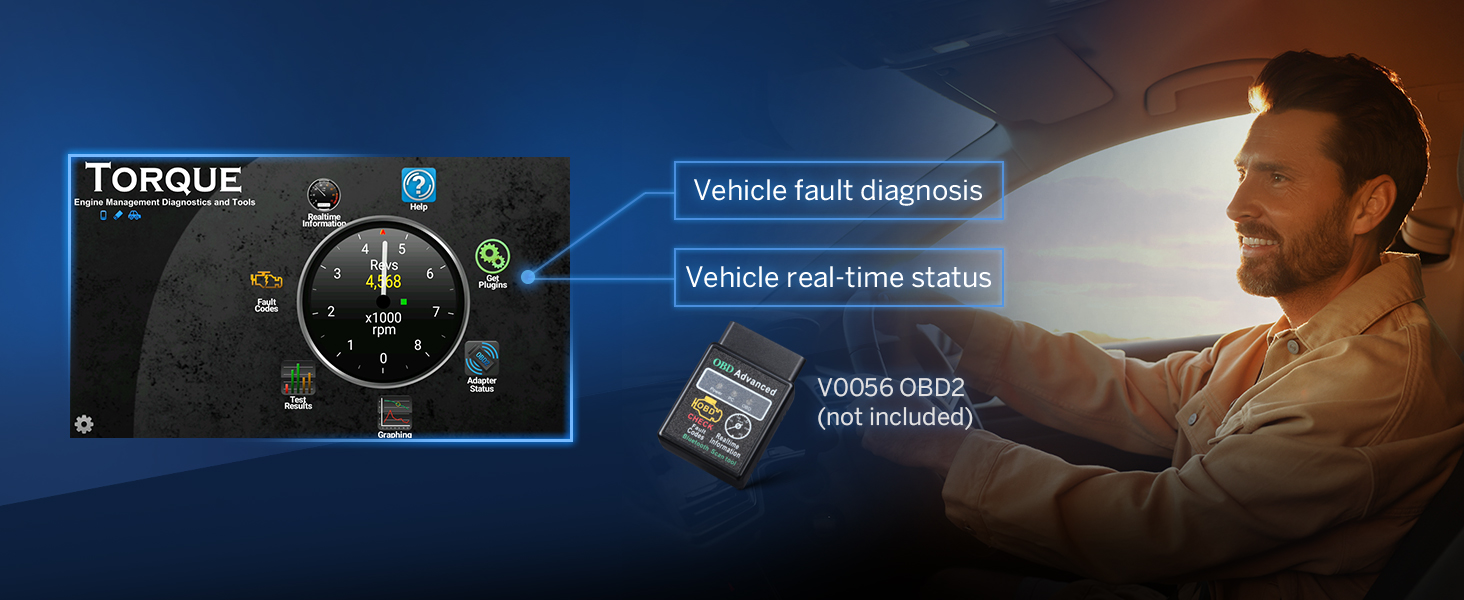
Figure 5.3.2: Image demonstrating the customization options for the Eonon UX7's interface, including boot logo, button color, and wallpaper settings.
5.4 Càrrega ràpida
The UX7 is equipped with a high-speed Type-C port that supports PD 3.0 and PPS fast charging, ensuring your devices power up faster and more efficiently on the go.

Figure 5.4.1: Image illustrating the fast charging capability of the Eonon UX7 via its Type-C port, supporting PD3.0/PD2.0, QC3.0/QC2.0, FCP/SCP, and AFC protocols.
6. Accessoris opcionals (no inclosos)
Enhance your Eonon UX7 experience with these compatible accessories:
6.1 Eonon Dashcam (A100)
The UX7 supports the Eonon dashcam (A100) for recording your drives. This accessory is not included with the stereo.

Figure 6.1.1: Image illustrating the Eonon UX7's compatibility with the A100 Dash Cam, showing its 120° viewing angle and 1280x720 video playback.
6.2 OBD2 Scanner (V0056)
Connect an OBD2 scanner (V0056) to the UX7 for vehicle fault diagnosis and real-time status monitoring. This accessory is not included.

Figure 6.2.1: Image demonstrating the Eonon UX7's support for an OBD2 scanner (V0056), enabling vehicle fault diagnosis and real-time status display.
6.3 DAB+ Box (502)
The UX7 supports the DAB+ box (502) for digital audio broadcasting. This accessory is not included.
7. Què hi ha a la caixa
The following items are included with your Eonon UX7 Car Stereo:
- Reversing Camera A0125 *1
- Cable d'alimentació * 1
- GPS Antenna *1
- USB Adapter Cable *2
- Audio/Video Adapter Cable *2
- Reversing Video Input Cable *1
- 15A Fuse *1
- External Microphone *1
- Manual d'instruccions *1
- Cargols *8
- Small Knob *1

Figure 7.1.1: Visual representation of all items included in the Eonon UX7 package, such as audio/video adapter cables, USB adapter cables, backup camera video input cable, power cable, GPS antenna, external microphone, screws, rotary knob, spare fuse, and the user manual.
8. Especificacions
| Característica | Detall |
|---|---|
| Número de model | UX7-U |
| Sistema operatiu | Android 14 |
| RAM + ROM | 3 GB de RAM + 32 GB de ROM |
| Mida de la pantalla | 7 polzades |
| Tipus de visualització | Pantalla tàctil QLED |
| Resolució | 1024*600 HD |
| Processador | Rockchip Processor (ARM Cortex-A53@2.0GHz) |
| Potència de sortida d'àudio | 4 * 45W Max |
| Versió Bluetooth | 5.4 |
| Connectivitat | Bluetooth, USB, Wi-Fi |
| Característiques especials | Android Auto, Apple CarPlay, Built-In Bluetooth, DSP, Fast Charging (PD/QC) |
| Pes de l'article | 4.4 lliures (2 quilograms) |
| Dimensions del paquet | 9.06 x 7.87 x 6.3 polzades |
9. Solució De Problemes
Aquesta secció ofereix solucions a problemes comuns que podeu trobar.
- Sense energia: Ensure all power connections are secure and the fuse is not blown. Check the ISO power cord connection.
- Sense so: Verify speaker connections. Check audio settings, including volume levels and EQ settings. Ensure the AMP wire is correctly connected if using an external ampmés viu.
- CarPlay/Android Auto no es connecta: Double-check WiFi and Bluetooth connections on both the stereo and your phone. Ensure the Zlink5 app is running. For Android, confirm the Zplus app is installed and running.
- Mala recepció de ràdio: Check the antenna connection. Ensure the ANT wire is properly connected.
- Els comandaments del volant no funcionen: Ensure the SWC wires are correctly connected. Access the steering wheel control learning function in the settings to re-map buttons.
- Sistema lent o no respon: Close unnecessary background applications. Perform a system restart. Consider checking for Over-the-Air (OTA) firmware updates to improve performance and security. Note: OTA updates are for firmware, not for Android system upgrades.

Figure 9.1.1: Image illustrating the Over-the-air (OTA) firmware update feature for the Eonon UX7, which helps fix software issues and enhance security.
10. Manteniment
To ensure the longevity and optimal performance of your Eonon UX7 Car Stereo, follow these maintenance guidelines:
- Neteja: Feu servir un drap suau i sec per netejar la pantalla i l'exterior. Eviteu productes de neteja abrasius o dissolvents que puguin danyar la superfície.
- Actualitzacions de programari: Regularly check for and install Over-the-Air (OTA) firmware updates to ensure your device has the latest improvements and security patches.
- Control de temperatura: Eviteu exposar la unitat a temperatures extremes, tant altes com baixes, ja que això pot afectar el rendiment i la vida útil.
- Ventilació: Assegureu-vos que les zones de ventilació de la unitat no estiguin bloquejades per evitar el sobreescalfament.
11. Garantia i Suport
Eonon products come with a standard warranty. Please refer to the warranty card included in your package or visit the official Eonon weblloc web per obtenir informació detallada sobre els termes i condicions de la garantia.
For technical support, troubleshooting assistance, or service inquiries, please contact Eonon customer support through their official channels. You can find contact information on the Eonon weblloc web o a la documentació inclosa.
Recursos en línia:
- Eonon Official Weblloc: www.eonon.com
- Eonon Amazon Store: Visit the EONON Store on Amazon